
1. สินค้าหมดview
The Yakry Automatic Cat Feeder with Camera (Model C2) is designed to provide convenient and reliable feeding for your cats and small dogs. Featuring a high-definition camera with night vision, app control, and 5G WiFi support, this feeder allows you to monitor and manage your pet's meals remotely. Its large capacity and fresh-keeping design ensure your pet receives timely and healthy nutrition.
คุณสมบัติหลัก:
- กล้อง HD พร้อมระบบมองเห็นในเวลากลางคืน: Monitor your pet's feeding process with a 1080P HD camera and night vision for clear visuals day or night.
- Easy-to-Use App Control & 5G WiFi Support: Set customized feeding schedules remotely via an intuitive mobile app. Compatible with both 5GHz and 2.4GHz WiFi networks.
- ความจุขนาดใหญ่ 4 ลิตร: Holds approximately 17 cups of dry food, sufficient for an adult cat for up to 20 days. Designed for indoor cats and small dogs.
- Twist-Lock Lid & Desiccant: Keeps food fresh and dry, supporting your pet's well-being.
- ชามสแตนเลสเกรดอาหาร: Provides healthy and hygienic feeding, reducing the risk of chin acne.
- SD Card Video Storage & Motion Detection: Supports SD card recording (4-128GB) and advanced motion detection for playback of events.
- เสียงสองทาง: สื่อสารกับสัตว์เลี้ยงของคุณแบบเรียลไทม์
- การควบคุมปริมาณอาหารอย่างแม่นยำ: Dispenses food in 10-gram portions (approximately 1/12 cup). Suitable for kibble sizes less than 0.5 inch.
อะไรอยู่ในกล่อง:
- Cat Feeder with Camera x 1
- Food Storage Bucket x 1
- Lid and Desiccant x 1
- ชามสแตนเลส x 1
- USB Cable and Adapter x 1
2. คู่มือการติดตั้ง
2.1 การประกอบ
- Attach Food Storage Bucket: Align the food storage bucket with the main feeder unit and rotate to lock it securely in place.
- ใส่สารดูดความชื้น: Open the desiccant compartment in the lid and insert the provided desiccant packet to maintain food freshness. Close the compartment.
- Place Stainless Steel Bowl: Position the stainless steel bowl liner into the feeder's base.

Figure 2.1: Assembled Yakry Automatic Cat Feeder with Camera.
2.2 การเปิดเครื่องอุปกรณ์
The feeder can be powered via the included USB cable and adapter or by batteries (not included) for backup power.
- พลังงาน USB: Connect the USB cable to the feeder and plug the adapter into a wall outlet.
- แบตเตอรี่สำรอง: เพื่อให้การทำงานไม่หยุดชะงักแม้ในขณะไฟฟ้าดับtages, install 3 D-cell batteries (not included) into the battery compartment at the bottom of the feeder.
2.3 การติดตั้งแอปและการเชื่อมต่อ Wi-Fi
- Download the companion app (e.g., Smart Life or Tuya Smart) from your device's app store.
- ลงทะเบียนหรือเข้าสู่ระบบบัญชีของคุณ
- Add the device by following the in-app instructions. Ensure your smartphone is connected to a 2.4GHz or 5GHz Wi-Fi network during setup.
- The feeder supports both 2.4GHz and 5GHz Wi-Fi for flexible connectivity.
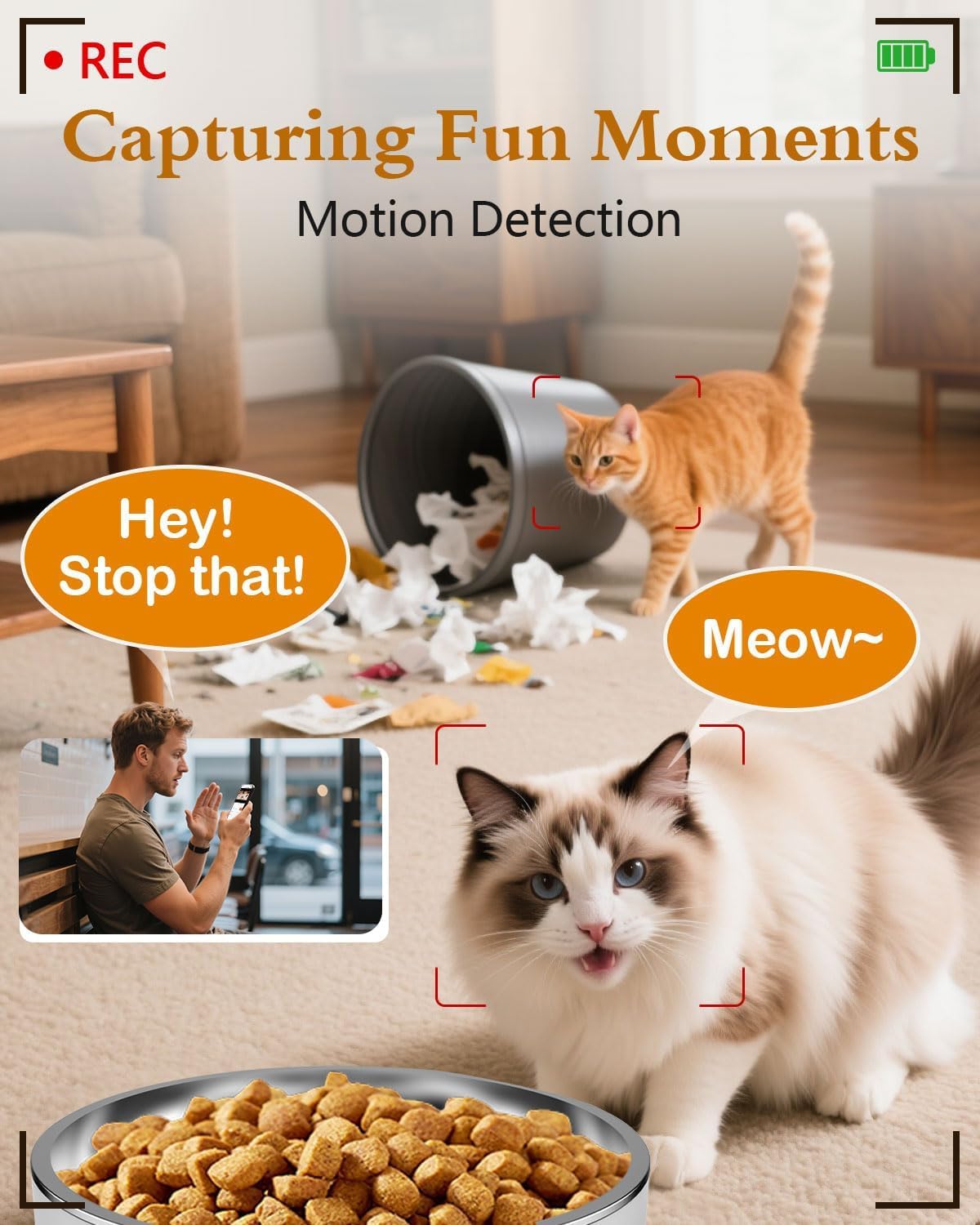
Figure 2.2: App interface for Wi-Fi setup.
3. คู่มือการใช้งาน
3.1 การให้อาหารด้วยตนเอง
You can dispense food manually at any time using the app or the physical 'Feed' button on the device.
- ผ่านแอป: Open the app, navigate to your feeder, and tap the 'Feed' button. You can select the number of portions to dispense.
- ผ่านทางอุปกรณ์: Press the 'Feed' button on the feeder once to dispense one portion.
Video 3.1: Official Yakry video demonstrating the features of the Automatic Cat Feeder with Camera, including manual feeding and app control.
3.2 Scheduling Automatic Feeds
Set up a personalized feeding schedule through the app to ensure your pet is fed consistently.
- In the app, go to the 'Schedule' section.
- Tap 'Add' to create a new feeding event.
- Select the desired time, days of the week, and number of portions (1 portion ≈ 10 grams).
- บันทึกตารางเวลาไว้
3.3 การบันทึกเสียง
Record a custom voice message that plays during feeding times to call your pet.
- In the app, navigate to the 'Record' option.
- Follow the prompts to record your message.
- The message will play automatically when food is dispensed according to the schedule.
3.4 คุณสมบัติกล้อง
- สด View: Access the 1080P HD camera feed through the app to see your pet in real-time.
- การมองเห็นตอนกลางคืน: The camera automatically switches to infrared night vision in low-light conditions, providing clear images.
- การตรวจจับการเคลื่อนไหว: Receive alerts on your phone when motion is detected near the feeder. Recordings can be stored on an SD card (4-128GB, not included).
- เสียงสองทาง: Use the app's microphone feature to speak to your pet and hear their responses.

Figure 3.1: Live monitoring with 1080P HD camera.

Figure 3.2: Two-way audio communication with your pet.
4. การบำรุงรักษา
4.1 การทำความสะอาด
การทำความสะอาดอย่างสม่ำเสมอช่วยให้มั่นใจได้ถึงสุขอนามัยและการทำงานที่เหมาะสมของเครื่องให้อาหารสัตว์
- ชามสแตนเลส: The bowl is removable and dishwasher-safe or can be hand-washed with mild soap and water.
- Food Storage Bucket: Detach the bucket and wash it with mild soap and water. Ensure it is completely dry before refilling with food.
- หน่วยหลัก: เช็ดภายนอกตัวเครื่องหลักด้วยผ้าamp ผ้า. อย่าจุ่มตัวเครื่องลงในน้ำ

Figure 4.1: Detachable design for easy cleaning.
4.2 การเปลี่ยนสารดูดความชื้น
Replace the desiccant packet every 1-2 months, or as needed, to maintain optimal food freshness and prevent moisture buildup.
5 การแก้ไขปัญหา
5.1 ปัญหาการเชื่อมต่อ
- เครื่องให้อาหารสัตว์ไม่เชื่อมต่อกับ Wi-Fi: Ensure your router supports 2.4GHz or 5GHz networks and that the feeder is within range. Restart your router and the feeder, then attempt to reconnect via the app.
- แอปไม่ตอบสนอง: Close and reopen the app. Check for app updates. Ensure your phone has a stable internet connection.
5.2 Feeding Issues
- อาหารไม่พร้อมจำหน่าย: Check if the food hopper is empty. Ensure kibble size is less than 0.5 inch to prevent blockages. Clean the dispensing mechanism if necessary.
- Incorrect portion size: Verify the portion settings in the app. Recalibrate if needed.
5.3 ปัญหาเกี่ยวกับกล้อง
- No camera feed: Check Wi-Fi connection. Restart the feeder. Ensure the camera lens is clean.
- คุณภาพของภาพไม่ดี: ตรวจสอบให้แน่ใจว่ามีแสงสว่างเพียงพอ ทำความสะอาดเลนส์กล้อง
6. ข้อมูลจำเพาะผลิตภัณฑ์
| คุณสมบัติ | ข้อมูลจำเพาะ |
|---|---|
| หมายเลขรุ่น | C2 |
| น้ำหนักสินค้า | 3.69 ปอนด์ |
| ขนาดสินค้า (กxยxส) | 7.5 x 10.6 x 7.5 นิ้ว |
| ความจุอาหาร | 4 ลิตร / 17 ถ้วย |
| Kibble Size Limit | Less than 0.5 inch |
| ความละเอียดของกล้อง | ความคมชัดระดับ 1080P |
| การมองเห็นตอนกลางคืน | อินฟราเรด |
| การเชื่อมต่อ Wi-Fi | 2.4GHz และ 5GHz |
| พื้นที่จัดเก็บ | SD Card (4-128GB, not included) |
| แหล่งพลังงาน | USB Cable & Adapter, D-cell Batteries (backup) |
| สายพันธุ์เป้าหมาย | Dogs & Cats |
| ข้อแนะนำการใช้ | ในร่ม |
7. การรับประกันและการสนับสนุน
7.1 ข้อมูลการรับประกัน
The Yakry Automatic Cat Feeder with Camera (Model C2) comes with a รับประกันสองปี นับจากวันที่ซื้อ ครอบคลุมถึงข้อบกพร่องในการผลิตและการทำงานผิดปกติภายใต้การใช้งานปกติ
7.2 การสนับสนุนลูกค้า
For any questions, technical assistance, or warranty claims, please contact our การสนับสนุนออนไลน์ตลอด 24 ชั่วโมงทุกวัน. Refer to the contact information provided with your product packaging or visit the official Yakry webเว็บไซต์สำหรับรายละเอียดการสนับสนุน