1. บทนำ
This manual provides essential instructions for setting up, operating, and maintaining your Generic C8 4G Flip Phone. Designed for ease of use, this device features large buttons, clear displays, and essential communication functions.

Figure 1: Generic C8 4G Flip Phone with charging dock.
2. การตั้งค่า
2.1 อะไรอยู่ในกล่อง
- Generic C8 4G Flip Phone
- แบตเตอรี่ 1400mAh
- สาย USB (ประเภท-C)
- แท่นชาร์จ
- คู่มือการใช้งาน

รูปที่ 2: รายการที่รวมอยู่ในบรรจุภัณฑ์ผลิตภัณฑ์
2.2 การติดตั้งแบตเตอรี่และซิมการ์ด
Before first use, ensure the battery and SIM card are correctly installed. The phone supports Nano SIM cards.
Video 1: Demonstration of battery and SIM card removal/installation (Nokia 2780 Flip Phone, similar process).
2.3 การชาร์จอุปกรณ์
The C8 4G Flip Phone can be charged using the included USB Type-C cable or by placing it in the charging dock.
- การชาร์จ USB Type-C: Connect the USB cable to the phone's Type-C port and a compatible power adapter.
- แท่นชาร์จ: Place the phone securely into the charging dock. Ensure the charging indicator appears on the screen.
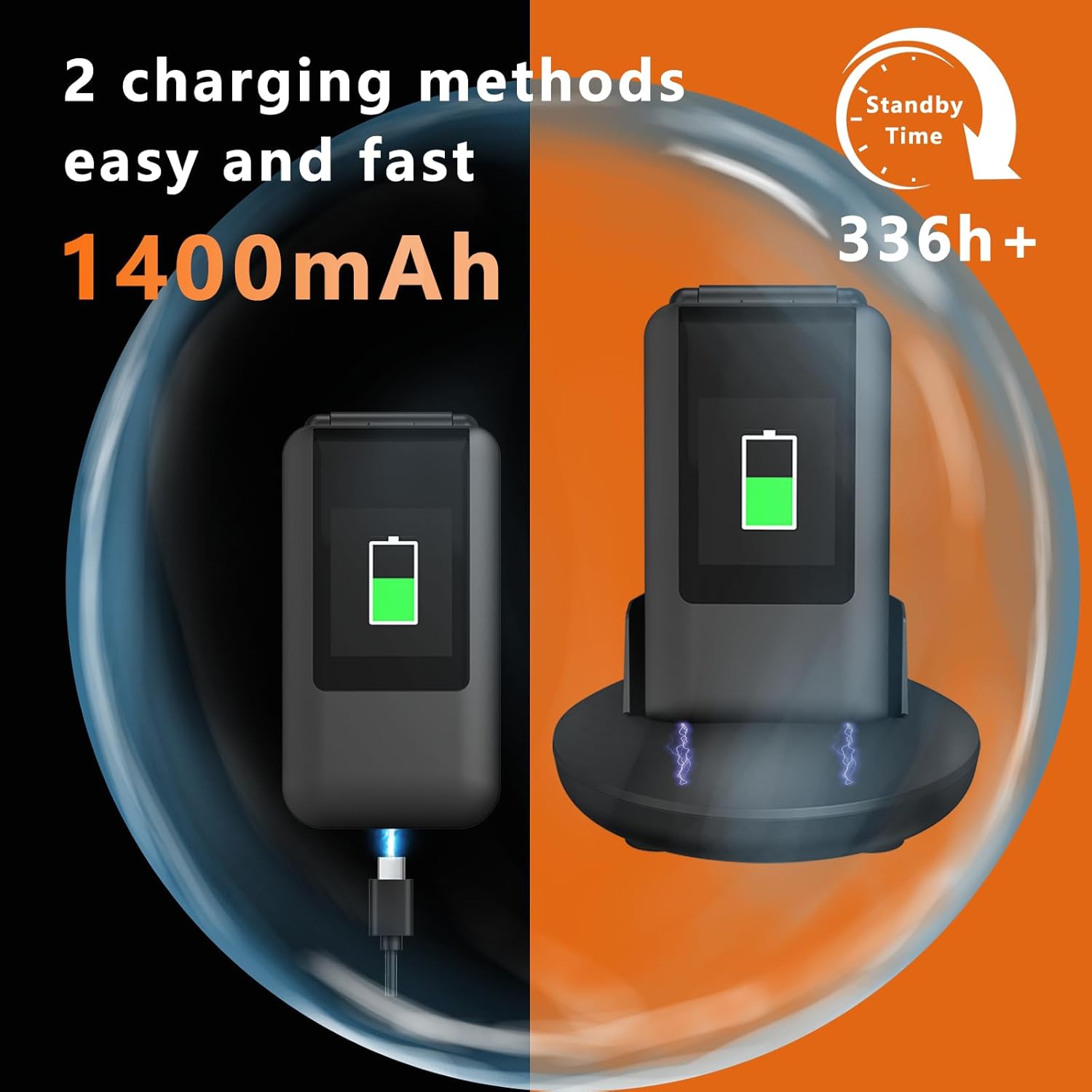
Figure 3: The phone supports both USB Type-C direct charging and charging via the included dock.
2.4 ความเข้ากันได้ของเครือข่าย
This phone is unlocked and supports 4G VoLTE, 3G WCDMA, and 2G/GSM networks. Optimal compatibility is with T-Mobile and its MVNOs (MetroPCS, Panda, Tello Mobile, Ultra Mobile, SpeedTalk, Simple Mobile, Red Pocket (GSMT)). It is ไม่ compatible with CDMA carriers (Verizon, Sprint, Boost, PagePlus) or AT&T.
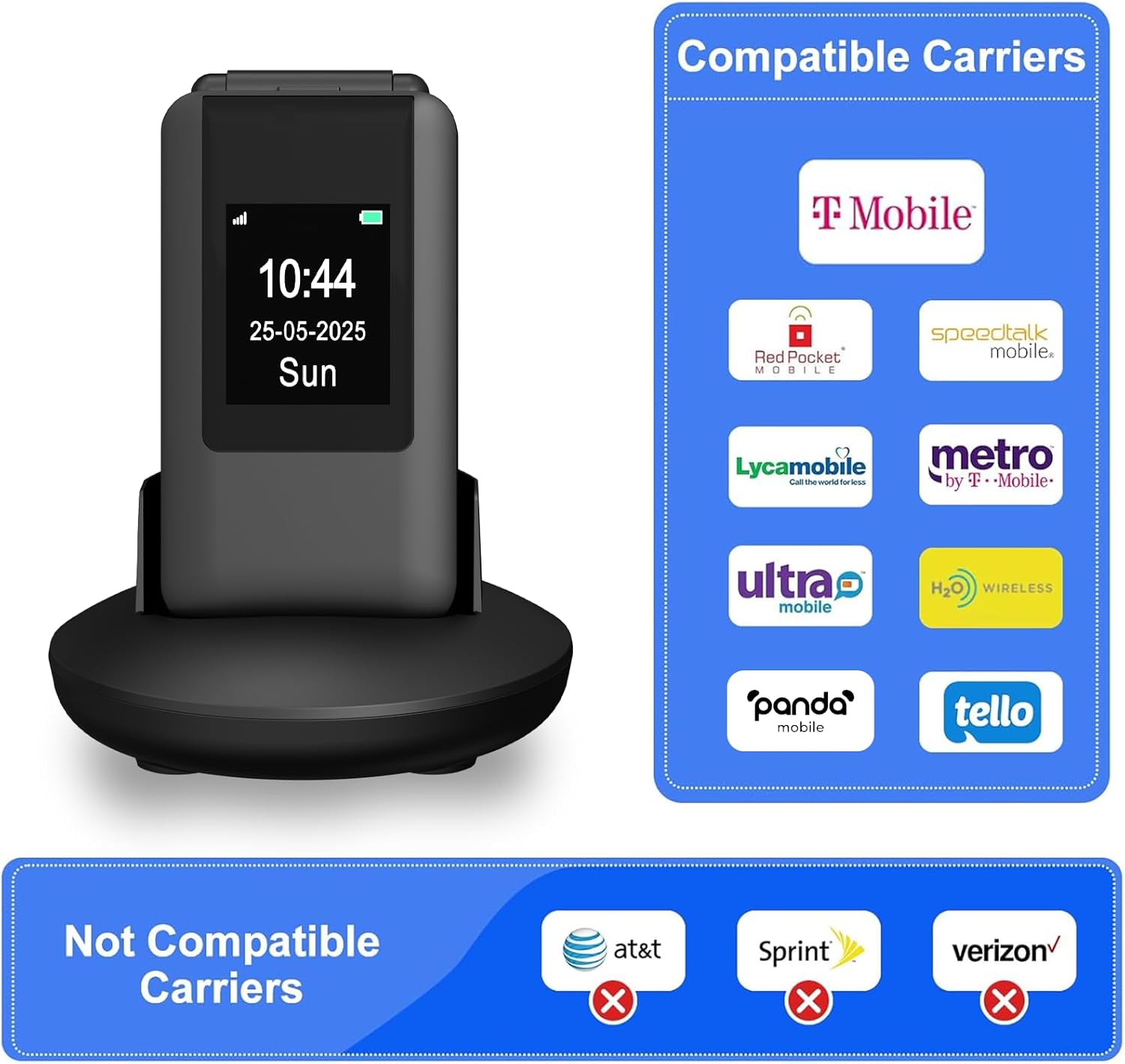
รูปที่ 4: เกินview of compatible and incompatible network carriers.
3. คู่มือการใช้งาน
3.1 Basic Functions and Display
The C8 features a dual-screen design with a 2.8-inch inner screen and a 1.5-inch outer display. The outer display shows time, caller ID, and notifications without opening the phone. The large buttons and clear fonts enhance usability.
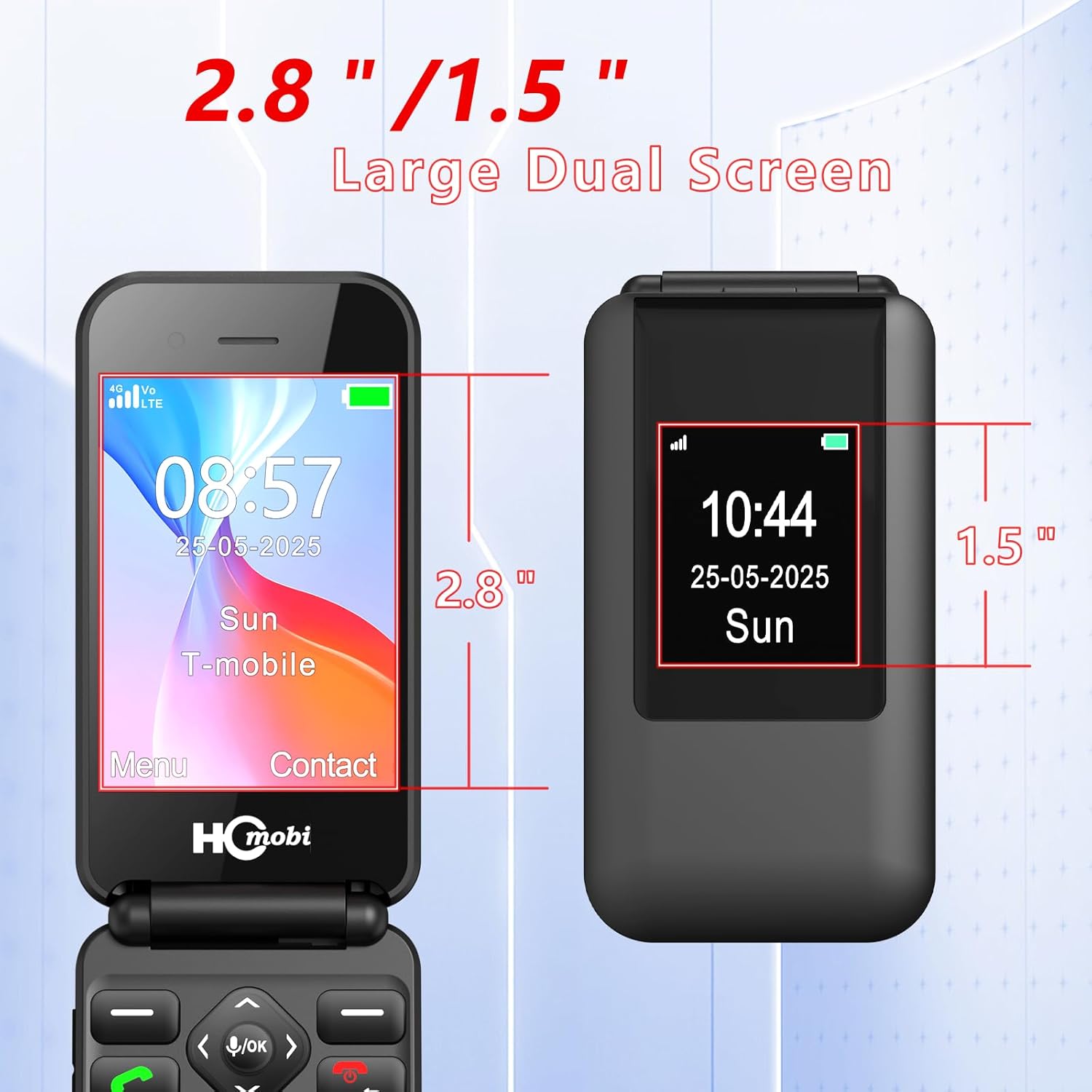
Figure 5: Dual screen dimensions for the C8 Flip Phone.
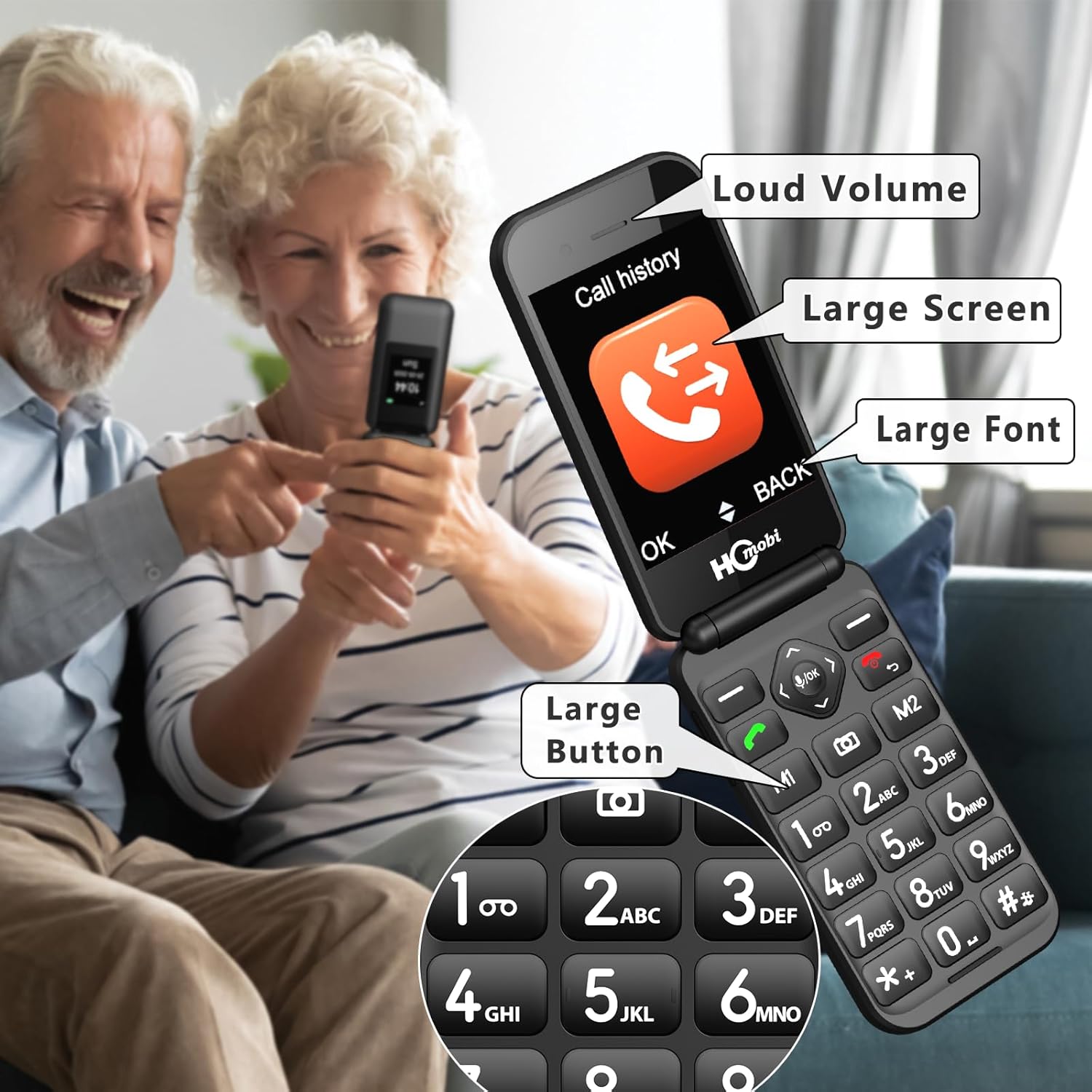
Figure 6: Key features for enhanced readability and usability.
3.2 Making Calls and Speed Dial
To make a call, open the phone, dial the number using the large keypad, and press the green call button. For quick access, you can set up speed dial contacts.
- M1/M2 Keys: Assign frequently called numbers to M1 and M2 for direct dialing.
- ตัวเลข 2-9: Assign up to 8 contacts to number keys 2-9 for speed dialing.
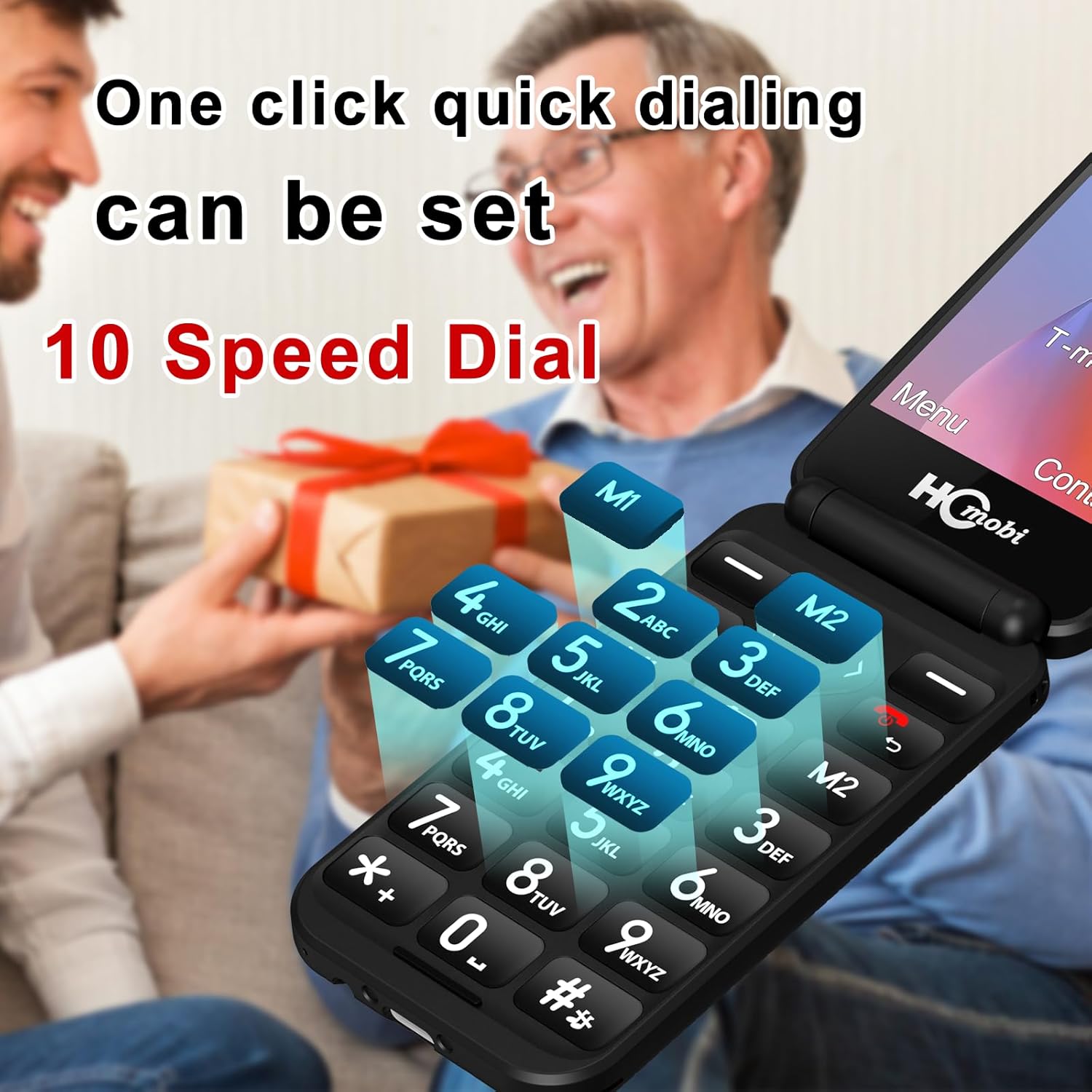
Figure 7: Speed dial functionality with M1/M2 keys and number assignments.
Video 2: How to set Photo Speed Dial and SOS function (Easyfone T300, similar process).
3.3 ปุ่มฉุกเฉิน SOS
In case of an emergency, press and hold the SOS button on the back of the phone for 3 seconds. The phone will automatically dial up to 5 pre-set emergency numbers and send a text message to these contacts.
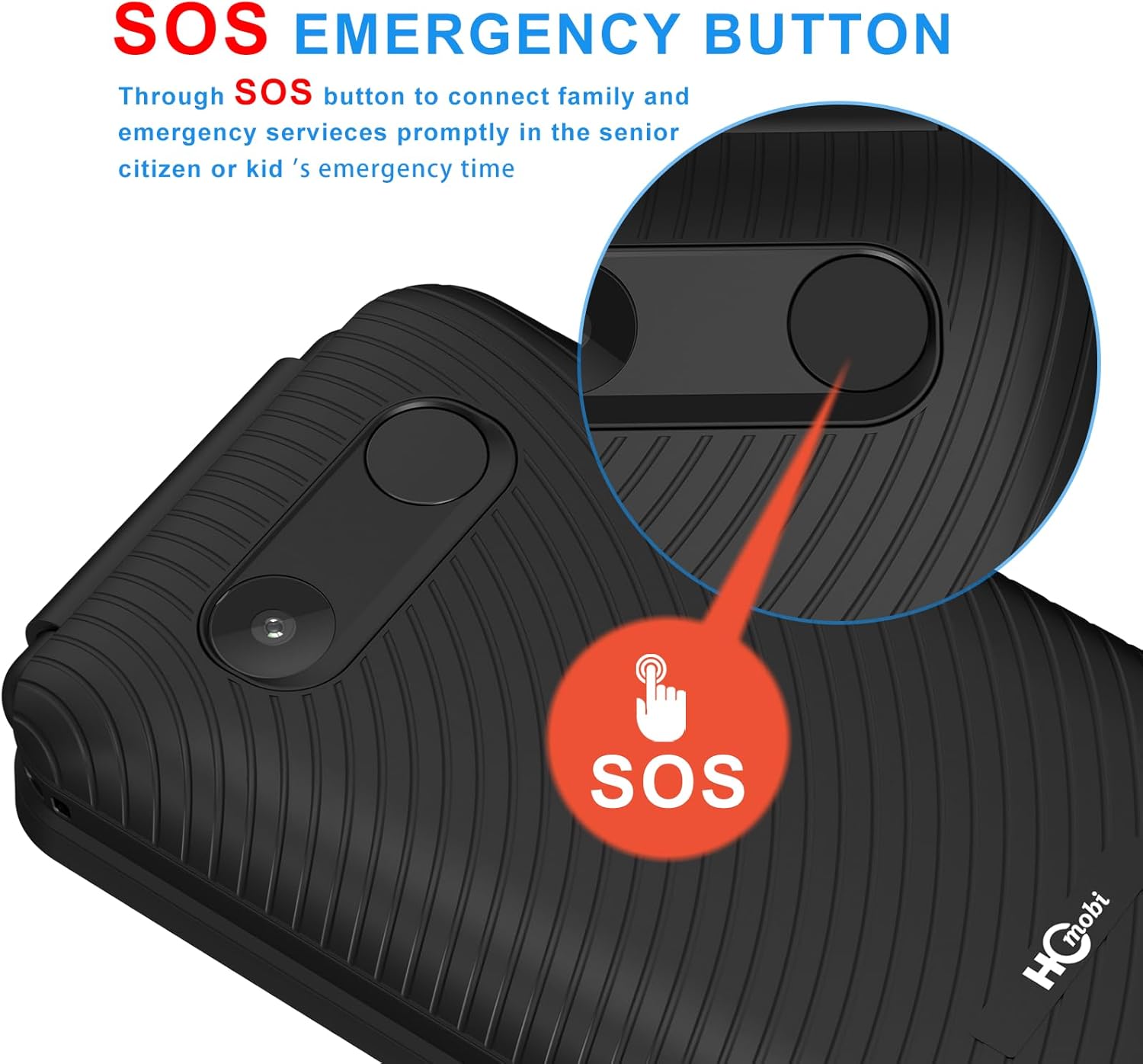
Figure 8: Location and function of the SOS emergency button.
3.4 ฟังก์ชั่นเพิ่มเติม
The C8 4G Flip Phone includes several useful features:
- กล้อง: ถ่ายภาพด้วยกล้องในตัว
- บลูทูธ: Connect to Bluetooth headsets or other devices.
- วิทยุ FM: Listen to FM radio stations.
- นาฬิกาปลุก: ตั้งปลุกเพื่อเตือนความจำ
- เครื่องคิดเลข: ดำเนินการคำนวณขั้นพื้นฐาน
- เครื่องเล่น MP3: เล่นเสียง MP3 files.
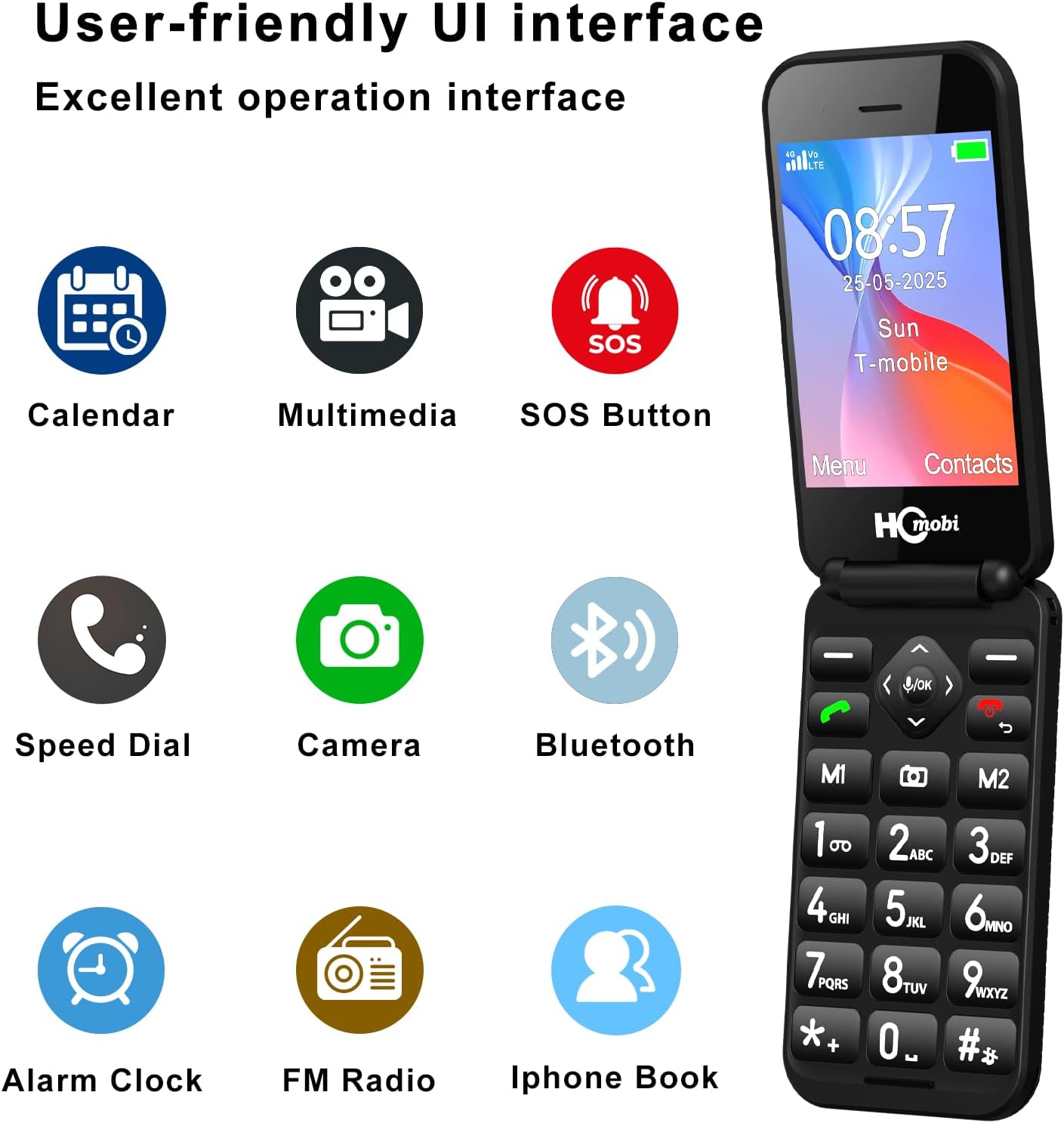
Figure 9: User-friendly interface displaying available functions.
Video 3: Demonstration of ringtone settings and FM radio frequency input (artfone G3, similar process).
4. การบำรุงรักษา
To ensure the longevity and optimal performance of your C8 4G Flip Phone, follow these maintenance guidelines:
- การทำความสะอาด: Use a soft, dry cloth to clean the phone's exterior. Avoid harsh chemicals or abrasive materials.
- การดูแลแบตเตอรี่ หลีกเลี่ยงอุณหภูมิที่สูงหรือต่ำเกินไป อย่าให้แบตเตอรี่โดนแสงแดดโดยตรงหรืออยู่ในสภาพอากาศหนาวจัด ชาร์จแบตเตอรี่เป็นประจำ แต่หลีกเลี่ยงการชาร์จเกินเวลาเป็นเวลานาน
- พื้นที่จัดเก็บ: เมื่อไม่ได้ใช้งานเป็นเวลานาน ควรเก็บโทรศัพท์ไว้ในที่แห้งและเย็น
5 การแก้ไขปัญหา
If you encounter issues with your C8 4G Flip Phone, refer to the following common solutions:
- โทรศัพท์ไม่เปิด: Ensure the battery is correctly installed and charged. Connect the phone to the charger and wait a few minutes before attempting to power on.
- ไม่มีสัญญาณเครือข่าย: Verify that your SIM card is properly inserted and active. Check your location for network coverage. Ensure your carrier is compatible with the phone (refer to Section 2.4).
- คุณภาพการโทรไม่ดี: Check your network signal strength. Move to an area with better reception. Ensure the earpiece and microphone are not obstructed.
- แบตเตอรี่หมดเร็ว: ลดความสว่างหน้าจอ ปิดแอปพลิเคชันที่ไม่ได้ใช้งาน จำกัดการใช้ข้อมูลพื้นหลัง
6. ข้อมูลจำเพาะ
| คุณสมบัติ | ข้อมูลจำเพาะ |
|---|---|
| ชื่อรุ่น | C8 |
| ระบบปฏิบัติการ | MOCOR RT0S |
| เทคโนโลยีการเชื่อมต่อ | 4จีแอลทีอี |
| เทคโนโลยีเซลลูล่าร์ | 4G |
| ขนาดหน้าจอ | 2.8 Inches (Main), 1.5 Inches (External) |
| ปณิธาน | 320 x 240 |
| ความจุของแบตเตอรี่ | 1400 มิลลิวินาทีamp ชั่วโมง |
| เวลาสนทนาทางโทรศัพท์ | นานถึง 8 ชั่วโมง |
| เวลาสแตนด์บาย | นานถึง 336 ชั่วโมง |
| ความจุของหน่วยความจำ | 32 GB (เพิ่มได้ผ่าน microSD) |
| น้ำหนักสินค้า | 5.3 ออนซ์ |
| สี | สีดำด้าน |
7. การรับประกันและการสนับสนุน
สำหรับข้อมูลการรับประกันและการสนับสนุนลูกค้า โปรดดูเอกสารประกอบที่ให้มาพร้อมกับสินค้าที่คุณซื้อ หรือติดต่อตัวแทนจำหน่าย โปรดเก็บหลักฐานการซื้อไว้เพื่อใช้ในกรณีที่ต้องการเคลมประกัน