
1. สินค้าหมดview
The SUNITEC BC920C Bluetooth Car Hands-Free Kit is designed to provide clear, hands-free communication and audio streaming in your vehicle. It features automatic power on/off, CVC8.0 noise cancellation technology for crystal-clear calls and high-volume music, and supports connection with two phones simultaneously. This device is compatible with cars, SUVs, trucks, vans, minivans, pickups, and buses, especially older vehicles without built-in hands-free phone capabilities.
คุณสมบัติหลัก:
- Clear Hands-Free Calling with CVC8.0 Noise Cancellation
- เปิด / ปิดเครื่องอัตโนมัติ
- Dual Phone Connection Support
- High-Quality Stereo Speaker for Calls and Music
- Voice Assistant Support (Siri/Google Assistant)
2. ข้อมูลด้านความปลอดภัย
Please read and understand all safety information before using this product. Failure to follow these instructions may result in injury or damage.
- Avoid using the device in a manner that distracts you from driving. Always prioritize road safety.
- Keep the device away from heat sources, direct sunlight, and extreme temperatures.
- อย่าให้เครื่องโดนน้ำหรือความชื้นมากเกินไป
- กำจัดแบตเตอรี่อย่างมีความรับผิดชอบตามกฎระเบียบท้องถิ่น
- ห้ามถอดประกอบ ซ่อมแซม หรือดัดแปลงอุปกรณ์ด้วยตนเอง โปรดติดต่อช่างผู้ชำนาญการเพื่อขอความช่วยเหลือ
3. เนื้อหาบรรจุภัณฑ์
ตรวจสอบว่ามีรายการทั้งหมดอยู่ในแพ็คเกจของคุณ:
- SUNITEC BC920C Bluetooth Car Hands-Free Kit
- สายชาร์จ USB-C
- อะแดปเตอร์ชาร์จรถยนต์
- คู่มือการใช้งาน

4. การตั้งค่าและการติดตั้ง
Follow these steps to set up your BC920C device:
- ชาร์จอุปกรณ์: Before first use, fully charge the BC920C using the provided USB-C cable and car charger adapter or a computer USB port. The charging indicator light will show the charging status.
- การติดตั้ง: Clip the device onto your car's sun visor using the integrated clip. Ensure it is securely attached and does not obstruct your view.
- เปิดเครื่อง: The device features automatic power on. Once paired and connected, it will automatically power on and reconnect to your phone when you open the car door or start the engine.
- การจับคู่กับโทรศัพท์ของคุณ:
- Turn on the BC920C. It will automatically enter pairing mode (indicated by a flashing LED).
- บนสมาร์ทโฟนของคุณ ไปที่การตั้งค่าบลูทูธ และเปิดใช้งานบลูทูธ
- ค้นหา available devices and select "BC920C" from the list.
- เมื่อเชื่อมต่อแล้ว ไฟ LED จะหยุดกะพริบและคงค้างอยู่
- การเชื่อมต่อแบบคู่: The BC920C supports connecting two phones simultaneously. After pairing the first phone, repeat the pairing process for the second phone. The device will manage calls from both phones.


5. คู่มือการใช้งาน
Learn how to use your BC920C for calls, music, and voice commands.
5.1 การโทรออกและรับสาย
- รับสาย: When a call comes in, press the green phone button once to answer.
- การวางสาย: Press the green phone button once during a call to end it.
- การปฏิเสธสาย: Press and hold the green phone button for 2 seconds to reject an incoming call.
- โทรซ้ำ: Double-press the green phone button to redial the last number.
5.2 Volume Control and Music Playback
- การปรับระดับเสียง: Use the '+' and '-' buttons on the device to increase or decrease the volume during calls or music playback.
- การสตรีมเพลง: Once connected, audio from your smartphone, including music and GPS navigation instructions, will stream through the BC920C's speaker.

5.3 Voice Assistant (Siri/Google Assistant)
Activate your phone's voice assistant for hands-free control:
- Press the dedicated voice command button (often marked with a microphone icon) to activate Siri or Google Assistant on your connected smartphone.
- You can then use voice commands for navigation, making calls, sending messages, and more.
6. การชาร์จอุปกรณ์
The BC920C is powered by a rechargeable Lithium-ion battery. To charge:
- เชื่อมต่อสาย USB-C ที่ให้มากับพอร์ตชาร์จบนอุปกรณ์
- Plug the other end of the USB-C cable into the car charger adapter or a standard USB port (e.g., on a computer).
- ไฟแสดงสถานะการชาร์จจะสว่างขึ้นในระหว่างการชาร์จ และดับลงเมื่อชาร์จเต็ม
- โดยทั่วไปการชาร์จเต็มจะใช้เวลาประมาณ 2 ชั่วโมง
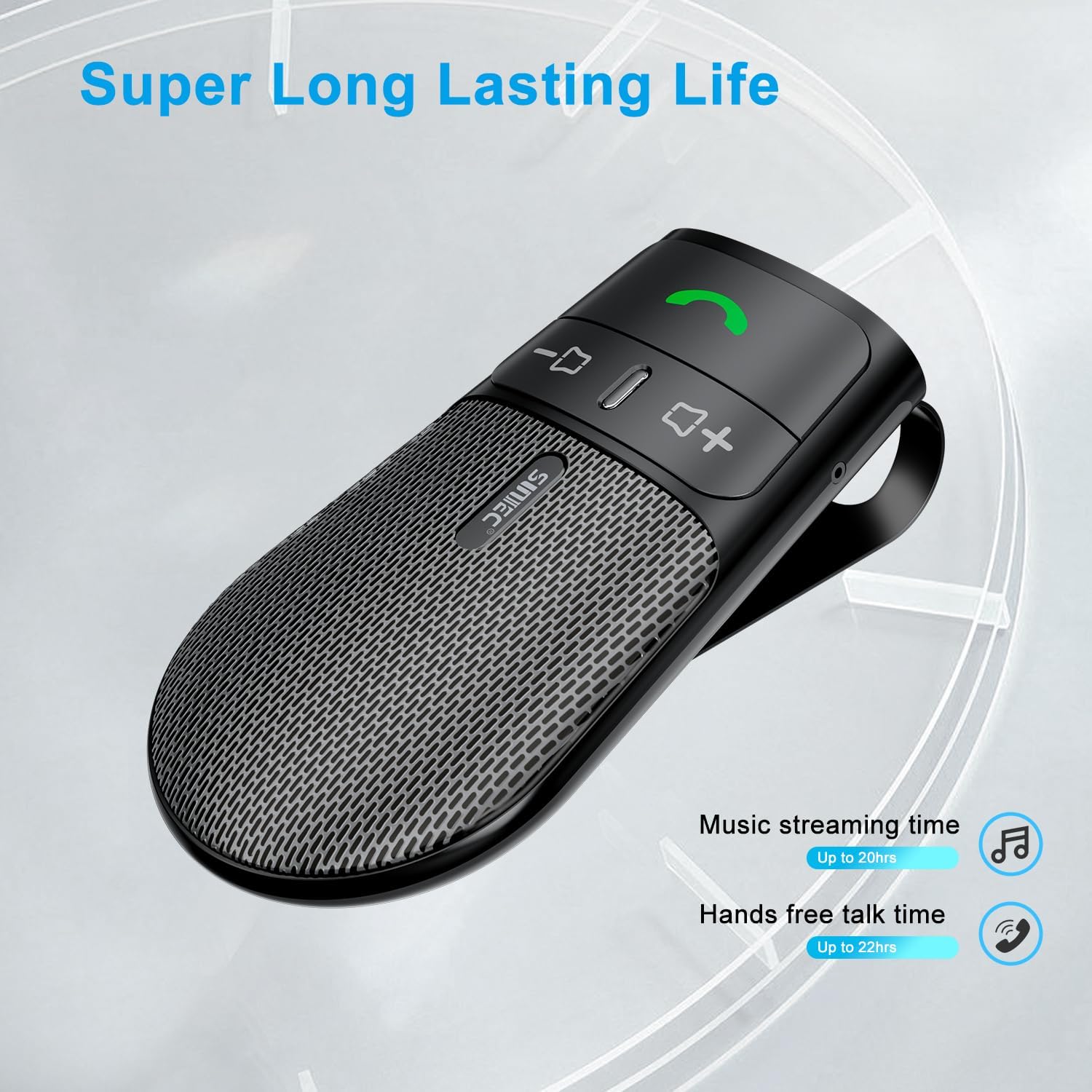
The device offers a long-lasting battery life, with up to 20 hours of music streaming time and up to 22 hours of hands-free talk time.
7. ข้อมูลจำเพาะ
| ยี่ห้อ | สุนิเทค |
| แบบอย่าง | BC920C |
| เทคโนโลยีการเชื่อมต่อ | บลูทูธ |
| ฮาร์ดแวร์อินเตอร์เฟซ | ยูเอสบี-ซี |
| อุปกรณ์ที่รองรับ | Car stereo, Smartphones |
| คุณสมบัติพิเศษ | Automatic Power On/Off, Noise Cancellation (CVC8.0), Hands-Free Calling |
| โหมดเอาต์พุตเสียง | สเตอริโอ |
| แหล่งพลังงาน | ใช้พลังงานจากแบตเตอรี่ (ลิเธียมไออน) |
| น้ำหนักสินค้า | 95 กรัม |
| ขนาดสินค้า | 15 x 11.6 x 5 ซม. |
8 การแก้ไขปัญหา
If you encounter issues with your SUNITEC BC920C, try the following solutions:
- อุปกรณ์ไม่เปิดเครื่อง: ตรวจสอบให้แน่ใจว่าอุปกรณ์ชาร์จเต็มแล้ว เสียบอุปกรณ์เข้ากับแหล่งจ่ายไฟและตรวจสอบไฟแสดงสถานะการชาร์จ
- ไม่สามารถจับคู่กับโทรศัพท์ได้: Make sure Bluetooth is enabled on your phone and the BC920C is in pairing mode (flashing LED). Try restarting both the device and your phone.
- Poor audio quality/echo: Ensure the device is positioned correctly on the sun visor and not obstructed. Adjust the volume on both the device and your phone. Move closer to the device if possible.
- การเชื่อมต่ออัตโนมัติไม่ทำงาน: Verify that the device was successfully paired previously. Check your phone's Bluetooth settings to ensure it's set to automatically connect to known devices.
- Voice commands not responding: Ensure your phone's voice assistant (Siri/Google Assistant) is enabled and configured correctly. Make sure the device is connected and the voice command button is pressed correctly.
9. การบำรุงรักษา
To ensure the longevity and optimal performance of your BC920C:
- ทำความสะอาดอุปกรณ์เป็นประจำด้วยผ้าแห้งเนื้อนุ่ม ห้ามใช้สารเคมีรุนแรงหรือน้ำยาทำความสะอาดที่มีฤทธิ์กัดกร่อน
- เก็บอุปกรณ์ไว้ในที่แห้งและเย็นเมื่อไม่ใช้งาน
- หลีกเลี่ยงการทำอุปกรณ์หล่นหรือกระแทกอย่างรุนแรง
10. การรับประกันและการสนับสนุน
SUNITEC products are warranted to be free from defects in materials or workmanship for 12-24 months from the date of purchase. Please retain your proof of purchase for warranty claims.
For technical support or warranty inquiries, please contact SUNITEC customer service. Contact information can typically be found on the product packaging or the official SUNITEC webเว็บไซต์.
Sold by: Sunitec