
1. คำแนะนำด้านความปลอดภัย
Please read and understand all safety instructions before operating the SUGON 8630Pro Hot Air Rework Station. Failure to follow these instructions may result in electric shock, fire, or serious injury.
- ความปลอดภัยทางไฟฟ้า: ตรวจสอบให้แน่ใจว่าแหล่งจ่ายไฟตรงกับปริมาตรที่ระบุtage (110V for this model). Do not operate with wet hands or in damp environments. Always unplug the unit when not in use or before cleaning.
- อันตรายจากความร้อน: The hot air gun produces extremely high temperatures. Do not touch the nozzle or heated components. Allow the unit to cool completely before storing. Keep flammable materials away from the work area.
- การระบายอากาศ : Use the rework station in a well-ventilated area to avoid inhaling fumes from soldering or desoldering processes.
- อุปกรณ์ป้องกันส่วนบุคคล (PPE): Wear appropriate safety glasses to protect against splashes or flying debris. Heat-resistant gloves are recommended.
- พื้นผิวที่มั่นคง: Place the unit on a stable, heat-resistant surface. Ensure the hot air gun is securely placed in its holder when not in active use.
- เด็กและผู้ใช้ที่ไม่ได้รับอนุญาต: Keep the device out of reach of children and ensure only trained personnel operate the equipment.
- การซ่อมบำรุง: อย่าพยายามดัดแปลงหรือซ่อมแซมอุปกรณ์ด้วยตนเอง แนะนำให้ส่งช่างผู้ชำนาญเข้ารับบริการทั้งหมด

Image: A leaflet showing safety precautions, found inside the product packaging.
2. สินค้าหมดview
The SUGON 8630Pro is a high-performance 1300W hot air rework station designed for professional BGA welding, repair, and desoldering applications. It features a digital display for precise temperature and air volume control, along with convenient preset channels for efficient operation.
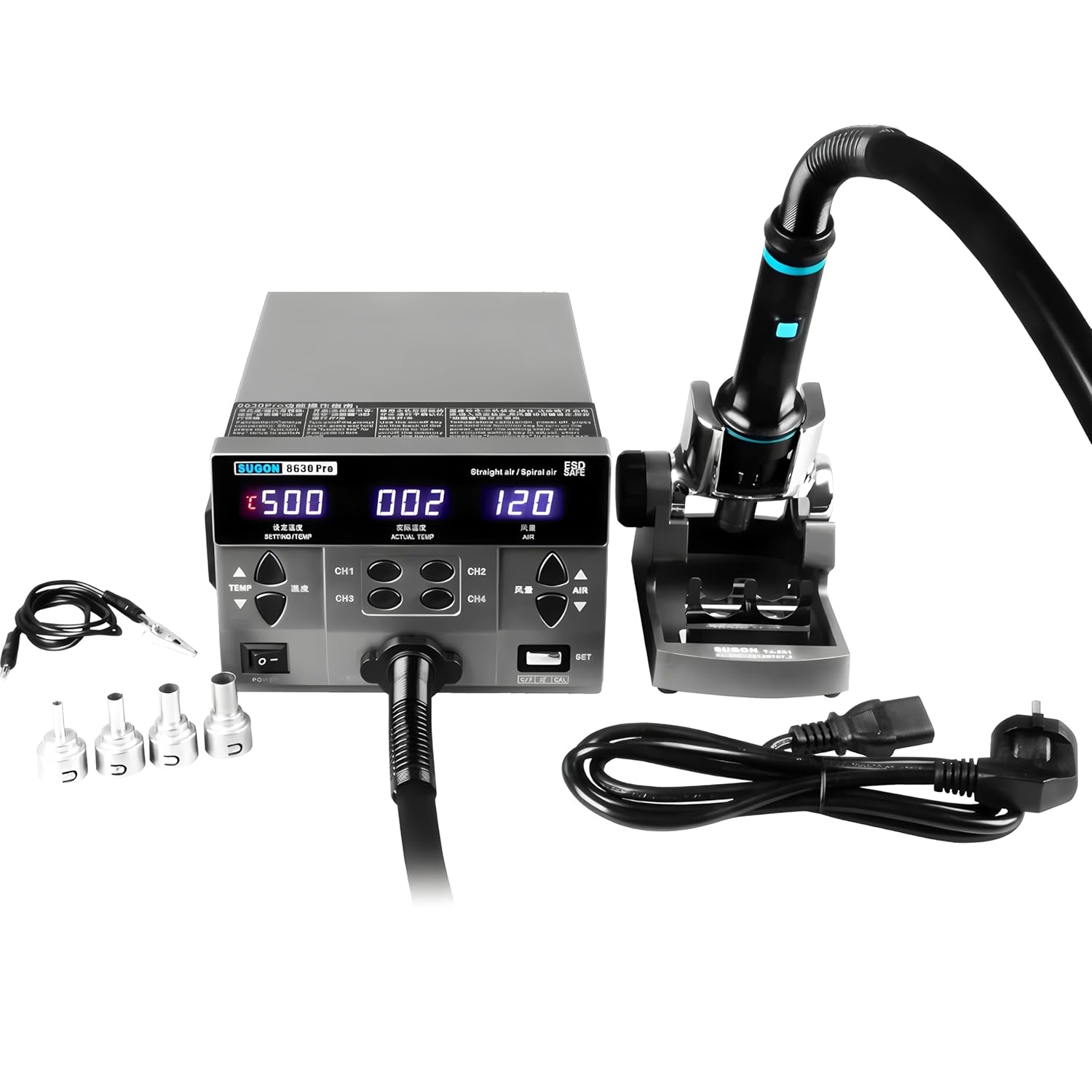
Image: The SUGON 8630Pro hot air rework station, including the main unit, hot air gun handle, various nozzles, and power cord.
คุณสมบัติหลัก:
- กำลังขับสูง: 1300W for rapid heating and efficient operation.
- จอแสดงผลดิจิตอล: LED real-time display for setting temperature, current temperature, and current air volume.
- การควบคุมที่แม่นยำ: Temperature range of 100~500°C (212~932°F) and air volume range of Grade 1~200.
- ช่องทางหน่วยความจำ: Four preset channels (CH1, CH2, CH3, CH4) for quick recall of temperature and air volume settings.
- การสอบเทียบอุณหภูมิ: Allows for accurate temperature adjustments.
- Cool Air Function: Provides cool air for component cooling or other applications.
- ฟังก์ชั่นการนอนหลับอัตโนมัติ: Enhances safety and extends heating element lifespan.
- Brushless Vortex Fan: Ensures quiet operation and stable airflow.
- Anti-static Design: Protects sensitive electronic components.
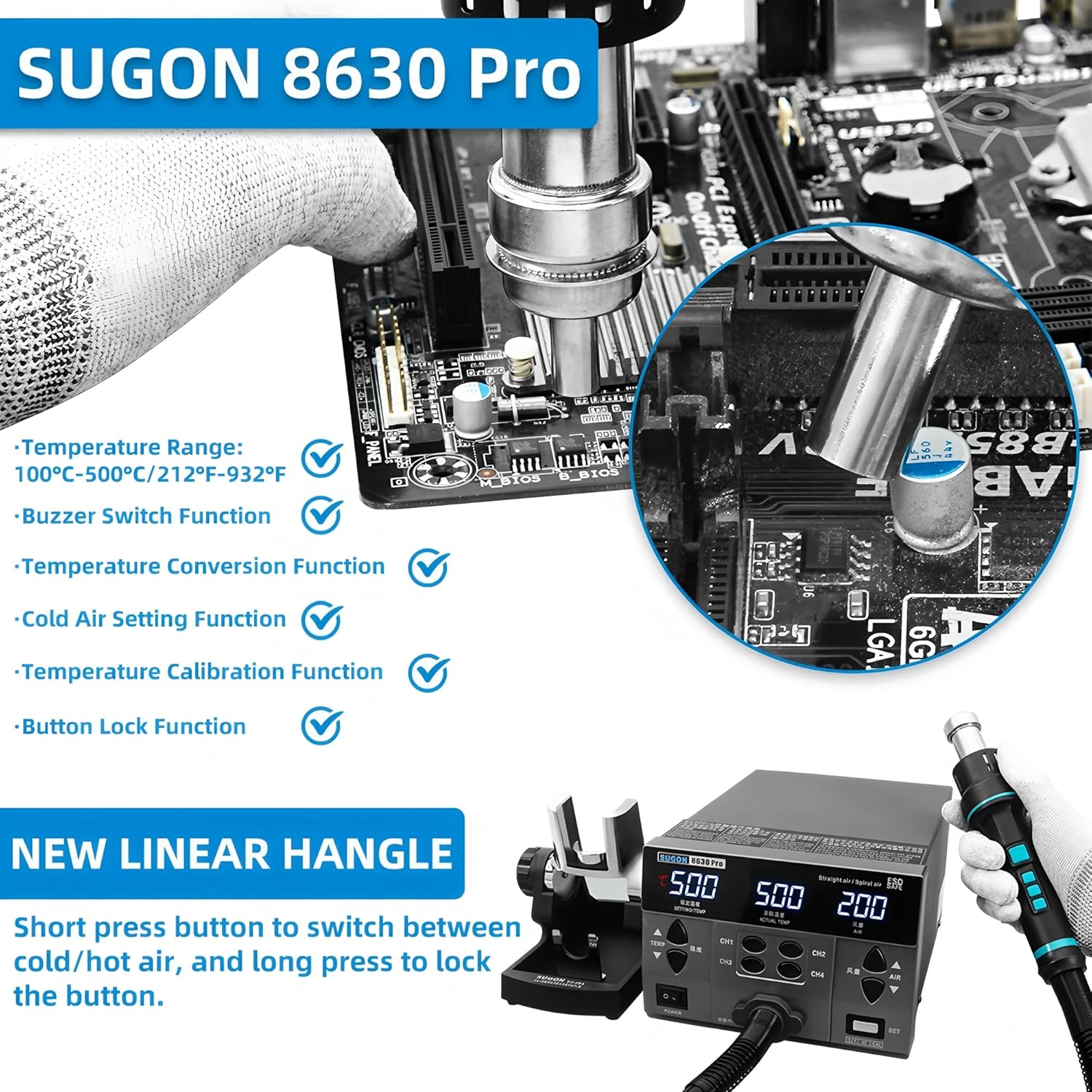
Image: Diagram highlighting key features such as temperature range, conversion, cold air setting, buzzer, calibration, and button lock function.

Image: Labeled diagram of the SUGON 8630Pro showing the preset temperature, actual temperature, air volume display, air volume adjustment button, store memory button, handle memory button, and handle bracket.
3. เนื้อหาบรรจุภัณฑ์
ตรวจสอบว่าสินค้าทั้งหมดที่ระบุไว้ด้านล่างนี้รวมอยู่ในบรรจุภัณฑ์ของคุณแล้ว หากมีสินค้าใดสูญหายหรือเสียหาย โปรดติดต่อผู้ขาย
- SUGON 8630Pro 110V Hot Air Rework Station Main Unit
- ด้ามจับปืนลมร้อน
- Hot Air Gun Holder/Bracket
- สายไฟ
- Assorted Nozzles (e.g., curved nozzle)
- คู่มือการใช้งาน (เอกสารนี้)
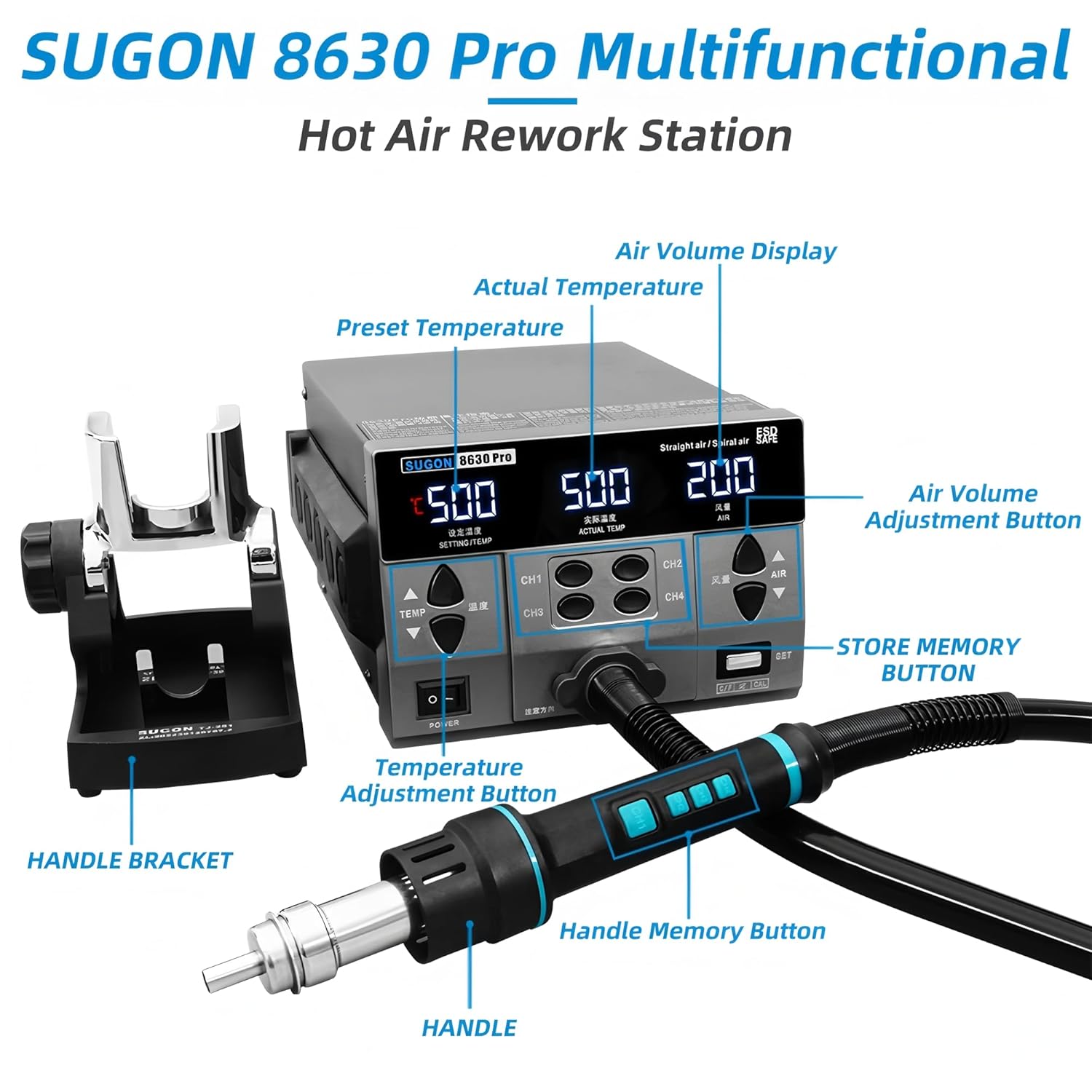
Image: The SUGON 8630Pro main unit, hot air gun handle, nozzles, and power cord as they appear when unboxed.
4. การตั้งค่า
Follow these steps to set up your SUGON 8630Pro Hot Air Rework Station for first use.
- การแกะกล่อง: นำส่วนประกอบทั้งหมดออกจากบรรจุภัณฑ์อย่างระมัดระวัง เก็บบรรจุภัณฑ์ไว้เพื่อการจัดเก็บหรือขนส่งในอนาคต
- การจัดวาง: Place the main unit on a stable, flat, and heat-resistant workbench. Ensure there is adequate space around the unit for ventilation.
- เชื่อมต่อปืนลมร้อน: Connect the hot air gun handle cable to the designated port on the front of the main unit. Ensure it is securely fastened.
- Install Handle Holder: Attach the hot air gun holder to the side of the main unit or place it on the workbench in a convenient location.
- ติดหัวฉีด: Select the appropriate nozzle for your application and securely attach it to the hot air gun handle.
- การเชื่อมต่อไฟฟ้า: Connect the power cord to the power inlet on the back of the main unit, then plug the other end into a grounded 110V AC power outlet.

ภาพ: ภาพระยะใกล้ view of the control panel, showing the digital display for temperature and air volume, and the control buttons.
5. การดำเนินการ
This section details the operational procedures for the SUGON 8630Pro Hot Air Rework Station.
5.1 เปิด/ปิดเครื่อง
- กดปุ่ม พลัง switch on the front panel to turn the unit ON. The digital display will illuminate.
- To turn OFF, press the พลัง switch again. The unit will enter a cooling cycle before completely shutting down.
5.2 Setting Temperature and Air Volume
- การปรับอุณหภูมิ: ใช้ อุณหภูมิ ▲ และ อุณหภูมิ ▼ buttons to increase or decrease the desired temperature. The setting temperature will be displayed.
- การปรับปริมาณลม: ใช้ AIR ▲ และ AIR ▼ buttons to adjust the air volume. The air volume level will be displayed.
- The actual temperature and current air volume will be shown on the display during operation.

Image: Close-up of the high-definition digital display, showing set temperature, actual temperature, and air volume readings.
5.3 Using Memory Channels (CH1-CH4)
The unit allows you to store and recall four sets of temperature and air volume settings.
- การตั้งค่าการบันทึก: Set your desired temperature and air volume. Press and hold one of the CH1, CH2, CH3, หรือ CH4 buttons until the display indicates the settings are saved.
- เรียกคืนการตั้งค่า: กดจุดที่ต้องการสั้นๆ CH1, CH2, CH3, หรือ CH4 button to instantly recall the stored settings.
5.4 Handle Operation and Cool Air Function
- The hot air gun handle features buttons for quick adjustments.
- ลมเย็น: Short press the designated button on the handle to switch between hot and cool air modes. This is useful for rapidly cooling components after desoldering.
- ล็อคปุ่ม: Long press the button on the handle to lock the current settings, preventing accidental changes during operation.

Image: The new linear handle design, illustrating the short press for hot/cold air switch and long press for button lock.
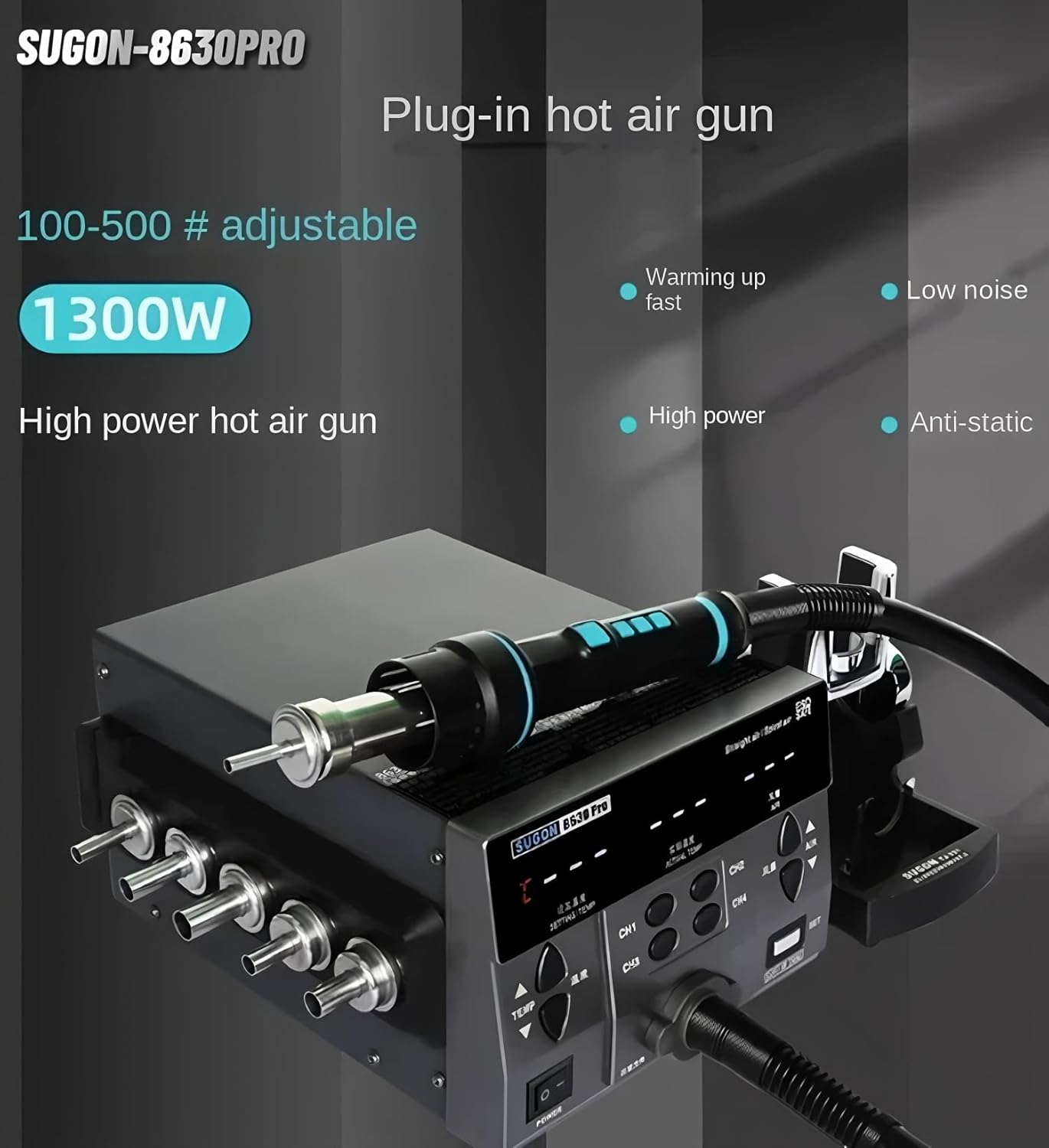
Image: A hand demonstrating the operation of the hot air gun handle, showing its ergonomic design and integrated controls.
5.5 การปรับเทียบอุณหภูมิ
If the displayed temperature deviates from a known accurate measurement, you can calibrate the unit:
- Enter calibration mode (refer to the specific instructions in the included printed manual for exact key combinations, usually involving the ชุด ปุ่ม).
- Adjust the temperature offset using the อุณหภูมิ ▲ และ อุณหภูมิ ▼ buttons until the displayed temperature matches your reference thermometer.
- บันทึกการตั้งค่าการสอบเทียบ
6. การบำรุงรักษา
Regular maintenance ensures the longevity and optimal performance of your rework station.
- การทำความสะอาด: Ensure the unit is unplugged and cooled before cleaning. Wipe the exterior with a soft, damp ผ้า ห้ามใช้สารทำความสะอาดที่มีฤทธิ์กัดกร่อนหรือตัวทำละลาย
- การดูแลหัวฉีด: Clean nozzles regularly to prevent blockages. Replace damaged or worn-out nozzles.
- ช่องอากาศเข้า/ออก: Keep the air inlets and outlets free from dust and debris to ensure proper airflow and cooling.
- Handle and Cable Inspection: Periodically inspect the hot air gun handle and its cable for any signs of damage, cracks, or fraying. Replace if necessary.
- พื้นที่จัดเก็บ: เก็บเครื่องไว้ในที่แห้งและปราศจากฝุ่นเมื่อไม่ได้ใช้งาน
7 การแก้ไขปัญหา
If you encounter issues with your SUGON 8630Pro, refer to the following common problems and solutions.
| ปัญหา | สาเหตุที่เป็นไปได้ | สารละลาย |
|---|---|---|
| เครื่องไม่เปิด | No power supply; Power cord loose; Power switch off. | Check power outlet; Ensure power cord is securely connected; Turn power switch ON. |
| ไม่มีลมร้อนหรือความร้อนไม่เพียงพอ | Heating element failure; Air gun not properly connected; Incorrect temperature setting. | Ensure air gun is connected; Verify temperature setting; Contact service if heating element is faulty. |
| การไหลเวียนของอากาศอ่อนหรือไม่มีเลย | Air volume set too low; Fan malfunction; Air inlet/outlet blocked. | Increase air volume setting; Clear any obstructions from air vents; Contact service if fan is faulty. |
| การแสดงอุณหภูมิไม่แม่นยำ | Needs calibration; Sensor issue. | Perform temperature calibration as per section 5.5; Contact service if sensor is faulty. |
| Unit enters sleep mode unexpectedly. | Automatic sleep function activated; Unit left idle for too long. | This is normal operation. Pick up the handle to resume. |
หากปัญหายังคงอยู่หลังจากลองวิธีแก้ไขเหล่านี้แล้ว โปรดติดต่อฝ่ายบริการลูกค้าหรือช่างเทคนิคผู้เชี่ยวชาญ
8. ข้อมูลจำเพาะ
Technical specifications for the SUGON 8630Pro Hot Air Rework Station.
| คุณสมบัติ | ข้อมูลจำเพาะ |
|---|---|
| แบบอย่าง | SUGON 8630Pro |
| พลัง | 1300วัตต์ |
| อินพุต Voltage | กระแสสลับ 110 โวลต์ |
| ช่วงอุณหภูมิ | 100°C ~ 500°C (212°F ~ 932°F) |
| Air Volume Range | Grade 1 ~ 200 (up to 200 L/Min) |
| ประเภทจอภาพ | ดิจิตอล LED |
| ประเภทพัดลม | Brushless Vortex Fan |
| ฟังก์ชั่น | Temperature calibration, Cool air, Buzzer, Automatic sleep, 4 preset channels |
| ผู้ผลิต | AIFEN/SUGON |
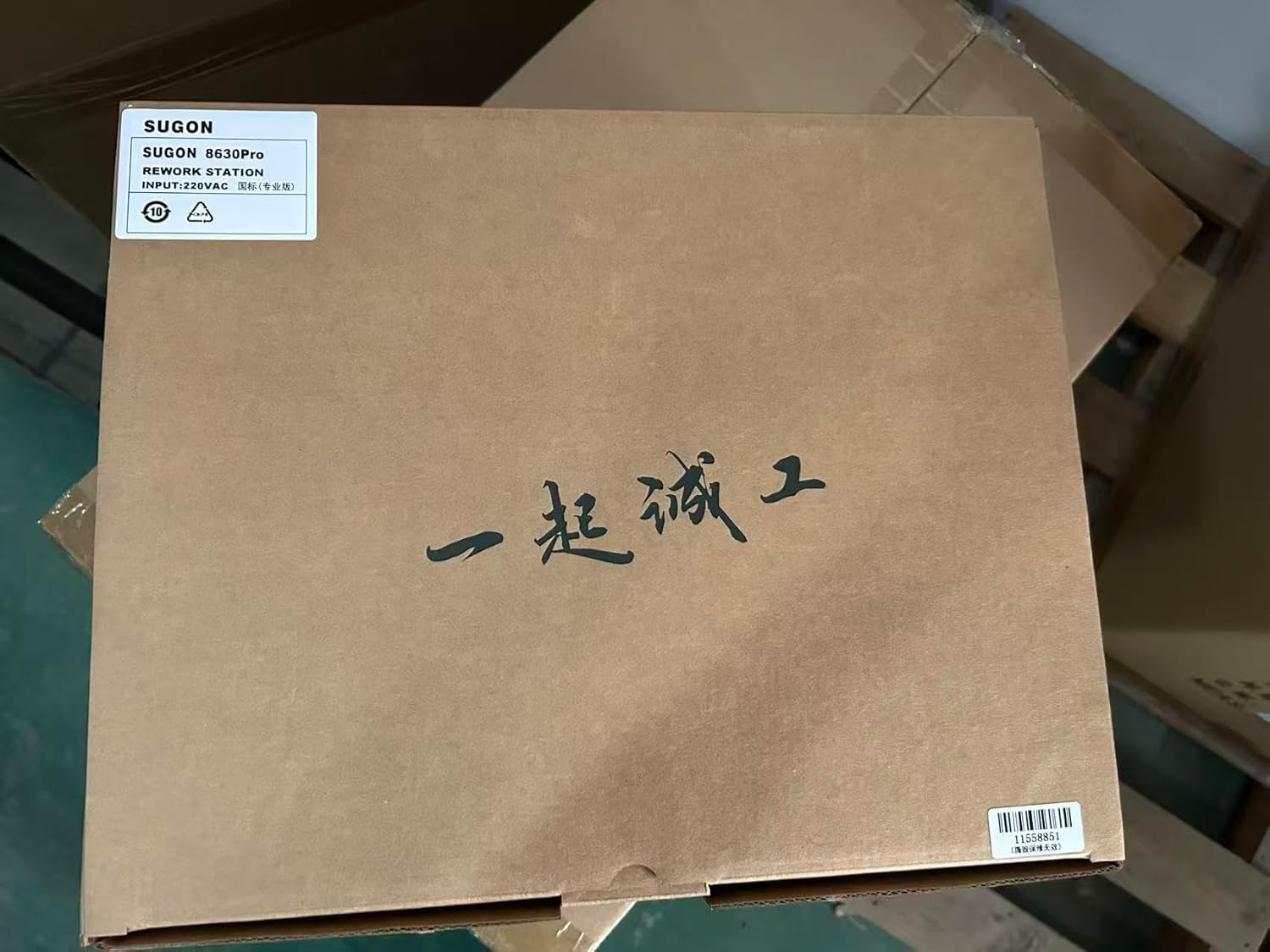
Image: Illustrates the internal 1300W pure copper transformer, highlighting the high air volume capability.
9. การรับประกันและการสนับสนุน
For warranty information, please refer to the documentation provided with your purchase or contact the seller directly. Support for the SUGON 8630Pro can be obtained through your point of purchase or the manufacturer's official channels.
Please retain your proof of purchase for any warranty claims or technical support inquiries.