การแนะนำ
This manual provides instructions for the installation, operation, and maintenance of your Generic E26/E27 Motion Sensor Light Socket Adapter. This device is designed to provide automatic, energy-efficient lighting by detecting motion and ambient light conditions.
คุณสมบัติผลิตภัณฑ์
- Advanced Radar Motion Detection: Utilizes millimeter-wave radar technology for 360° motion detection, offering superior accuracy and reliability compared to traditional infrared sensors.
- การทำงานอัตโนมัติตั้งแต่พลบค่ำถึงรุ่งเช้า: Automatically turns lights on at dusk and off at dawn, providing seamless illumination based on ambient light.
- การประหยัดพลังงาน: Detects human movement to activate lighting, saving up to 80% in energy consumption by only turning on when needed.
- ช่วงการตรวจจับที่กว้าง: Features a detection range of 6.5 to 26 feet (2-8 meters) and can detect signals through certain non-metallic obstacles.
- เพิ่มความปลอดภัย: Automatically illuminates dark areas like staircases, hallways, and garages, reducing the risk of accidents.
- ติดตั้งง่าย: Compatible with standard E26/E27 sockets, supporting various bulb types (LED, CFL, or Halogen) up to 60W (30W max for halogen). No rewiring required.
เนื้อหาแพ็คเกจ
- 1 x Motion Sensor Light Socket Adapter
ข้อมูลจำเพาะ
| แบบอย่าง | B0FJXY77P3 |
| ประเภทซ็อกเก็ต | อี26/อี27 |
| เล่มที่tage | ไฟ AC100-260V |
| แม็กซ์ วัตtage | 60W (LED/CFL), 30W (Halogen) |
| เทคโนโลยีการตรวจจับ | เรดาร์คลื่นมิลลิเมตร |
| มุมการตรวจจับ | 360° |
| ระยะการตรวจจับ | 6.5 to 26 feet (2-8 meters) |
| การหน่วงเวลาปิดอัตโนมัติ | Approximately 30 seconds after motion ceases |
| วัสดุ | พลาสติก |
| ขนาด | 2" (W) x 3.5" (H) (52mm x 90mm) |
| สี | สีขาว |

Image: Dimensions and technical specifications of the E26/E27 Motion Sensor Light Socket Adapter.
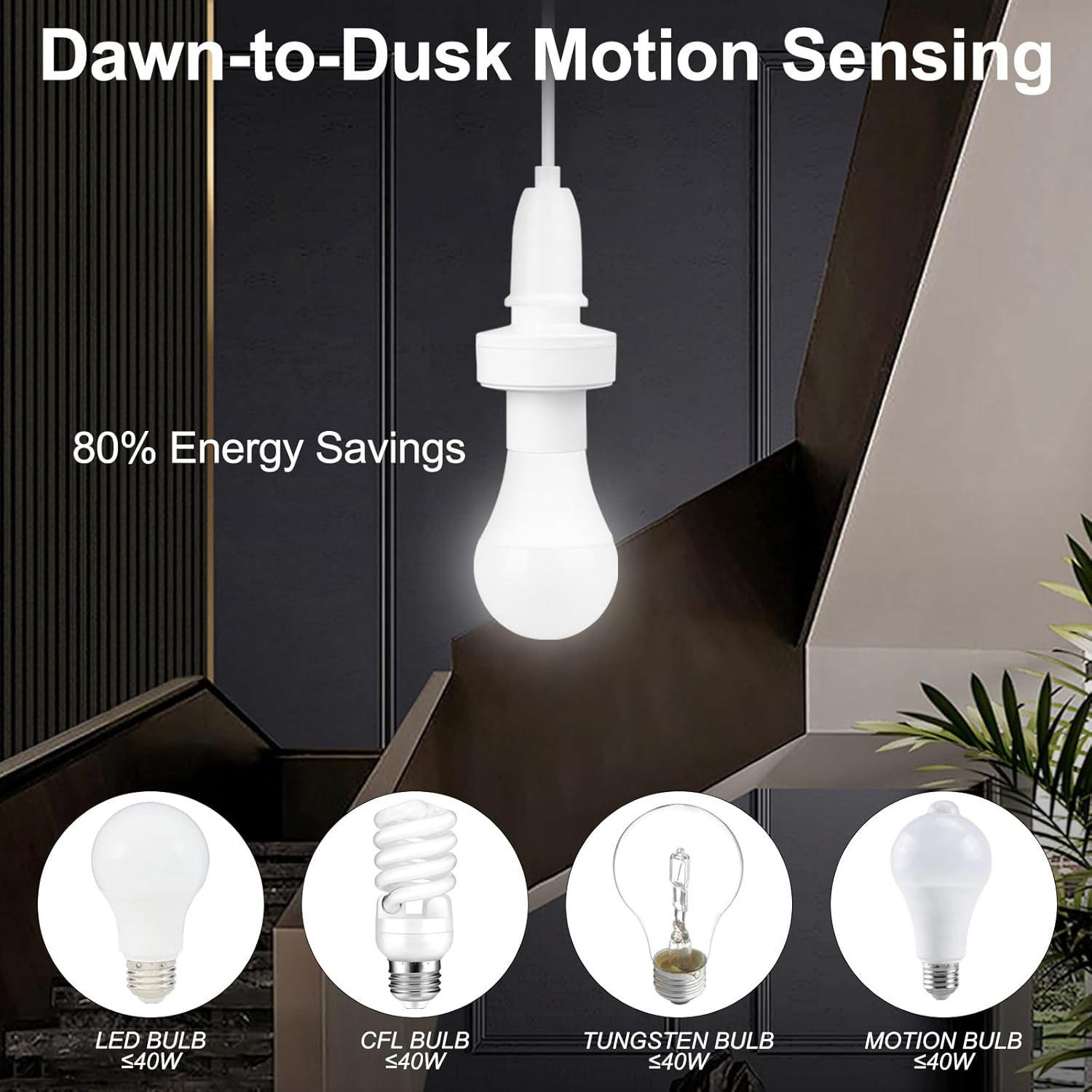
Image: Compatible bulb types and energy saving benefits.
การติดตั้งและการตั้งค่า
- หมดแรง: ก่อนการติดตั้ง โปรดตรวจสอบให้แน่ใจว่าได้ปิดสวิตช์ไฟที่ตัวตัดวงจรแล้ว เพื่อป้องกันไฟฟ้าช็อต
- Screw in Adapter: Carefully screw the motion sensor light socket adapter into your existing E26 or E27 light fixture. Ensure it is securely tightened.
- ติดตั้งหลอดไฟ: Screw your compatible light bulb (LED, CFL, or Halogen, up to 60W/30W respectively) into the motion sensor adapter.
- เปิดเครื่อง: ต่อไฟกลับเข้าโคมไฟที่เบรกเกอร์วงจร
- การทดสอบ: The light should turn on automatically when motion is detected in low-light conditions and turn off after approximately 30 seconds of no motion.

Image: Installation steps for the motion sensor light socket adapter.
หมายเหตุการติดตั้งที่สำคัญ:
- The adapter is designed for indoor use or in protected outdoor fixtures where it is not directly exposed to weather.
- Ensure the adapter is installed in a location where its sensor has an unobstructed view ของพื้นที่ที่ต้องเฝ้าระวัง
- The socket cannot work effectively in a closed lampshade that obstructs the sensor or prevents it from detecting ambient light. Ensure it can detect ambient light for proper dusk-to-dawn functionality.
- In smaller enclosed spaces, continuous motion detection may occur due to reflections, causing the light to remain on. Consider placement carefully in such environments.

Image: Recommended installation locations and a caution regarding closed lampเฉดสี
คำแนะนำการใช้งาน
The Motion Sensor Light Socket Adapter operates automatically based on motion detection and ambient light levels. No manual adjustments are typically required after installation.
- เปิดใช้งานอัตโนมัติ: When ambient light levels are low (dusk or dark conditions), the light will automatically turn on if motion is detected within its 360° detection range.
- ปิดอัตโนมัติ: The light will remain on as long as motion is continuously detected. Approximately 30 seconds after the last detected motion, the light will automatically turn off.
- ฟังก์ชันการทำงานตั้งแต่พลบค่ำจนถึงรุ่งเช้า: The adapter will only activate motion sensing when it is dark enough. During daylight hours, the light will remain off regardless of motion.

Image: How the motion sensor light socket adapter detects motion and controls lighting.

Image: The automatic 30-second light off feature.
การซ่อมบำรุง
- การทำความสะอาด: Ensure the sensor surface is kept clean and free from dust or obstructions. Use a soft, dry cloth for cleaning. Do not use liquid cleaners.
- การเปลี่ยนหลอดไฟ: If the light bulb needs replacement, ensure the power is turned off at the circuit breaker before unscrewing the old bulb and installing a new one.
- สภาพแวดล้อม : Avoid exposing the adapter to extreme temperatures, high humidity, or direct water contact, as this can affect performance and durability.
การแก้ไขปัญหา
| ปัญหา | สาเหตุที่เป็นไปได้ | สารละลาย |
|---|---|---|
| ไฟไม่เปิด |
|
|
| ไฟติดสว่างต่อเนื่อง |
|
|
| Light turns on/off erratically. |
|
|
การรับประกันและการสนับสนุน
This product has a standard factory defect rate. If the radar sensor does not function as expected, please contact the seller for assistance or a replacement. Ensure proper installation for optimal performance and longevity of the product.
For further support, please refer to the contact information provided by your retailer or the manufacturer, bluedery.


