
1. บทนำ
Thank you for choosing the Ameta S50 Lite GPS Drone. This manual provides essential information for the safe operation, maintenance, and troubleshooting of your drone. Please read this manual thoroughly before operating the drone to ensure proper use and to prevent damage or injury.
แนวทางปฏิบัติเพื่อความปลอดภัย
- ควรใช้งานโดรนในพื้นที่โล่งเสมอ ห่างจากผู้คน อาคาร และสิ่งกีดขวาง
- รักษาระยะห่างที่ปลอดภัยจากโดรนระหว่างปฏิบัติการ
- ห้ามบินในขณะที่มีลมแรง ฝนตก หรือสภาพอากาศเลวร้ายอื่นๆ
- Ensure batteries are fully charged and propellers are securely attached before each flight.
- ปฏิบัติตามกฎหมายและข้อบังคับท้องถิ่นทั้งหมดเกี่ยวกับการใช้งานโดรน
2. เนื้อหาบรรจุภัณฑ์
ตรวจสอบว่ามีรายการทั้งหมดอยู่ในแพ็คเกจของคุณ:
- Ameta S50 Lite GPS Drone
- รีโมทคอนโทรล
- Intelligent Flight Batteries (3 included for extended flight time)
- ใบพัดสำรอง
- สายชาร์จ USB
- กระเป๋าใส่ของ
- คู่มือการใช้งาน (เอกสารนี้)

Image: Complete package contents of the Ameta S50 Lite GPS Drone, including the drone, remote controller, batteries, spare propellers, USB cable, and carrying bag.
3. การตั้งค่า
3.1 การชาร์จแบตเตอรี่และการติดตั้ง
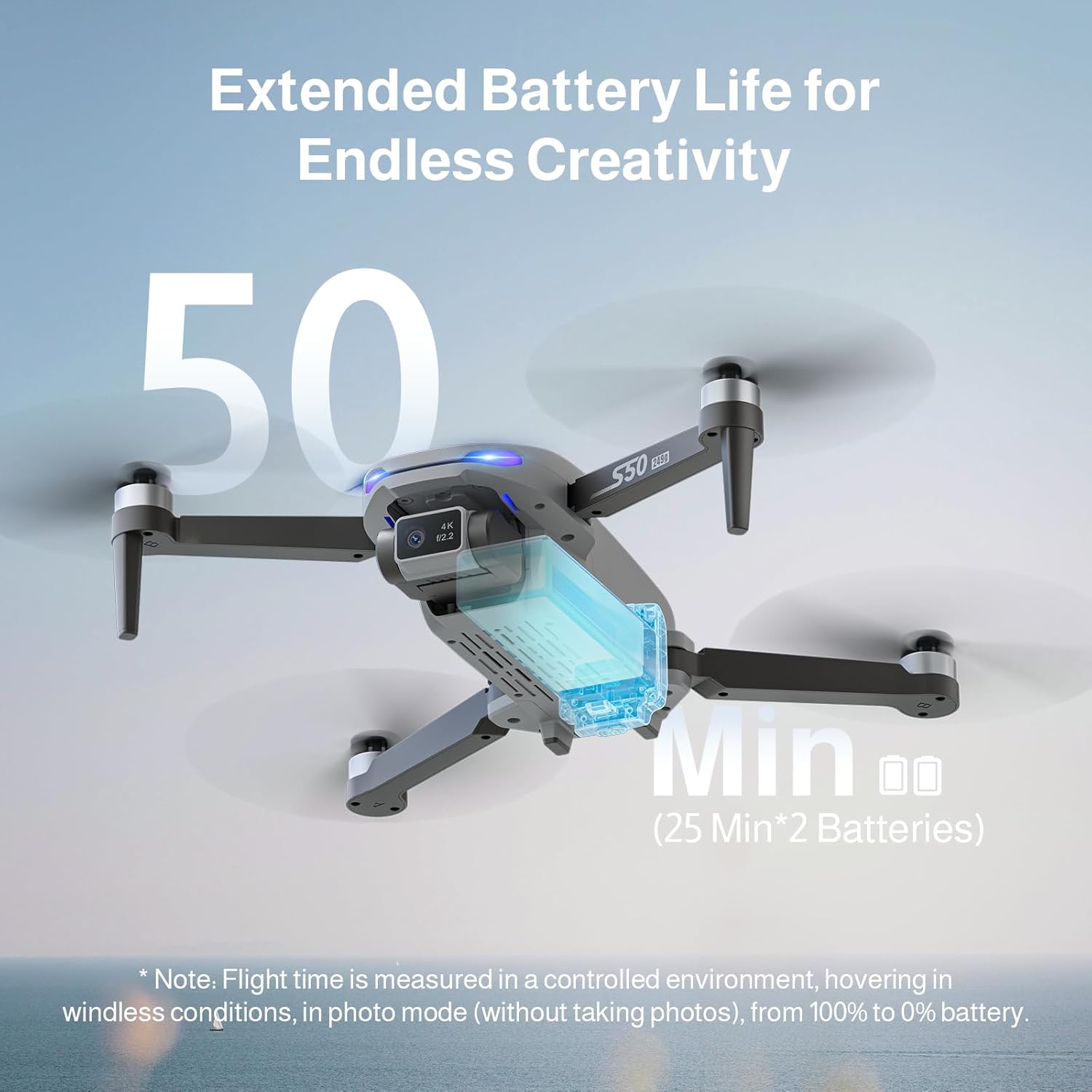
The Ameta S50 Lite drone is equipped with high-capacity 2000mAh batteries, providing up to 25 minutes of flight time per battery. Ensure all batteries are fully charged before flight.
- Connect the intelligent flight battery to the USB charging cable.
- เสียบสายชาร์จ USB เข้ากับอะแดปเตอร์ไฟ USB ที่เหมาะสม (ไม่รวมอยู่ด้วย)
- The battery indicator lights will show charging status. Once fully charged, disconnect the battery.
- To install, slide the charged battery into the battery compartment on the rear of the drone until it clicks securely into place.

Image: Specifications of the Ameta S50 Lite drone battery, detailing its nominal voltage of 7.4V and rated capacity of 2000mAh.

Image: Illustration showing the proper method for inserting the high-performance battery into the Ameta S50 Lite drone's battery compartment.

Image: The Ameta S50 Lite drone with a battery partially inserted, demonstrating how the battery provides an additional 25 minutes of flight time.
3.2 การติดตั้งใบพัด
Ensure propellers are correctly attached to their respective motor shafts. Match the propeller type (A or B) with the corresponding motor arm.
3.3 การเตรียมรีโมทคอนโทรล
Install batteries into the remote controller (if applicable) and ensure it is fully charged. Familiarize yourself with the control sticks and buttons.
3.4 การดาวน์โหลดแอปและการเชื่อมต่อ
Download the official Ameta drone application from your device's app store. Power on the drone and remote controller, then connect your smartphone to the drone's 5G WiFi network as displayed in your phone's Wi-Fi settings. Open the app to establish connection and view ฟีด FPV
4. คู่มือการใช้งาน
4.1 รายการตรวจสอบก่อนบิน
- ตรวจสอบระดับแบตเตอรี่ของทั้งโดรนและรีโมทคอนโทรล
- Ensure propellers are securely attached and undamaged.
- Select an open, clear flying area.
- Calibrate the drone's compass and gyroscope as per app instructions.
4.2 การควบคุมการบินขั้นพื้นฐาน
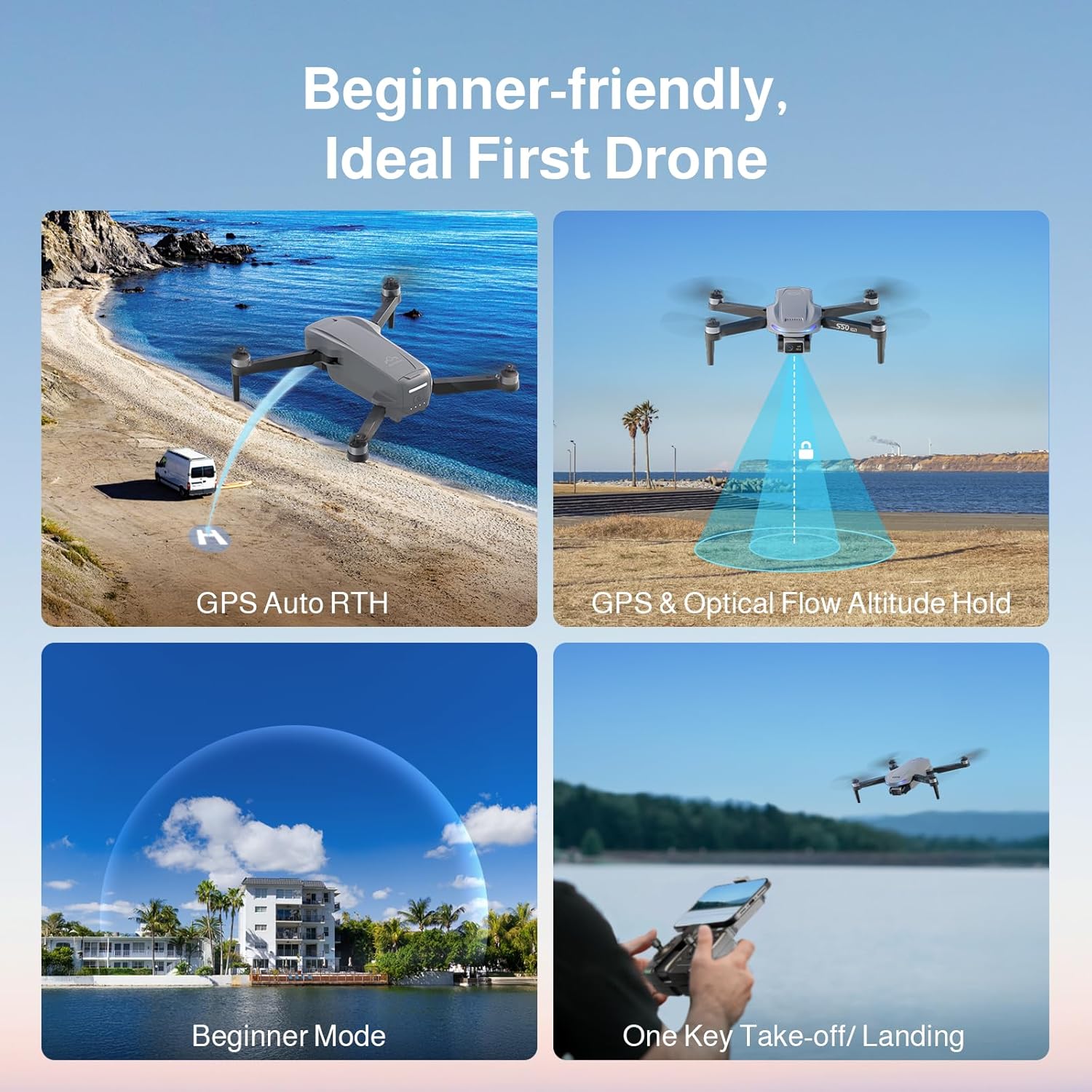
The Ameta S50 Lite features one-key take-off/landing and GPS/Optical Flow Altitude Hold for stable flight, making it suitable for all skill levels.
- ขึ้น/ลงด้วยปุ่มเดียว: Press the designated button on the remote or in the app to automatically take off or land.
- การรักษาระดับความสูง: The drone will automatically maintain its altitude, allowing for easier control of horizontal movement.
- ปรับระดับความเร็วได้: Switch between three speed modes (low, medium, high) to match your flying environment and skill level.
- โหมดเริ่มต้น: Activates restricted flight parameters for new pilots, enhancing safety and ease of control.

Image: Visual representation of the Ameta S50 Lite's beginner-friendly features, including GPS Auto Return to Home, GPS & Optical Flow Altitude Hold, Beginner Mode, and One-Key Take-off/Landing.
4.3 โหมดการบินอัจฉริยะ
Leverage the drone's GPS positioning system and smart modes for advanced flight capabilities and cinematic shots.
- กลับสู่หน้าหลัก (RTH): The drone can automatically return to its take-off point. This includes One-Key RTH, Low Battery RTH, and Lost Signal RTH.
- ระบบติดตาม GPS (ติดตามฉัน): The drone will automatically follow the remote controller or connected smartphone, capturing dynamic footage.
- เที่ยวบินกำหนดจุดแวะพัก: Plan a custom flight path by setting multiple waypoints on the map in the app, and the drone will fly along the designated route.
- วงกลมบิน: โดรนจะบินวนรอบจุดหรือวัตถุที่กำหนด โดยรักษารัศมีและระดับความสูงคงที่
- จรวด: The drone ascends vertically while recording, creating a dramatic reveal shot.
- ไกลออกไป: The drone flies away from the pilot while ascending, capturing a wide landscape shot.
- พาโนรามา: Captures multiple images to stitch together a wide panoramic photo.
- เวลาที่ล่วงเลย: บันทึกภาพถ่ายหลายภาพในช่วงเวลาต่างๆ เพื่อสร้างวิดีโอแบบไทม์แลปส์
- เซลฟี่ด้วยท่าทาง: ใช้ท่าทางมือเฉพาะเพื่อเริ่มการถ่ายภาพหรือวิดีโอ
ภาพ: เหนือview of the Ameta S50 Lite drone's reliable GPS features, including Return to Home, Waypoints Flight, Circle Fly, and GPS Follow.
4.4 การทำงานของกล้อง
The Ameta S50 Lite is equipped with a 4K camera featuring a 13MP Sony IMX258 Sensor and a 90° adjustable lens, capable of capturing high-quality photos and videos.
- ถ่ายภาพ/วิดีโอ: ใช้ปุ่มเฉพาะบนรีโมทคอนโทรลหรือภายในแอปเพื่อถ่ายภาพหรือเริ่ม/หยุดการบันทึกวิดีโอ
- เลนส์ที่ปรับได้: Adjust the camera angle remotely via the app or remote controller to capture different perspectives.
- การส่งสัญญาณ FPV: Enjoy smooth, real-time first-person view (FPV) via 5G WiFi transmission with a range of up to 500m.

Image: The Ameta S50 Lite drone in flight, highlighting its hands-free 4K camera with a built-in 13MP IMX258 Sensor for high-resolution recording.
ภาพ: รายละเอียด view of the Ameta S50 Lite drone's camera, emphasizing its 4K resolution (3840x2160), 5G WiFi transmission up to 500m, and 90° adjustable camera lens.
5. การบำรุงรักษา
การบำรุงรักษาอย่างสม่ำเสมอจะช่วยให้โดรน Ameta S50 Lite ของคุณมีอายุการใช้งานยาวนานและทำงานได้อย่างมีประสิทธิภาพสูงสุด
- การดูแลแบตเตอรี่ เก็บแบตเตอรี่ไว้ในที่แห้งและเย็น อย่าชาร์จหรือปล่อยประจุจนเกินกำหนด หากเก็บรักษาเป็นเวลานาน ควรชาร์จให้ได้ประมาณ 50-60%
- การตรวจสอบใบพัด: ตรวจสอบใบพัดเป็นประจำว่ามีรอยแตก รอยงอ หรือความเสียหายหรือไม่ หากใบพัดเสียหายให้เปลี่ยนทันที
- การทำความสะอาด: ใช้ผ้าแห้งนุ่มเช็ดทำความสะอาดตัวโดรนและเลนส์กล้อง หลีกเลี่ยงการใช้สารเคมีหรือของเหลวที่มีฤทธิ์กัดกร่อน
- พื้นที่จัดเก็บ: When not in use, store the drone and its accessories in the provided carrying bag in a dry, cool environment.
6 การแก้ไขปัญหา
| ปัญหา | สาเหตุที่เป็นไปได้ | สารละลาย |
|---|---|---|
| โดรนไม่เปิดเครื่อง | แบตเตอรี่อ่อน; ติดตั้งแบตเตอรี่ไม่ถูกต้อง | Charge battery fully; Reinstall battery securely |
| ไม่มีภาพ FPV ในแอป | WiFi not connected; App not launched correctly | Ensure phone is connected to drone's 5G WiFi; Restart app and drone |
| การบินไม่เสถียร/การลอยตัว | Improper calibration; Strong winds; Damaged propellers | Perform compass and gyroscope calibration; Fly in calm conditions; Replace damaged propellers |
| สัญญาณ GPS อ่อน/หายไป | Flying indoors or near tall structures; Interference | Fly in open outdoor areas; Avoid areas with high electromagnetic interference |
7. ข้อมูลจำเพาะ
| คุณสมบัติ | รายละเอียด |
|---|---|
| ยี่ห้อ | อเมต้า |
| แบบอย่าง | S50 ไลท์ |
| กล้อง | 4K Video, 13MP Photos, Sony IMX258 Sensor, 90° Adjustable Lens |
| เวลาบิน | Up to 25 minutes per battery (75 minutes with 3 batteries) |
| ความจุของแบตเตอรี่ | 2000mAh, 7.4V |
| การแพร่เชื้อ | 5G WiFi FPV, up to 500m range |
| ระบบการจัดตำแหน่ง | GPS, การไหลของแสง |
| ASIN | B0FJXNLS69 |
8. การรับประกันและการสนับสนุน
ข้อมูลการรับประกัน: Please refer to the product packaging or the official Ameta webดูรายละเอียดข้อกำหนดและเงื่อนไขการรับประกันได้ที่เว็บไซต์ เก็บหลักฐานการซื้อไว้เพื่อใช้ในการเรียกร้องการรับประกัน
การสนับสนุนลูกค้า: For technical assistance, troubleshooting, or any inquiries regarding your Ameta S50 Lite drone, please contact Ameta customer service through the contact information provided on the official webบรรจุภัณฑ์ไซต์หรือผลิตภัณฑ์