
การแนะนำ
The Rapoo VT7 Wireless Gaming Mouse is engineered for high-performance gaming and efficient daily use. Featuring a true 8K wireless polling rate, an ultra-lightweight design, and an extended battery life, the VT7 provides precision and comfort. This manual provides essential information for setting up, operating, maintaining, and troubleshooting your device.
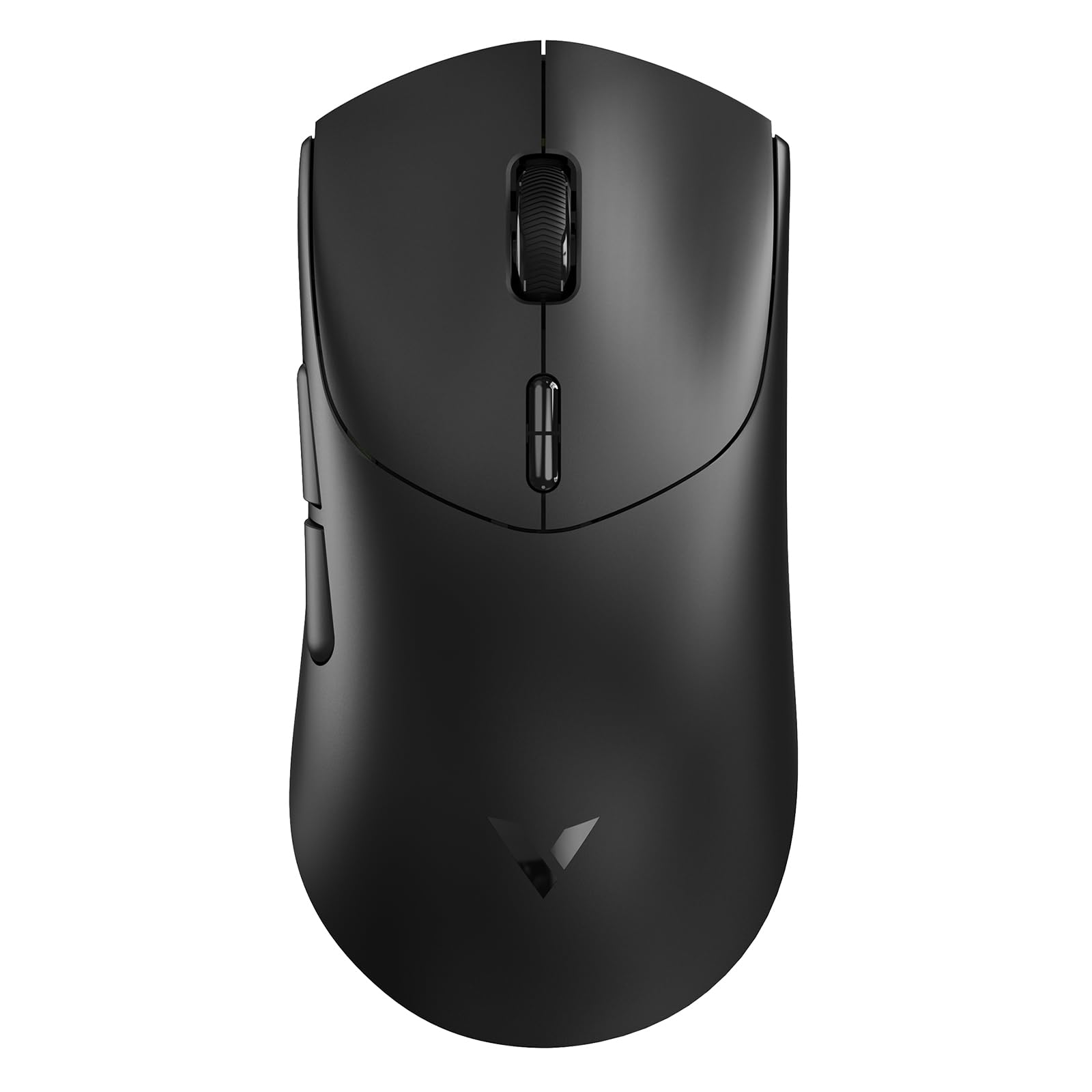
Figure 1: Rapoo VT7 Wireless Gaming Mouse (Black)
มีอะไรอยู่ในกล่อง
Your Rapoo VT7 Wireless Gaming Mouse package includes the following items:
- เมาส์เกมมิ่งไร้สาย 1 ตัว
- สายเคเบิล Type-C 1 เส้น
- อะแดปเตอร์ USB 1 ชิ้น
- 1 x Anti-Slip Sticker Set
- 1 x Replacement PTFE Mouse Feet Set

Figure 2: Package Contents of the Rapoo VT7 Wireless Gaming Mouse
การตั้งค่า
การเชื่อมต่อเมาส์
The Rapoo VT7 offers flexible connectivity options:
- การเชื่อมต่อแบบไร้สาย (2.4GHz): Insert the provided USB adapter into an available USB port on your computer. The mouse will automatically connect.
- การเชื่อมต่อแบบมีสาย: Connect the Type-C cable to the mouse and the other end to a USB port on your computer. The mouse can be used while charging.
Software Installation (A HUB)
To fully utilize advanced features such as programmable buttons and macros, download and install the Rapoo A HUB driver for Windows or Mac OS. This software allows for customization and stores settings with onboard memory for consistent performance across devices.

Figure 3: Rapoo A HUB Software Interface
คำแนะนำการใช้งาน
คุณสมบัติหลักและการใช้งาน
- อัตราการส่งข้อมูลไร้สาย 8K ที่แท้จริง: Experience native 8000Hz wireless performance for precise and responsive tracking without relying on software algorithms or extra dongles.
- ดีไซน์น้ำหนักเบาพิเศษเพียง 53 กรัม: The optimized hand grip and easy-to-access side buttons enhance comfort and accuracy, reducing strain during extended use.
- แบตเตอรี่ใช้งานได้นานสูงสุด 750 ชั่วโมง: Equipped with a Nordic nRF54L15 MCU, the mouse offers an impressive 750 hours of battery life at 1000Hz, minimizing the need for frequent charging.
- 100-Million Mechanical Switch: Enjoy crisp mechanical click feedback and enhanced durability with switches rated for 100 million clicks.
- ความละเอียด 26 DPI แยกอิสระในแกน X/Y: Achieve responsive, pixel-precise tracking with 99.6% resolution accuracy and up to 26,000 DPI. Adjust X/Y-axis DPI independently and switch levels on-the-fly using the DPI +/- buttons.
- ปุ่มตั้งโปรแกรมได้ 10 ปุ่ม: Customize the 10 programmable buttons for various functions and macros using the A HUB software.
- Ambidextrous Ergo Form: The mouse is designed for a perfectly balanced feel, optimized for claw and fingertip grip styles, suitable for both right and left-handed users.
Customization Options (via A HUB Software)
- การตั้งค่า DPI: Fine-tune your mouse sensitivity with independent X/Y DPI adjustments.
- การบันทึกมาโคร: Create and assign custom macros to programmable buttons.
- Adjust Mouse Rotation: Optimize sensor angle for personalized tracking.
- หน่วยความจำออนบอร์ด: Save your custom settings directly to the mouse for use across different devices without re-configuration.

Independent X/Y DPI Settings

Macro Recording Enabled

Adjust Mouse Rotation

หน่วยความจำออนบอร์ด
การซ่อมบำรุง
การทำความสะอาด
เพื่อให้เมาส์ทำงานได้อย่างมีประสิทธิภาพสูงสุด ควรทำความสะอาดเมาส์เป็นประจำด้วยผ้าแห้งเนื้อนุ่ม หลีกเลี่ยงการใช้สารเคมีรุนแรงหรือวัสดุที่มีฤทธิ์กัดกร่อน
Replacing Mouse Feet and Applying Anti-Slip Stickers
If the PTFE mouse feet become worn, replace them with the provided spare set for smooth gliding. For enhanced grip, apply the included anti-slip stickers to the designated areas on the mouse body.
กำลังชาร์จเมาส์
Connect the supplied Type-C cable to the mouse and a USB power source to charge. The mouse also supports wireless charging (P5 Wireless Charging Dock sold separately).

Figure 4: Wireless Charging Compatible
การแก้ไขปัญหา
- เมาส์ไม่ตอบสนอง: Ensure the USB adapter is securely plugged in or the Type-C cable is connected. Check the mouse's power switch.
- Lag or connectivity issues: Ensure the mouse is within range of the USB adapter. Avoid interference from other wireless devices. Update mouse drivers via A HUB software.
- ปุ่มไม่ทำงานตามที่คาดหวัง: Verify button assignments in the A HUB software.
- Poor gliding: Inspect PTFE feet for wear and replace if necessary. Ensure the mousepad surface is clean.
ข้อมูลจำเพาะ
| คุณสมบัติ | รายละเอียด |
|---|---|
| ยี่ห้อ | ราปู |
| ชื่อรุ่น | VT7 |
| สี | สีดำ |
| เทคโนโลยีการเชื่อมต่อ | Radio Frequency, USB |
| คุณสมบัติพิเศษ | 750 Hr Battery, 8K Polling Rate, Lightweight, Programmable Buttons, Wireless |
| เทคโนโลยีตรวจจับการเคลื่อนไหว | ออฟติคอล |
| จำนวนปุ่ม | 8 (10 Programmable) |
| การวางแนวมือ | Right (Ambidextrous design) |
| อุปกรณ์ที่รองรับ | เครื่องคอมพิวเตอร์ส่วนบุคคล |
| ระบบปฏิบัติการ | Windows XP and above, Mac OS |
| อายุการใช้งานแบตเตอรี่โดยเฉลี่ย | 750 Hours (at 1000Hz) |
| น้ำหนักสินค้า | 53 กรัม |
| ขนาดสินค้า กว้าง x ยาว | ขนาด 5.01 นิ้ว (ยาว) x 2.53 นิ้ว (กว้าง) (127.4 มม. x 64.3 มม.) |
| Mouse Maximum Sensitivity | 26000 Dots per Inch (DPI) |
| Mechanical Switch Lifespan | 100 ล้านคลิก |
วิดีโอผลิตภัณฑ์อย่างเป็นทางการ
Video: Rapoo VT7 Wireless Gaming Mouse Overview by What's On Sale Today. This video provides a general overview of the Rapoo VT7 Wireless Gaming Mouse, highlighting its features and design.
Video: Responsiveness Test of the Rapoo VT7 Wireless Mouse by Hassle Free Reviews. This video demonstrates the responsiveness of the Rapoo VT7 wireless mouse during use.
Video: Lightweight Wireless Mouse Easy Setup by Min2Be Designs. This video illustrates the simple setup process and lightweight nature of the Rapoo VT7 mouse.
Video: High Quality Bluetooth Wireless Gaming Work Mouse by Augustina Home. This video showcases the high quality and versatility of the Rapoo VT7 for both gaming and work.
การรับประกัน
The Rapoo VT7 Wireless Gaming Mouse comes with a รับประกัน 1 ปี from the manufacturer, Shenzhen Rapoo Technology Co., Ltd. Please retain your proof of purchase for warranty claims.
สนับสนุน
For technical assistance, driver downloads, or further inquiries, please visit the official Rapoo website or contact their customer support. Refer to the product packaging for specific contact details.