
1. บทนำ
This manual provides detailed instructions for the JTEMAN L41 Cell Phone Stand, which integrates a Bluetooth speaker and wireless charging functionality. Please read this manual thoroughly before use to ensure proper operation and to maximize the product's features.
2. เนื้อหาบรรจุภัณฑ์
ตรวจสอบว่ารายการทั้งหมดที่ระบุไว้ด้านล่างนี้รวมอยู่ในแพ็คเกจของคุณ:
- Audio Wireless Charger (Main Unit)
- USB-C Adapter (Power Adapter)
- สาย USB-C ถึง USB-C
- คู่มือการใช้งาน
3. สินค้าหมดview
The JTEMAN L41 is a versatile 3-in-1 device designed to streamline your desktop. It combines a stable phone stand, a wireless charging station, and a Bluetooth speaker into one compact unit.
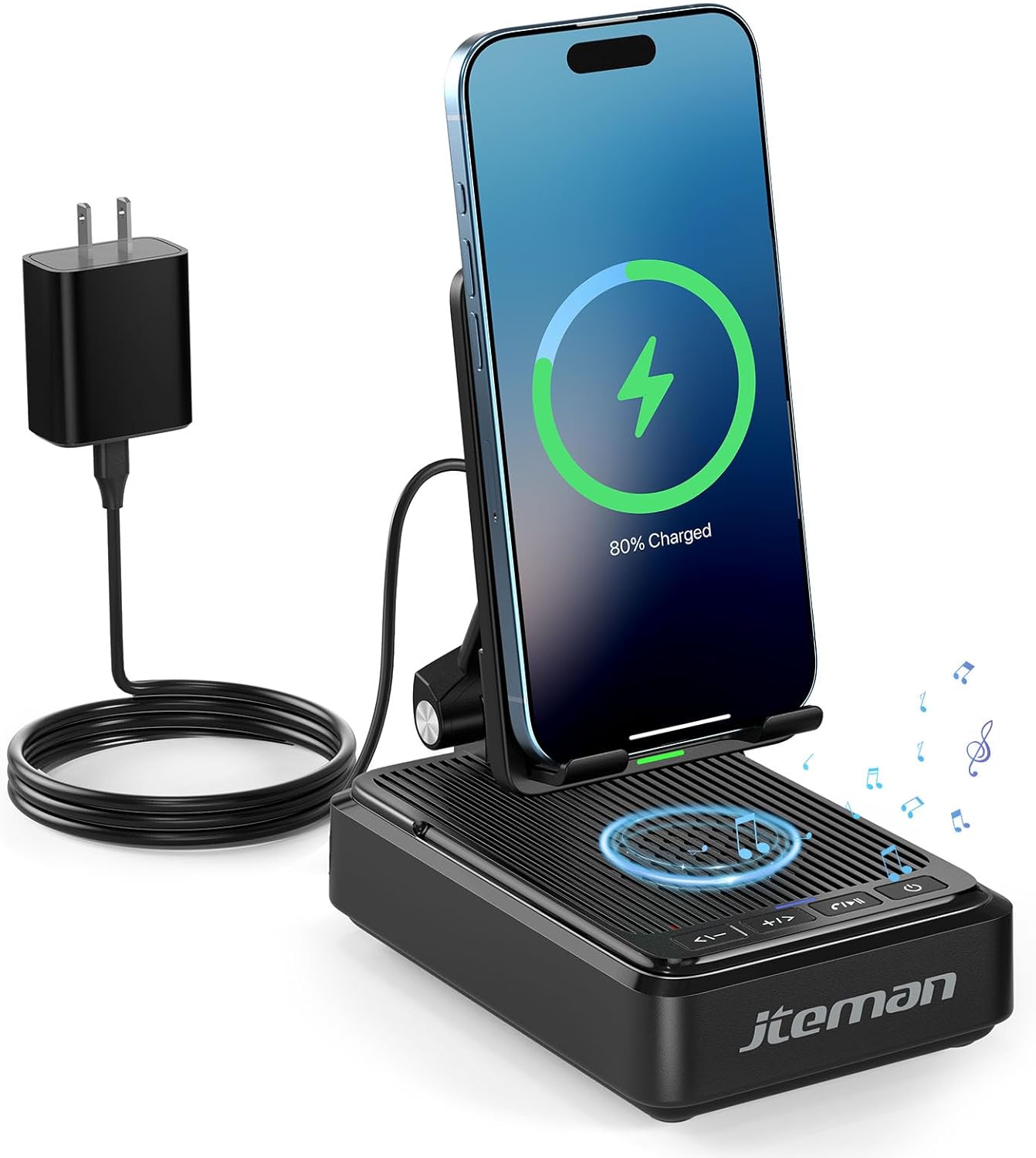
รูปที่ 1: JTEMAN L41 Main Unit with Phone Charging
This image displays the JTEMAN L41 device in black, with a smartphone placed vertically on its stand, actively wirelessly charging. The device is connected to a power adapter via a USB-C cable. Musical notes are depicted around the speaker area, indicating its audio function.
คุณสมบัติหลัก:
- ฟังก์ชั่น 3-in-1: Integrates a phone stand, wireless charger, and Bluetooth speaker.
- ที่วางโทรศัพท์แบบปรับได้: ช่วยให้เกิดประสิทธิภาพสูงสุด viewing angles and supports both horizontal and vertical phone placement.
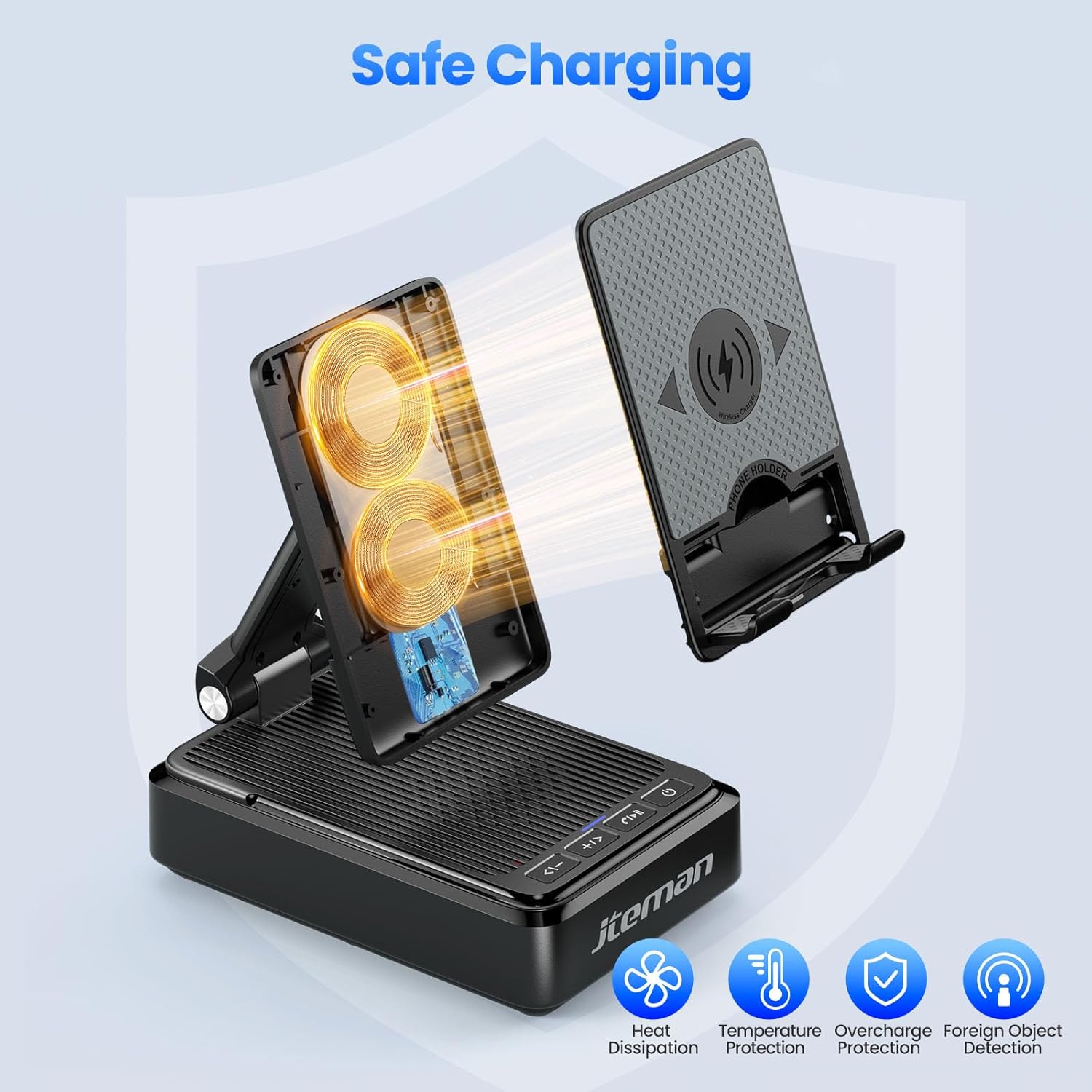
- Stable Wireless Charging: Features dual-coil design for flexible phone positioning and multiple safety protections.
- ลำโพงบลูทูธ 5.3: Provides clear sound quality and stable connection for audio playback and hands-free calls.
- การออกแบบพับได้: Enhances portability and saves space.
4. คำแนะนำในการตั้งค่า
- แกะอุปกรณ์ออกจากกล่อง: นำส่วนประกอบทั้งหมดออกจากบรรจุภัณฑ์อย่างระมัดระวัง
- เชื่อมต่อพลังงาน:
- Connect one end of the provided USB-C to USB-C cable to the USB-C port on the back of the JTEMAN L41 unit.
- Connect the other end of the USB-C cable to the provided USB-C power adapter.
- เสียบอะแดปเตอร์ไฟเข้ากับเต้ารับไฟฟ้ามาตรฐาน
บันทึก: For optimal wireless charging performance, always use the included 9V2A adapter and USB-C cable.
- Adjust Phone Stand: Unfold the phone stand to your desired viewing angle. The stand is designed to be adjustable for comfortable viewการไอเอ็นจี
5. คู่มือการใช้งาน
5.1 การชาร์จแบบไร้สาย
- Ensure the JTEMAN L41 is connected to a power source.
- Place your wireless charging-compatible smartphone onto the phone stand. The phone can be placed either horizontally or vertically.
- Align your phone's wireless charging coil with the charging area on the stand. Charging will begin automatically, indicated by a charging icon on your phone's screen.

รูปที่ 2: ความเข้ากันได้ของการชาร์จแบบไร้สาย
This image illustrates the wireless charging function and its compatibility. It shows a smartphone in a case being wirelessly charged on the stand. Important notes indicate that cases should be ≤ 0.15 inches thick, and cases with metal rings, pockets, or magnets should be avoided for proper charging.
Important Notes for Wireless Charging:
- Supports phone cases with a thickness of ≤ 0.15 inches (approximately 3.8mm).
- Avoid using cases with metal rings, pop sockets, credit cards, or magnets, as these can interfere with wireless charging.
- The dual-coil design allows for flexible placement, but ensure proper alignment for efficient charging.
5.2 การใช้งานลำโพงบลูทูธ
- เปิดเครื่อง: กดปุ่มเปิดปิดค้างไว้ (⏻) on the front of the unit to turn on the speaker. A voice prompt or indicator light will confirm it's in pairing mode.
- การจับคู่:
- บนสมาร์ทโฟนหรืออุปกรณ์ที่รองรับบลูทูธ ให้ไปที่การตั้งค่าบลูทูธ
- ค้นหา available devices and select "JTEMAN41" (or similar name) from the list.
- Once connected, a confirmation sound will be heard.
- การเล่นเสียง: Play music or audio from your connected device. Use the volume controls on the JTEMAN L41 or your device to adjust the sound level.
- การโทรแบบแฮนด์ฟรี: When a call comes in, press the Play/Pause button (⏸) to answer. Press again to end the call.

รูปที่ 3: Enjoying Music with the Bluetooth Speaker
This image shows a woman in a kitchen setting, holding a mug and smiling while a smartphone plays music on the JTEMAN L41 stand. Musical notes emanate from the speaker, highlighting its audio playback capability.
5.3 Phone Stand Functionality
The integrated phone stand is adjustable to provide optimal viewมุมในการทำกิจกรรมต่างๆ
- มุมปรับได้: Gently pivot the phone rest up or down to achieve your preferred viewมุมอิง
- ปฐมนิเทศ: The stand supports both vertical and horizontal placement of your smartphone, ideal for video calls, watching movies, or browsing.
- ความเสถียร: The stable, non-slip base and weighted structure prevent tipping, ensuring your device remains secure.
รูปที่ 4: Adjustable Desktop Charging Stand
This image depicts a man sitting at a desk, interacting with a smartphone placed on the JTEMAN L41 stand. The stand is shown with an adjustable angle feature, and a diagram illustrates how the USB-C charging cable connects to the phone while on the stand.
5.4 ฟังก์ชันปุ่ม
The control buttons are located on the front of the unit:
| ไอคอนปุ่ม | การทำงาน |
|---|---|
| <- | ลดระดับเสียง / เพลงก่อนหน้า |
| + / > | เพิ่มระดับเสียง / แทร็กถัดไป |
| ⏸ | เล่น / หยุดชั่วคราว / รับสาย / วางสาย |
| ⏻ | เปิด / ปิดเครื่อง |
6. ข้อมูลด้านความปลอดภัยที่สำคัญ
- อย่าให้เครื่องโดนน้ำหรือความชื้นมากเกินไป
- หลีกเลี่ยงอุณหภูมิที่สูงจัด แสงแดดโดยตรง หรือแหล่งความร้อน
- ห้ามถอดประกอบ ซ่อมแซม หรือดัดแปลงอุปกรณ์ การกระทำดังกล่าวจะทำให้การรับประกันเป็นโมฆะ
- เก็บให้พ้นจากมือเด็ก
- Use only the provided power adapter and cable to prevent damage and ensure safe operation.
- ตรวจสอบให้แน่ใจว่ามีการระบายอากาศที่เหมาะสมรอบๆ อุปกรณ์ขณะใช้งาน
7. การบำรุงรักษา
- การทำความสะอาด: เช็ดอุปกรณ์ด้วยผ้านุ่มและแห้ง ห้ามใช้น้ำยาทำความสะอาดที่มีฤทธิ์กัดกร่อนหรือตัวทำละลาย
- พื้นที่จัดเก็บ: When not in use for extended periods, store the device in a cool, dry place. The foldable design allows for compact storage.
8 การแก้ไขปัญหา
| ปัญหา | สาเหตุที่เป็นไปได้ | สารละลาย |
|---|---|---|
| เครื่องเปิดไม่ติด | Not connected to power; Power button not pressed. | Ensure the power adapter is securely plugged into the unit and a working outlet. Press and hold the Power button. |
| การชาร์จแบบไร้สายไม่ทำงาน | Phone not aligned; Case too thick; Foreign object; Phone not wireless charging compatible. | Re-align phone; Remove thick/metal cases; Remove foreign objects; Verify phone supports wireless charging. Use the included power adapter. |
| ลำโพงบลูทูธเชื่อมต่อไม่ได้ | Speaker not in pairing mode; Bluetooth off on device; Device too far. | Ensure speaker is on and in pairing mode; Enable Bluetooth on your device; Move device closer to the speaker (within 10 meters). |
| คุณภาพเสียงไม่ดี | Low battery; Device too far; Obstructions. | Ensure the unit is powered; Move device closer; Remove obstructions between device and speaker. |
9. ข้อมูลจำเพาะ
| คุณสมบัติ | รายละเอียด |
|---|---|
| หมายเลขรุ่น | L41 |
| ขนาดสินค้า | 5.59 x 3.78 x 2.32 นิ้ว |
| น้ำหนักสินค้า | 14.9 ออนซ์ |
| อินพุต Voltage | 9 โวลต์ |
| กระแสไฟขาออก | 2 Amps |
| ประเภทขั้วต่อ | USB ประเภท C |
| เวอร์ชันบลูทูธ | 5.3 |
| วัสดุ | อะคริโลไนไตรล์บิวทาไดอีนสไตรีน |
| อุปกรณ์ที่รองรับ | Smartphones, Tablets (with wireless charging capability) |
| Wireless Charging Case Thickness | ≤ 0.15 inches (3.8mm) |
10. การรับประกันและการสนับสนุน
JTEMAN provides the following support for this product:
- เปลี่ยนสินค้าภายใน 12 เดือน: The product is covered by a 12-month replacement policy from the date of purchase.
- การสนับสนุนตลอด 24 ชั่วโมง: For any inquiries or assistance, please contact JTEMAN customer support.
To contact support, please refer to the contact information provided on the product packaging or the official JTEMAN webเว็บไซต์.