
การแนะนำ
This manual provides essential instructions for the safe and effective operation of your eKids Ms Rachel Kids Karaoke Machine, Model RA-550. This portable Bluetooth speaker with a wired microphone and built-in music is designed for children aged 18 months and up. Please read this manual thoroughly before use and retain it for future reference.
คุณสมบัติผลิตภัณฑ์
- การเชื่อมต่อบลูทูธ: Wirelessly connect to any compatible device to stream audio.
- เพลงในตัว: Over 20 pre-loaded songs, including popular tunes like 'Hop Little Bunnies', 'Bingo', 'I'm So Happy', 'ABC', 'Old MacDonald', 'Wheels on the Bus', and 'Can You Say Mama'.
- ไมโครโฟนแบบมีสาย: Includes a real working microphone for singing along.
- เครื่องเล่นเสียง USB: Expand your music library by connecting a USB drive (not included) to play your favorite songs.
- แจ็คหูฟัง: ช่วยให้สามารถฟังได้อย่างเป็นส่วนตัวโดยไม่รบกวนผู้อื่น
- แบบพกพาและชาร์จใหม่ได้: Features a built-in handle and rechargeable battery for on-the-go entertainment.
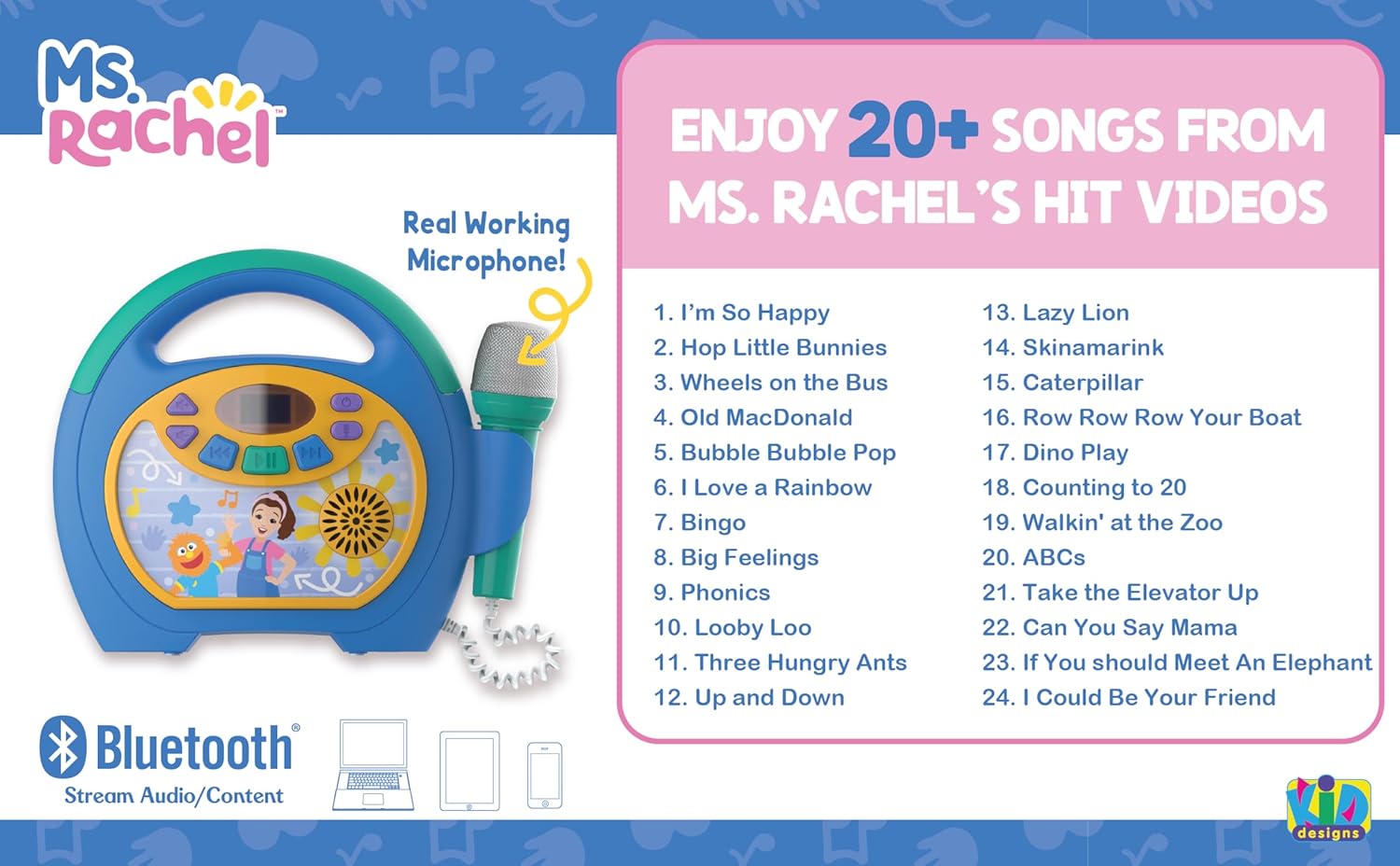
Image: The eKids Ms Rachel Kids Karaoke Machine, showcasing its design and a list of over 20 built-in songs available for playback.
เนื้อหาแพ็คเกจ
- eKids Ms Rachel Kids Karaoke Machine (Model RA-550)
- ไมโครโฟนแบบมีสาย
- USB Charging Cable (18 inches, located inside the cord storage door)
การควบคุมและตัวบ่งชี้
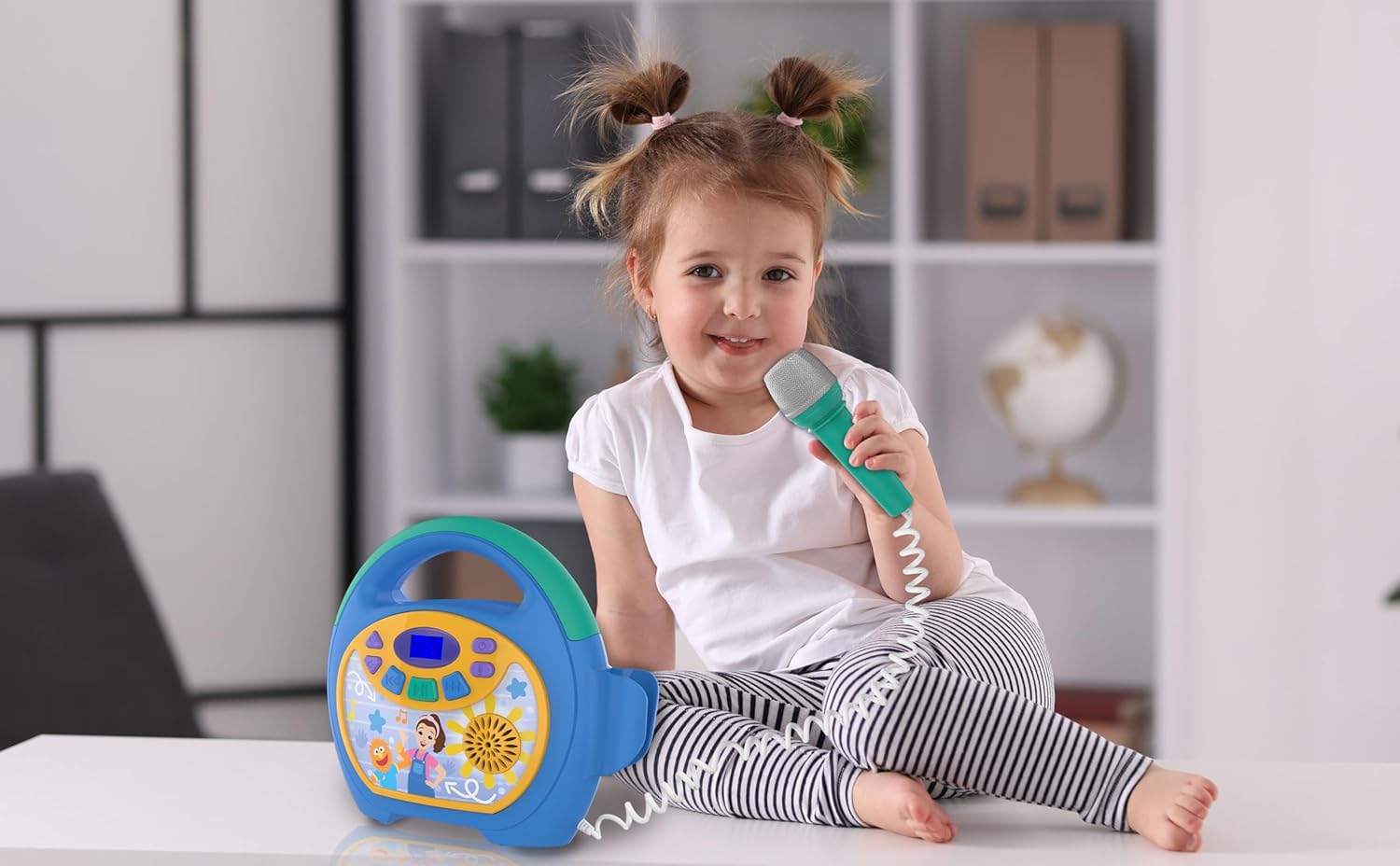
Image: Detailed diagram of the karaoke machine, highlighting the location and function of each button, port, and indicator, including the microphone, volume controls, power button, USB port, headphone jack, and charging port.
- ปุ่มเปิด/ปิด: กดค้างไว้เพื่อเปิดหรือปิดเครื่อง
- Microphone ON/OFF Switch: Controls the microphone's power.
- Volume UP/DOWN Buttons: ปรับระดับเสียงลำโพง
- การควบคุมระดับเสียงของไมโครโฟน: Adjusts the microphone's output level.
- ปุ่มเล่น/หยุดชั่วคราว: เริ่มหรือหยุดการเล่นเสียงชั่วคราว
- ปุ่มเดินหน้า/ถอยหลัง: Skips tracks forward or backward.
- ปุ่มจับคู่บลูทูธ: เริ่มโหมดการจับคู่บลูทูธ
- แจ็คหูฟัง: For connecting headphones for private listening.
- พอร์ตชาร์จไมโคร USB: สำหรับชาร์จแบตเตอรี่ภายใน
- USB Port for Memory Expansion: สำหรับเล่นเพลงจากแฟลชไดรฟ์ USB
- ปุ่มรีเซ็ต: Small button to reset the unit if needed.
- Cord Storage Door: Compartment for storing the charging cable.
- หน้าจอแสดงผล: Shows current mode, track number, and battery level.
การตั้งค่า
1. การชาร์จเครื่อง
Before first use, fully charge the karaoke machine. Locate the Micro USB Charge Port on the back of the unit. Connect the included USB charging cable to this port and the other end to a standard USB power adapter (not included) or a computer's USB port. The display will indicate charging status. A full charge typically takes approximately 3-4 hours.
2. การเชื่อมต่อไมโครโฟน
The wired microphone is permanently attached to the unit. Ensure the microphone ON/OFF switch is in the 'ON' position when you wish to use it.
คำแนะนำการใช้งาน
1. เปิด/ปิดเครื่อง
กดปุ่มค้างไว้ ปุ่มเปิด/ปิดเครื่อง located on the top of the unit to turn the karaoke machine on or off. The display screen will light up when the unit is powered on.
2. การจับคู่บลูทู ธ
- Turn on the karaoke machine. The unit will automatically enter Bluetooth pairing mode, indicated by a flashing Bluetooth icon on the display.
- บนอุปกรณ์ที่รองรับบลูทูธ (สมาร์ทโฟน แท็บเล็ต คอมพิวเตอร์) ให้ไปที่การตั้งค่าบลูทูธและเปิดใช้งานบลูทูธ
- ค้นหา อุปกรณ์ที่มีอยู่และเลือก "eKids Ms Rachel Karaoke" จากรายการ
- Once paired, the Bluetooth icon on the karaoke machine's display will stop flashing and remain solid. You can now stream audio wirelessly from your device.
3. Playing Built-in Music
The karaoke machine comes with over 20 built-in songs. To play them, ensure no Bluetooth device is connected or a USB drive is inserted. Use the เล่น/หยุดชั่วคราว, ซึ่งไปข้างหน้า, และ ย้อนกลับ buttons to navigate and play the pre-loaded tracks.
4. USB Audio Playback
ในการเล่นเพลงจากไดรฟ์ USB:
- Insert a USB drive (formatted with MP3 audio files) เข้าไปใน USB Port for Memory Expansion ที่ด้านหลังของตัวเครื่อง
- The unit should automatically switch to USB mode. If not, press the mode button (if available, otherwise it should auto-detect).
- ใช้ เล่น/หยุดชั่วคราว, ซึ่งไปข้างหน้า, และ ย้อนกลับ ปุ่มเพื่อควบคุมการเล่น

Image: A child singing with the karaoke machine, illustrating the use of the USB expansion slot for playing custom music.
5. การใช้ไมโครโฟน
ให้แน่ใจว่า สวิตช์เปิด/ปิดไมโครโฟน is in the 'ON' position. Adjust the microphone's volume using the การควบคุมระดับเสียงไมโครโฟน. Sing into the microphone while music is playing from Bluetooth, USB, or built-in songs.
6. การควบคุมระดับเสียง
ปรับระดับเสียงลำโพงหลักโดยใช้ Volume UP/DOWN Buttons on the unit. The microphone volume is controlled separately.
7. การใช้หูฟัง
For private listening, plug any standard 3.5mm headphones (not included) into the แจ็คหูฟัง. The main speaker output will be muted when headphones are connected.
วิดีโอผลิตภัณฑ์อย่างเป็นทางการ
Video: An official product video demonstrating the features and usage of the eKids Ms Rachel Kids Karaoke Machine, including Bluetooth connectivity and microphone functionality.
การซ่อมบำรุง
- การทำความสะอาด: เช็ดตัวเครื่องด้วยผ้านุ่มและแห้ง ห้ามใช้น้ำยาทำความสะอาดที่มีฤทธิ์กัดกร่อนหรือตัวทำละลาย
- พื้นที่จัดเก็บ: Store the unit in a cool, dry place away from direct sunlight and extreme temperatures. Ensure the microphone cord is neatly stored in its compartment.
- การดูแลแบตเตอรี่ เพื่อยืดอายุการใช้งานแบตเตอรี่ ควรหลีกเลี่ยงการปล่อยให้แบตเตอรี่หมดจนเกลี้ยงบ่อยๆ ควรชาร์จแบตเตอรี่เป็นประจำ แม้ว่าจะไม่ได้ใช้งานเป็นเวลานานก็ตาม
การแก้ไขปัญหา
| ปัญหา | สารละลาย |
|---|---|
| เครื่องไม่เปิด | Ensure the unit is charged. Connect the USB charging cable and allow it to charge for at least 30 minutes before attempting to power on again. |
| ไม่มีเสียงจากลำโพง | Check the main volume level. Ensure headphones are not plugged into the headphone jack. If using Bluetooth, verify the device volume is up and it is properly paired. |
| ไมโครโฟนไม่ทำงาน | Ensure the Microphone ON/OFF switch is in the 'ON' position. Adjust the Microphone Volume Control. |
| อุปกรณ์บลูทูธไม่สามารถเชื่อมต่อได้ | Make sure the karaoke machine is in pairing mode (flashing Bluetooth icon). Turn off and on Bluetooth on your device. Move your device closer to the karaoke machine. Try resetting the karaoke machine using the reset button. |
| ไม่สามารถเล่นเพลงจาก USB ได้ | Ensure the USB drive is properly inserted and contains compatible MP3 audio fileลองใช้แฟลชไดรฟ์ USB ตัวอื่นดู |
ข้อมูลจำเพาะ
- หมายเลขรุ่น: RA-550
- ยี่ห้อ: อีคิดส์
- แหล่งพลังงาน: ใช้พลังงานจากแบตเตอรี่ (ชาร์จใหม่ได้)
- การเชื่อมต่อ: Bluetooth, USB Type C (charging), USB (audio playback)
- โหมดเอาต์พุตเสียง: ลำโพง, ช่องเสียบหูฟัง
- ส่วนประกอบที่รวมอยู่: Karaoke Machine, Wired Microphone, USB Charging Cable
- ขนาด (D x W x H): ลึก 9 นิ้ว x กว้าง 3.36 นิ้ว x สูง 8.71 นิ้ว
- ผู้ผลิต: คิดดีไซน์
การรับประกันและการสนับสนุน
This eKids product is covered by a รับประกันจำกัด 1 ปี. For warranty claims, technical support, or further assistance, please contact eKids customer service. Refer to the official eKids webสามารถดูข้อมูลติดต่อได้จากเว็บไซต์หรือบรรจุภัณฑ์ของผลิตภัณฑ์
หากต้องการข้อมูลเพิ่มเติม โปรดเยี่ยมชม ร้านค้าแบรนด์ eKids.