
1. บทนำ
The Nothing Ear (3) wireless earbuds are designed to provide a high-quality audio experience with advanced features for various activities. This manual provides essential information for setting up, operating, and maintaining your earbuds.
2. อะไรอยู่ในกล่อง
- Nothing Ear (3) Earbuds
- เคสชาร์จแบบไร้สาย
- สาย USB-C ถึง USB-C
- Eartips (XS / S / L)
- คู่มือการใช้งาน
- ข้อมูลความปลอดภัยและการรับประกัน

Image: All items included in the Nothing Ear (3) product packaging.
3. การตั้งค่า
3.1 การจับคู่เริ่มต้น
- Ensure your Nothing Ear (3) earbuds are in the charging case and the case is charged.
- Open the charging case lid. The indicator light should begin to flash, indicating pairing mode.
- On your device (smartphone, tablet, laptop), go to Bluetooth settings and select "Nothing Ear (3)" from the list of available devices.
- ปฏิบัติตามคำแนะนำบนหน้าจอเพื่อดำเนินการจับคู่ให้เสร็จสมบูรณ์
3.2 Nothing X App Installation
For full functionality and customization, download the Nothing X app from your device's app store. The app allows you to adjust EQ settings, manage Active Noise Cancellation, customize controls, and access other advanced features.

Image: The Nothing X App provides comprehensive control over your Ear (3) earbuds.
4. คู่มือการใช้งาน
4.1 ระบบควบคุมแบบสัมผัส
The Nothing Ear (3) features intuitive pinch controls on the earbud stems. These controls can be customized via the Nothing X app.
- Single Pinch: เล่น/หยุดเสียง, รับสาย/วางสาย
- Double Pinch: Skip forward, Decline incoming call.
- Triple Pinch: ข้ามกลับ
- Pinch & Hold: Toggle Noise Control (ANC/Transparency/Off).
- Double Pinch & Hold: Volume down (customizable).
4.2 ระบบตัดเสียงรบกวนแบบแอคทีฟ (ANC) และโหมดโปร่งใส
The earbuds offer up to 45 dB of Smart Hybrid ANC to reduce ambient noise. Transparency Mode allows you to hear your surroundings without removing the earbuds.
- สลับโหมด: Use the Pinch & Hold gesture on either earbud to cycle through ANC, Transparency, and Off modes.
- ANC แบบปรับได้: The Nothing X app allows for adaptive ANC settings, adjusting noise cancellation levels based on your environment.

Image: Visualizing the noise control features of Nothing Ear (3).
4.3 Super Mic Feature
The charging case integrates a dual-microphone system, called Super Mic, designed to enhance voice clarity by targeting your voice and reducing background noise up to 95 dB during calls.
- การเปิดใช้งาน: Press and hold the 'TALK' button on the charging case. For optimal clarity in loud settings, hold the case within 5cm of your mouth.
- คำสั่งด่วน: Hold the 'TALK' button for quick commands.
- Extended Conversations: Double-tap the 'TALK' button to lock it for longer conversations.
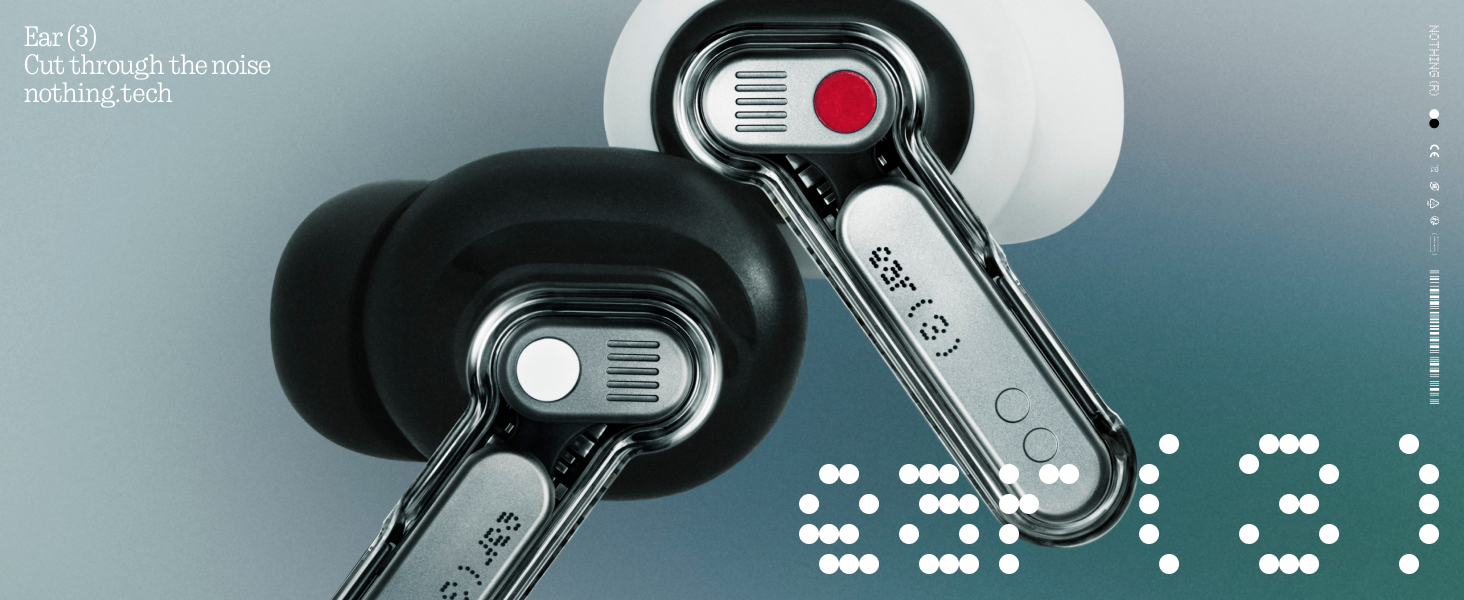
Image: The Super Mic feature in use for clear communication.
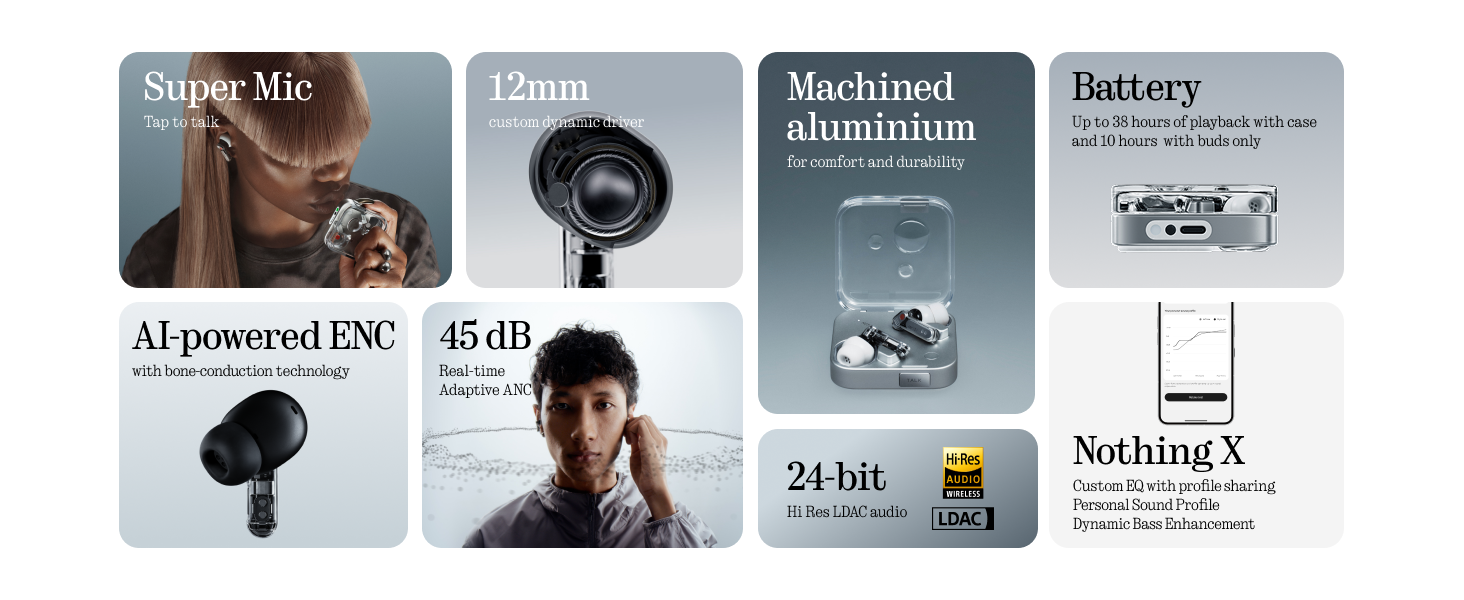
Image: The 'TALK' button on the charging case for Super Mic activation.
4.4 เสียงเชิงพื้นที่
Experience immersive sound with Spatial Audio. This feature can be toggled between 'Fixed' and 'Off' modes within the Nothing X app.
4.5 Low Lag Mode (Gaming)
Activate Low Lag Mode via the Nothing X app for optimized audio synchronization during gaming sessions on compatible devices.
4.6 การเชื่อมต่อแบบคู่
The earbuds support Bluetooth 5.4 with Dual Connect, allowing seamless switching between two paired devices (e.g., phone and laptop).
5. การชาร์จและแบตเตอรี่
The Nothing Ear (3) provides up to 10 hours of continuous playback, with a total of 38 hours using the charging case. A quick 10-minute charge can provide an additional 10 hours of use.
- การชาร์จแบบมีสาย: Use the provided USB-C to USB-C cable to charge the case.
- การชาร์จแบบไร้สาย: เคสชาร์จรองรับการชาร์จไร้สาย

Image: Battery life and charging capabilities of Nothing Ear (3).
6. การบำรุงรักษาและการดูแล
- ความต้านทานน้ำ: The earbuds have an IP54 rating, making them water resistant and suitable for workouts and light rain. The charging case also has an IP54 rating.
- การทำความสะอาด: Regularly clean the earbuds and charging case with a soft, dry cloth. Ensure no moisture enters the charging ports or speaker grilles.
- จุกหูฟัง: Remove and clean eartips periodically. Replace them if they show signs of wear or damage.
7 การแก้ไขปัญหา
- ไม่มีเสียง: ตรวจสอบให้แน่ใจว่าหูฟังได้รับการชาร์จแล้ว จับคู่ถูกต้อง และมีระดับเสียงที่ดังขึ้นทั้งบนหูฟังและอุปกรณ์ของคุณ
- ปัญหาการจับคู่: Place earbuds back in the case, close the lid, then open it again to re-enter pairing mode. Forget the device on your phone's Bluetooth settings and try pairing again.
- ANC ไม่ทำงาน: Check ANC settings in the Nothing X app. Ensure eartips provide a good seal.
- คุณภาพการโทรไม่ดี: Ensure Super Mic is activated correctly in noisy environments. Check earbud microphone grilles for obstructions.
- ปัญหาเกี่ยวกับแอป: Ensure the Nothing X app is updated to the latest version. Restart the app or your device if problems persist.
8. ข้อมูลจำเพาะ
| ชื่อรุ่น | Nothing Ear (3) |
| หมายเลขรุ่นสินค้า | B173 |
| การควบคุมเสียงรบกวน | ระบบตัดเสียงรบกวนแบบแอคทีฟไฮบริด (สูงสุด 45 dB) |
| เทคโนโลยีการเชื่อมต่อ | บลูทูธ 5.4 ไร้สาย |
| ขนาดไดร์เวอร์เสียง | ไดรเวอร์ไดนามิกขนาด 12 มิลลิเมตร |
| ระดับความต้านทานต่อน้ำ | IP54 (Earbuds & Case) |
| อายุการใช้งานแบตเตอรี่ (หูฟัง) | นานถึง 10 ชั่วโมง |
| อายุการใช้งานแบตเตอรี่ทั้งหมด (รวมเคส) | นานถึง 38 ชั่วโมง |
| ชาร์จเร็ว | ชาร์จ 10 นาที เล่นได้ 10 ชั่วโมง |
| การชาร์จแบบไร้สาย | รองรับ |
| ไมโครโฟน | 6 HD Microphones (earbuds), Dual-Microphone System (case for Super Mic) |
| วัสดุ | อลูมิเนียม, พลาสติก |
| น้ำหนักสินค้า | 71.4 Grams (Case) |
9. วิดีโอผลิตภัณฑ์อย่างเป็นทางการ
วิดีโอ: เจ้าหน้าที่ผ่านview of the Nothing Ear (3) Wireless Earbuds, highlighting key features like 45dB Hybrid ANC.
10. การรับประกันและการสนับสนุน
For warranty information and customer support, please refer to the 'Safety and Warranty Information' document included in your product packaging or visit the official Nothing webเว็บไซต์.