
การแนะนำ
Thank you for choosing the ILIFE V5s Plus Robot Vacuum and Mop. This device is designed to provide efficient cleaning for your home, combining both vacuuming and mopping functions. It features smart navigation, app control, and automatic self-charging for convenience. Please read this manual thoroughly before use to ensure proper operation and maintenance.
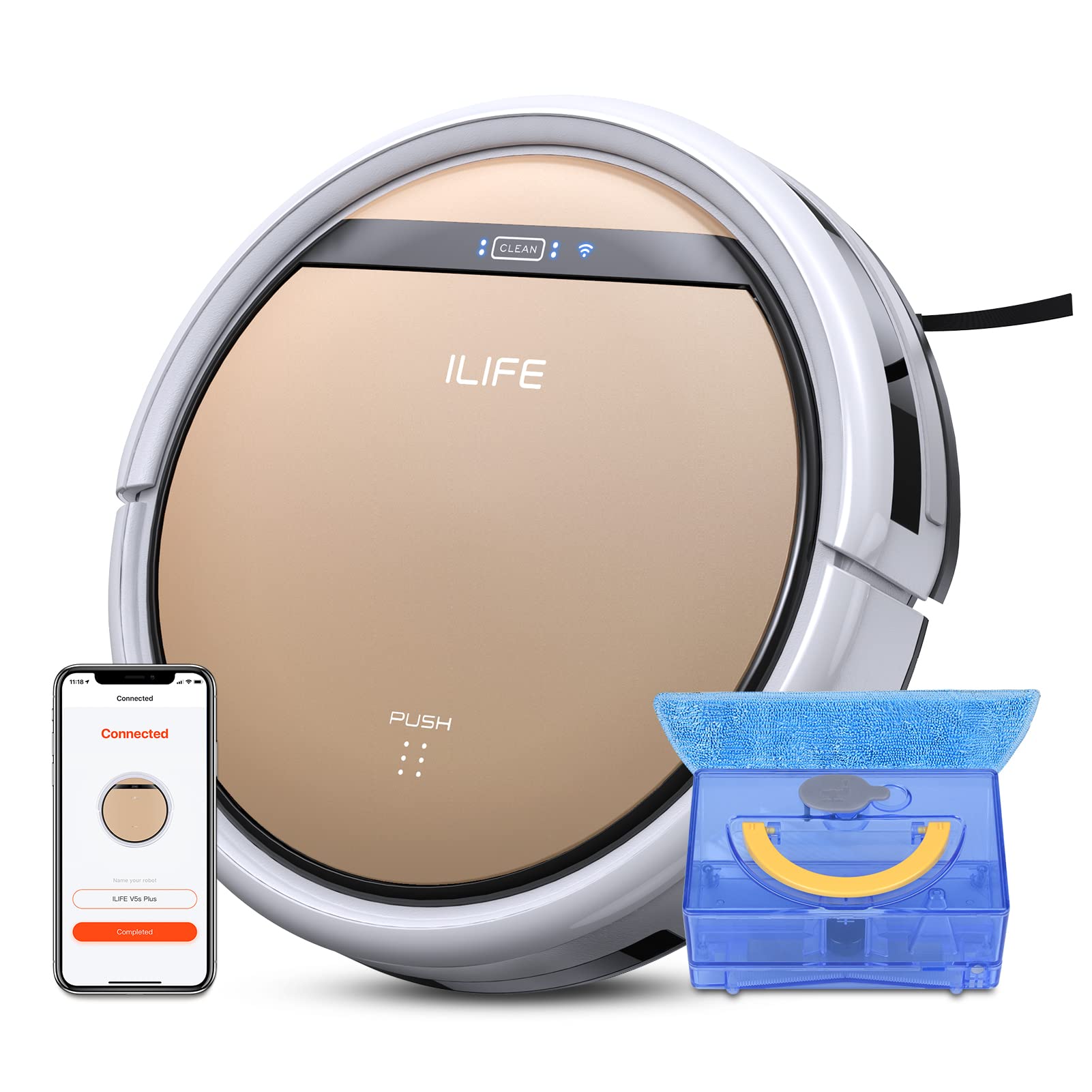
The ILIFE V5s Plus Robot Vacuum and Mop, ready for use.
คำแนะนำเพื่อความปลอดภัย
Before operating the ILIFE V5s Plus, please observe the following safety precautions:
- อ่านคำแนะนำทั้งหมดอย่างละเอียดก่อนใช้เครื่องใช้ไฟฟ้า
- Keep the robot and its accessories out of reach of children.
- ห้ามใช้งานหุ่นยนต์ในสภาพแวดล้อมที่เปียกชื้นหรือใกล้แหล่งน้ำ
- ตรวจสอบให้แน่ใจว่าแท่นชาร์จวางอยู่บนพื้นผิวเรียบชิดผนัง และมีพื้นที่ว่างรอบๆ แท่นชาร์จ
- นำสายไฟที่หลวม วัตถุขนาดเล็ก หรือสิ่งของที่แตกหักง่ายออกจากเส้นทางการทำความสะอาด เพื่อป้องกันการพันกันหรือความเสียหาย
- Do not use the robot to pick up large debris, sharp objects, or liquids other than water for mopping.
- โปรดใช้เฉพาะอะแดปเตอร์แปลงไฟและแท่นชาร์จที่ให้มาพร้อมกับหุ่นยนต์เท่านั้น
มีอะไรอยู่ในกล่อง
ตรวจสอบว่ามีส่วนประกอบทั้งหมดอยู่ในแพ็คเกจ:
- ตัวเครื่อง (รวมแบตเตอรี่)
- แท่นชาร์จ
- รีโมทคอนโทรล (ไม่รวมแบตเตอรี่)
- อะแดปเตอร์ AC
- เครื่องมือทำความสะอาด
- ผ้าม็อบ
- ถังเก็บน้ำ
- คู่มือการใช้งาน
- ตัวกรองประสิทธิภาพสูง
- แปรงข้างเสริม
การตั้งค่า
1. การชาร์จครั้งแรก
Place the charging dock against a wall in an open area. Connect the AC adapter to the charging dock and plug it into a power outlet. Place the robot onto the charging dock, ensuring the charging pins align. The robot will begin charging automatically. Allow for a full charge before first use (approximately 3-5 hours).
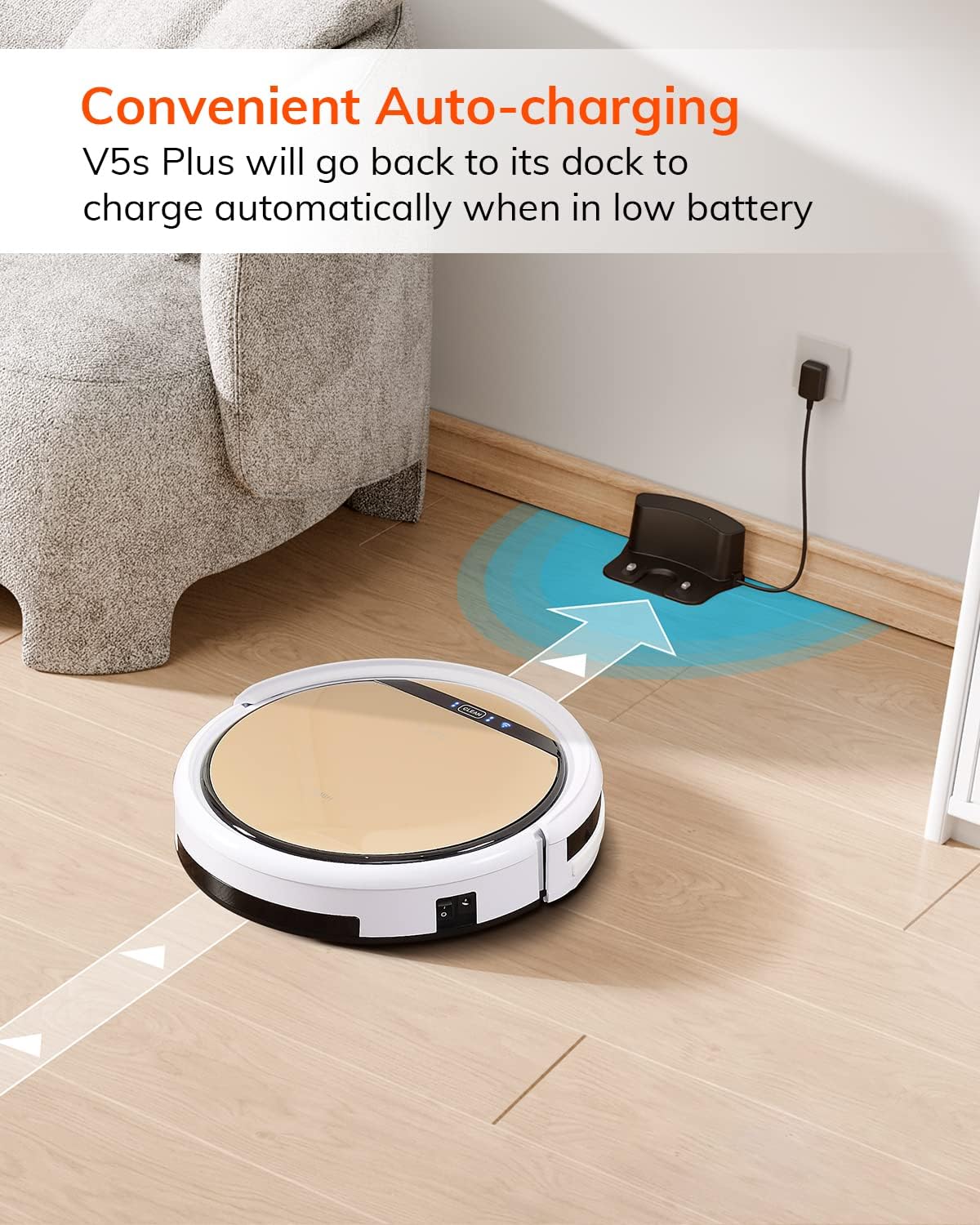
หุ่นยนต์จะกลับไปยังแท่นชาร์จโดยอัตโนมัติเมื่อแบตเตอรี่เหลือน้อย
2. App Download and WiFi Connection
Download the 'ILIFEHOME' app from your smartphone's app store. Follow the in-app instructions to connect your robot to your home WiFi network. Ensure your WiFi is 2.4GHz, as the app does not support 5G WiFi.

Control the robot and schedule cleaning via the ILIFEHOME app.
3. การเตรียมพื้นที่ทำความสะอาด
Before each cleaning cycle, clear the floor of any obstacles such as cables, toys, or small rugs that could entangle the robot. For mopping, ensure the water tank is filled and the mop cloth is attached.
คำแนะนำการใช้งาน
1. เปิด/ปิดเครื่อง
To power on the robot, press the 'CLEAN' button on the robot or use the remote control/app. To power off, press and hold the 'CLEAN' button until the indicator lights turn off, or use the app.
2. โหมดการทำความสะอาด
The ILIFE V5s Plus offers multiple cleaning modes:
- โหมดอัตโนมัติ: The robot automatically cleans the area, adjusting its path as needed.
- โหมดเฉพาะจุด: เน้นทำความสะอาดบริเวณที่สกปรกเฉพาะจุดโดยทำความสะอาดแบบเป็นเกลียว
- โหมดขอบ: ทำความสะอาดตามผนังและขอบเฟอร์นิเจอร์
- โหมดสูงสุด: เพิ่มพลังดูดเพื่อการทำความสะอาดที่ล้ำลึกยิ่งขึ้น
- Scheduling Cleaning Mode: ตั้งตารางการทำความสะอาดผ่านแอปเพื่อการทำความสะอาดอัตโนมัติ

The robot utilizes various cleaning modes to suit different needs.
3. การดูดฝุ่นและถูพื้น
The V5s Plus functions as both a vacuum and a mop. For vacuuming, ensure the dustbin is installed. For mopping, replace the dustbin with the water tank and attach a clean mop cloth. The intelligent control water tank offers three-level water outlet: gentle, standard, and strong, which can be controlled by the App.

The ILIFE V5s Plus offers both vacuuming and mopping capabilities.
4. การควบคุมด้วยเสียง
The ILIFE V5s Plus is compatible with Amazon Alexa and Google Assistant. Connect your robot to your smart home system to start or stop cleaning tasks using voice commands.

Control your robot with voice commands through Alexa or Google Assistant.
5. Automatic Charging
When the battery is low or a cleaning cycle is complete, the robot will automatically return to its charging dock. Ensure the charging dock is accessible and free from obstructions.

The robot automatically returns to its charging base when power is low.
การซ่อมบำรุง
Regular maintenance ensures optimal performance and extends the lifespan of your ILIFE V5s Plus.
1. การเทและทำความสะอาดถังขยะ
Open the top cover of the robot and remove the dustbin. Empty the dustbin into a trash receptacle. Clean the dustbin and filter with the provided cleaning tool or a soft brush. Rinse the dustbin with water if necessary, ensuring it is completely dry before reinstallation.
2. Filling and Cleaning the Water Tank
Remove the water tank from the robot. Open the water tank cap and fill it with clean water. Securely close the cap and reinsert the water tank into the robot. After mopping, empty any remaining water and rinse the tank. Allow it to air dry.

The water tank for the mopping function.
3. ทำความสะอาดแปรงข้าง
Regularly check the side brushes for tangled hair or debris. Remove any obstructions using the cleaning tool or scissors. Replace worn-out side brushes with new ones.
4. การทำความสะอาดเซ็นเซอร์
เช็ดทำความสะอาดเซ็นเซอร์ป้องกันการตกและเซ็นเซอร์ป้องกันการชนที่ใต้ท้องและกันชนด้านหน้าของหุ่นยนต์ด้วยผ้าสะอาดและแห้ง เพื่อให้มั่นใจได้ว่าหุ่นยนต์สามารถนำทางได้อย่างถูกต้อง
การแก้ไขปัญหา
If you encounter issues with your ILIFE V5s Plus, refer to the following common problems and solutions:
- Robot does not power on: Ensure the battery is charged. Check if the power switch on the side of the robot is turned on.
- หุ่นยนต์ไม่ชาร์จ: Verify the charging dock is powered and the robot is correctly aligned with the charging pins. Clean the charging contacts on both the robot and the dock.
- หุ่นยนต์ติดขัดบ่อยครั้ง: Clear the cleaning area of obstacles. Check for tangled hair in the side brushes or wheels.
- ประสิทธิภาพการทำความสะอาดไม่ดี: Empty the dustbin and clean the filter. Clean the side brushes. Ensure the water tank is properly filled for mopping.
- Unable to connect to App:
- Make sure to select the correct Wi-Fi and login with the correct Wi-Fi password.
- The ILIFE Robot does not support 5G Wi-Fi. Make sure to use a 2.4G Wi-Fi connection.
- Make sure the Wi-Fi signal is covered and strong.
- Allow the ILIFEHOME APP to have access to your location services and wireless data.
ข้อมูลจำเพาะ
| คุณสมบัติ | รายละเอียด |
|---|---|
| ยี่ห้อ | ไอไลฟ์ |
| ชื่อรุ่น | วี5เอส พลัส |
| คำแนะนำด้านพื้นผิว | พื้นแข็ง |
| พลังดูด | 2 กิโลปาสคาล |
| ระยะเวลาการใช้งาน | สูงสุด 110 นาที |
| ความจุถังน้ำ | 300มล. |
| ความจุกล่องเก็บฝุ่น | 300มล. |
| Dust Box Filter Type | High efficiency filter + nylon mesh |
| โหมดการทำความสะอาด | Auto/Spot/Edge/Max |
| ประเภทการควบคุม | Remote Control/ App Control/ Alexa/ Google Assistant |
| ขนาดสินค้า | กว้าง 30 ยาว 30 สูง 8.1 เซนติเมตร |
| ประเภทแบตเตอรี่ | ลิเธียมไอออน |
| เล่มที่tage | 110 โวลต์ |
การรับประกัน
The ILIFE V5s Plus Robot Vacuum and Mop comes with a การรับประกันจากผู้ผลิต 1 ปีโปรดเก็บหลักฐานการซื้อไว้เพื่อใช้ในการเคลมประกัน การรับประกันครอบคลุมถึงข้อบกพร่องในวัสดุและฝีมือการผลิตภายใต้การใช้งานปกติ ไม่ครอบคลุมถึงความเสียหายที่เกิดจากการใช้งานผิดวิธี อุบัติเหตุ การดัดแปลงโดยไม่ได้รับอนุญาต หรือการสึกหรอตามปกติ
สนับสนุน
For further assistance, technical support, or warranty inquiries, please contact ILIFE customer service:
สินค้าเกินview วีดีโอ
รับชมวิดีโอนี้เพื่อดูภาพรวมโดยทั่วไปview of the ILIFE V5s Plus features and operation.
ผลิตภัณฑ์อย่างเป็นทางการผ่านview of the ILIFE V5s Plus Robot Vacuum and Mop.


