
1. บทนำ
Thank you for choosing the RORSOU C6 Active Noise Cancelling Headphones. These headphones are designed to provide a superior audio experience with advanced noise-cancelling technology, comfortable wear, and versatile connectivity options. This manual will guide you through the setup, operation, and maintenance of your new headphones.

Image: RORSOU C6 Active Noise Cancelling Headphones, Rose Gold variant.
2. เนื้อหาบรรจุภัณฑ์
โปรดตรวจสอบให้แน่ใจว่ามีสินค้าทั้งหมดอยู่ในแพ็คเกจของคุณ:
- RORSOU C6 Active Noise Cancellation Bluetooth Headphones
- 3.5mm Backup Audio Cable
- สายชาร์จ USB
- คู่มือการใช้งาน (เอกสารนี้)
- Travel Protective Storage Bag
3. สินค้าหมดview และการควบคุม
Familiarize yourself with the physical features and control buttons of your RORSOU C6 headphones.

Image: Detailed diagram illustrating the location and function of control buttons and ports on the RORSOU C6 headphones.
- เพิ่มเสียง (+) / เพลงถัดไป: คลิกเพื่อเพิ่มระดับเสียง กดค้างเพื่อเล่นเพลงถัดไป
- ลดเสียง (-) / เพลงก่อนหน้า: คลิกเพื่อลดระดับเสียง กดค้างเพื่อเล่นเพลงก่อนหน้า
- Power Button / Play/Pause: Long press to power on/off, click to play/pause music.
- ปุ่ม ANC: Click to activate/deactivate Active Noise Cancelling.
- พอร์ต Type-C: สำหรับการชาร์จหูฟัง
- แจ็คเสียงขนาด 3.5 มม.: สำหรับการเชื่อมต่อเสียงแบบมีสาย
4. การตั้งค่า
4.1. การจับคู่บลูทู ธ
- ตรวจสอบให้แน่ใจว่าหูฟังปิดอยู่
- Long press the Power Button until the LED indicator flashes blue, indicating pairing mode.
- On your device (smartphone, tablet, PC), enable Bluetooth and search for "RORSOU C6" in the list of available devices.
- Select "RORSOU C6" to connect. The LED indicator will turn solid blue once connected.
4.2. การเชื่อมต่อแบบมีสาย
การใช้งานหูฟังแบบเชื่อมต่อแบบมีสาย:
- Connect one end of the provided 3.5mm audio cable to the 3.5mm audio jack on the headphones.
- Connect the other end of the cable to your audio source's 3.5mm port.
- หูฟังจะเปลี่ยนเป็นโหมดสายโดยอัตโนมัติ
5. คู่มือการใช้งาน
5.1. ระบบตัดเสียงรบกวนแบบแอคทีฟ (ANC)
The RORSOU C6 features advanced Active Noise Cancelling technology to reduce ambient noise.

Image: Visual representation of Active Noise Cancelling reducing external noise.
- To activate ANC, click the dedicated ANC button. You will hear an audible confirmation.
- To deactivate ANC, click the ANC button again.
5.2. คุณภาพเสียง
Equipped with 40mm dynamic drivers, the C6 headphones deliver high-fidelity audio with deep bass, rich mids, and crisp highs, ensuring every detail of your music is clear.
5.3. อายุการใช้งานแบตเตอรี่และการชาร์จ
The headphones offer up to 60 hours of playtime on a single charge. A full charge takes approximately 2 hours using the provided USB charging cable.

Image: Close-up of the RORSOU C6 earcups and adjustable headband, emphasizing comfort.
5.4. ความสะดวกสบายและการพกพา
The RORSOU C6 headphones feature ultra-soft protein leather earcups and an adjustable headband for extended comfortable wear. Their lightweight and foldable design allows for easy storage in the travel protective bag, making them ideal for travel and daily use.
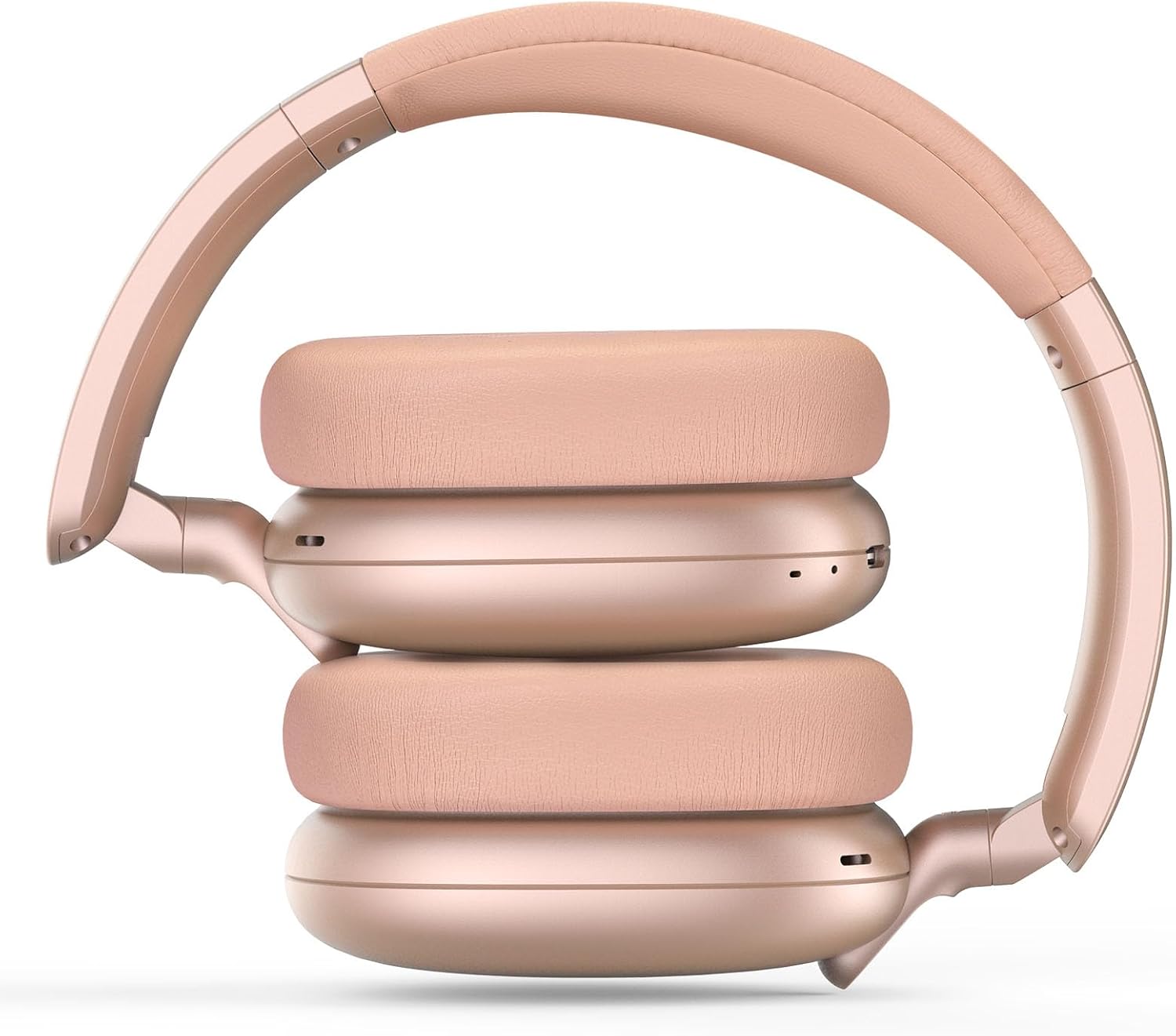
Image: RORSOU C6 headphones shown in their folded configuration, demonstrating portability.
6. ข้อมูลจำเพาะ
| คุณสมบัติ | ข้อมูลจำเพาะ |
|---|---|
| ชื่อรุ่น | C6 |
| ยี่ห้อ | รอสซู |
| เทคโนโลยีการเชื่อมต่อ | Bluetooth 5.4, Wired, Wireless |
| เทคโนโลยีการสื่อสารไร้สาย | บลูทูธ |
| คุณสมบัติการควบคุมเสียงรบกวน | ระบบตัดเสียงรบกวนแบบแอคทีฟ |
| แจ็คหูฟัง | แจ็ค 3.5 มม. |
| ขนาดไดร์เวอร์เสียง | 40 มิลลิเมตร |
| อายุการใช้งานแบตเตอรี่ | 60 ชั่วโมง |
| เวลาในการชาร์จ | 2 ชั่วโมง |
| น้ำหนักสินค้า | 230 กรัม (8.1 ออนซ์) |
| คุณสมบัติพิเศษ | Adjustable Headband, Detachable Cable, Foldable, Lightweight, Noise Cancellation |
7. การบำรุงรักษา
To ensure the longevity and optimal performance of your RORSOU C6 headphones, follow these maintenance guidelines:
- การทำความสะอาด: ใช้ผ้าแห้งนุ่มๆ เช็ดทำความสะอาดหูฟัง หลีกเลี่ยงการใช้สารเคมีรุนแรงหรือวัสดุที่มีฤทธิ์กัดกร่อน
- พื้นที่จัดเก็บ: When not in use, store the headphones in the provided travel protective storage bag to prevent dust and scratches.
- หลีกเลี่ยงเงื่อนไขที่รุนแรง: อย่าให้หูฟังอยู่ในที่ที่มีอุณหภูมิสูง ความชื้นสูง หรือแสงแดดโดยตรง
- ความต้านทานน้ำ: These headphones are not water resistant. Avoid contact with liquids.
8 การแก้ไขปัญหา
If you encounter any issues with your RORSOU C6 headphones, please refer to the following common solutions:
- ไม่มีไฟฟ้า: ตรวจสอบให้แน่ใจว่าหูฟังชาร์จเต็มแล้ว เสียบหูฟังเข้ากับแหล่งจ่ายไฟโดยใช้สายชาร์จ USB
- ไม่สามารถจับคู่ผ่านบลูทูธ: Make sure the headphones are in pairing mode (flashing blue LED). Ensure Bluetooth is enabled on your device and it is within range (10 meters). Try restarting both the headphones and your device.
- ไม่มีเสียง: Check the volume levels on both the headphones and your connected device. If using a wired connection, ensure the 3.5mm cable is securely plugged into both ends.
- ANC ไม่ทำงาน: Ensure the ANC function is activated by pressing the ANC button.
- คุณภาพเสียงไม่ดี: Ensure the headphones are within Bluetooth range of your device. If using a wired connection, try a different 3.5mm cable.
9. การรับประกันและการสนับสนุน
RORSOU is dedicated to providing high-quality products with excellent after-sale service. Your RORSOU C6 headphones come with a 365-day Hassle-Free Limited Protection. If you have any questions or require support, please contact RORSOU customer service. We aim to respond within 12 hours.