
karuisrc K610
คู่มือผู้ใช้โดรน GPS ของ Karuisrc K610
รุ่น : K610
1. บทนำ
This manual provides essential information for the safe operation and maintenance of your karuisrc K610 GPS Drone. Please read this manual thoroughly before operating the drone to ensure proper usage and to prevent damage or injury. The K610 is a foldable GPS quadcopter equipped with a 4K camera, designed for both beginners and experienced users, featuring intelligent flight modes and stable performance.

Image 1.1: The karuisrc K610 GPS Drone in flight.
2. คำแนะนำด้านความปลอดภัย
Operating a drone requires responsibility. Adhere to the following safety guidelines to ensure a safe flight experience for yourself and others:
- การตรวจสอบก่อนบิน: ควรตรวจสอบโดรน ใบพัด และแบตเตอรี่ก่อนบินทุกครั้ง ตรวจสอบให้แน่ใจว่าชิ้นส่วนทั้งหมดติดตั้งแน่นหนาและไม่มีความเสียหาย
- สภาพแวดล้อม : Fly in open areas, away from people, animals, buildings, and obstacles. Avoid flying in strong winds, rain, snow, or fog.
- ความปลอดภัยของแบตเตอรี่: Use only approved batteries and chargers. Do not overcharge or puncture batteries. Discontinue use if batteries are damaged or swollen.
- แนวสายตา: รักษาระยะการมองเห็นกับโดรนตลอดเวลา
- เคารพความเป็นส่วนตัว: Do not use the drone to invade privacy.
- กฎระเบียบท้องถิ่น: โปรดรับทราบและปฏิบัติตามกฎหมายและข้อบังคับท้องถิ่นทั้งหมดเกี่ยวกับการใช้งานโดรน
3. เนื้อหาบรรจุภัณฑ์
ตรวจสอบว่ามีรายการทั้งหมดอยู่ในแพ็คเกจของคุณ:
- K610 Drone x 1
- รีโมทคอนโทรล x 1
- Batteries x 1 (Nonstandard Battery)
- ใบพัดสำรอง x 4
- ไขควง x 1
- สาย USB x1
- กระเป๋าถือ x 1
- คู่มือการใช้งาน x 1

Image 3.1: Included items in the karuisrc K610 drone package.
4. ส่วนประกอบมากกว่าview
4.1 โดรน
The K610 drone features a foldable design for portability, brushless motors for stable flight, and an integrated 4K camera.

Image 4.1: The karuisrc K610 drone and remote control.
4.2 การควบคุมระยะไกล
The remote control provides intuitive flight control and a mount for your smartphone to view ฟีด FPV
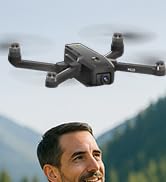
Image 4.2: Remote control with smartphone for FPV viewการไอเอ็นจี
5. การตั้งค่า
5.1 การติดตั้งและการชาร์จแบตเตอรี่
- Insert the modular battery into the drone's battery compartment until it clicks into place.
- ในการชาร์จ ให้ถอดแบตเตอรี่ออกจากโดรน ต่อสายชาร์จ USB เข้ากับแบตเตอรี่และอะแดปเตอร์แปลงไฟ USB ที่เหมาะสม (ไม่ได้รวมอยู่ในชุด)
- The charging indicator on the battery will show its status. Ensure the battery is fully charged before flight.

Image 5.1: Modular battery for the K610 drone.
5.2 การติดตั้งใบพัด
Attach the propellers according to the markings (A and B) on the propellers and motor arms. Ensure they are securely fastened with the provided screwdriver.
5.3 ตั้งค่าการควบคุมระยะไกล
- Install 3x AA batteries (not included) into the remote control.
- ยืดที่วางโทรศัพท์ออกและยึดสมาร์ทโฟนของคุณให้แน่น
5.4 การติดตั้งและการเชื่อมต่อแอป
- Download the official karuisrc drone app from your smartphone's app store.
- เปิดโดรน จากนั้นเปิดรีโมทคอนโทรล
- On your smartphone, connect to the drone's Wi-Fi network (usually named 'K610-XXXXXX').
- เปิดแอปเพื่อสร้างการเชื่อมต่อและ view ภาพถ่ายทอดสดแบบ FPV

Image 5.2: 5GHz WiFi transmission for real-time viewการไอเอ็นจี
5.5 การสอบเทียบ
Before the first flight and after any significant change in location, perform compass and gyroscope calibration as instructed in the app or quick start guide. This ensures stable flight and accurate GPS positioning.
6. ปฏิบัติการ
6.1 การควบคุมการบินขั้นพื้นฐาน
Refer to the remote control diagram in the quick start guide for specific joystick and button functions. Generally:
- Left Joystick: Controls altitude (up/down) and rotation (yaw left/right).
- Right Joystick: Controls forward/backward and left/right movement (pitch/roll).
6.2 การขึ้นและลงจอด
- การบินขึ้นด้วยปุ่มเดียว: Press the designated take-off button on the remote or in the app. The drone will automatically ascend to a safe height and hover.
- การถอดแบบแมนนวล: Push both joysticks to the bottom-outer corners to unlock motors, then slowly push the left joystick up to ascend.
- การลงจอดด้วยปุ่มเดียว: Press the designated landing button. The drone will descend and land automatically.
- การลงจอดด้วยตนเอง: Slowly pull the left joystick down to descend. Once landed, push both joysticks to the bottom-outer corners to stop motors.
6.3 คุณสมบัติ GPS
The K610 drone utilizes GPS for enhanced stability and intelligent flight functions.
- ระบบกลับบ้านอัตโนมัติ (RTH): The drone can automatically return to its take-off point if the signal is lost, battery is low, or the RTH button is pressed.

Image 6.1: GPS Auto Return Home functionality.
6.4 โหมดการบินขั้นสูง
Access these modes via the drone's app:
- ติดตามฉัน: The drone will automatically follow the remote control or smartphone, capturing footage ขณะที่คุณเคลื่อนไหว
- Waypoint Flight (Tap Fly): Tap points on the map in the app, and the drone will fly along the specified path.
- Point-of-Interest (Circle Fly): Select a point on the map, and the drone will circle around it at a set radius and altitude.

Image 6.2: Advanced flight modes: Follow Me, Circle Fly, and Tap Fly.
6.5 4K Camera Operation
The K610 is equipped with a 4K UHD camera with 90° adjustable tilt for capturing high-quality aerial footage และรูปถ่าย
- ถ่ายภาพ/วิดีโอ: ใช้ปุ่มเฉพาะบนรีโมทคอนโทรลหรือในแอปพลิเคชันเพื่อถ่ายภาพหรือเริ่ม/หยุดการบันทึกวิดีโอ
- มุมกล้องที่ปรับได้: The camera's tilt can be adjusted remotely via the app or remote control.
- รองรับการ์ด SD: Insert an SD card (not included) into the drone for direct storage of high-resolution media.

Image 6.3: The K610's 4K HD Camera.
6.6 ผลิตภัณฑ์เกินview วีดีโอ
Watch this video for a visual guide on the karuisrc K610 GPS Drone's features and operation.
วิดีโอ 6.4: จบview of the karuisrc K610 GPS Drone's features and capabilities.
7. การบำรุงรักษา
การบำรุงรักษาตามปกติจะช่วยให้โดรนของคุณมีอายุการใช้งานยาวนานและมีประสิทธิภาพสูงสุด
- การทำความสะอาด: เช็ดโดรนและรีโมทคอนโทรลเบาๆ ด้วยผ้าแห้งเนื้อนุ่มหลังการใช้งานทุกครั้ง หลีกเลี่ยงการใช้สารเคมีรุนแรง
- การตรวจสอบใบพัด: Regularly check propellers for cracks, bends, or damage. Replace damaged propellers immediately using the provided spares.
- การดูแลแบตเตอรี่ เก็บแบตเตอรี่ไว้ในที่แห้งและเย็น อย่าเก็บแบตเตอรี่ที่ชาร์จเต็มหรือแบตเตอรี่ที่หมดเกลี้ยงไว้นานเกินไป ควรชาร์จแบตเตอรี่ให้เหลือประมาณ 50-60% สำหรับการเก็บรักษาในระยะยาว
- พื้นที่จัดเก็บ: When not in use, fold the drone and store it in its carrying case to protect it from dust and physical damage.
8 การแก้ไขปัญหา
หากคุณพบปัญหา โปรดดูปัญหาทั่วไปและวิธีแก้ไขต่อไปนี้:
| ปัญหา | สาเหตุที่เป็นไปได้ | สารละลาย |
|---|---|---|
| โดรนไม่สามารถบินขึ้นได้และไม่ตอบสนองต่อการควบคุม | Low battery, improper calibration, motors locked. | Charge drone/remote batteries. Perform calibration. Unlock motors (refer to section 6.2). |
| การบินไม่เสถียรหรือลอยไปมา | Poor calibration, strong winds, damaged propellers. | Recalibrate the drone. Fly in calm conditions. Inspect and replace damaged propellers. |
| ไม่มีภาพ FPV บนสมาร์ทโฟน | Wi-Fi not connected, app not open, drone/phone too far apart. | Ensure phone is connected to drone's Wi-Fi. Open the app. Move closer to the drone. |
| GPS features (RTH, Follow Me) not working. | Insufficient GPS signal, drone not calibrated. | Fly in an open area with clear sky. Wait for sufficient GPS satellites to connect (indicated by app). Perform GPS calibration. |
9. ข้อมูลจำเพาะ
Key technical specifications for the karuisrc K610 GPS Drone:
| คุณสมบัติ | รายละเอียด |
|---|---|
| ชื่อรุ่น | เค610 |
| น้ำหนักสินค้า | 204 กรัม (7.2 ออนซ์) |
| กล้อง | 4K UHD (4096×3072P images), 12 MP Effective Still Resolution, 90° Adjustable, CMOS Sensor |
| ความละเอียดในการจับภาพวิดีโอ | 1080p (MP4 format) |
| เทคโนโลยีการเชื่อมต่อ | Wi-Fi, RF (5GHz FPV Transmission) |
| ประเภทการควบคุม | รีโมทคอนโทรล |
| คุณสมบัติพิเศษ | Adjustable, Auto-Landing, Portable, GPS Auto Return, Follow Me, Waypoint Flight, Point-of-Interest Circle |
| ประเภทมอเตอร์ | มอเตอร์แบบไม่มีแปรงถ่าน |
| แบตเตอรี่ | 1 Nonstandard Lithium Ion Battery (included) |
| เวลาบิน | Up to 20 minutes (typical 18 minutes) |
| วัสดุ | พลาสติก |
| ขนาดสินค้า | ยาว 7 นิ้ว x กว้าง 2 นิ้ว x สูง 8 นิ้ว |

Image 9.1: Brushless motor technology for the K610 drone.
10. การรับประกันและการสนับสนุน
For warranty information or technical support, please contact karuisrc customer service. Keep your purchase receipt as proof of purchase.
- โทรศัพท์: +44 7419 298225
- อีเมล: Karuisrc@gmail.com

Image 10.1: karuisrc customer support.
Ask a question about this manual
Ask about setup, troubleshooting, compatibility, parts, safety, or missing instructions. Manuals+ will review the question and use this page’s manual context to help answer it.