
1. บทนำ
The Pknight CR041R MK II is a compact, 4-port bidirectional converter designed for professional stage lighting and control systems. It facilitates seamless conversion between Art-Net/sACN and DMX512 protocols, offering flexible power options and versatile mounting capabilities. This manual provides essential information for setting up, operating, and maintaining your device.

Image: The Pknight CR041R MK II converter, highlighting its compact design and key features.
2. คุณสมบัติของผลิตภัณฑ์
- sACN Multicast and Priority Support: Compatible with Art-Net and sACN protocols. Enables multicast and sACN priority control for seamless integration into lighting systems with multiple sources.
- Triple Power Options – AC, USB-C, PoE: Can be powered anywhere via PowerCON AC mains (90–240 V), USB-C 5 V, or PoE IEEE 802.3af, ideal for mobile setups, tours, and fixed installations.
- Intuitive Integrated Menu with Color Screen: Features a 1.8” color TFT display and a four-button interface for stand-alone configuration, universe mapping, and signal status monitoring — no PC required.
- ตัวเลือกการติดตั้งที่หลากหลาย: Supports installation on truss, wall, flat surface, or DIN rail — mountable horizontally or vertically for flexible implementation in any lighting setup.
- Bidirectional Protocol Conversion: Each port supports both DMX input and output. Easily switch from Art-Net/sACN to DMX512 or from DMX512 to network — ideal for flexible lighting control workflows.
- Compact Structure with Lockable RJ45: The robust compact metal casing ensures durability and resistance. The lockable RJ45 (etherCON) port ensures a stable and secure data connection for live shows and installations.
3. เนื้อหาบรรจุภัณฑ์
ตรวจสอบว่ารายการทั้งหมดที่ระบุไว้ด้านล่างนี้รวมอยู่ในแพ็คเกจของคุณ:
- 1 x CR041R MK II Controller Unit
- 1 x PowerCON AC Power Cable (EU, UK, US, or AU plug version depending on region)
- 1 x Metal Mounting Bracket
- สกรูยึด 6 ตัว

Image: The items included in the product package: one CR041R MK II Controller Unit, one PowerCON AC Power Cable, one Metal Mounting Bracket, and six Mounting Screws.
4. สินค้าหมดview
4.1 แผงด้านหน้าและจอแสดงผล
The front panel features a 1.8-inch color TFT display and four control buttons for navigation. The display provides real-time information about the device's status.
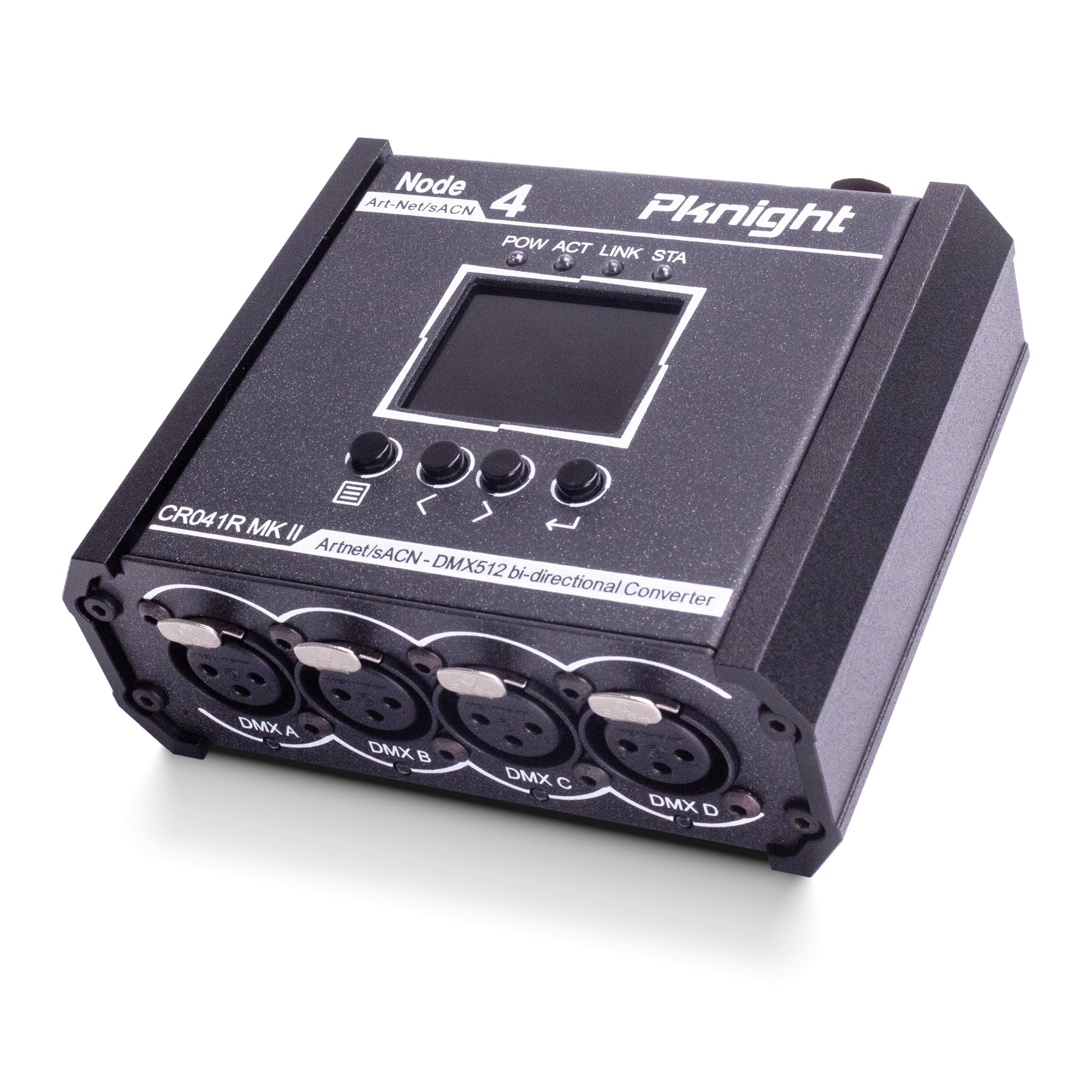
Image: The Pknight CR041R MK II converter, highlighting its front panel with a color display showing IP address, Net, Sub, and port status. A QR code is visible, linking to a universe and address tool. For more information, visit: https://qrco.de/ArtNet_sACN_Universe_Converter

ภาพ: รายละเอียด view of the 1.8-inch color TFT display, which provides real-time information including the device's IP address, Net, Subnet, and the input/output status of each DMX port.
4.2 DMX Ports and Indicators
The device features four DMX ports (A, B, C, D), each with an LED indicator to show its current status:
- สีเขียว: Port is set to Output.
- ปิด: Port is set to Input with no signal received.
- ส้ม: Port is set to Input and receiving DMX signal.

ภาพ: นี้ view focuses on the four DMX ports (A, B, C, D) on the converter's front. Each port is equipped with an LED indicator.

ภาพ: ภาพระยะใกล้ view of the four DMX XLR ports, labeled DMX A, DMX B, DMX C, and DMX D, emphasizing their robust construction.
4.3 Power and Network Ports
The device offers multiple power input options and a lockable network port for stable connections.

ภาพ: รายละเอียด view of the converter's top panel, illustrating the three versatile power input options: a lockable RJ45 port for Power over Ethernet (PoE), a USB-C port for 5V power, and a PowerCON connector for AC mains power (90-240V).

Image: A detailed shot of the device's rear panel, highlighting the lockable RJ45 port for PoE/Art-Net connection and the PowerCON AC input (90-240V).
5. การตั้งค่า
5.1 การเปิดเครื่องอุปกรณ์
The CR041R MK II offers three power options:
- PoE (พลังงานผ่านอีเทอร์เน็ต): Connect an Ethernet cable from a PoE-enabled switch or injector to the lockable RJ45 port.
- พอร์ต USB-C 5V: Connect a standard USB-C 5V power adapter to the USB-C port.
- ไฟฟ้ากระแสสลับ (AC Mains Power): Connect the provided PowerCON AC power cable (90-240V) to the PowerCON inlet.
5.2 ตัวเลือกการติดตั้ง
The device can be mounted in various ways to suit your setup:
- การติดตั้งมัด: Use the included metal mounting bracket and screws to attach the unit to a standard truss hook clamp (M10 recommended).
- Wall/Surface Mounting: The bracket allows for secure attachment to walls or flat surfaces.
- การติดตั้งราง DIN: The design supports installation on a DIN rail for industrial or fixed installations.

Image: The Pknight CR041R MK II converter attached to a stage truss with a mounting bracket, emphasizing its compatibility with standard truss hook clamps (M10 recommended) for flexible installation.
6. คู่มือการใช้งาน
6.1 Initial Configuration and Display Navigation
Use the four buttons below the display to navigate the menu and configure settings. The 1.8-inch color TFT display provides an intuitive interface for stand-alone operation.

Image: The "Quick Configuration" menu on the device's display, offering options to load IP addresses, including "Auto DHCP" and predefined static IP ranges.

Image: The "Setting" menu is displayed, allowing users to adjust parameters such as "Display Timeout" and perform a "Factory Set", and view the current "Version".
6.2 DMX Port Configuration
Each of the four DMX ports can be individually configured as either an input or an output for DMX512 signals. Refer to the display and LED indicators for current port status.
6.3 Art-Net/sACN to DMX512 Conversion
The device converts Art-Net or sACN network data into DMX512 signals for controlling lighting fixtures. Configure the desired universe mapping via the device's menu or a dedicated software tool.
6.4 DMX512 to Art-Net/sACN Conversion
The device can also convert incoming DMX512 signals into Art-Net or sACN data for network distribution, allowing DMX consoles to control network-based systems.

Image: A visual explanation of the bidirectional conversion capabilities, showing how to calculate both direct (Art-Net/sACN to DMX) and inverse (DMX to Art-Net/sACN) mappings. A QR code is provided for accessing the Universe & Address Tool. For more information, visit: https://qrco.de/ArtNet_sACN_Universe_Converter
7. การบำรุงรักษา
- การทำความสะอาด: ใช้ผ้านุ่มและแห้งเช็ดทำความสะอาดอุปกรณ์ หลีกเลี่ยงน้ำยาทำความสะอาดหรือตัวทำละลายที่มีฤทธิ์กัดกร่อน
- พื้นที่จัดเก็บ: เก็บอุปกรณ์ไว้ในที่แห้งและเย็น หลีกเลี่ยงแสงแดดโดยตรงและอุณหภูมิที่สูงหรือต่ำเกินไปเมื่อไม่ได้ใช้งาน
- การตรวจสอบ: ตรวจสอบสายเคเบิลและขั้วต่ออย่างสม่ำเสมอเพื่อดูว่ามีร่องรอยการสึกหรอหรือความเสียหายหรือไม่
8 การแก้ไขปัญหา
- ไม่มีไฟฟ้า: Ensure the power cable (PowerCON, USB-C, or PoE) is securely connected and the power source is active. Check the power indicator LED on the device.
- ไม่มีสัญญาณ DMX ส่งออก: Verify that the DMX port is configured as an output and the correct Art-Net/sACN universe is mapped. Check DMX cable connections.
- No DMX Signal Input: Ensure the DMX port is configured as an input. Check the DMX cable and the signal source. The DMX indicator LED should be orange when receiving a signal.
- ปัญหาการเชื่อมต่อเครือข่าย: Check the Ethernet cable connection. Ensure the device's IP settings (DHCP or static) are compatible with your network. Verify network switch functionality.
- จอแสดงผลไม่ตอบสนอง: Try restarting the device. If the issue persists, perform a factory reset via the settings menu (if accessible).
9. ข้อมูลจำเพาะ
| หมายเลขรุ่น | UK-CR041R MK II |
| ขนาดสินค้า | 4.57 x 11 x 11.43 ซม. (1.8 x 4.33 x 4.5 นิ้ว) |
| น้ำหนักสินค้า | 549 g (0.75 kg as per image) |
| วัสดุตัวเครื่อง | โลหะ |
| ประเภทขั้วต่อ | XLR, RJ45, USB-C, PowerCON |
| กำลังไฟเข้า | PowerCON AC (90-240V), USB-C (5V), PoE (IEEE 802.3af) |
| แสดง | 1.8" Color TFT |
| โปรโตคอลที่สนับสนุน | Art-Net, sACN, DMX512 |

Image: An image of the converter with clear labels indicating its physical dimensions: 11.5 cm (4.5 inches) in length, 4.5 cm (1.8 inches) in height, and 11 cm (4.33 inches) in width. The weight is specified as 0.75 kg.
10. การรับประกันและการสนับสนุน
Pknight products are designed for reliability and performance. For warranty information, technical support, or service inquiries, please refer to the contact information provided with your purchase or visit the official Pknight webไซต์นี้ โปรดเก็บหลักฐานการซื้อไว้เพื่อใช้ยืนยันการรับประกัน