1. บทนำ
Thank you for choosing the DigiLand R11 10.1 Inch Android 15 Computer Tablet. This manual provides essential information for setting up, operating, and maintaining your device. Please read it thoroughly to ensure optimal performance and longevity of your tablet.
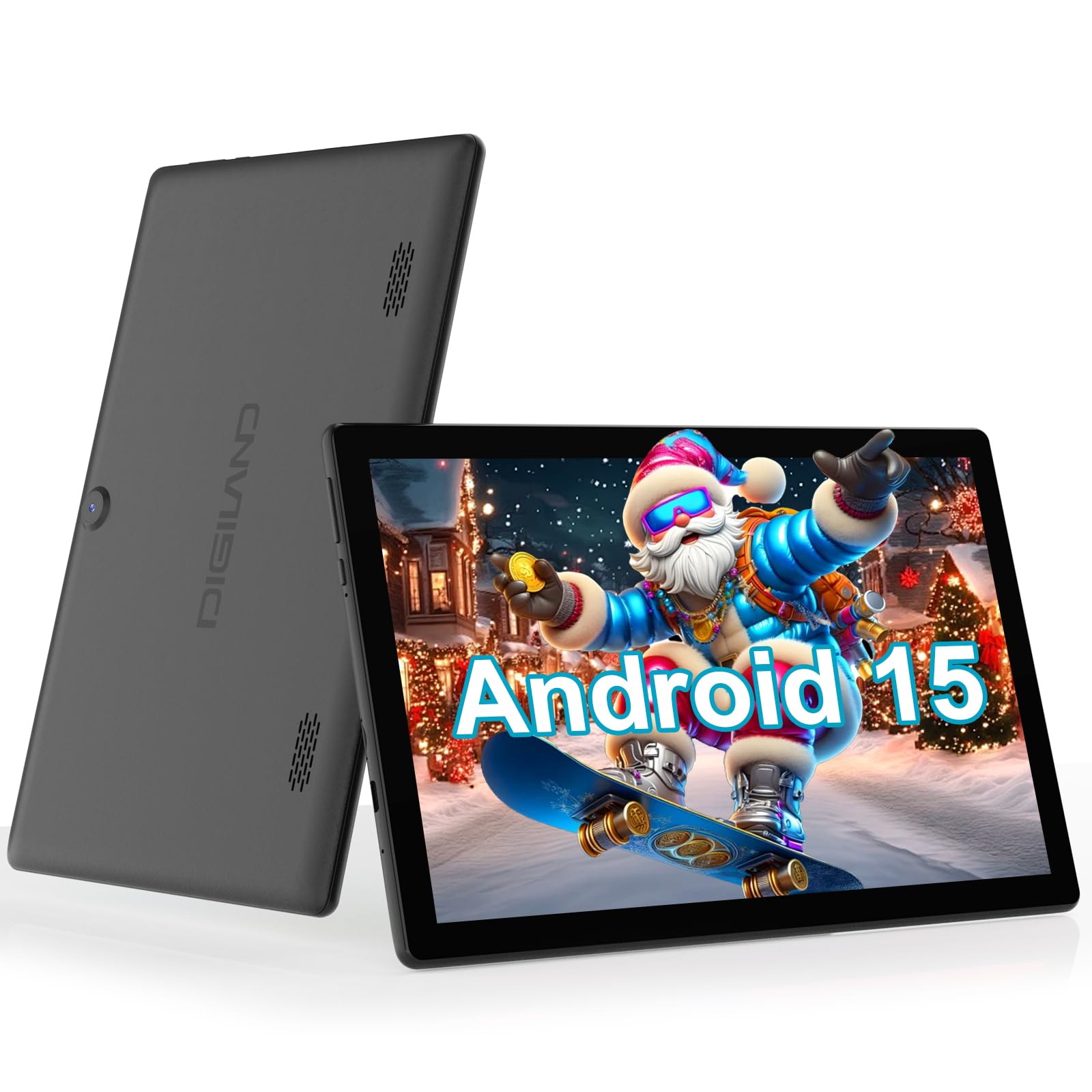
Figure 1: DigiLand R11 10.1 Inch Android 15 Tablet
2. อะไรอยู่ในกล่อง
Upon unboxing your DigiLand R11 tablet, please verify that all the following items are included:
- DigiLand R11 10.1 Inch Android 15 Tablet
- อะแดปเตอร์ 1.18W
- สาย USB-C
- คู่มือการใช้งาน (เอกสารนี้)
- บัตรบริการหลังการขาย

รูปที่ 2: สิ่งของภายในกล่อง
3. อุปกรณ์โอเวอร์view
Familiarize yourself with the physical components and features of your DigiLand R11 tablet.

Figure 3: Tablet Features Overview (Android 15, Bluetooth 5.0, 6000mAh Battery, 2.4/5GHz WiFi, Dual Cameras)
พอร์ตและปุ่ม
- ปุ่มเปิด/ปิด: Located on the side, used to turn the tablet on/off or put it to sleep.
- ปุ่มปรับระดับเสียง: ปรับระดับเอาท์พุตเสียง
- พอร์ต USB-C: สำหรับการชาร์จและถ่ายโอนข้อมูล
- ช่องเสียบการ์ดหน่วยความจำ: For expandable storage (supports up to 256GB).
- แจ็คหูฟัง: สำหรับการเชื่อมต่อหูฟังแบบมีสาย
- กล้องหน้า: สำหรับวิดีโอคอลและเซลฟี่
- กล้องหลัง: สำหรับถ่ายภาพและวีดีโอ
- ลำโพงคู่: สำหรับเอาต์พุตเสียง
4. การตั้งค่า
4.1 ค่าบริการเริ่มต้น
Before first use, fully charge your tablet using the provided USB-C cable and power adapter. The battery indicator on the screen will show charging status.

Figure 4: Charging the Tablet
4.2 เปิด/ปิดเครื่อง
- การเปิดเครื่อง: กดปุ่มเปิด/ปิดค้างไว้จนกว่าหน้าจอจะสว่างขึ้น
- วิธีปิดเครื่อง: กดปุ่มเปิด/ปิดค้างไว้ จากนั้นเลือก "ปิดเครื่อง" จากตัวเลือกบนหน้าจอ
- วิธีเข้า/ออกการนอนหลับ: กดปุ่มเปิดปิดสั้นๆ
4.3 ตัวช่วยการตั้งค่าเริ่มต้น
ปฏิบัติตามคำแนะนำบนหน้าจอเพื่อดำเนินการตั้งค่าเริ่มต้นให้เสร็จสมบูรณ์ ซึ่งรวมถึง:
- การเลือกภาษาของคุณ
- การเชื่อมต่อกับเครือข่าย Wi-Fi
- ลงชื่อเข้าใช้ด้วยบัญชี Google ของคุณ (หรือสร้างบัญชีใหม่)
- การตั้งค่าการล็อคหน้าจอและคุณสมบัติด้านความปลอดภัยอื่น ๆ
5. คู่มือการใช้งาน
5.1 การใช้งานส่วนติดต่อผู้ใช้ของ Android 15
Your tablet runs on Android 15 GO, offering an intuitive user experience. Key navigation elements include:
- หน้าจอหลัก: ศูนย์กลางสำหรับแอปและวิดเจ็ตของคุณ
- ลิ้นชักแอป: ปัดขึ้นจากหน้าจอหลักเพื่อเข้าถึงแอปพลิเคชันที่ติดตั้งทั้งหมด
- แผงการแจ้งเตือน: ปัดลงจากด้านบนของหน้าจอไปที่ view การแจ้งเตือนและการตั้งค่าด่วน
- แถบนำทาง: อยู่ที่ด้านล่างของหน้าจอ โดยทั่วไปจะมีปุ่มย้อนกลับ ปุ่มโฮม และปุ่มแอปที่ใช้ล่าสุด
5.2 การเชื่อมต่อกับ Wi-Fi
- ไปที่ การตั้งค่า.
- แตะ เครือข่ายและอินเตอร์เน็ต.
- เปิดเครื่อง ไวไฟ.
- เลือกเครือข่ายที่คุณต้องการและป้อนรหัสผ่านหากได้รับแจ้ง
5.3 Using Bluetooth 5.0
- ไปที่ การตั้งค่า.
- แตะ อุปกรณ์ที่เชื่อมต่อ.
- เปิดเครื่อง บลูทูธ.
- เลือก จับคู่อุปกรณ์ใหม่ และเลือกอุปกรณ์ของคุณจากรายการ
5.4 การทำงานของกล้อง
To open the camera app, tap the Camera icon on your home screen or app drawer. You can switch between front and rear cameras, take photos, and record videos.

Figure 5: Tablet Usage Scenarios
6. ข้อมูลจำเพาะ
| คุณสมบัติ | ข้อมูลจำเพาะ |
|---|---|
| ระบบปฏิบัติการ | Android 15 GO |
| แสดง | 10.1" IPS, 800 x 1280 pixels |
| โปรเซสเซอร์ | Single-core ARM Cortex-A73 and quad-core ARM Cortex-A53, up to 1.75 GHz |
| แรม | 6GB |
| การจัดเก็บข้อมูลภายใน | 32GB (สามารถเพิ่มได้สูงสุด 256GB ผ่าน microSD) |
| ความจุของแบตเตอรี่ | 6000mAh (ใช้งานได้นานถึง 6.5 ชั่วโมง) |
| การเชื่อมต่อ | Wi-Fi (2.4GHz & 5GHz), Bluetooth 5.0, USB OTG |
| กล้องถ่ายรูป | Dual cameras (front and rear) |
| ลำโพง | ลำโพงคู่ |
| น้ำหนัก | 481.5g (1.32 ปอนด์) |
| ขนาด | 10.17 x 6.41 x 0.31 นิ้ว |

Figure 6: Vivid Display
7. การบำรุงรักษา
To keep your tablet in optimal condition, follow these maintenance guidelines:
- การทำความสะอาด: ใช้ผ้านุ่มที่ไม่เป็นขุยทำความสะอาดหน้าจอและตัวเครื่อง หลีกเลี่ยงน้ำยาทำความสะอาดหรือตัวทำละลายที่มีฤทธิ์กัดกร่อน
- การอัปเดตซอฟต์แวร์: Regularly check for and install system updates to ensure security and performance improvements. Go to การตั้งค่า > ระบบ > อัปเดตระบบ.
- การดูแลแบตเตอรี่ Avoid extreme temperatures. Do not let the battery fully drain frequently. Use only the provided charger.
- การจัดการพื้นที่เก็บข้อมูล: ล้างสิ่งที่ไม่จำเป็นออกเป็นระยะๆ fileและแอปต่างๆ เพื่อเพิ่มพื้นที่ว่างและรักษาประสิทธิภาพการทำงาน
8 การแก้ไขปัญหา
หากคุณพบปัญหาเกี่ยวกับแท็บเล็ตของคุณ โปรดดูขั้นตอนการแก้ไขปัญหาทั่วไปต่อไปนี้:
- แท็บเล็ตไม่เปิด: ตรวจสอบให้แน่ใจว่าแบตเตอรี่ชาร์จเต็มแล้ว เสียบที่ชาร์จและรอสักครู่ก่อนลองเปิดเครื่องอีกครั้ง
- หน้าจอไม่ตอบสนอง: Restart the tablet by holding the Power button for about 10-15 seconds until it reboots.
- ปัญหาการเชื่อมต่อ Wi-Fi: Try restarting your Wi-Fi router. On the tablet, forget the network and reconnect.
- แอปขัดข้อง: ล้างแคชของแอปที่มีปัญหา (การตั้งค่า > แอป > [ชื่อแอป] > ที่เก็บข้อมูล > ล้างแคช) หากปัญหายังคงอยู่ ให้ถอนการติดตั้งและติดตั้งแอปใหม่อีกครั้ง
- ประสิทธิภาพช้า: Close unused apps, clear cache, and ensure sufficient free storage space. Consider a factory reset as a last resort (backup your data first).
9. การรับประกันและการสนับสนุน
Your DigiLand R11 tablet comes with a นโยบายการรับประกัน 1 ปี. For any questions regarding product usage, technical support, or warranty claims, please contact our customer service team.
9.1 การสนับสนุนลูกค้า
Our dedicated customer service team is available 24/7 to assist you. Please refer to the contact information provided on your After-sales Card or visit the official DigiLand webเว็บไซต์สำหรับรายละเอียดการสนับสนุน
วิดีโอ 1: จบview of the DigiLand 10.1 inch tablet, demonstrating its features and functionality.