
Midea NT20-20AR
Midea 2000W PTC Ceramic Heater User Manual
Model: NT20-20AR
ยี่ห้อ : มิเดีย
1. บทนำ
Thank you for choosing the Midea 2000W PTC Ceramic Heater. This manual provides detailed instructions for the safe and efficient operation of your heater. Please read this manual thoroughly before use and keep it for future reference.

Figure 1: Midea 2000W PTC Ceramic Heater (Model NT20-20AR)
2. คำแนะนำด้านความปลอดภัยที่สำคัญ
คำเตือน: เพื่อลดความเสี่ยงจากไฟไหม้ ไฟฟ้าช็อต หรือการบาดเจ็บ โปรดปฏิบัติตามข้อต่อไปนี้:
- ควรวางเครื่องทำความร้อนบนพื้นผิวที่มั่นคงและเรียบเสมอ
- ห้ามคลุมเครื่องทำความร้อนหรือปิดกั้นช่องอากาศเข้า/ออก
- Keep flammable materials (furniture, curtains, paper, clothing) at least 1 meter (3 feet) from the front, sides, and rear of the heater.
- ห้ามใช้เครื่องทำความร้อนในห้องน้ำ พื้นที่ซักรีด หรือสถานที่อื่นๆ ที่คล้ายคลึงกันamp สถานที่ในร่ม
- Ensure the power cord is not damaged and is properly plugged into a suitable outlet.
- This heater is equipped with a 45° tip-over protection switch, V-0 flame-retardant materials, and overheat protection. If the heater tips over or overheats, it will automatically shut off.
- The heater features a 24-hour automatic shut-off for added safety.
- ห้ามใส่สิ่งของใดๆ เข้าไปในช่องระบายอากาศหรือช่องระบายอากาศ
- ถอดปลั๊กฮีตเตอร์เมื่อไม่ใช้งาน

Figure 2: Enhanced Safety Features
3. สินค้าหมดview
3.1 คุณสมบัติหลัก
- ระบบทำความร้อนเซรามิก PTC ประสิทธิภาพสูง: Provides rapid and effective warmth.
- ความสะดวกสบายที่ปรับแต่งได้: Temperature adjustable from 5°C to 35°C in 1°C increments.
- การทำงานที่เงียบ: ทำงานที่ระดับเสียงรบกวนต่ำ 42 dB
- ตัวจับเวลา 24 ชั่วโมง: Allows scheduled heating.
- โหมด ECO: เพิ่มประสิทธิภาพการใช้พลังงาน
- ความปลอดภัยขั้นสูง: 45° tip-over protection, V-0 flame-retardant materials, overheat protection, and 24-hour automatic shut-off.
- การออกแบบพกพา: Lightweight (1.46 kg) and compact for easy relocation.
3.2 ส่วนประกอบ
The Midea PTC Ceramic Heater consists of the following main components:
- แผงควบคุมพร้อมจอแสดงผล LED
- ตะแกรงอากาศเข้า
- ตะแกรงระบายอากาศ
- สายไฟและปลั๊ก
- Tip-over Switch (located at the base)

Figure 3: Instant Heating Feature
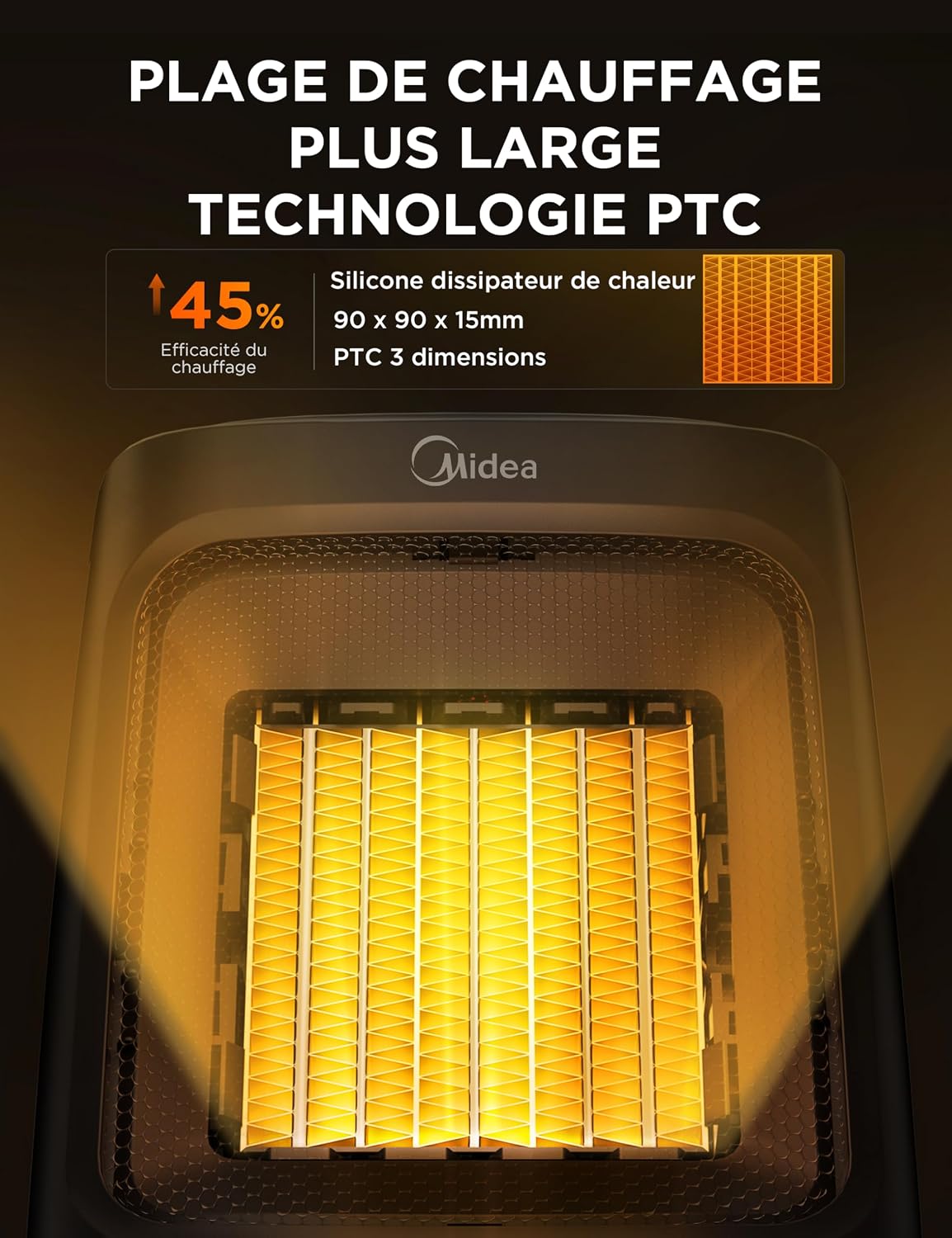
Figure 4: PTC Ceramic Heating Technology
4. การตั้งค่า
- แกะ: นำเครื่องทำความร้อนออกจากบรรจุภัณฑ์อย่างระมัดระวัง เก็บรักษาบรรจุภัณฑ์ไว้หากจำเป็น
- การจัดวาง: Place the heater on a stable, flat, and heat-resistant surface. Ensure there is at least 1 meter (3 feet) of clear space around the heater from any walls, furniture, or other objects.
- การเชื่อมต่อไฟฟ้า: เสียบสายไฟเข้ากับเต้ารับไฟฟ้ากระแสสลับ 230 โวลต์มาตรฐาน ตรวจสอบให้แน่ใจว่าเต้ารับอยู่ในสภาพดีและไม่ได้ใช้งานเกินกำลัง
5. คู่มือการใช้งาน
5.1 แผงควบคุม
The heater features a touch-sensitive control panel with an LED display on the top. The display shows the current temperature and mode settings.

Figure 5: Control Panel and LED Display
5.2 เปิด/ปิดเครื่อง
กดปุ่ม ปุ่มเปิดปิด on the control panel to turn the heater on or off.
การเลือกโหมด 5.3
เครื่องทำความร้อนนี้มีโหมดการทำงาน 4 โหมด:
- ความร้อนสูง (HI): Provides maximum heating power.
- Low Heat (Lo): Provides reduced heating power.
- ECO Mode (Eco): Automatically adjusts heating power to maintain the set temperature while optimizing energy consumption.
- Fan Only (CL): หมุนเวียนอากาศโดยไม่ใช้ความร้อน
กดปุ่ม ปุ่มโหมด to cycle through the available modes.

Figure 6: ECO Mode Operation
5.4 การตั้งค่าอุณหภูมิ
In heating modes (HI, Lo, ECO), you can set the desired temperature between 5°C and 35°C. Use the อุณหภูมิสูงขึ้น (+) และ อุณหภูมิลดลง (-) buttons to adjust the temperature in 1°C increments.
The heater will automatically turn on or off to maintain the set temperature.

Figure 7: Customizable Temperature Settings
5.5 ฟังก์ชั่นจับเวลา
The 24-hour timer allows you to set a specific duration for the heater to operate before automatically shutting off. Press the ปุ่มตั้งเวลา และใช้ อุณหภูมิสูงขึ้น (+) และ อุณหภูมิลดลง (-) buttons to set the desired operating time in hours.

Figure 8: Quiet Operation and Timer
6. การบำรุงรักษา
การบำรุงรักษาตามปกติจะช่วยให้เครื่องทำความร้อนของคุณมีประสิทธิภาพสูงสุดและมีอายุการใช้งานยาวนาน
- การทำความสะอาด:
- ควรถอดปลั๊กเครื่องทำความร้อนออกและปล่อยให้เย็นลงสนิทก่อนทำความสะอาด
- เช็ดพื้นผิวภายนอกด้วยผ้านุ่ม damp ผ้า ห้ามใช้สารทำความสะอาดที่มีฤทธิ์กัดกร่อนหรือตัวทำละลาย
- ใช้เครื่องดูดฝุ่นที่มีหัวแปรงเพื่อกำจัดฝุ่นออกจากช่องลมเข้าและช่องลมออก
- พื้นที่จัดเก็บ:
- หากจะเก็บเครื่องทำความร้อนไว้เป็นเวลานาน ควรทำความสะอาดอย่างทั่วถึง
- Store the heater in its original packaging in a cool, dry place.
7 การแก้ไขปัญหา
| ปัญหา | สาเหตุที่เป็นไปได้ | สารละลาย |
|---|---|---|
| เครื่องทำความร้อนไม่เปิด | ไม่ได้เสียบปลั๊ก; ปลั๊กไฟทำงานผิดปกติ; สวิตช์ป้องกันการล้มทำงาน; ระบบป้องกันความร้อนสูงเกินทำงาน | Ensure plug is secure. Test outlet with another device. Place heater on a flat surface. Allow heater to cool down for 30 minutes. |
| เครื่องทำความร้อนไม่สร้างความร้อน | Fan Only (CL) mode selected; temperature setting too low. | Select a heating mode (HI, Lo, ECO). Increase the desired temperature setting. |
| เครื่องทำความร้อนดับลงโดยไม่คาดคิด | ระบบป้องกันความร้อนสูงเกินทำงาน; สวิตช์ป้องกันการพลิคว่ำทำงาน; ตัวจับเวลาหมดเวลาแล้ว | Ensure heater is not covered and has adequate ventilation. Place heater on a flat surface. Check timer settings. |
| ประสิทธิภาพการไหลเวียนของอากาศหรือระบบทำความร้อนลดลง | ฝุ่นสะสมบนตะแกรง | Clean air inlet and outlet grilles as described in the Maintenance section. |
หากปัญหายังคงอยู่หลังจากลองวิธีแก้ปัญหาเหล่านี้แล้ว โปรดติดต่อฝ่ายบริการลูกค้าของ Midea
8. ข้อมูลจำเพาะ
| คุณสมบัติ | รายละเอียด |
|---|---|
| หมายเลขรุ่น | NT20-20AR |
| ยี่ห้อ | มีเดีย |
| กำลังขับ | 2000 วัตต์ |
| เล่มที่tage | 230 โวลต์ |
| ช่วงอุณหภูมิ | 5°C - 35°C |
| จำนวนโหมด | 4 (High, Low, ECO, Fan Only) |
| คุณสมบัติพิเศษ | Electronic Thermostat, Tip-over Protection, Overheat Protection, 24-Hour Timer |
| ขนาด (กว้าง x ยาว x สูง) | 16.4 x 16.4 x 22 ซม. |
| น้ำหนัก | 1.46 กก. |
| วัตถุประสงค์การใช้ | Indoor, Multi-room |
| แหล่งพลังงาน | สายไฟ |
9. การรับประกันและการสนับสนุน
ผลิตภัณฑ์ของ Midea ผลิตขึ้นตามมาตรฐานคุณภาพสูงสุด สำหรับข้อมูลการรับประกัน โปรดดูบัตรรับประกันที่แนบมากับผลิตภัณฑ์ของคุณ หรือเยี่ยมชมเว็บไซต์อย่างเป็นทางการของ Midea webเว็บไซต์.
For technical support, troubleshooting assistance, or to inquire about replacement parts, please contact Midea customer service:
- Webเว็บไซต์: www.midea.com
- บริการลูกค้า: Refer to your regional Midea contact information.
Ask a question about this manual
Ask about setup, troubleshooting, compatibility, parts, safety, or missing instructions. Manuals+ will review the question and use this page’s manual context to help answer it.