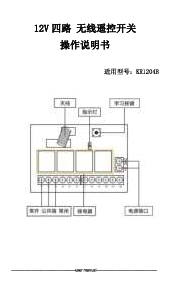
การแนะนำ
This manual provides detailed instructions for the installation, setup, and operation of the QIACHIP 30A 433Mhz Wireless Remote Control Switch. This system is designed for controlling DC motors, linear actuators, and similar devices within a 5V-30V DC range, offering versatile control options including forward, reverse, and stop functions.
ข้อมูลด้านความปลอดภัย
- Ensure the power supply is disconnected before any wiring or installation to prevent electric shock.
- ตรวจสอบปริมาณtage and current ratings of your motor and power supply are compatible with the receiver (DC 5V-30V, Max 30A).
- อย่าให้เครื่องรับสัญญาณอยู่ในที่ชื้นหรืออุณหภูมิที่สูงหรือต่ำเกินไป
- หากคุณไม่แน่ใจเกี่ยวกับการเดินสายไฟ ควรให้ผู้ที่มีคุณสมบัติเหมาะสมเป็นผู้ดำเนินการติดตั้ง
เนื้อหาแพ็คเกจ
แพ็คเกจนี้ประกอบด้วยส่วนประกอบต่อไปนี้:
- 1 x QIACHIP KR1202-30R 30A Relay Receiver
- 2 x QIACHIP KT05-AB Wireless Transmitters (Remote Controls)

Image: The QIACHIP KR1202-30R receiver module and two KT05-AB remote controls included in the package.
ข้อมูลจำเพาะ
| ยี่ห้อ | เฉียชิป |
| หมายเลขรุ่น | KR1202-30R+2KT05-AB |
| ปฏิบัติการฉบับที่tage | กระแสตรง 5V-30V |
| โหลดสูงสุดในปัจจุบัน | 30เอ |
| ความถี่ RF | 433.92เมกะเฮิรตซ์ |
| ช่วงการควบคุม | Up to 200 feet (60 meters) in open space, with through-wall capability. |
| โหมดการสลับ | Self-locking, Momentary, Interlocking |
| ตัวเชื่อมต่อ | Tool-free lever connectors |
| ขนาดตัวรับ | 55 มม. x 30 มม. x 23 มม. (โดยประมาณ) |

Image: Detailed dimensions of the KR1202-30R receiver module.
Setup and Wiring
แผนผังการเดินสายไฟ
Connect the receiver to your DC power supply and motor according to the following diagram. Ensure correct polarity for both input and output connections.
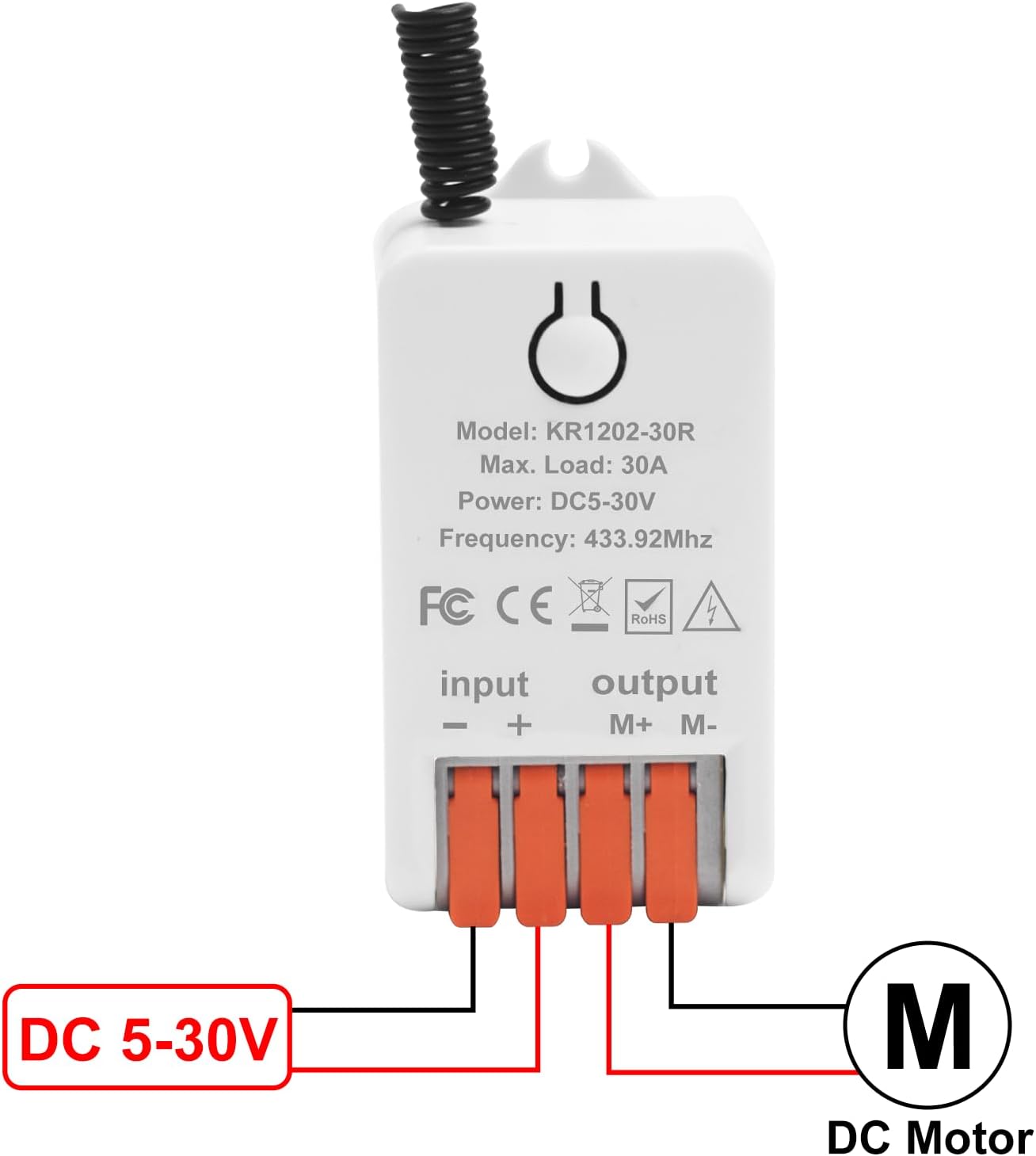
Image: General wiring diagram showing DC 5-30V input and DC motor output connections.

Image: Detailed wiring for a DC motor, illustrating connections for power input and motor output.
Pairing the Remote Control (Learning Mode)
The receiver supports three operating modes: Momentary, Self-locking, and Interlocking. The pairing process is similar for all modes, but the button presses differ.
- ล้างรหัสที่มีอยู่: Press and hold the learning button on the receiver for approximately 8 seconds until the indicator light flashes rapidly and then turns off. This clears all previously paired remotes.
- เข้าสู่โหมดการเรียนรู้: Press the learning button on the receiver once (for Momentary mode), twice (for Self-locking mode), or three times (for Interlocking mode). The indicator light will turn on, indicating it's ready to learn.
- จับคู่รีโมท: While the indicator light is on, press the desired button on your remote control (e.g., button A for forward, button B for reverse, button C for stop). The indicator light on the receiver will flash and then turn off, confirming successful pairing.
- ทดสอบ: After pairing, test the remote control to ensure the motor responds as expected.
บันทึก: Refer to the video below for a visual demonstration of the pairing process and different operating modes.
Video: Demonstration of the QIACHIP 1202-30R DC Motor Forward/Reverse Controller, showing wiring and different operating modes (Toggle, Momentary, Interlock) with remote control pairing.
คำแนะนำการใช้งาน
Once the receiver is wired and the remote control is paired, you can operate your connected DC motor.
- ปุ่ม A: Activates the motor in the forward direction.
- ปุ่ม B: Activates the motor in the backward (reverse) direction.
- ปุ่ม C: หยุดมอเตอร์
The exact behavior of buttons A, B, and C will depend on the selected operating mode (Momentary, Self-locking, or Interlocking) during the pairing process.

Image: Remote control in use, demonstrating control over a garage door's movement.
ใบสมัครampเลส
This wireless remote control switch is suitable for a wide range of DC 5V-30V motor applications, including but not limited to:
- ตัวกระตุ้นเชิงเส้น
- ประตูโรงรถ
- ม่านมอเตอร์
- กระจกไฟฟ้า
- โต๊ะยกของ
- Barrier Gates
- รอก
- มู่ลี่และกันสาด

Image: Visual representation of diverse applications for the remote control system.

Image: Remote control in use, demonstrating control over a barrier gate's movement.
การซ่อมบำรุง
- Keep the receiver and remote controls clean and dry.
- Replace remote control batteries when the operating range decreases or the indicator light dims.
- Periodically check wiring connections for security and integrity.
การแก้ไขปัญหา
- มอเตอร์ไม่ตอบสนอง:
- ตรวจสอบแหล่งจ่ายไฟไปยังตัวรับสัญญาณ
- Verify motor wiring connections and polarity.
- Ensure the remote control is paired correctly (re-pair if necessary).
- ตรวจสอบแบตเตอรี่รีโมทคอนโทรล
- Reduced control range:
- เปลี่ยนแบตเตอรี่รีโมทคอนโทรล
- Ensure there are no significant obstructions between the remote and receiver.
- หลีกเลี่ยงแหล่งกำเนิดสัญญาณรบกวนแม่เหล็กไฟฟ้าที่รุนแรง
- Motor runs continuously or not at all:
- Re-check the selected operating mode during pairing. Clear all codes and re-pair in the desired mode.
- Inspect the receiver for any visible damage.
การรับประกันและการสนับสนุน
For warranty information or technical support, please contact QIACHIP customer service through the retailer where the product was purchased. Please have your model number (KR1202-30R+2KT05-AB) and purchase date available.
You can also visit the official QIACHIP store on Amazon for additional resources and contact information: QIACHIP Store