
1. สินค้าหมดview
The HP All-in-One PC models 27-cr0902in and 27-cr0906in are designed for everyday computing tasks, offering a blend of performance and display quality. This manual provides essential information for setting up, operating, maintaining, and troubleshooting your device.
คุณสมบัติหลัก
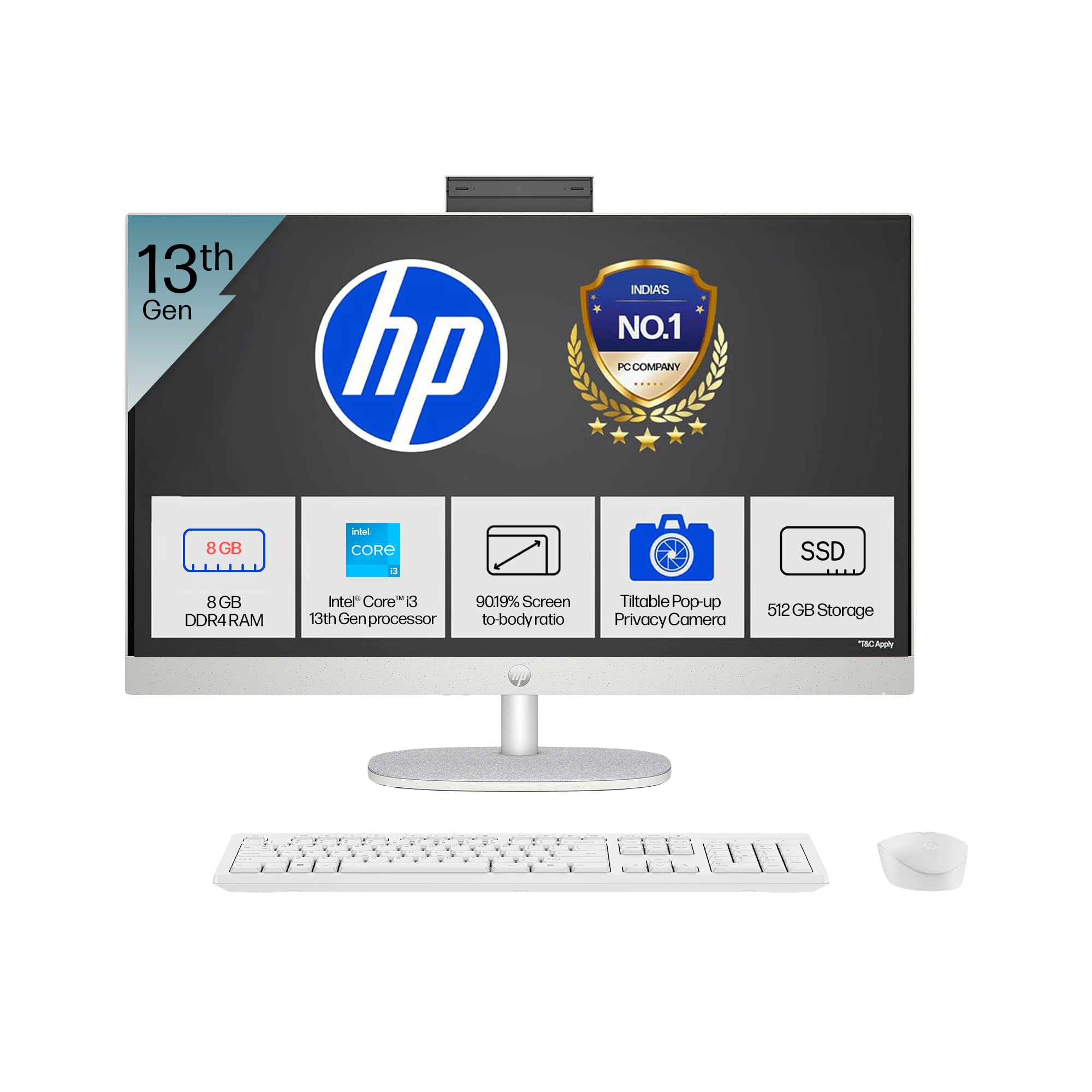
- โปรเซสเซอร์: Intel Core i3-1315U (up to 4.5 GHz with Intel Turbo Boost Technology, 6 cores, 8 threads)
- หน่วยความจำ: 8 GB DDR4-3200 MT/s RAM
- พื้นที่จัดเก็บ: SSD PCIe NVMe M.2 ความจุ 512 GB
- แสดง: 27-inch (68.6 cm) diagonal, FHD (1920 x 1080), touch, IPS, three-sided microedge, anti-glare, 300 nits, 99% sRGB
- กราฟิก: กราฟิก Intel UHD แบบรวม
- ระบบปฏิบัติการ: Windows 11 Home Single Language ใน S โหมด
- กล้อง: HP True Vision 1080p FHD IR tilt privacy camera with temporal noise reduction and integrated dual array digital microphones
- การเชื่อมต่อ: Wi-Fi 6 (2x2), Bluetooth 5.3, 1 USB Type-C 5Gbps, 2 USB Type-A 5Gbps, 2 USB 2.0 Type-A, 1 headphone/microphone combo, 1 RJ-45
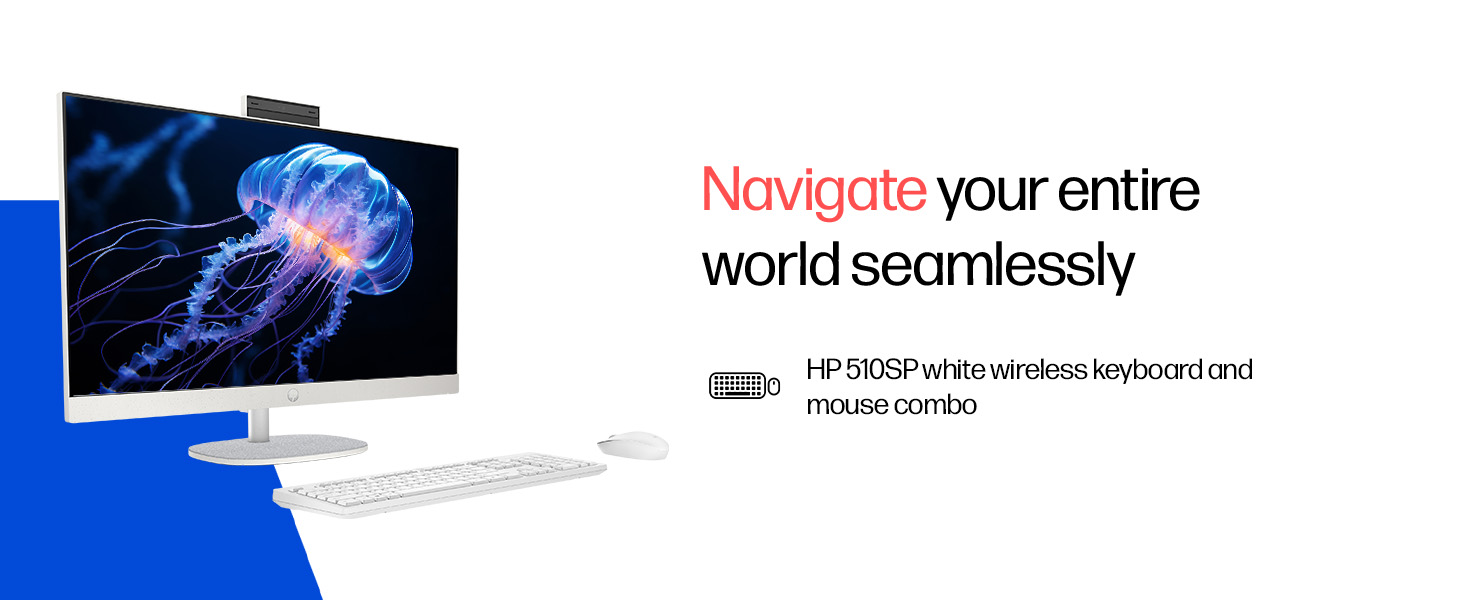
- อุปกรณ์ต่อพ่วงที่รวมอยู่ด้วย: HP 510SP White Wireless Keyboard and Mouse Combo
2. คู่มือการติดตั้ง
Follow these steps to set up your HP All-in-One PC.
2.1 การแกะกล่อง
นำส่วนประกอบทั้งหมดออกจากบรรจุภัณฑ์อย่างระมัดระวัง ตรวจสอบให้แน่ใจว่ามีส่วนประกอบต่อไปนี้:
- HP All-in-One PC unit
- อะแดปเตอร์และสายไฟ
- HP 510SP White Wireless Keyboard
- HP 510SP White Wireless Mouse
- เอกสารประกอบ (คู่มือนี้, ข้อมูลการรับประกัน)
2.2 การเชื่อมต่ออุปกรณ์ต่อพ่วง
- เชื่อมต่อคีย์บอร์ดและเมาส์: Insert the USB receiver for the wireless keyboard and mouse into an available USB port on the back of the All-in-One PC. Ensure batteries are installed in both the keyboard and mouse.
- เชื่อมต่อพลังงาน: Connect the power adapter to the power input port on the back of the All-in-One PC, then plug the power cable into a wall outlet.
- การเชื่อมต่อเสริม:
- อุปกรณ์ภายนอก: Connect any external USB devices (e.g., external hard drives, printers) to the available USB ports.
- สายเคเบิลเครือข่าย: If using a wired network connection, connect an Ethernet cable to the RJ-45 port.

2.3 การเปิดเครื่องครั้งแรก
Press the power button, usually located on the side or back of the display. The PC will boot up, and you will be guided through the Windows 11 setup process. Follow the on-screen instructions to configure your operating system, network, and user accounts.
3. คู่มือการใช้งาน
3.1 การเปิด/ปิดเครื่องและโหมดสลีป
- เปิดเครื่อง: กดปุ่มเปิด/ปิด
- ปิดระบบ: คลิกปุ่มเริ่มใน Windows จากนั้นเลือกเปิด/ปิดเครื่อง > ปิดเครื่อง
- เริ่มต้นใหม่อีกครั้ง: คลิกปุ่มเริ่มใน Windows จากนั้นเลือกเปิด/ปิดเครื่อง > เริ่มระบบใหม่
- นอน: Click the Start button in Windows, then select Power > Sleep. You can also configure power settings in Windows to automatically enter sleep mode after a period of inactivity.
3.2 Using the Touch Display
Your HP All-in-One PC features a touch-enabled display. You can interact with the operating system and applications using touch gestures similar to a tablet or smartphone. Common gestures include tapping, swiping, pinching to zoom, and stretching to zoom out.
3.3 Using the HP True Vision Camera
The integrated HP True Vision 1080p FHD IR tilt privacy camera is suitable for video calls and facial recognition login (Windows Hello). The camera can be tilted for optimal viewing angles and includes a privacy shutter for security. To use the camera, open an application that requires camera access (e.g., Camera app, video conferencing software).
3.4 Audio and Microphones
The PC includes integrated dual 2W speakers and dual array digital microphones with temporal noise reduction for clear audio input during calls or recordings. You can adjust volume settings through the Windows sound controls.
4. การบำรุงรักษา
Proper maintenance ensures the longevity and optimal performance of your HP All-in-One PC.
4.1 การทำความสะอาดเครื่อง
- แสดง: ใช้ผ้านุ่มไม่เป็นขุยเช็ดเล็กน้อยampล้างด้วยน้ำหรือน้ำยาทำความสะอาดหน้าจอ หลีกเลี่ยงสารเคมีรุนแรงหรือวัสดุที่มีฤทธิ์กัดกร่อน
- ตัวถัง: เช็ดพื้นผิวภายนอกด้วยผ้าแห้งนุ่ม
- คีย์บอร์ดและเมาส์: Use a soft brush or compressed air to remove dust and debris.
- ควรปิดเครื่องและถอดปลั๊กคอมพิวเตอร์ก่อนทำความสะอาดทุกครั้ง
4.2 การอัปเดตซอฟต์แวร์
Regularly check for and install Windows updates and HP driver updates to ensure system stability, security, and performance. You can find Windows updates in the Settings app under "Windows Update." HP drivers can be found on the official HP support webเว็บไซต์.
4.3 การสำรองข้อมูลระบบ
ขอแนะนำให้สำรองข้อมูลสำคัญของคุณไปยังไดรฟ์ภายนอกหรือที่เก็บข้อมูลบนคลาวด์เป็นประจำเพื่อป้องกันการสูญหายของข้อมูล
5 การแก้ไขปัญหา
This section addresses common issues you might encounter with your HP All-in-One PC.
5.1 No Power / System Not Turning On
- ตรวจสอบให้แน่ใจว่าสายไฟเชื่อมต่อกับคอมพิวเตอร์และเต้ารับที่ผนังอย่างแน่นหนาแล้ว
- ตรวจสอบว่าเต้ารับไฟฟ้าที่ผนังใช้งานได้โดยเสียบอุปกรณ์อื่น
- ลองใช้เต้ารับไฟอื่น
5.2 ปัญหาการแสดงผล
- ไม่มีภาพบนหน้าจอ: Ensure the PC is powered on. If connected to an external monitor, check the input source on the monitor.
- ภาพสั่นไหวหรือบิดเบี้ยว: Update graphics drivers. If the issue persists, contact support.
- Touch screen not responding: Restart the PC. Ensure there are no obstructions on the screen. Check for driver updates for the touch display.
5.3 System Performance Issues (Slowdown, Hanging)
- ปิดแอปพลิเคชันที่ไม่จำเป็นซึ่งทำงานอยู่เบื้องหลัง
- ตรวจสอบ Task Manager (Ctrl+Shift+Esc) เพื่อดูว่ามีกระบวนการใดที่ใช้ CPU, หน่วยความจำ หรือพื้นที่ดิสก์สูงผิดปกติ
- ตรวจสอบให้แน่ใจว่าระบบปฏิบัติการและไดรเวอร์ของคุณเป็นเวอร์ชันล่าสุด
- สแกนระบบทั้งหมดเพื่อหามัลแวร์หรือไวรัส
- Consider freeing up disk space on your SSD.
5.4 Peripheral Connectivity Problems (Keyboard/Mouse)
- Ensure the USB receiver is securely plugged into a USB port.
- ตรวจสอบแบตเตอรี่ในคีย์บอร์ดและเมาส์ไร้สาย และเปลี่ยนแบตเตอรี่หากจำเป็น
- ลองเสียบตัวรับสัญญาณ USB เข้ากับพอร์ต USB อื่น
- รีสตาร์ทเครื่อง PC
6. ข้อมูลจำเพาะทางเทคนิค
Detailed specifications for the HP All-in-One PC 27-cr0902in/cr0906in.
| คุณสมบัติ | รายละเอียด |
|---|---|
| ยี่ห้อ | HP |
| หมายเลขรุ่น | 27-cr0902in, 27-cr0906in |
| โปรเซสเซอร์ | Intel Core i3-1315U (up to 4.5 GHz, 6 cores, 8 threads, 10 MB L3 cache) |
| ระบบปฏิบัติการ | Windows 11 Home Single Language ใน S โหมด |
| หน่วยความจำ (RAM) | หน่วยความจำ 8 GB DDR4-3200 MT/s (1 x 8 GB) |
| พื้นที่จัดเก็บ | SSD PCIe NVMe M.2 ความจุ 512 GB |
| แสดง | 27-inch (68.6 cm) FHD (1920 x 1080) IPS, touch, anti-glare, 300 nits, 99% sRGB |
| กราฟฟิก | กราฟิก Intel UHD (รวม) |
| กล้อง | HP True Vision 1080p FHD IR tilt privacy camera with temporal noise reduction |
| เสียง | Integrated dual array digital microphones, Dual 2W speakers |
| การเชื่อมต่อแบบไร้สาย | Realtek RTL8852BE Wi-Fi 6 (2x2), Bluetooth 5.3 |
| พอร์ต | 1 USB Type-C 5Gbps, 2 USB Type-A 5Gbps, 2 USB 2.0 Type-A, 1 headphone/microphone combo, 1 RJ-45 |
| คีย์บอร์ด & เมาส์ | HP 510SP White Wireless Keyboard and Mouse Combo |
| ขนาด (กว้าง x ลึก x สูง) | 61.2 x 18.6 x 44.1 ซม. (24.11 x 7.33 x 17.36 นิ้ว) |
| น้ำหนัก | 6.42 กก. |
| สี | เชลล์ไวท์ |
| ใบรับรองด้านสิ่งแวดล้อม | EPEAT Gold Registered, ENERGY STAR certified |
7. การรับประกันและการสนับสนุน
7.1 ข้อมูลการรับประกัน
Your HP All-in-One PC comes with a รับประกันจากผู้ผลิต 1 ปี on the device from the date of purchase. Please retain your purchase receipt for warranty claims.
7.2 การสนับสนุนด้านเทคนิค
For any technical or product-related queries, please contact HP customer support:
- หมายเลขโทรฟรี: 1800-258-7170 or 1860-258-3079
- ติดต่อผู้ผลิต: HP India Sales Pvt. Ltd.
- ข้อมูลติดต่อผู้นำเข้า: HP India Sales Private Limited, No. 24, Kothari Arena, Hosur Main Road, Adugodi, Bangalore, Karnataka, India, 560030
You can also visit the official HP support website for drivers, documentation, and further assistance.