
OREiN 80/110 CFM
OREiN 3-in-1 Bathroom Fan with LED Light & Humidity Sensor Instruction Manual
Model: 80/110 CFM
1. บทนำ
Thank you for choosing the OREiN 3-in-1 Bathroom Fan. This innovative unit combines a powerful exhaust fan, an energy-efficient LED light with selectable color temperatures, and a smart humidity sensor to provide optimal ventilation and illumination for your bathroom. Designed for quiet operation and easy installation, this fan ensures a fresh and comfortable environment. Please read this manual thoroughly before installation and operation to ensure safe and proper use.
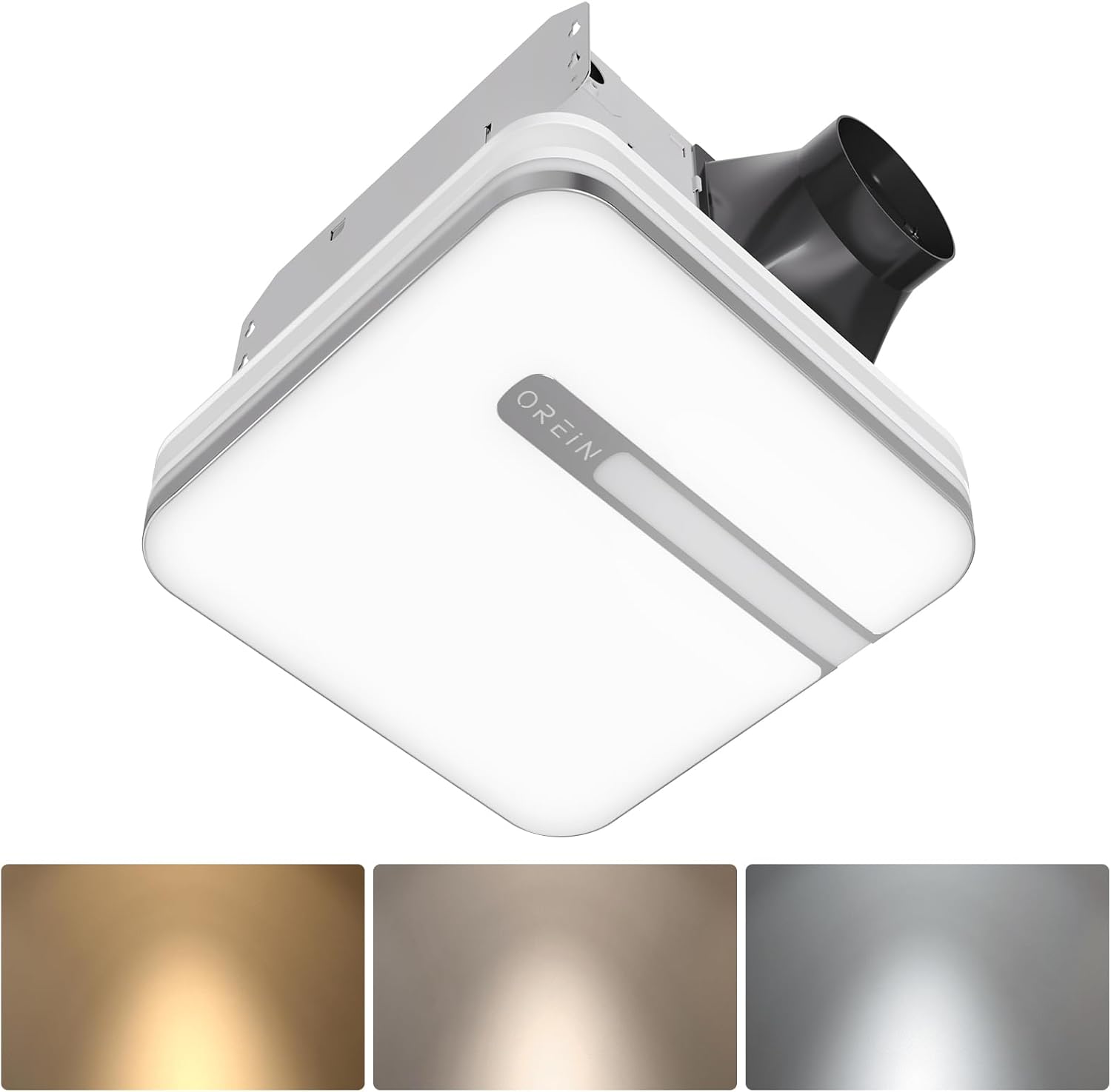
Image 1.1: OREiN 3-in-1 Bathroom Fan with LED Light and Humidity Sensor.
2. ข้อมูลด้านความปลอดภัย
Always follow basic safety precautions when installing, operating, or maintaining this product to reduce the risk of fire, electric shock, or injury to persons.
- คำเตือน: เพื่อลดความเสี่ยงต่อการเกิดไฟไหม้ ไฟฟ้าช็อต หรือการบาดเจ็บของบุคคล โปรดปฏิบัติตามสิ่งต่อไปนี้:
- ใช้อุปกรณ์นี้ตามวิธีที่ผู้ผลิตกำหนดเท่านั้น หากมีข้อสงสัย โปรดติดต่อผู้ผลิต
- ก่อนซ่อมบำรุงหรือทำความสะอาดเครื่อง ให้ปิดเครื่องที่แผงบริการและล็อกวิธีการตัดการเชื่อมต่อเพื่อป้องกันไม่ให้เปิดเครื่องโดยไม่ได้ตั้งใจ เมื่อบริการตัดการเชื่อมต่อหมายความว่าไม่สามารถล็อกได้ ให้ยึดอุปกรณ์เตือนที่เด่นชัดไว้อย่างปลอดภัย เช่น a tag, ไปที่แผงควบคุมบริการ
- งานติดตั้งและเดินสายไฟฟ้าต้องทำโดยบุคคลที่มีคุณสมบัติตามรหัสและมาตรฐานที่เกี่ยวข้องทั้งหมด รวมถึงรหัสและมาตรฐานการก่อสร้างที่ทนไฟ
- อากาศที่เพียงพอเป็นสิ่งจำเป็นสำหรับการเผาไหม้ที่เหมาะสมและการระบายก๊าซออกทางปล่องควัน (ปล่องไฟ) ของอุปกรณ์เผาไหม้เชื้อเพลิงเพื่อป้องกันการร่างกลับ ปฏิบัติตามหลักเกณฑ์และมาตรฐานความปลอดภัยของผู้ผลิตอุปกรณ์ทำความร้อน เช่น ที่เผยแพร่โดย National Fire Protection Association (NFPA) และ American Society for Heating, Refrigeration and Air Conditioning Engineers (ASHRAE) และหน่วยงานกำกับดูแลในพื้นที่
- เมื่อทำการตัดหรือเจาะผนังหรือเพดาน อย่าทำให้สายไฟฟ้าและสาธารณูปโภคอื่นๆ ที่ซ่อนอยู่เสียหาย
- พัดลมท่อจะต้องระบายอากาศออกสู่ภายนอกเสมอ
- This unit is suitable for use in a shower or tub enclosure when installed in a GFCI protected branch circuit.
3. เนื้อหาบรรจุภัณฑ์
เมื่อเปิดบรรจุภัณฑ์ โปรดตรวจสอบว่าส่วนประกอบทั้งหมดอยู่ครบและไม่ได้รับความเสียหาย:
- OREiN 3-in-1 Bathroom Fan Unit
- ฝาครอบไฟ LED
- Fast-Install Mounting Bracket
- คู่มือการใช้งาน (เอกสารนี้)
- ฮาร์ดแวร์สำหรับการติดตั้ง (สกรู, ขั้วต่อสายไฟ)
4. คุณสมบัติของผลิตภัณฑ์
- Smart Humidity Sensor: Automatically activates the fan when humidity reaches 60% to prevent moisture buildup and fogged mirrors. A green LED indicator confirms humidity mode is active.
- สามารถปรับสีแสงได้: Choose between 3000K (warm white), 4000K (natural white), and 5000K (daylight) to suit your preference.
- ฟังก์ชั่นไฟกลางคืน: A 2200K nightlight provides soft illumination for safe nighttime navigation.
- การทำงานที่เงียบ: Operates at ultra-quiet 0.8/1.0 sones for minimal noise disruption.
- Selectable Airflow: Choose between 80 CFM and 110 CFM airflow settings for efficient moisture removal.
- ไฟ LED ในตัว: Delivers 1500lm of bright, energy-efficient illumination.
- ติดตั้งง่าย: Designed for simple mounting between ceiling joists with a fast-install bracket.

Image 4.1: Internal design highlighting quiet and energy-efficient components.
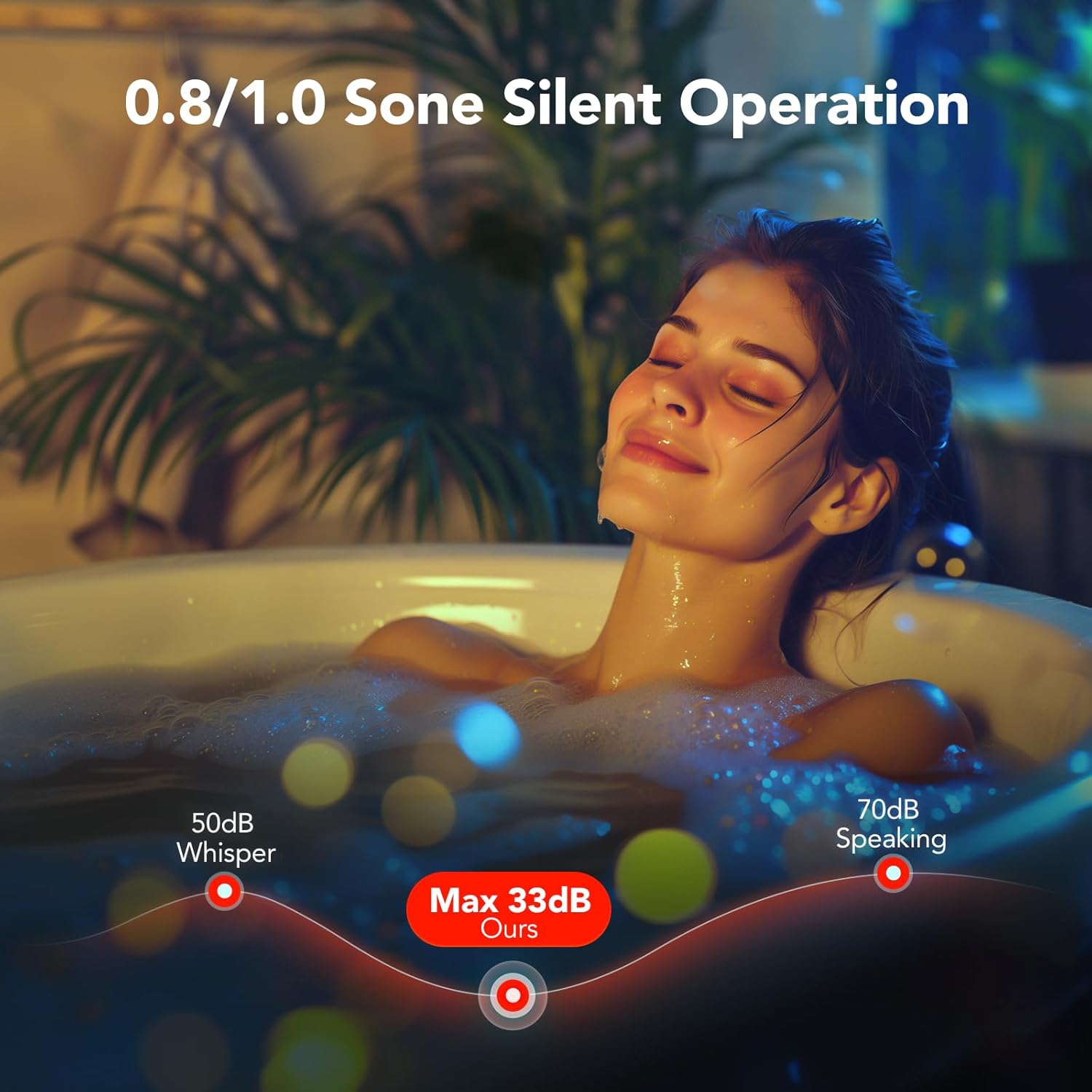
Image 4.2: Visual representation of the fan's quiet operation at low decibel levels.
5. การตั้งค่าและการติดตั้ง
This section provides general guidance for installation. For detailed electrical wiring, consult a qualified electrician.
- การตระเตรียม: Ensure power is turned off at the circuit breaker before beginning any installation work.
- ขนาดช่องเปิด: The fan unit requires a ceiling opening of approximately 10.24" x 9.37" (260mm x 238mm). Ensure there are no obstructions like joists in the desired installation area.
- การติดตั้ง: The fast-install bracket allows for secure mounting between ceiling joists. Position the fan unit and secure the bracket using appropriate screws. The design allows for installation from below the ceiling, eliminating the need for attic access in many cases.
- ท่อ: Connect the fan to standard 4-inch ducting and ensure it is vented to the outdoors.
- การเชื่อมต่อไฟฟ้า: Connect the electrical wiring according to local codes and the provided wiring diagram. The light and fan may have independent wiring for separate control.
- Light Cover Installation: Once the fan unit is secured and wired, attach the LED light cover. It typically connects with spring clips for easy removal and maintenance.

Image 5.1: Product dimensions and recommended installation opening size.

Image 5.2: Simplified installation process showing the fan unit being placed into the ceiling opening.
6. คู่มือการใช้งาน
6.1. Humidity Sensing Mode vs. Manual Mode
The fan offers two operating modes: Manual and Humidity Sensing. You can switch between these modes by cycling the wall switch of the fan to the "OFF" position and then back to the "ON" position.
- Manual Mode (Red LED Indicator): The fan will run continuously when turned on via the wall switch.
- Humidity Sensing Mode (Green LED Indicator): The fan will automatically turn on when the humidity level in the room reaches 60%. It will continue to run until the humidity drops below the threshold, then run for an additional 20 minutes before turning off.
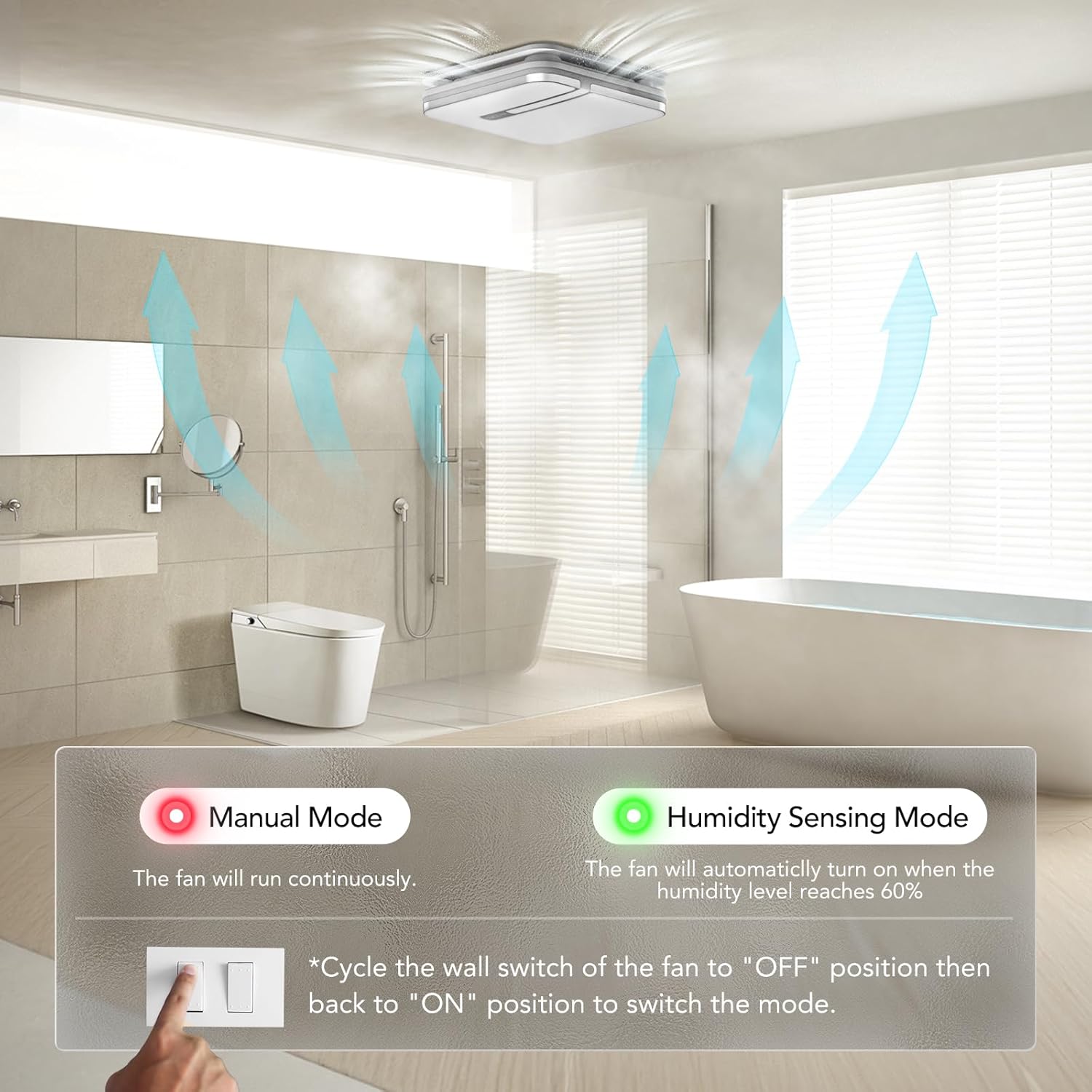
Image 6.1: Switching between Manual and Humidity Sensing Modes.

Image 6.2: How the humidity sensor automatically activates the fan.

Image 6.3: Humidity sensor logic: fan turns on above 60% humidity and runs for 20 minutes after humidity drops.
6.2. Adjusting Light Color Temperature
The LED light offers three color temperature options: 3000K (Warm White), 4000K (Natural White), and 5000K (Daylight). To select the desired color temperature, locate the toggle switch on the back of the lampshade and slide it to your preferred setting.

Image 6.4: Selecting the light color temperature (3000K, 4000K, 5000K).

Image 6.5: Visualizing the different light color temperatures in a bathroom setting.
6.3. Activating Night Light
To activate the 2200K night light mode, quickly cycle the light switch ON-OFF-ON within 2 seconds. This will switch the main light to the softer night light setting.

Image 6.6: The 2200K night light provides subtle illumination.

Image 6.7: Instructions for activating the nightlight mode.
6.4. Selecting CFM Airflow
The fan allows you to select between 80 CFM and 110 CFM airflow settings. This selection is made by sliding a toggle switch located on the fan housing. Choose the appropriate CFM based on your bathroom size and ventilation needs.
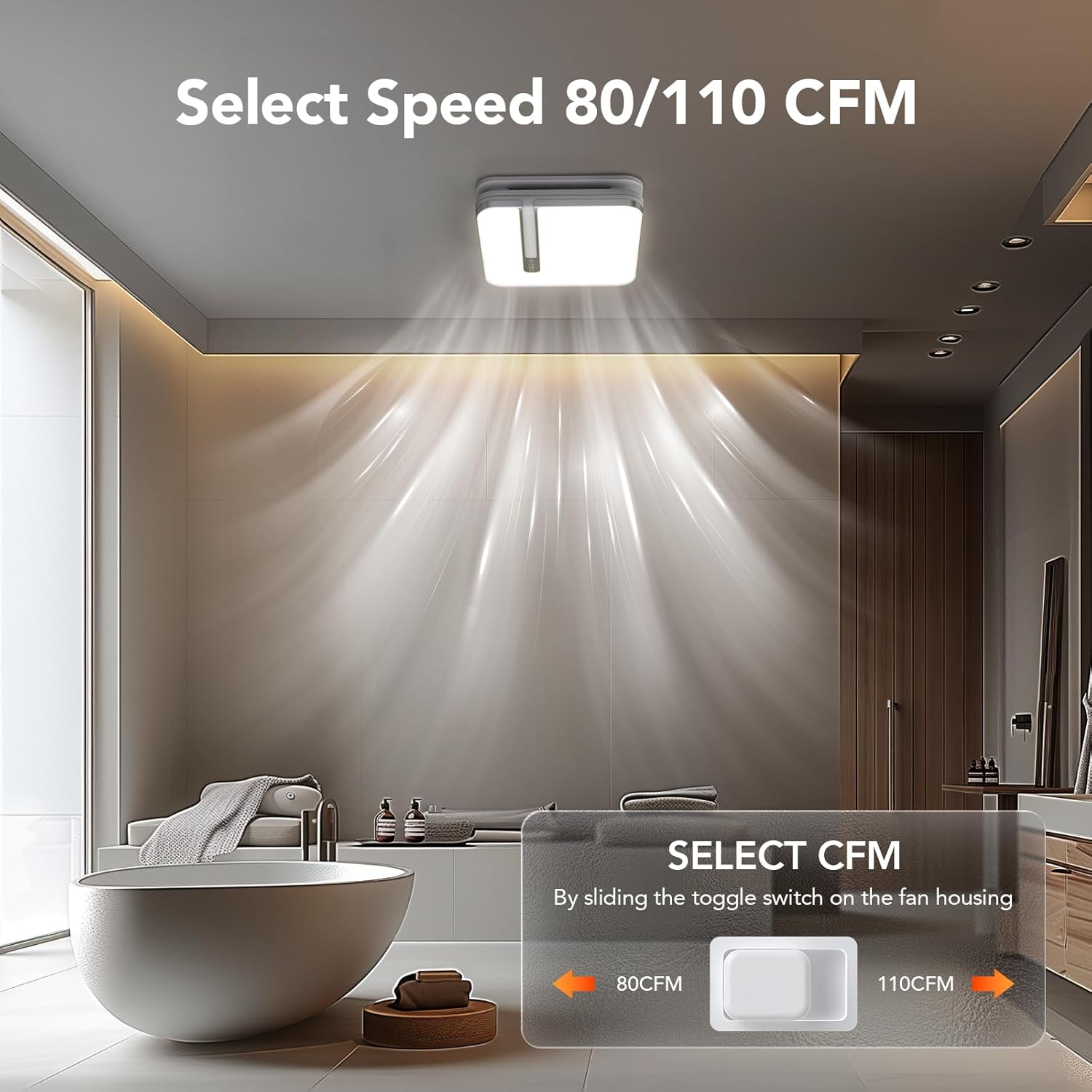
Image 6.8: Location of the CFM selection switch (80 CFM or 110 CFM).
7. การบำรุงรักษา
Regular maintenance ensures optimal performance and longevity of your OREiN bathroom fan.
- การทำความสะอาดฝาครอบไฟ: The light cover can be easily removed for cleaning. Gently unclip the cover from the fan housing. Clean with a soft, damp cloth and mild detergent. Ensure it is completely dry before reattaching.
- การทำความสะอาดใบพัด: Periodically, inspect the fan blades for dust and debris buildup. Turn off power at the circuit breaker before attempting to clean the fan blades. Use a soft brush or vacuum cleaner to remove any accumulation.
- การตรวจสอบท่อส่งอากาศ: Annually inspect the ducting for any blockages or damage that could impede airflow.
8 การแก้ไขปัญหา
If you encounter issues with your OREiN bathroom fan, refer to the following common troubleshooting steps:
| ปัญหา | สาเหตุที่เป็นไปได้ | สารละลาย |
|---|---|---|
| พัดลมไม่เปิด | ไม่มีไฟเข้าตัวเครื่อง | Check circuit breaker. Ensure wall switch is ON. Verify electrical connections. |
| ไฟไม่เปิด | Loose connection or faulty LED module. | Check the push clip connection for the light. If issue persists, contact support. |
| พัดลมมีเสียงดังมากเกินไป | Obstruction in fan blades or motor. | Turn off power and inspect fan blades for debris. Ensure proper installation and secure mounting. |
| Humidity sensor not activating. | Incorrect mode selected or sensor malfunction. | Cycle the wall switch to ensure Humidity Sensing Mode (green LED) is active. Ensure humidity in the room is above 60%. |
| Poor ventilation/steam not clearing. | Incorrect CFM setting, blocked ducting, or undersized fan for room. | Ensure 110 CFM is selected if needed. Check ducting for blockages. Ensure proper room sealing. |
If the problem persists after trying these solutions, please contact OREiN customer support.
9. ข้อมูลจำเพาะ
| คุณสมบัติ | รายละเอียด |
|---|---|
| ยี่ห้อ | โอรีน |
| แบบอย่าง | 80/110 ซีเอฟเอ็ม |
| อัตราการหมุนเวียนของอากาศ (CFM) | Selectable 80 / 110 CFM |
| Sones (Noise Level) | 0.8 / 1.0 Sones |
| เอาท์พุตแสง | 1500ลูเมน |
| อุณหภูมิสี (CCT) | 3000K / 4000K / 5000K เลือกได้ |
| ไฟกลางคืน CCT | 2200K |
| แหล่งพลังงาน | DC |
| ขนาดสินค้า | Approx. 1"D x 1"W x 1"H (Unit), 13.1'' x 13.1'' (Light Cover) |
| ขนาดการติดตั้ง | 10.24" x 9.37" (260 มม. x 238 มม.) |
| เส้นผ่านศูนย์กลางท่อ | 4 นิ้ว |
| ประเภทการติดตั้ง | Flush Mount |
| น้ำหนักสินค้า | 18.06 ปอนด์ |
| ยูพีซี | 734376313753 |
Note: Product dimensions provided as 1"D x 1"W x 1"H are likely placeholders and may not reflect actual physical size. Refer to installation size for accurate cutout dimensions.

ภาพที่ 9.1: จบแล้วview of different OREiN fan models and their specifications.
10. การรับประกันและการสนับสนุน
OREiN is committed to providing high-quality products and excellent customer service. For any questions, concerns, or support needs regarding your 3-in-1 Bathroom Fan, please contact us through the following channels:
- ช่องทางการติดต่อ Amazon: You can contact us directly through Amazon's messaging system for assistance with your purchase.
- การสนับสนุนทางโทรศัพท์: For 24-hour service, please call: 1 (844) 506-1530
- ออนไลน์: ค้นหา 'OREiN' online to find our official website and additional support resources.
Please retain your proof of purchase for warranty claims. For detailed warranty information, refer to the product packaging or contact customer support.

Image 10.1: OREiN Customer Support is available to assist you.
Ask a question about this manual
Ask about setup, troubleshooting, compatibility, parts, safety, or missing instructions. Manuals+ will review the question and use this page’s manual context to help answer it.