
1. บทนำ
The NiTHO NEXUS DARK OPS is a versatile wireless controller designed for multi-platform gaming. It offers compatibility with PC (Windows), Nintendo Switch, Switch Lite, Switch OLED, Android, and iOS devices. This controller features a precise 6-axis gyro, four levels of vibration, and magnetic Hall Effect triggers for enhanced gaming accuracy and responsiveness. Customizable RGB lighting and a programmable turbo function further enrich the gaming experience. This manual provides essential information for setting up, operating, maintaining, and troubleshooting your controller.

The NiTHO NEXUS DARK OPS controller features an ergonomic design for comfortable extended gameplay sessions.
2. เนื้อหาบรรจุภัณฑ์
- NiTHO NEXUS DARK OPS Wireless Controller
- สายชาร์จ USB-C
- คู่มือการใช้งาน (เอกสารนี้)
3. เค้าโครงของตัวควบคุม

รายละเอียด view of the controller's components and their labels.
- โยกซ้าย: Analog joystick for movement and camera control.
- - สำคัญ: System function button.
- ปุ่มจับคู่: ใช้เพื่อเริ่มโหมดจับคู่บลูทูธ
- Cross Arrow Key (D-Pad): Directional input for navigation and specific game actions.
- ปุ่มเทอร์โบ: Activates and adjusts the turbo function.
- ปุ่มหน้าแรก: กลับไปยังหน้าจอหลักของระบบ
- Screenshot Key: บันทึกภาพหน้าจอระหว่างการเล่นเกม
- + คีย์: System function button.
- ปุ่ม A/B/X/Y: ปุ่มการดำเนินการมาตรฐาน
- โยกขวา: Analog joystick for movement and camera control.
- ไฟแสดงสถานะโหมด: Displays current connection mode and battery status.
- R1/L1 (Shoulder Buttons): Top trigger buttons.
- R2/L2 (Trigger Buttons): Bottom trigger buttons with Hall Effect technology.
- พอร์ตชาร์จ TYPE-C: สำหรับการชาร์จคอนโทรลเลอร์
- Force Online Button: For specific connection scenarios.
4. การตั้งค่าและการเชื่อมต่อ
The NiTHO NEXUS DARK OPS controller supports wireless connection via Bluetooth to various platforms.

The controller is compatible with Nintendo Switch, PC, Android, and iOS devices.
4.1 General Pairing Instructions
- ตรวจสอบให้แน่ใจว่าตัวควบคุมมีประจุเพียงพอ
- กดปุ่มค้างไว้ ปุ่มจับคู่ on the controller until the Mode Indicator Light begins to flash rapidly, indicating it is in pairing mode.
- On your device (Switch, PC, Android, iOS), navigate to the Bluetooth settings.
- ค้นหา available Bluetooth devices and select "NEXUS DARK OPS" or a similar name.
- Once connected, the Mode Indicator Light will become solid.
4.2 การเชื่อมต่อกับ Nintendo Switch
- จากเมนู HOME เลือก ตัวควบคุม > เปลี่ยนกริป/สั่งซื้อ.
- While on this screen, press and hold the ปุ่มจับคู่ on the NEXUS DARK OPS controller.
- The controller will pair with the Switch, and the player indicator lights will illuminate.
4.3 การเชื่อมต่อกับพีซี (Windows)
- ไปที่ การตั้งค่า > อุปกรณ์ > บลูทูธและอุปกรณ์อื่นๆ.
- ตรวจสอบให้แน่ใจว่าบลูทูธเปิดอยู่ On.
- คลิก เพิ่มบลูทูธหรืออุปกรณ์อื่น ๆ > บลูทูธ.
- กดปุ่มค้างไว้ ปุ่มจับคู่ บนตัวควบคุม
- Select "NEXUS DARK OPS" from the list of devices to pair.
4.4 การเชื่อมต่อกับอุปกรณ์ Android/iOS
- เปิดใช้งาน Bluetooth บนอุปกรณ์ Android หรือ iOS ของคุณ
- ไปที่การตั้งค่าบลูทูธ
- กดปุ่มค้างไว้ ปุ่มจับคู่ บนตัวควบคุม
- Select "NEXUS DARK OPS" from the list of available devices to connect.
5. คู่มือการใช้งาน
5.1 แสง RGB
The controller features customizable RGB lighting with 7 vibrant colors and 4 dynamic lighting modes.

Explore 7 colors and 4 lighting modes including Jumping, Colorful Constant, Rainbow Mixing, and Breathing effects.
To cycle through the lighting modes or colors, refer to the specific button combination in the quick start guide included with your product. Typically, a dedicated button or a combination with the TURBO button controls RGB effects.
5.2 การตอบรับการสั่นสะเทือน
The controller includes dual motors for vibration feedback with 4 adjustable levels: Off, Low, Medium, and High.

Adjust vibration intensity from 0% to 100% for personalized feedback.
To adjust vibration intensity, consult the quick start guide for the specific button sequence, often involving the TURBO button and a directional input.
5.3 ฟังก์ชันเทอร์โบ
The programmable turbo function allows for rapid-fire actions with three speed settings: 5, 10, or 15 shots per second.

Set your turbo speed to 5, 10, or 15 shots per second for competitive advantage.
To activate turbo for a button, press and hold the เทอร์โบ button, then press the desired action button. Repeat the process to adjust speed or deactivate turbo for that button.
5.4 Magnetic Hall Effect Triggers
The controller is equipped with magnetic Hall Effect triggers. This technology provides smooth, accurate trigger response and helps prevent common issues like analog stick drift, ensuring long-lasting precision.

Magnetic Hall Effect triggers offer precise and durable input.
5.5 เซ็นเซอร์ตรวจจับการเคลื่อนไหวไจโร 6 แกน
A precise 6-axis gyro sensor is integrated into the controller, allowing for responsive motion control in games that support it. This feature captures tilts and rotations, enhancing gameplay in racing, action, and adventure titles.
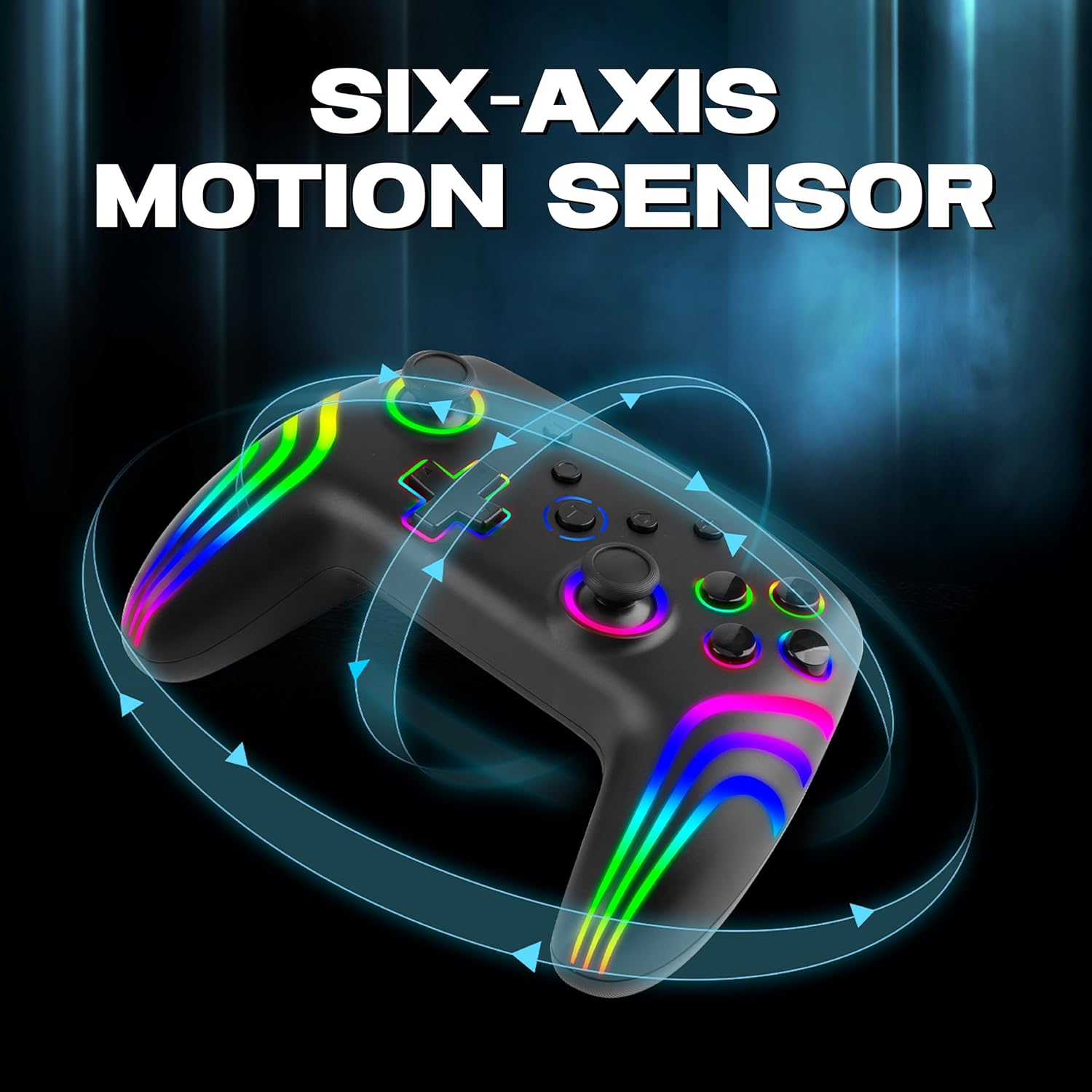
The 6-axis gyro provides accurate motion sensing for immersive gameplay.
6. การชาร์จคอนโทรลเลอร์
The NiTHO NEXUS DARK OPS controller is equipped with a built-in 800mAh rechargeable battery.

The 800mAh battery offers up to 9 hours of gameplay on a 2.5-hour charge.
- Connect the supplied USB-C charging cable to the TYPE-C charging port on the controller.
- ต่อปลายอีกด้านของสายเคเบิลเข้ากับแหล่งจ่ายไฟ USB (เช่น เครื่องเล่นเกม, คอมพิวเตอร์, อะแดปเตอร์ติดผนัง USB)
- The Mode Indicator Light will typically show charging status (e.g., blinking while charging, solid when fully charged).
- A full charge takes approximately 2.5 hours and provides up to 9 hours of continuous gameplay.
7. การบำรุงรักษา
- การทำความสะอาด: ใช้ผ้านุ่มและแห้งทำความสะอาดคอนโทรลเลอร์ หลีกเลี่ยงการใช้สารเคมีรุนแรงหรือวัสดุที่มีฤทธิ์กัดกร่อน
- พื้นที่จัดเก็บ: เก็บตัวควบคุมไว้ในที่แห้งและเย็น ห่างจากแสงแดดโดยตรงและอุณหภูมิที่สูงหรือต่ำมาก
- การดูแลแบตเตอรี่ เพื่อยืดอายุการใช้งานแบตเตอรี่ ควรหลีกเลี่ยงการปล่อยประจุแบตเตอรี่จนหมดบ่อยๆ ควรชาร์จเป็นประจำ แม้จะไม่ได้ใช้งานเป็นเวลานานก็ตาม
- หลีกเลี่ยงการหยด: ปกป้องตัวควบคุมจากการตกหล่นและแรงกระแทกซึ่งอาจทำให้ส่วนประกอบภายในเสียหายได้
8 การแก้ไขปัญหา
- ตัวควบคุมไม่เปิดใช้งาน:
- Ensure the controller is fully charged. Connect it to a power source and wait for the charging indicator.
- If the battery is completely drained, it may take a few minutes of charging before the controller responds.
- Unable to pair the controller:
- Make sure the controller is in pairing mode (Mode Indicator Light flashing rapidly).
- โปรดตรวจสอบให้แน่ใจว่าได้เปิดใช้งานบลูทูธบนอุปกรณ์ของคุณแล้ว และอุปกรณ์ของคุณสามารถค้นหาได้
- เลื่อนตัวควบคุมให้ใกล้กับอุปกรณ์ของคุณมากขึ้น
- ลบการจับคู่คอนโทรลเลอร์ก่อนหน้านี้ทั้งหมดออกจากการตั้งค่าบลูทูธของอุปกรณ์ของคุณและลองจับคู่ใหม่อีกครั้ง
- รีสตาร์ททั้งคอนโทรลเลอร์และอุปกรณ์ของคุณ
- ตัวควบคุมตัดการเชื่อมต่อบ่อยครั้ง:
- Ensure there are no obstructions or sources of interference (e.g., Wi-Fi routers, other Bluetooth devices) between the controller and your device.
- Keep the controller within the effective Bluetooth range (typically up to 10 meters).
- Check the controller's battery level. Low battery can affect connection stability.
- ปุ่มหรือจอยสติ๊กไม่ตอบสนอง:
- Ensure the controller is properly connected to your device.
- ลองทดสอบคอนโทรลเลอร์กับอุปกรณ์หรือเกมอื่นเพื่อตรวจสอบว่าปัญหาเกิดขึ้นเฉพาะกับการตั้งค่าใดการตั้งค่าหนึ่งหรือไม่
- Perform a factory reset if available (refer to the quick start guide for specific instructions, often involves a small reset button).
- Motion sensor (gyro) not working:
- Verify that the game you are playing supports motion controls.
- Ensure the controller is properly calibrated. Some systems or games may require manual calibration.
- If connected to PC, ensure necessary drivers or software are installed and updated.
9. ข้อมูลจำเพาะ
| หมายเลขรุ่น | NEXUS DARK OPS |
| การเชื่อมต่อ | ไร้สาย (Bluetooth) |
| ความเข้ากันได้ | PC (Windows), Nintendo Switch / Lite / OLED / Switch 2, Android, iOS |
| ประเภทแบตเตอรี่ | Built-in Rechargeable Nonstandard Battery |
| ความจุของแบตเตอรี่ | 800mAh |
| เวลาเล่น | นานถึง 9 ชั่วโมง |
| เวลาในการชาร์จ | ประมาณ 2.5 ชั่วโมง |
| พอร์ตชาร์จ | ยูเอสบี ไทป์ ซี |
| ขนาด (กxยxส) | 16.1 x 6.5 x 11.1 ซม. |
| น้ำหนัก | 270 กรัม |
| คุณสมบัติ | RGB Lighting, Hall Effect Triggers, 6-Axis Gyro, Dual Motor Vibration, Turbo Function, Programmable Buttons |
10. การรับประกันและการสนับสนุน
สำหรับข้อมูลการรับประกัน โปรดดูเอกสารที่ให้ไว้ตอนซื้อสินค้า หรือติดต่อผู้ค้าปลีก เงื่อนไขการรับประกันเฉพาะอาจแตกต่างกันไปตามภูมิภาคและผู้ค้าปลีก
10.1 การสนับสนุนด้านเทคนิค
If you encounter issues not covered in the troubleshooting section or require further assistance, please contact NiTHO customer support:
- Manufacturer Support Email: nithoamazonin@mtm-t.com
- Importer Support Email (India): marketgateindia@gmail.com