
SENBONO KT71
คู่มือการใช้งานสมาร์ทวอทช์ SENBONO KT71
รุ่น: KT71
ยี่ห้อ: SENBONO
การแนะนำ
This manual provides detailed instructions for the SENBONO KT71 Men's Outdoor Smartwatch. The KT71 is designed for active lifestyles, featuring a 1.96" HD display, call answering capabilities, extensive sport modes, long battery life, and 3ATM water resistance. It seamlessly connects with both Android and iOS devices to keep you connected and informed. Please read this manual thoroughly to ensure proper use and optimal performance of your smartwatch.

Image: The SENBONO KT71 Smartwatch showcasing its large display with various watch faces, including a health tracking interface showing heart rate and steps, and a time/weather display.
เนื้อหาแพ็คเกจ
ตรวจสอบให้แน่ใจว่ามีอุปกรณ์ครบทุกชิ้นในบรรจุภัณฑ์ก่อนดำเนินการติดตั้ง
- 1 x SENBONO KT71 Smartwatch
- 1 x สายชาร์จ
- 1 x คู่มือผู้ใช้ (เอกสารนี้)
คู่มือการติดตั้ง
1. การชาร์จสมาร์ทวอทช์
ก่อนใช้งานครั้งแรก โปรดชาร์จสมาร์ทวอทช์ให้เต็ม
- เชื่อมต่อสายชาร์จแบบแม่เหล็กเข้ากับหน้าสัมผัสการชาร์จที่ด้านหลังของสมาร์ทวอทช์
- เสียบปลายสาย USB เข้ากับอะแดปเตอร์ไฟ USB มาตรฐาน (แนะนำ 5V/1A) หรือพอร์ต USB ของคอมพิวเตอร์
- หน้าจอของนาฬิกาจะแสดงไฟแสดงสถานะการชาร์จ โดยปกติการชาร์จเต็มจะใช้เวลาประมาณ 2 ชั่วโมง
2. เปิด/ปิดเครื่อง
- เปิดเครื่อง: Press and hold the side button for 3-5 seconds until the screen lights up.
- หมดแรง: Press and hold the side button, then select "Power Off" on the screen, or navigate to "Settings" > "Power Off".
3. การติดตั้งและการจับคู่แอป
The KT71 smartwatch is compatible with both Android and iOS devices. To unlock its full potential, download the companion app.
- Scan the QR code in the user manual (or on the watch itself) or search for the official app name (e.g., "FitCloudPro" or similar, as this is common for such watches) in your smartphone's app store (Google Play Store for Android, Apple App Store for iOS).
- ติดตั้งแอปพลิเคชันและสร้างบัญชีผู้ใช้หากระบบแจ้งให้สร้างบัญชี
- ตรวจสอบให้แน่ใจว่าได้เปิดใช้งาน Bluetooth บนสมาร์ทโฟนของคุณแล้ว
- Open the app, go to "Device" or "My Device" section, and tap "Add Device" or "Bind Device".
- Select "KT71" from the list of discovered devices.
- ยืนยันคำขอจับคู่บนโทรศัพท์และสมาร์ทวอทช์ของคุณทั้งคู่
- เมื่อจับคู่แล้ว นาฬิกาจะซิงโครไนซ์เวลาและข้อมูลกับโทรศัพท์ของคุณ
สำคัญ: For stable connection and full functionality, grant all necessary permissions to the app (e.g., location, notifications, contacts) when prompted by your smartphone.
คำแนะนำการใช้งาน
1. การนำทางพื้นฐาน
- หน้าจอสัมผัส: Swipe left/right to navigate between main functions (e.g., activity, heart rate, weather). Swipe up/down to access quick settings or notifications. Tap to select.
- ปุ่มด้านข้าง: Press once to return to the previous screen or wake the display. Press and hold to access power options or a shortcut menu.
ภาพ: หน้าจอแสดงผลของสมาร์ทวอทช์asing various watch faces and the main interface with time, date, step count, and current weather information.
2. การจัดการการโทร
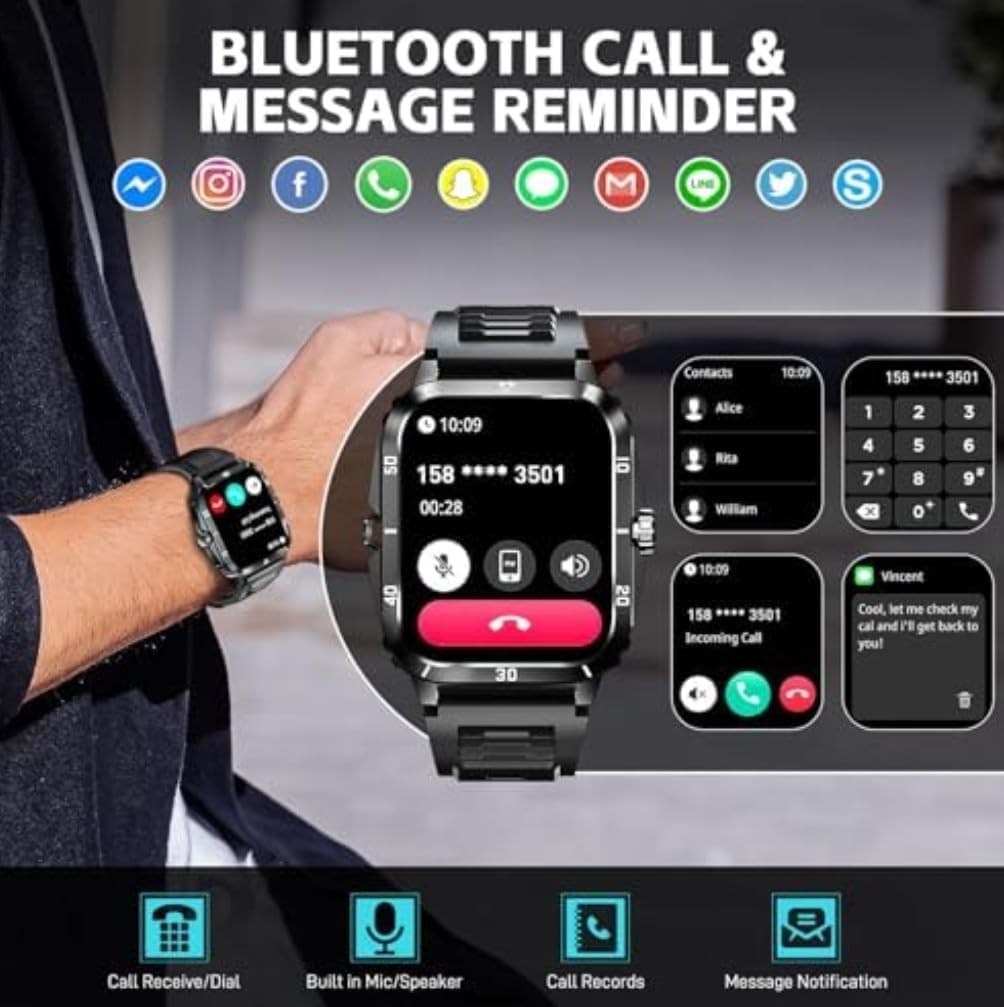
With Bluetooth calling enabled, you can manage calls directly from your wrist.
- การรับสายโทรศัพท์: When an incoming call is displayed, tap the green phone icon to answer.
- การปฏิเสธการโทร: Tap the red phone icon to reject an incoming call.
- การโทรออก: Access the dial pad or contact list on the watch to make outgoing calls.
- Built-in Mic/Speaker: The watch features a built-in microphone and speaker for hands-free communication.
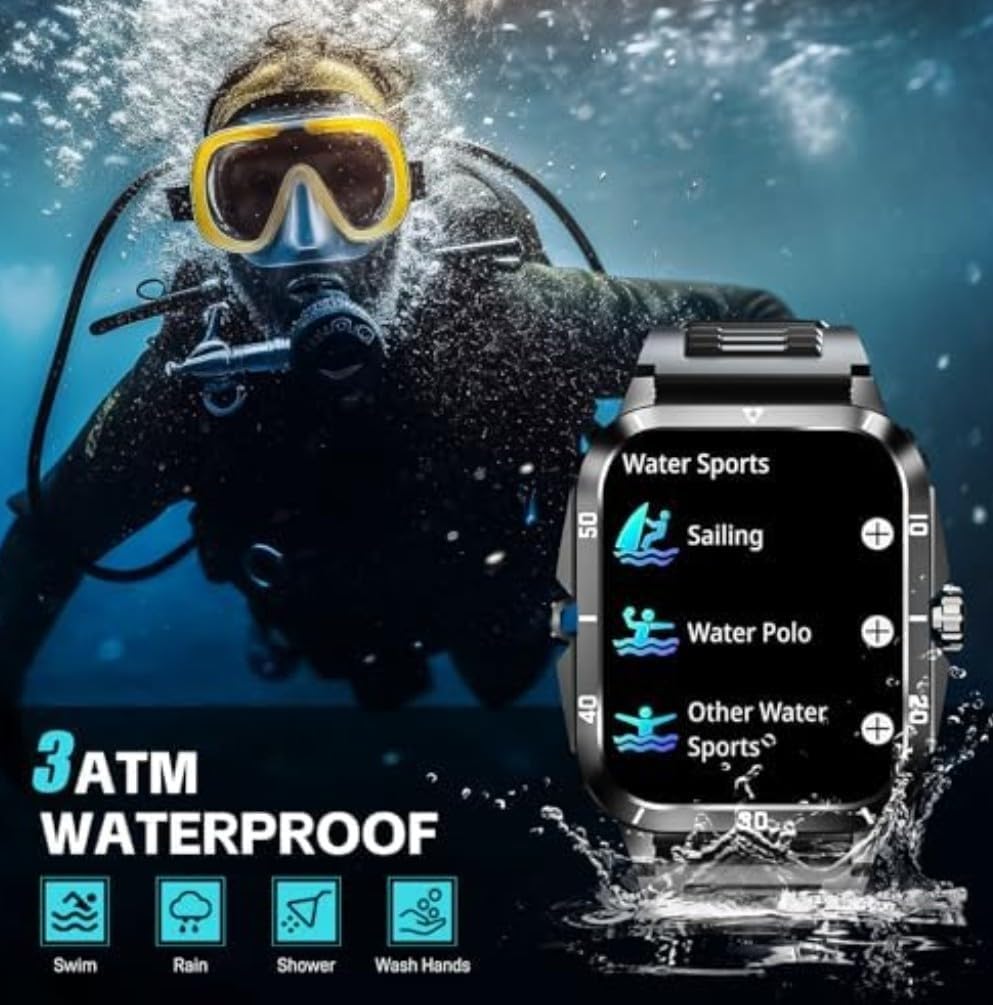
Image: The smartwatch showing its Bluetooth call and message reminder features, including an incoming call screen, a dial pad, and a message notification display.
3. การแจ้งเตือน
รับการแจ้งเตือนจากสมาร์ทโฟนของคุณโดยตรงบนสมาร์ทวอทช์
- โปรดตรวจสอบให้แน่ใจว่าได้เปิดใช้งานการอนุญาตการแจ้งเตือนในแอปพลิเคชันที่ใช้งานร่วมกันและในการตั้งค่าโทรศัพท์ของคุณแล้ว
- ปัดลงจากหน้าปัดนาฬิกาเพื่อ view การแจ้งเตือนล่าสุด
4. โหมดกีฬา
The KT71 offers over 100 sport modes to track your physical activities.
- Navigate to the "Sport" or "Workout" menu on your watch.
- เลือกกิจกรรมที่คุณต้องการ (เช่น วิ่ง ปั่นจักรยาน ว่ายน้ำ)
- The watch will begin tracking relevant data such as duration, steps, distance, and calorie consumption.
- End the workout by following the on-screen prompts. Data will sync to the app.

Image: The smartwatch showing a summary of a sport activity, including duration, total steps, and total calories burned, with an illustration of a person cycling in the background.
5. การติดตามสุขภาพ
Monitor your health metrics directly from your wrist.
- อัตราการเต้นของหัวใจ: Navigate to the heart rate interface and ensure the watch is snug on your wrist. The watch will automatically measure your heart rate.
- ออกซิเจนในเลือด: Similar to heart rate, access the SpO2 function for measurement.
- การติดตามการนอนหลับ: Wear the watch to bed, and it will automatically track your sleep patterns (awake, light sleep, restful sleep). View รายงานโดยละเอียดในแอป

Image: The smartwatch displaying its sleep monitoring interface showing total sleep duration, and a health monitor interface showing heart rate measurement with current BPM, max, and min values.
6. คุณสมบัติอื่น ๆ
- สภาพอากาศ: View real-time weather forecasts after syncing with the app.
- การควบคุมเพลง: ควบคุมการเล่นเพลงบนสมาร์ทโฟนของคุณ (เล่น หยุดชั่วคราว ข้ามเพลง) ได้โดยตรงจากนาฬิกา
- การควบคุมกล้อง: Use the watch as a remote shutter for your smartphone's camera.
- หน้าปัดนาฬิกา: Customize your watch face from a variety of options available on the watch or through the companion app.
การซ่อมบำรุง
1. คุณสมบัติกันน้ำ (3ATM)
The KT71 smartwatch is 3ATM water-resistant, meaning it can withstand splashes, rain, and brief immersion in shallow water.
- Suitable for daily use, hand washing, rain, and showering.
- Not suitable for hot water, diving, or prolonged submersion.
- Avoid contact with hot water, steam, or corrosive liquids.
- หลังจากสัมผัสกับน้ำ โดยเฉพาะน้ำทะเล ให้เช็ดนาฬิกาให้แห้งด้วยผ้านุ่ม
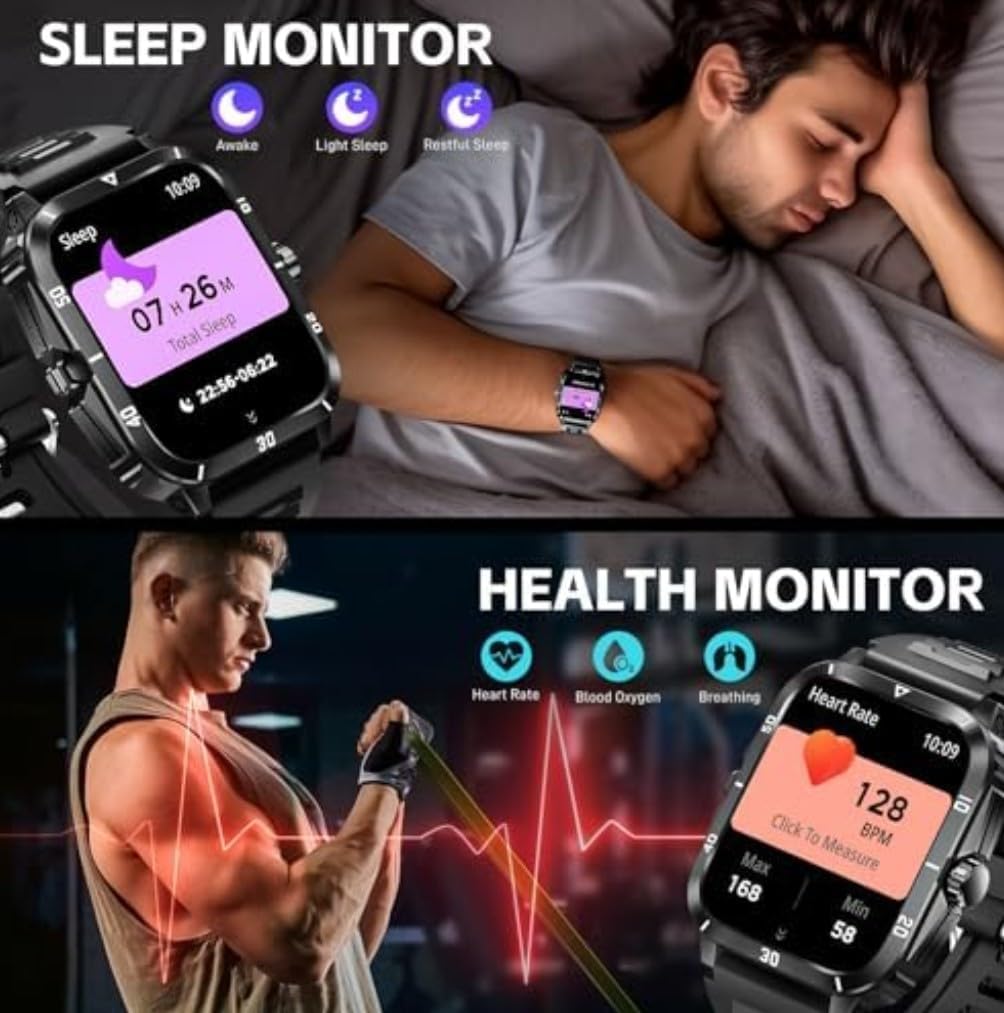
Image: The smartwatch highlighting its military-grade durability features including anti-impact, anti-fluid corrosion, temperature resistance, dust-proof, and 3ATM waterproof capabilities, shown with scenarios like working in a dusty environment, diving, and extreme cold.
2. การทำความสะอาด
- ทำความสะอาดนาฬิกาและสายนาฬิกาด้วยผ้านุ่มๆ เป็นประจำamp ผ้า.
- หลีกเลี่ยงการใช้สารเคมีรุนแรงหรือวัสดุที่มีฤทธิ์กัดกร่อน
- ตรวจสอบให้แน่ใจว่าหน้าสัมผัสการชาร์จสะอาดและแห้งก่อนชาร์จ
3. การดูแลแบตเตอรี่
- หลีกเลี่ยงอุณหภูมิที่สูงหรือต่ำเกินไป เพราะอาจส่งผลต่ออายุการใช้งานของแบตเตอรี่
- อย่าปล่อยให้นาฬิกาแบตหมดเกลี้ยงเป็นเวลานาน
- ใช้เฉพาะสายชาร์จที่ให้มาเท่านั้น
การแก้ไขปัญหา
หากคุณประสบปัญหาเกี่ยวกับสมาร์ทวอทช์ของคุณ ให้ลองวิธีแก้ปัญหาต่อไปนี้:
- นาฬิกาไม่เปิด: ตรวจสอบให้แน่ใจว่านาฬิกาชาร์จเต็มแล้ว เสียบนาฬิกาเข้ากับเครื่องชาร์จอย่างน้อย 10 นาที
- ไม่สามารถจับคู่กับโทรศัพท์ได้:
- ตรวจสอบให้แน่ใจว่าได้เปิดใช้งานบลูทูธบนโทรศัพท์และนาฬิกาของคุณแล้ว
- ตรวจสอบให้แน่ใจว่านาฬิกาอยู่ในระยะของโทรศัพท์ของคุณ
- รีสตาร์ททั้งนาฬิกาและโทรศัพท์ของคุณ
- ล้างแคชบลูทูธในโทรศัพท์ของคุณ (Android) หรือยกเลิกการเชื่อมต่อและเชื่อมต่อใหม่ (iOS/Android)
- Ensure the companion app has all necessary permissions.
- ไม่ได้รับการแจ้งเตือน:
- Check app notification settings on your phone and in the companion app.
- ตรวจสอบให้แน่ใจว่านาฬิกาเชื่อมต่อผ่านบลูทูธ
- ปิดโหมดประหยัดพลังงานใดๆ บนโทรศัพท์ของคุณที่อาจจำกัดการทำงานของแอปในพื้นหลัง
- ข้อมูลสุขภาพที่ไม่ถูกต้อง:
- Ensure the watch is worn snugly on your wrist, about one finger's width from the wrist bone.
- รักษาเซ็นเซอร์ให้สะอาด
- โปรดทราบว่าข้อมูลด้านสุขภาพใช้เพื่อเป็นข้อมูลอ้างอิงเท่านั้น และไม่ได้ใช้สำหรับการวินิจฉัยทางการแพทย์
- หน้าจอไม่ตอบสนอง: ลองรีสตาร์ทนาฬิกาโดยกดปุ่มด้านข้างค้างไว้ หากยังไม่ตอบสนอง ให้ปล่อยให้แบตเตอรี่หมดจนหมดแล้วจึงชาร์จใหม่
ข้อมูลจำเพาะ
| คุณสมบัติ | รายละเอียด |
|---|---|
| หมายเลขรุ่น | KT71 |
| ขนาดจอแสดงผล | 1.96 นิ้ว |
| ระบบปฏิบัติการ | Android, iOS Compatible |
| เทคโนโลยีการเชื่อมต่อ | บลูทูธ, เซลลูล่าร์ |
| มาตรฐานการสื่อสารไร้สาย | บลูทูธ |
| ความต้านทานต่อน้ำ | 3ATM (Swim, Rain, Shower, Wash Hands) |
| ความจุของแบตเตอรี่ | 430 Amp ชั่วโมง |
| ประเภทแบตเตอรี่ | Lithium Polymer (Nonstandard Battery) |
| ความจุของหน่วยความจำ | 32GB |
| ขนาดหน่วยความจำ RAM ที่ติดตั้ง | 8GB |
| น้ำหนักสินค้า | 2.5 ออนซ์ |
| ขนาดแพ็คเกจ | 4 x 2.5 x 1.5 นิ้ว |
| คุณสมบัติพิเศษ | Bluetooth calling, Touchscreen, Water resistant |
| จีพีเอส | ไม่มีจีพีเอส |
| รูปร่าง | สี่เหลี่ยมผืนผ้า |
การรับประกันและการสนับสนุน
For warranty information and customer support, please refer to the warranty card included in your product packaging or visit the official SENBONO webนอกจากนี้ คุณยังสามารถติดต่อผู้ขายโดยตรงผ่านแพลตฟอร์มที่คุณซื้อสินค้าได้อีกด้วย
ผู้ผลิต: SENBONO
วันที่เข้าใช้งานครั้งแรก: วันที่ 25 มิถุนายน 2025