
1. บทนำ
This manual provides detailed instructions for the proper use and maintenance of your ANYSECU W63-US 4G Network Radio. The W63-US is an intelligent handheld transceiver operating on Android 9.0, designed for Push-to-Talk (PTT) communication over 4G networks. It supports popular platforms like Zello and RealPTT, offering features such as GPS, Bluetooth, Wi-Fi, and a flashlight function. Its robust design includes IP68 waterproof and dustproof ratings, making it suitable for various environments.
2. เนื้อหาบรรจุภัณฑ์
Please verify that all items listed below are included in your product package. If any items are missing or damaged, contact your vendor.
- ANYSECU W63-US Radio Body (x1)
- เสาอากาศ (x1)
- แบตเตอรี่ (x1)
- สายไฟ (x1)
- อะแดปเตอร์ไฟ (x1)
- คลิปหนีบเข็มขัด (x1)
- คู่มือผู้ใช้ (x1)
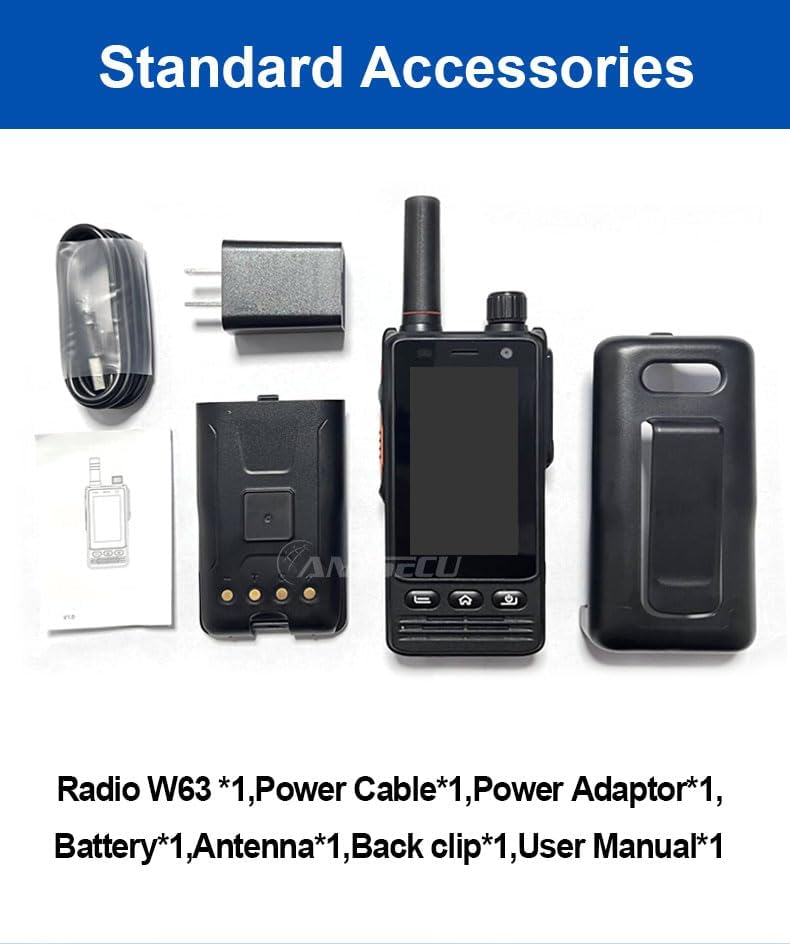
Image: Standard accessories included with the ANYSECU W63-US radio.
3. สินค้าหมดview
The ANYSECU W63-US features a compact design with a 2.95-inch high-definition touch screen and physical buttons for intuitive operation. It is equipped with both front and rear cameras, and a high-capacity battery for extended use.

ภาพ: ด้านหน้า view of the ANYSECU W63-US radio highlighting Android 9, touch screen, GPS/BT/WiFi, and flashlight function.

ภาพ: ด้านหลัง view of the ANYSECU W63-US radio, showing the 5MP front and 13MP rear cameras with built-in flash.
ส่วนประกอบหลัก:
- เสาอากาศ: For signal reception and transmission.
- ปุ่มปรับระดับเสียง: ปรับระดับเอาท์พุตเสียง
- ปุ่ม SOS: For emergency alerts.
- ปุ่มปตท.: ปุ่มกดเพื่อพูดคุย (Push-to-Talk) สำหรับการสื่อสาร
- แสดง: 2.95-inch touch screen (854*480 pixels).
- ปุ่มนำทาง: Home, Back, and Power buttons.
- พอร์ต USB-C: สำหรับการชาร์จและถ่ายโอนข้อมูล
- คลิปหนีบเข็มขัด: เพื่อความสะดวกในการพกพา

Image: The ANYSECU W63-US radio shown with its high-quality waist clip for portability.
4. การตั้งค่า
4.1 การติดตั้งแบตเตอรี่
- ตรวจสอบให้แน่ใจว่าอุปกรณ์ปิดอยู่
- ค้นหาฝาปิดช่องใส่แบตเตอรี่ที่ด้านหลังวิทยุ
- ถอดฝาครอบออกอย่างระมัดระวัง
- Insert the provided 4000mAh 3.8V battery, aligning the contacts.
- ปิดฝาช่องใส่แบตเตอรี่ให้สนิท ตรวจสอบให้แน่ใจว่าล็อคแน่นดีแล้ว

Image: The ANYSECU W63-US radio highlighting its 4000mAh high-capacity battery.
4.2 SIM Card / SD Card Installation
The W63-US supports 4G network connectivity. Insert your SIM card into the designated slot. If desired, an SD card can also be installed for additional storage.
4.3 การเปิดเครื่องครั้งแรก
- กดปุ่มเปิด/ปิดค้างไว้จนกว่าหน้าจอจะสว่างขึ้น
- ทำตามคำแนะนำบนหน้าจอสำหรับการตั้งค่าเริ่มต้น รวมถึงการเลือกภาษาและการกำหนดค่าเครือข่าย
Video: Demonstration of the ANYSECU W63-US radio's physical features and initial power-on sequence.
5. คู่มือการใช้งาน
5.1 การนำทางพื้นฐาน
- หน้าจอสัมผัส: Navigate menus and applications by tapping and swiping on the 2.95-inch display.
- ปุ่มโฮม: กลับสู่หน้าจอหลัก
- ปุ่มย้อนกลับ: กลับไปยังหน้าจอที่แล้ว
- ปุ่มเปิด/ปิด: Short press to lock/unlock screen, long press to power off/restart.

Image: A hand interacting with the 2.95-inch high-definition touch screen of the ANYSECU W63-US radio.
5.2 PTT Communication (Zello/RealPTT)
The W63-US is compatible with Zello and RealPTT applications for Push-to-Talk communication. Ensure you have an active account and are logged into your preferred application.
- Open the Zello or RealPTT application from the home screen.
- Select your desired contact or channel.
- Press and hold the dedicated ปุ่ม PTT on the side of the radio to transmit your voice.
- ปล่อยปุ่ม PTT เพื่อฟัง
5.3 การเชื่อมต่อเครือข่าย
The device supports global 4G networks, Wi-Fi, and Bluetooth for versatile connectivity.
- เครือข่าย 4G: Automatically connects if a valid SIM card is inserted and configured.
- ไวไฟ : Access Wi-Fi settings through the Android interface to connect to available networks.
- บลูทูธ: Pair with compatible Bluetooth accessories like headsets.
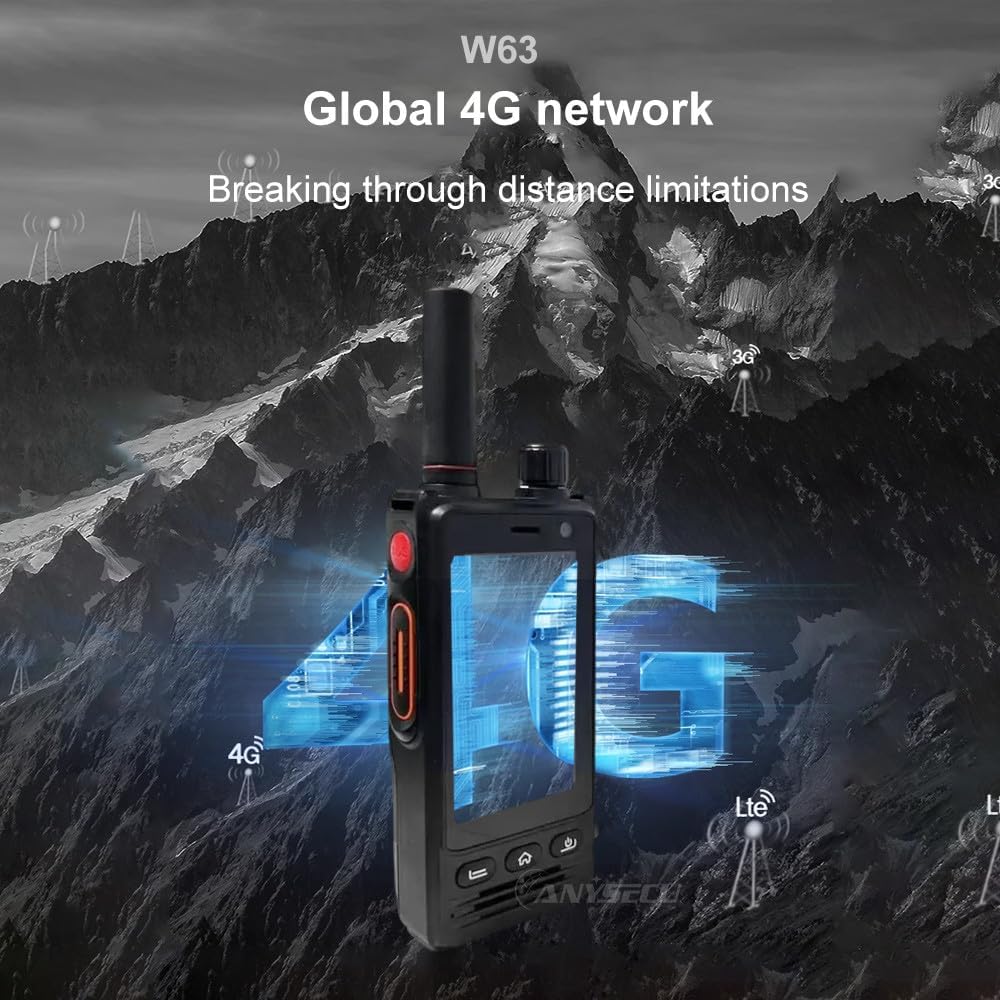
Image: The ANYSECU W63-US radio demonstrating its global 4G network capabilities.
6. การบำรุงรักษา
6.1 การทำความสะอาดเครื่อง
ใช้แบบนุ่มๆamp cloth to clean the exterior of the radio. Avoid using harsh chemicals or abrasive materials that could damage the device or screen.
6.2 การดูแลแบตเตอรี่
- ชาร์จแบตเตอรี่ให้เต็มก่อนใช้งานครั้งแรก
- หลีกเลี่ยงการชาร์จมากเกินไปหรือทำให้แบตเตอรี่หมดเพื่อยืดอายุการใช้งาน
- เก็บวิทยุและแบตเตอรี่ไว้ในที่แห้งและเย็นเมื่อไม่ได้ใช้งานเป็นเวลานาน
6.3 ความทนทานต่อน้ำและฝุ่นละออง
The W63-US is rated IP68 waterproof and dustproof. This means it can withstand immersion in water up to 1.5 meters for 30 minutes and is protected against dust ingress. Ensure all ports and covers are securely closed before exposing the device to water or dust.

Image: The ANYSECU W63-US radio demonstrating its IP68 waterproof and dustproof features. An optional explosion-proof version may also be available.
7 การแก้ไขปัญหา
If you encounter issues with your ANYSECU W63-US radio, refer to the following common problems and solutions:
- อุปกรณ์ไม่เปิดเครื่อง:
Ensure the battery is correctly installed and charged. Connect the radio to the charger and attempt to power on again. - ไม่มีการเชื่อมต่อเครือข่าย:
Verify that your SIM card is properly inserted and active. Check network settings to ensure 4G is enabled. If using Wi-Fi, confirm you are connected to a valid network. - ฟังก์ชัน PTT ใช้งานไม่ได้:
Ensure you are logged into your Zello or RealPTT account. Check the application settings to confirm the PTT button is correctly mapped. Verify you have an active internet connection. - ปัญหาเกี่ยวกับเสียง (ไม่มีเสียง/เสียงผิดเพี้ยน):
Adjust the volume knob. Check if a headset is connected and properly functioning. Restart the device. - หน้าจอสัมผัสไม่ตอบสนอง:
รีสตาร์ทอุปกรณ์ หากปัญหายังคงอยู่ โปรดตรวจสอบให้แน่ใจว่าหน้าจอสะอาดและปราศจากฝุ่นละออง
8. ข้อมูลจำเพาะ
| คุณสมบัติ | รายละเอียด |
|---|---|
| ยี่ห้อ | ANYSECU |
| หมายเลขรุ่น | W63-สหรัฐอเมริกา |
| สี | สีดำ |
| ระบบปฏิบัติการ | แอนดรอยด์ 9.0 |
| โปรโตคอลการเชื่อมต่อ | 4G |
| ประเภทจูนเนอร์ | 4G |
| แสดง | 2.95 inch High-definition (854*480 pixels) Touch Screen |
| ระดับความต้านทานต่อน้ำ | กันน้ำระดับ IP68 |
| แบตเตอรี่ | 4000mAh 3.8V (1 AA battery required, included) |
| จำนวนช่องสัญญาณ | 1000 |
| ระยะการสนทนาสูงสุด | 10 ไมล์ |
| คุณสมบัติพิเศษ | Long Range, GPS, Bluetooth, Wi-Fi, Flashlight |
| อุปกรณ์ที่รองรับ | Zello, RealPTT |
| กล้องถ่ายรูป | Front 5MP, Rear 13MP with Built-in Flash |
9. การรับประกันและการสนับสนุน
9.1 ข้อมูลการรับประกัน
The ANYSECU W63-US radio body is covered by a รับประกัน 1 ปี นับจากวันที่ซื้อสินค้า การรับประกันนี้ครอบคลุมถึงข้อบกพร่องจากการผลิตภายใต้การใช้งานปกติ โปรดเก็บหลักฐานการซื้อไว้เพื่อใช้ในการเรียกร้องการรับประกัน การรับประกันไม่ครอบคลุมถึงความเสียหายที่เกิดจากการใช้งานผิดวิธี อุบัติเหตุ การดัดแปลงโดยไม่ได้รับอนุญาต หรือการสึกหรอตามปกติ
9.2 การสนับสนุนลูกค้า
For technical assistance, troubleshooting beyond this manual, or warranty inquiries, please contact your authorized ANYSECU dealer or visit the official ANYSECU webเว็บไซต์สำหรับทรัพยากรสนับสนุน