
การแนะนำ
This manual provides detailed instructions for the installation, setup, and operation of your SwitchBot WiFi Smart Garage Door Opener. This device allows you to control your garage door remotely, integrate with various smart home platforms, and receive real-time notifications.
คุณสมบัติที่สำคัญ ได้แก่:
- Remote control and status check via the SwitchBot app.
- Voice control compatibility with Alexa, Google Home, Siri, IFTTT, and SmartThings.
- Matter certification for seamless smart home integration.
- Real-time alerts and customizable auto-close timers and schedules.
- Straightforward installation with minimal wiring.
- Family sharing functionality for multi-user access.
เนื้อหาแพ็คเกจ
ตรวจสอบให้แน่ใจว่ามีอุปกรณ์ครบทุกชิ้นก่อนเริ่มการติดตั้ง:
- Garage Door Opener x1
- Adapter with Cable x1
- Door Sensor with Cable (7m) x1
- สกรูแพ็ค x1
- Signal Control Cable (Test Wire) x1
- เทปกาว 3M จำนวน 2 ชิ้น
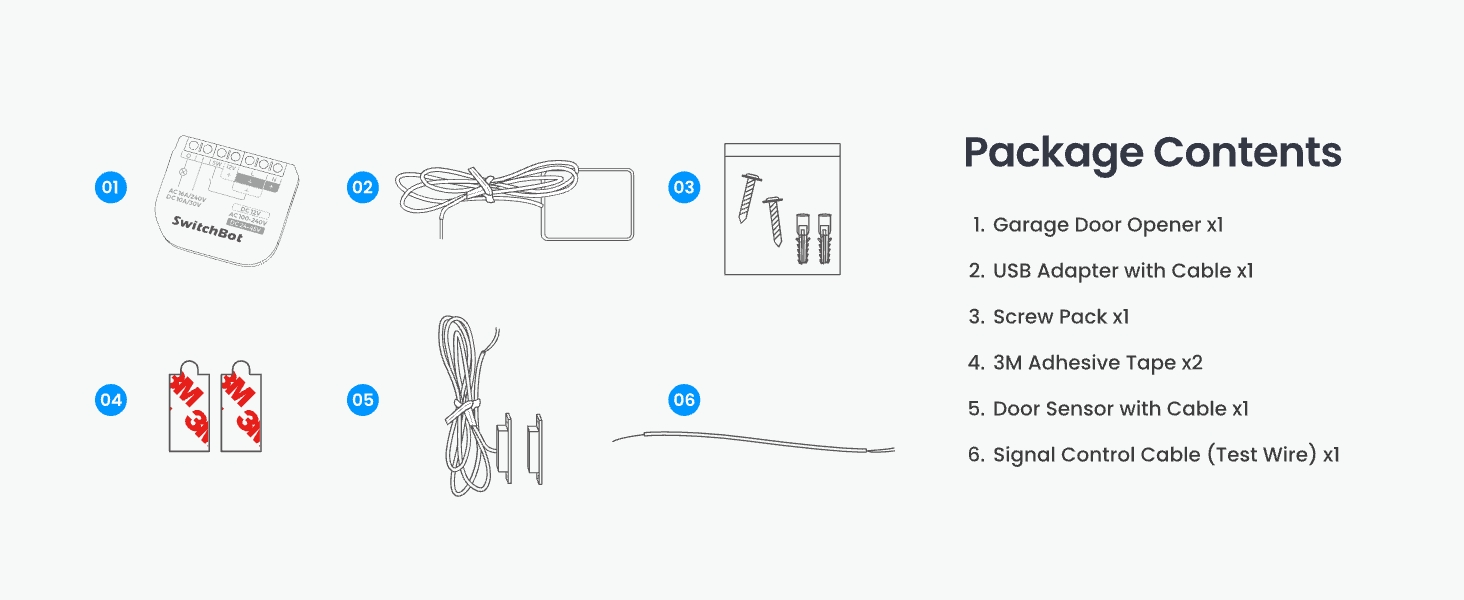
รูปที่ 1: All components included in the SwitchBot WiFi Smart Garage Door Opener package.
การตรวจสอบความเข้ากันได้
Before installation, it is crucial to confirm compatibility with your existing garage door opener. The SwitchBot Garage Door Opener is compatible with over 200 brands and 1600+ garage door opener models, including older models from the 1990s.
Method 1: Check Learn Button Color
Locate the "Learn Button" on your garage door opener motor. Yellow and purple learn buttons may require additional accessories for full functionality. Please refer to the SwitchBot support team for specific accessory requirements if your opener has a yellow or purple learn button.
Method 2: Use the Test Wire
If you are unsure about compatibility, use the provided Signal Control Cable (test wire) to connect the two terminals on your existing garage door opener that are also connected to the wall button. If your garage door opens and closes, it is compatible. Otherwise, contact SwitchBot support for assistance.
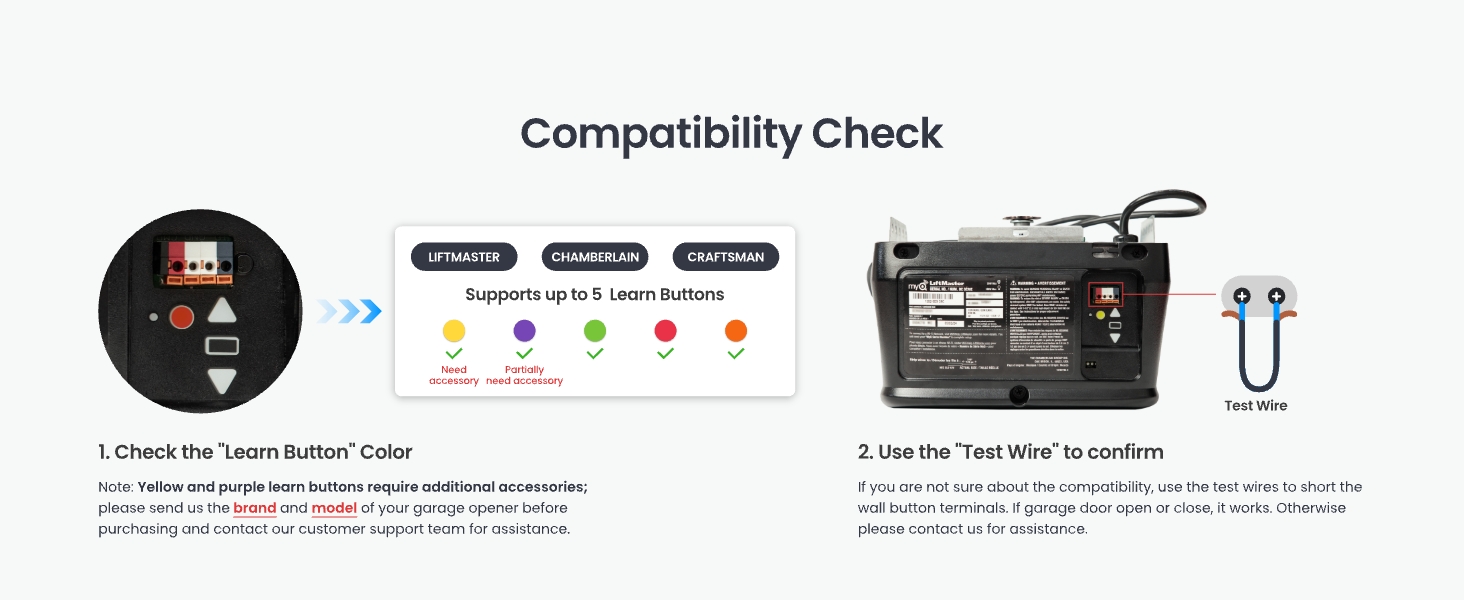
รูปที่ 2: Compatibility check methods for your garage door opener.
การติดตั้งและการตั้งค่า
Follow these steps to install your SwitchBot WiFi Smart Garage Door Opener:
Step 1: Power on the Device and Connect to the App
- Connect the provided adapter to the SwitchBot Garage Door Opener.
- เสียบอะแดปเตอร์เข้ากับเต้ารับไฟฟ้า
- ดาวน์โหลดแอป SwitchBot จาก App Store ของอุปกรณ์ของคุณ
- Open the app, register or log in, and tap "Add a Device".
- Select "Garage Door Opener" from the list and follow the on-screen instructions to connect it to your 2.4GHz Wi-Fi network.
1 วิดีโอ: Detailed installation guide for the SwitchBot Garage Door Opener, covering all steps from unboxing to app setup.
Step 2: Install the Door Sensor
The door sensor detects the open/closed status of your garage door. Mount the two parts of the sensor on the garage door frame and the moving door panel, ensuring they are aligned and the distance between them is less than 2.5 cm (1 inch) when the door is closed. Use the provided 3M adhesive tape or screws for secure attachment.
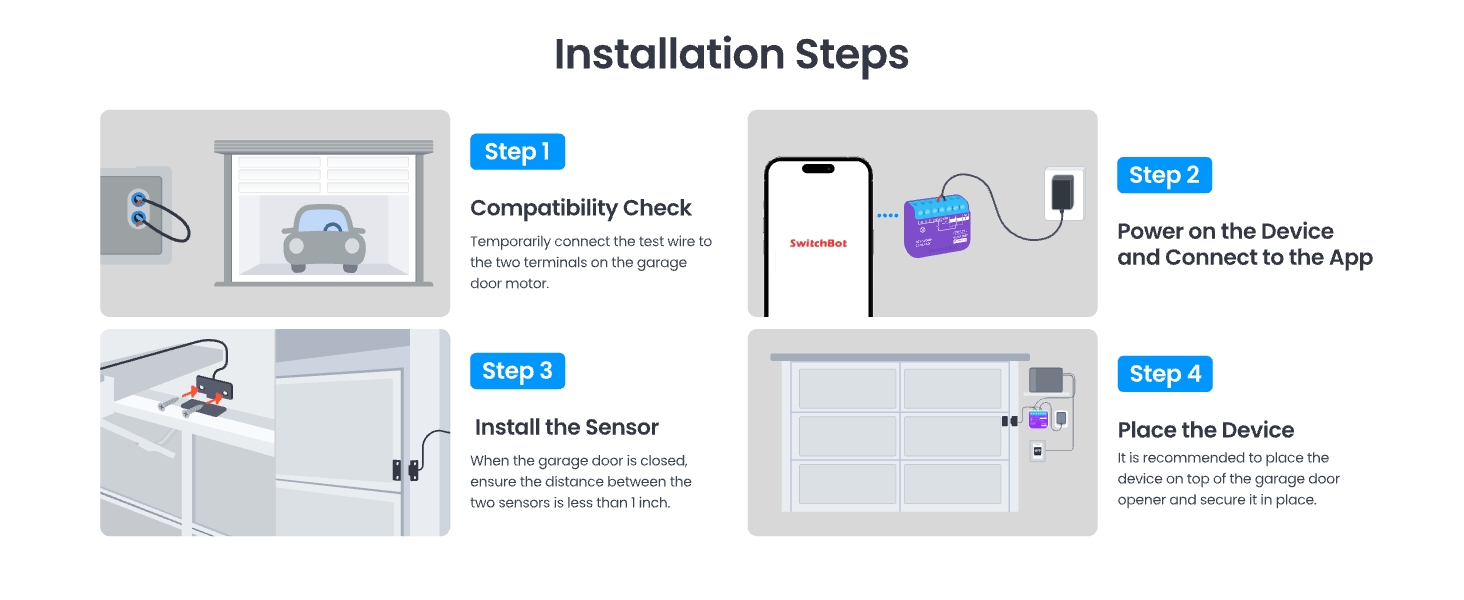
รูปที่ 3: เกินview of the installation steps, including sensor placement.
Step 3: Place the Garage Door Opener Device
Mount the main Garage Door Opener device on top of your garage door opener motor using the provided adhesive tape or screws. Ensure it is securely fastened and the wires are not obstructed.
แผนผังการเดินสายไฟ
Connect the signal control cable from the SwitchBot device to the wall switch terminals on your garage door opener motor. The power adapter connects to the SwitchBot device and a standard power outlet.
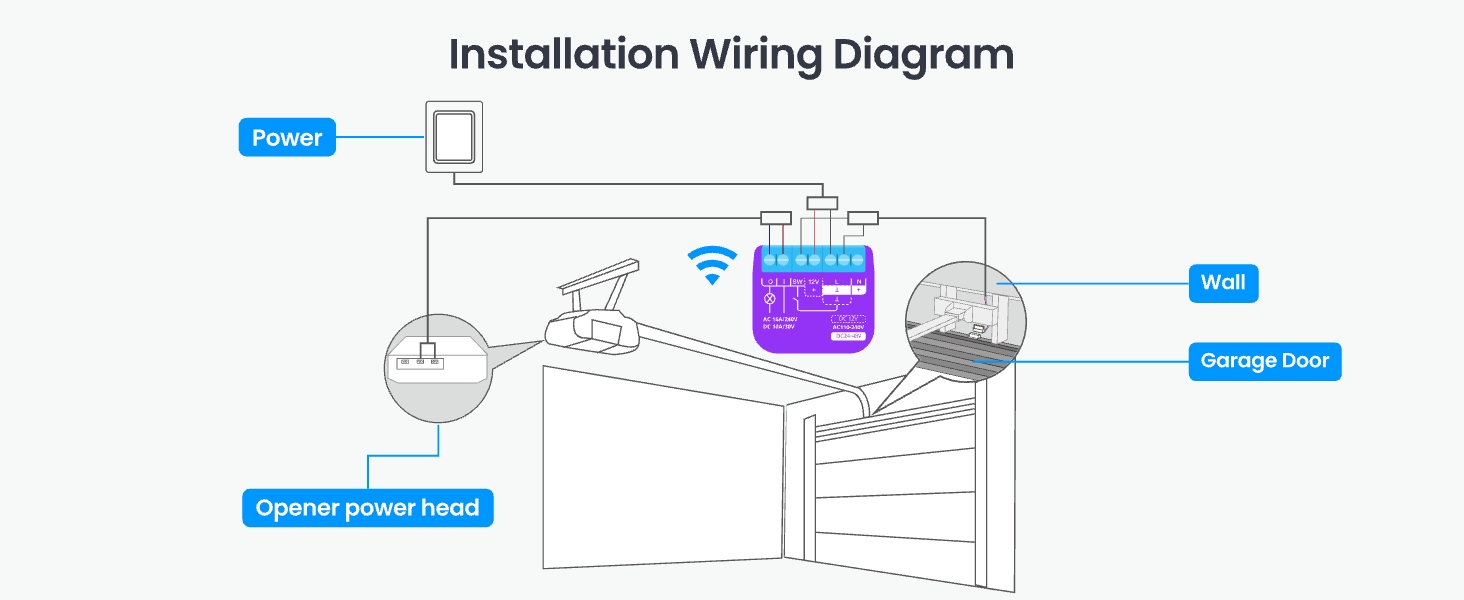
รูปที่ 4: Installation wiring diagram for the SwitchBot Garage Door Opener.
คำแนะนำการใช้งาน
1. การควบคุมแอป
Control your garage door from anywhere using the SwitchBot app. You can open or close the door, check its status, and manage settings.
- รีโมทคอนโทรล: Open or close your garage door from anywhere with an internet connection.
- การแจ้งเตือนแบบเรียลไทม์: Receive alerts if your garage door is left open or if there's any unusual activity.
- Auto-Close Timers & Schedules: Set custom schedules for the door to close automatically at specific times or after a set delay.
- บันทึกเหตุการณ์: Track all garage door activity in real-time for security and peace of mind.
- การแบ่งปันในครอบครัว: Grant access to multiple users, allowing family members to control the garage door via their own SwitchBot accounts.
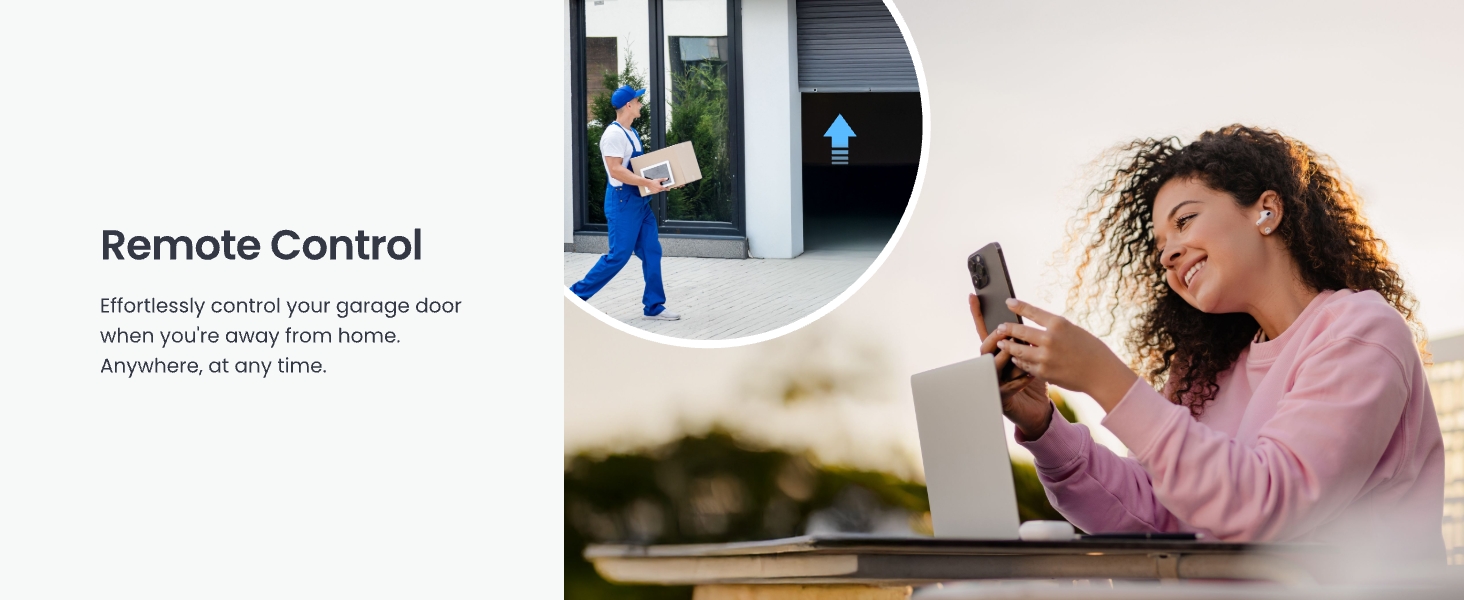
รูปที่ 5: Remote control of the garage door via the SwitchBot app.
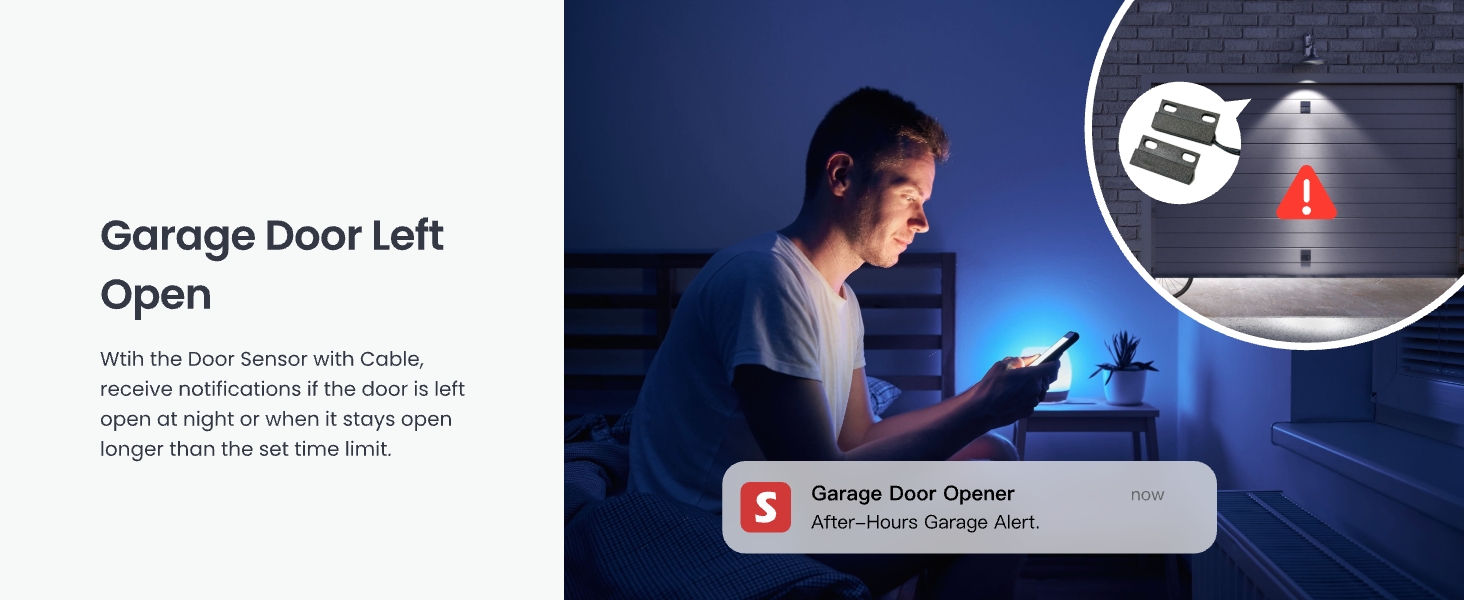
รูปที่ 6: Real-time security notifications for an open garage door.
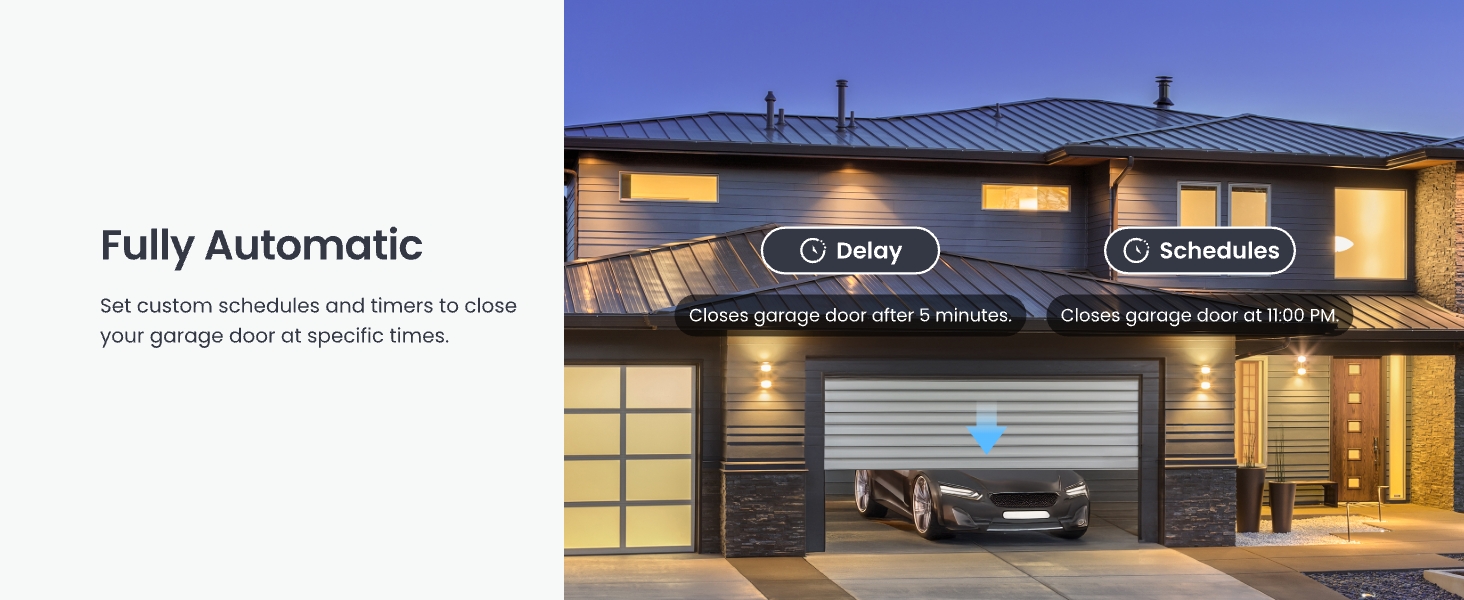
รูปที่ 7: Setting automatic schedules for garage door operation.
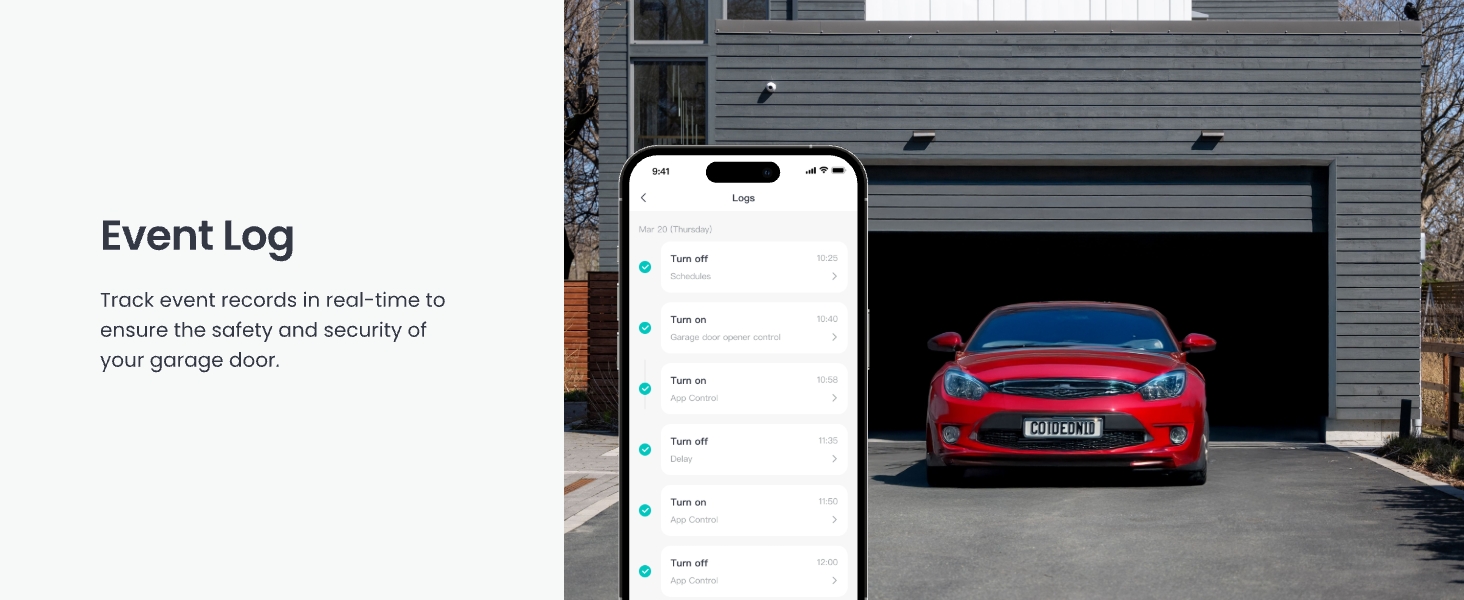
รูปที่ 8: Event log for tracking garage door activity.
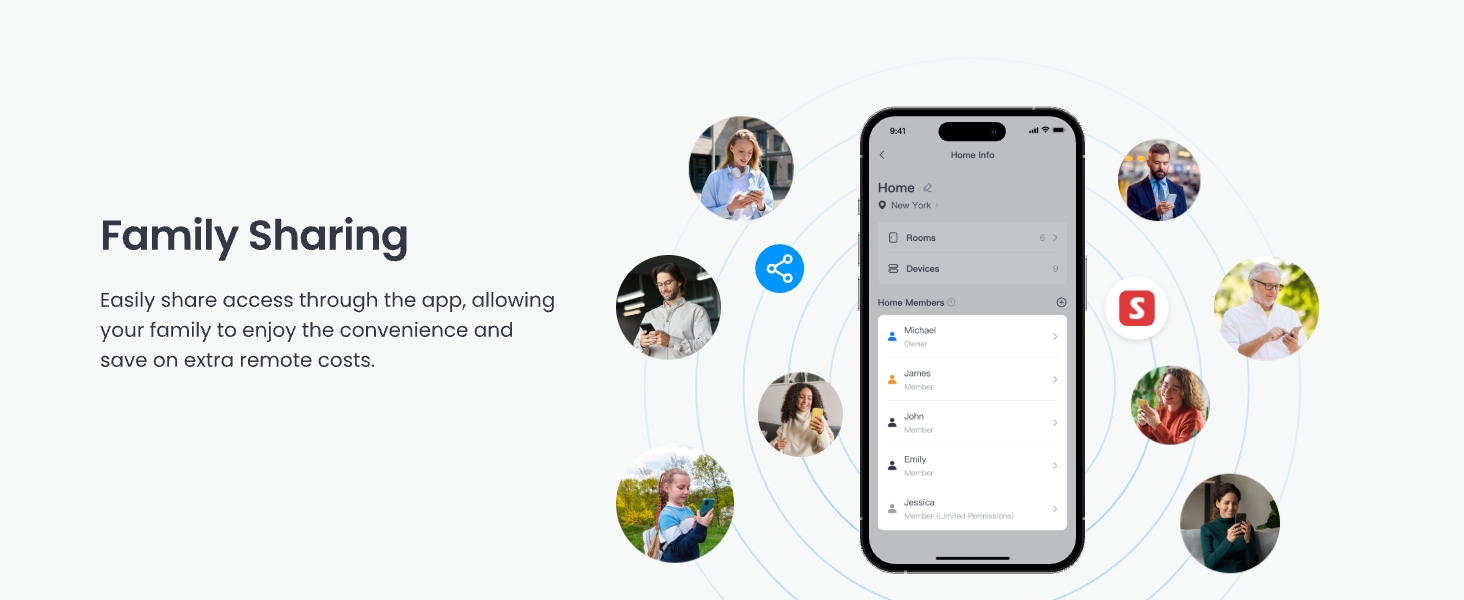
รูปที่ 9: Family sharing feature in the SwitchBot app.
2. การควบคุมด้วยเสียงและการบูรณาการกับระบบบ้านอัจฉริยะ
The SwitchBot Garage Door Opener supports various voice assistants and smart home platforms:
- ผู้ช่วยเสียง: Use simple voice commands with Amazon Alexa, Google Home, and Apple Siri to open or close your garage door.
- Matter Certified: Ensures seamless integration with other Matter-certified smart devices and platforms like Apple Home.
- แพลตฟอร์มอื่นๆ: Compatible with IFTTT and SmartThings for advanced automation and scene creation.
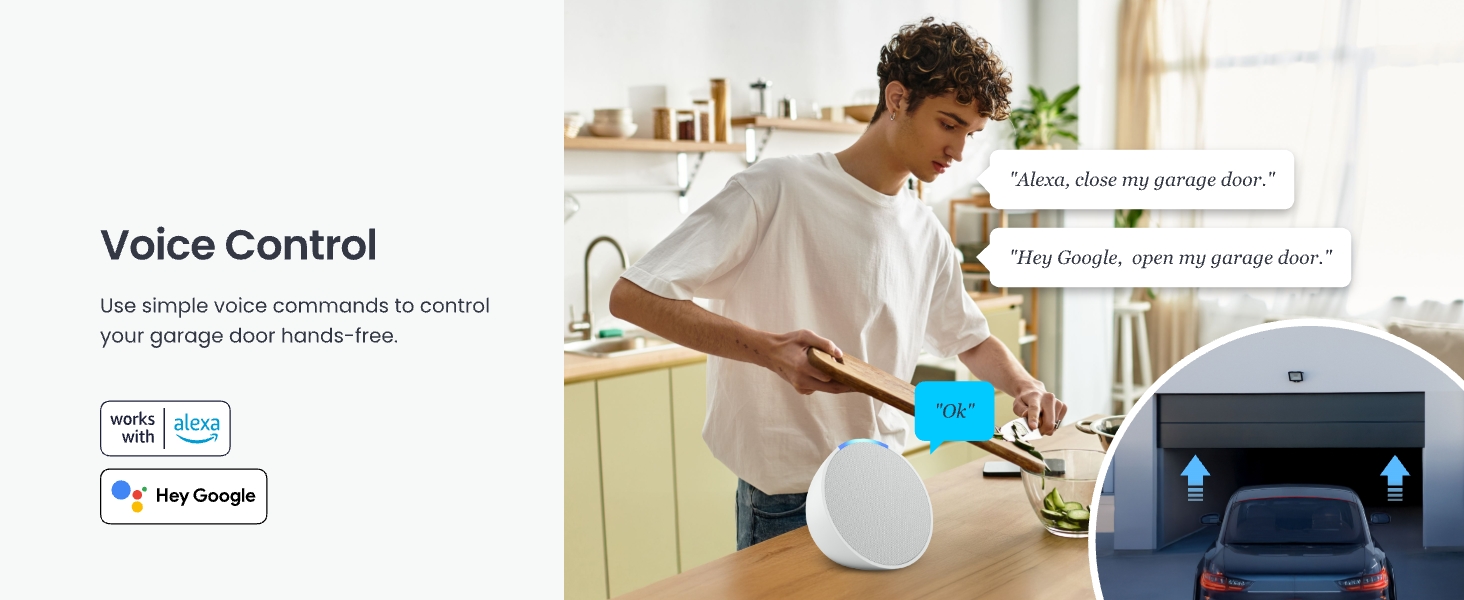
รูปที่ 10: ควบคุมด้วยเสียงผ่าน Alexa และ Google Home
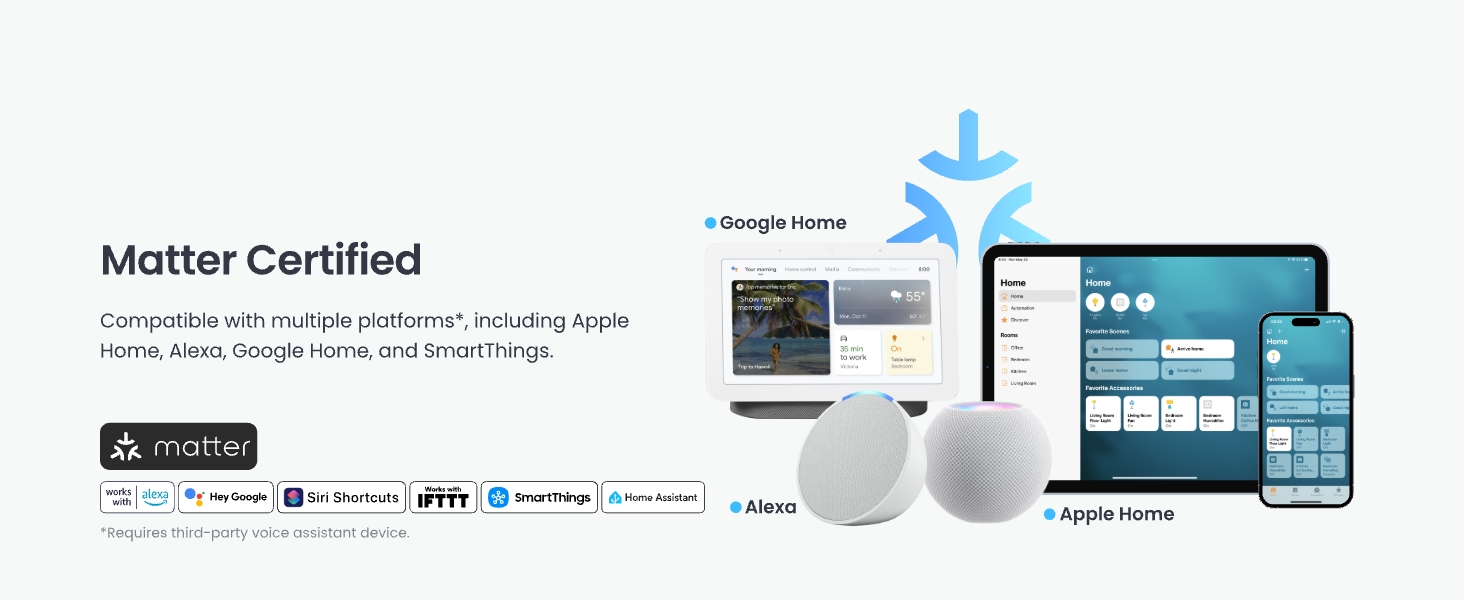
รูปที่ 11: Matter certification and broad smart home compatibility.
3. CarPlay Integration
Open or close your garage door without picking up your phone by using voice commands through Apple CarPlay. Note that CarPlay Pop-up control is not supported.
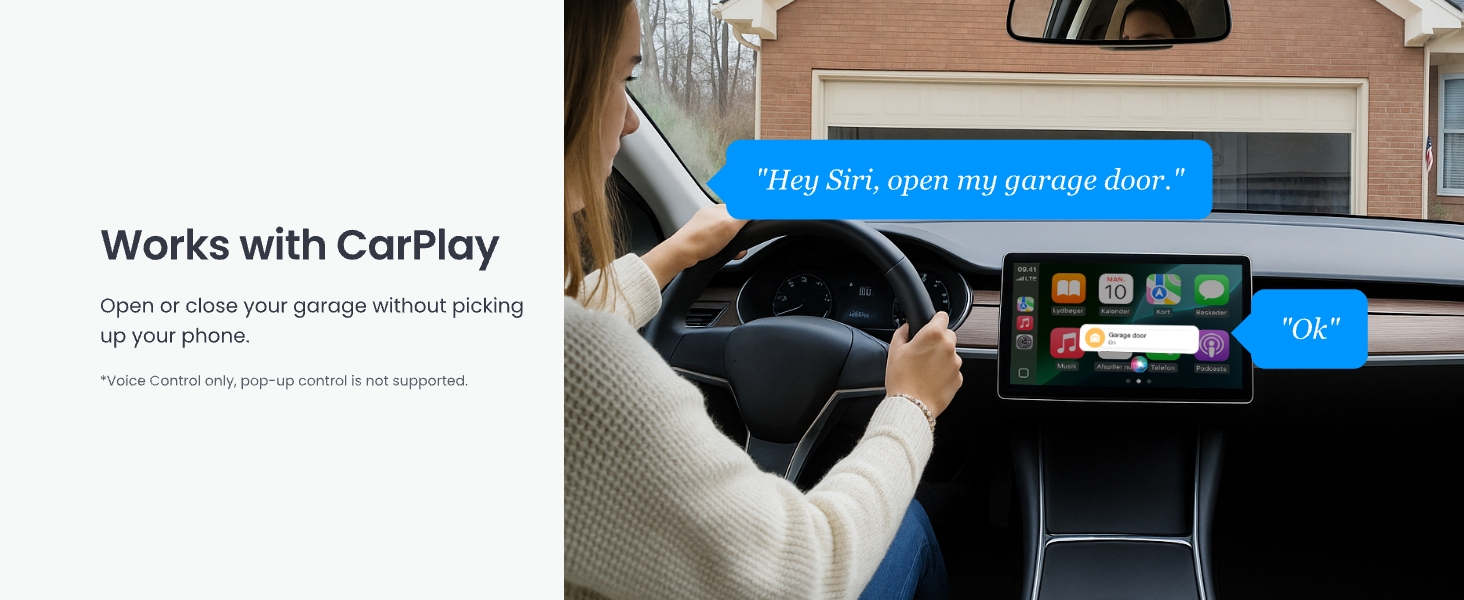
รูปที่ 12: Garage door control via Apple CarPlay.
4. การควบคุมบลูทูธ
Maintain control of your garage door via Bluetooth, even if your home Wi-Fi signal is unavailable or weak in the garage area. This ensures reliable operation in various conditions.
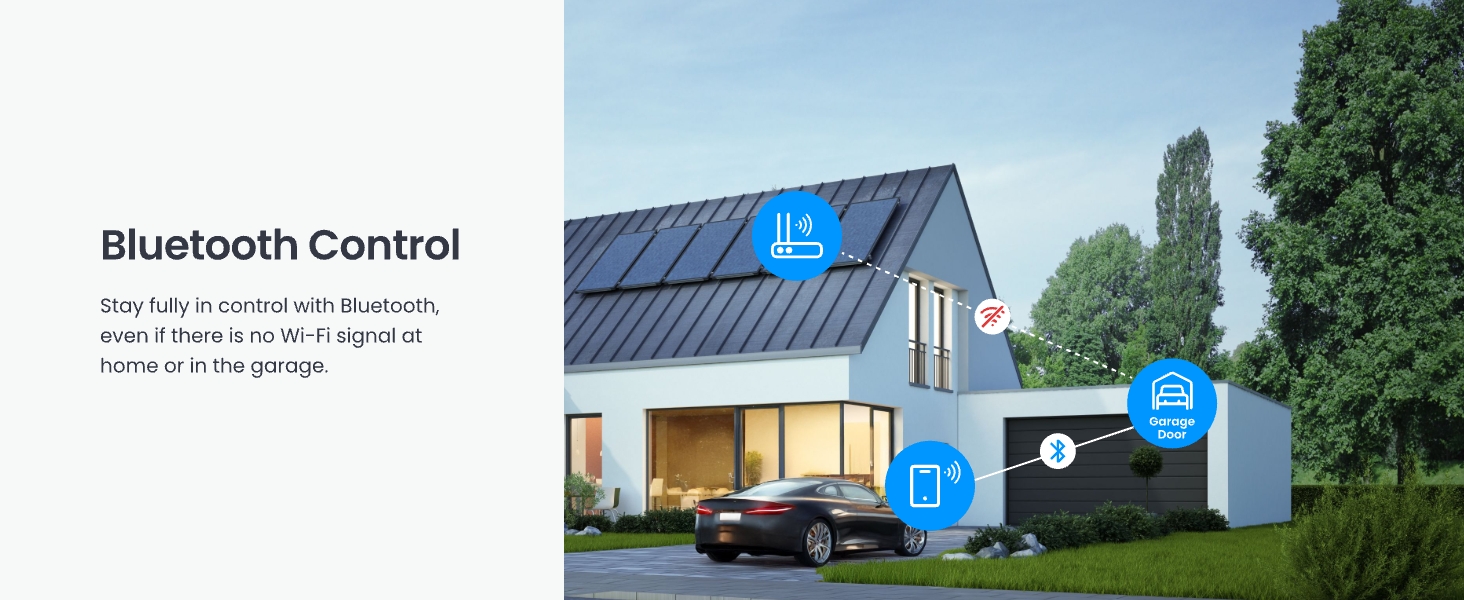
รูปที่ 13: Bluetooth control functionality.
5. Integration with Other SwitchBot Devices
Enhance your smart garage experience by integrating the Garage Door Opener with other SwitchBot products:
- SwitchBot Remote: Use a physical remote for one-click opening/closing of your garage door.
- SwitchBot Cameras: Monitor your garage in real-time and track deliveries to prevent damage.
- SwitchBot Meter Pro (CO2 Monitor): Monitor temperature, humidity, and CO2 levels in your garage for optimal ventilation and energy efficiency.
การซ่อมบำรุง
The SwitchBot WiFi Smart Garage Door Opener requires minimal maintenance. Regularly check the following:
- การจัดตำแหน่งเซ็นเซอร์: Ensure the door sensor components remain aligned and within the effective distance (2.5 cm / 1 inch) when the door is closed.
- การเชื่อมต่อสายเคเบิล: Verify that all wires are securely connected to the device and the garage door opener motor.
- การอัปเดตซอฟต์แวร์: Keep the SwitchBot app and device firmware updated to ensure optimal performance and access to new features. Check the app regularly for available updates.
- การทำความสะอาด: Wipe the device and sensor with a dry, soft cloth as needed. Avoid using harsh chemicals or abrasive materials.
การแก้ไขปัญหา
If you encounter issues with your SwitchBot WiFi Smart Garage Door Opener, refer to the following common solutions:
- อุปกรณ์ไม่ได้เชื่อมต่อกับ Wi-Fi: Ensure your Wi-Fi network is 2.4GHz. Check that the device is within range of your Wi-Fi router. Restart your router and the SwitchBot device.
- Garage Door Not Responding: Verify that the signal control cable is correctly connected to the garage door opener's wall switch terminals. Perform the compatibility check again using the test wire. Ensure the garage door opener itself is powered and functional.
- Incorrect Door Status: Check the alignment and distance of the door sensor components. Ensure they are securely mounted and the cable is not damaged.
- ปัญหาการควบคุมด้วยเสียง: Confirm that your SwitchBot account is correctly linked to Alexa, Google Home, or Siri. Check your internet connection and the status of your voice assistant device.
- แอปใช้งานไม่ได้: Ensure your SwitchBot app is updated to the latest version. Try force-closing and reopening the app, or reinstalling it if necessary.
For further assistance, please contact SwitchBot support.
ข้อมูลจำเพาะ
| คุณสมบัติ | รายละเอียด |
|---|---|
| หมายเลขรุ่น | W5502330 |
| ผู้ผลิต | Wonderlab |
| น้ำหนักสินค้า | 8.4 ออนซ์ |
| ขนาดสินค้า | 3.8 x 1.8 x 4.7 นิ้ว |
| สี | สีม่วง |
| การเชื่อมต่อ | WiFi 2.4GHz, บลูทูธ |
| ความเข้ากันได้ของสมาร์ทโฮม | Matter, Alexa, Google Home, Siri, IFTTT, SmartThings |
| แหล่งพลังงาน | Adapter (No batteries required) |
การรับประกันและการสนับสนุน
SwitchBot products are designed for reliability and performance. For warranty information, product support, or technical assistance, please visit the official SwitchBot webเว็บไซต์หรือติดต่อทีมบริการลูกค้าของพวกเขา
การสนับสนุนทางออนไลน์: www.switch-bot.com/support
นโยบายการคืนสินค้า: This product typically comes with a 30-day return/replacement policy. Please refer to your purchase platform for specific details.