
การแนะนำ
The NEWSKILL Aton V2 Gaming Headset offers versatile connectivity options including 2.4G wireless, Bluetooth 5.0, and a wired USB-C connection, ensuring compatibility across multiple platforms. Designed for an immersive audio experience, it features 50mm neodymium drivers, a flexible retractable microphone for clear communication, and customizable RGB lighting. This manual provides essential information for setting up, operating, and maintaining your headset.
1. เนื้อหาบรรจุภัณฑ์
- NEWSKILL Aton V2 Gaming Headset
- สายชาร์จ/ข้อมูล USB-C ถึง USB-A
- ดองเกิลไร้สาย USB 2.4G
- คู่มือการใช้งาน
2. สินค้าหมดview (ปุ่มควบคุมและพอร์ต)
Familiarize yourself with the various controls and ports on your NEWSKILL Aton V2 headset for optimal use.

This image displays the control layout on the left earcup, including the volume adjustment wheel, power button, microphone mute switch, and a button for managing RGB lighting effects.

The underside of the left earcup features the USB-C port for charging and wired connection, alongside the dedicated port for the retractable microphone.
- ปุ่มเปิด/ปิด: Located on the left earcup. Used to power the headset on/off and enter Bluetooth pairing mode.
- ลูกกลิ้งปรับระดับเสียง: A scroll wheel on the left earcup for adjusting audio output volume.
- ปุ่มปิดเสียงไมโครโฟน: A dedicated button on the left earcup to quickly mute or unmute the microphone.
- ปุ่มควบคุม RGB: Cycles through RGB lighting modes or turns the lighting off.
- พอร์ต USB-C: For charging the headset and establishing a wired connection.
- พอร์ตไมโครโฟน: Where the retractable microphone extends from.
3. การตั้งค่าและการเชื่อมต่อ
3.1. 2.4G Wireless Connection (PC, PS5, Nintendo Switch Docked)
- Insert the 2.4G USB wireless dongle into an available USB port on your device (PC, PS5, or Nintendo Switch dock).
- กดปุ่มค้างไว้ ปุ่มเปิดปิด on the headset for 3 seconds to turn it on.
- The headset will automatically attempt to connect to the dongle. A solid indicator light on the headset signifies a successful connection.
- ตรวจสอบให้แน่ใจว่าได้เลือกชุดหูฟังเป็นอุปกรณ์เอาต์พุตเสียงและอินพุตในการตั้งค่าระบบของคุณ
3.2. Bluetooth 5.0 Connection (Mobile Devices, Nintendo Switch Handheld)
- กดปุ่มค้างไว้ ปุ่มเปิดปิด on the headset for 3 seconds to turn it on.
- To enter Bluetooth pairing mode, press and hold the ปุ่มเปิดปิด for an additional 5 seconds until the indicator light flashes rapidly (usually blue/red).
- On your mobile device or Nintendo Switch (in handheld mode), navigate to the Bluetooth settings and search for available devices.
- Select "NEWSKILL Aton V2" from the list to pair. A solid blue indicator light confirms a successful connection.
3.3. การเชื่อมต่อแบบมีสาย (USB-C)
- Connect one end of the provided USB-C cable to the USB-C port on the headset.
- Connect the other end of the USB-C cable to an available USB-C port on your device.
- The headset will function as a wired audio device. No battery power is required for wired operation.
4. คู่มือการใช้งาน
4.1. เปิด/ปิดเครื่อง
- เปิดเครื่อง: กดปุ่มค้างไว้ ปุ่มเปิดปิด เป็นเวลา 3 วินาที
- หมดแรง: กดปุ่มค้างไว้ ปุ่มเปิดปิด for 5 seconds until the indicator light turns off.
4.2. การปรับระดับเสียง
- หมุน ลูกกลิ้งปรับระดับเสียง upwards to increase the volume.
- หมุน ลูกกลิ้งปรับระดับเสียง downwards to decrease the volume.
4.3. การใช้ไมโครโฟน
- Extend Microphone: Gently pull the microphone out from its port on the left earcup. Adjust its position for optimal voice pickup.
- Retract Microphone: Push the microphone back into its port until it is fully stored.
- ปิดเสียง/เปิดเสียง: กดปุ่ม ปุ่มปิดเสียงไมโครโฟน once to toggle mute on or off. An indicator light (if present) may show the mute status.
This image shows the headset with its flexible, omnidirectional microphone extended from the left earcup, positioned for clear voice communication.

The headset is shown with the microphone retracted, demonstrating its discreet storage when not in use.
4.4. การควบคุมแสง RGB
- กดปุ่ม ปุ่มควบคุม RGB to cycle through various lighting effects or to turn the RGB lighting off.

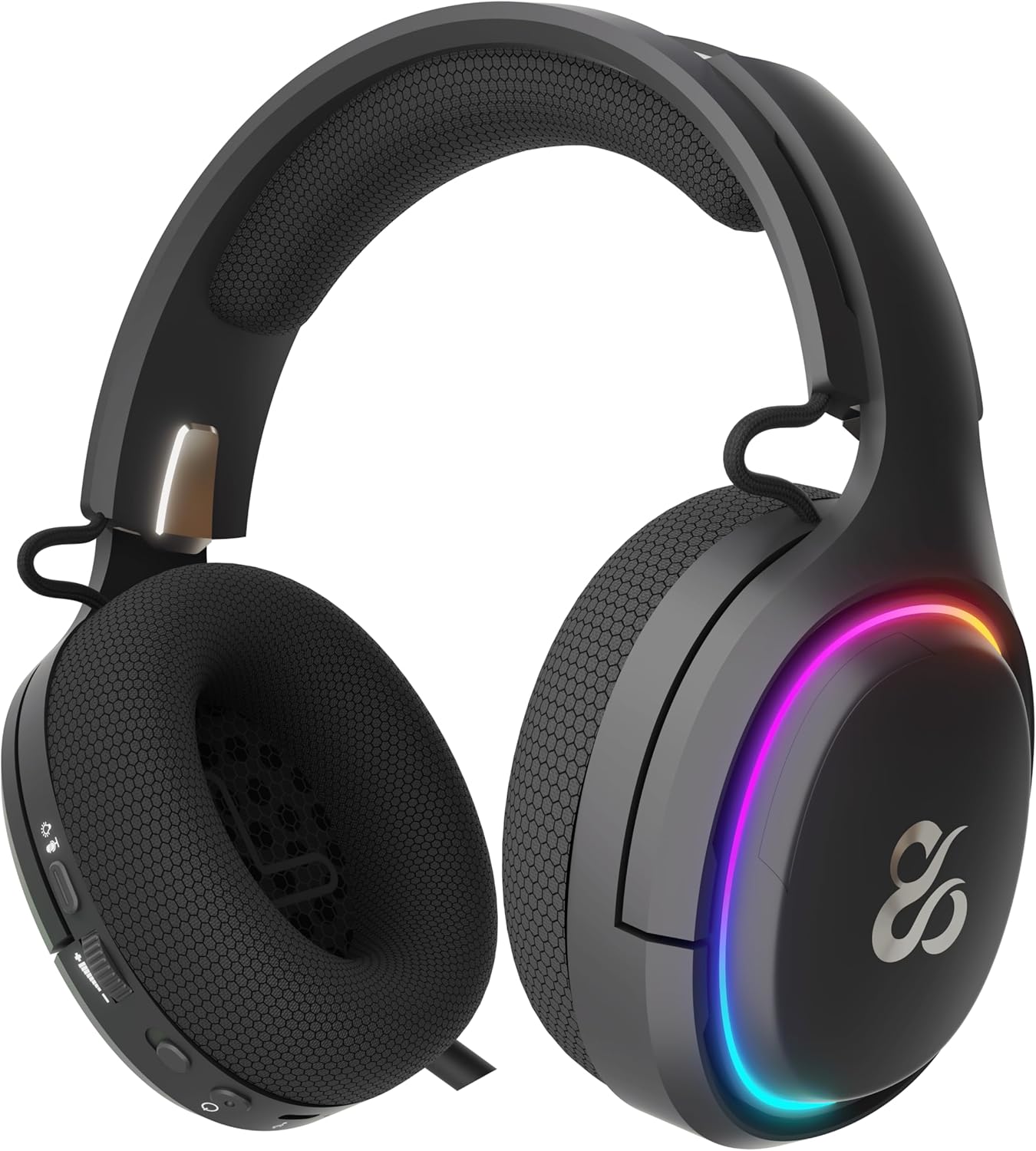
The earcup's outer ring illuminates with a colorful RGB light effect, customizable via the dedicated control button.
4.5. การชาร์จไฟ
- Connect the provided USB-C cable to the headset's USB-C port and to a power source (e.g., computer USB port, USB wall adapter).
- The indicator light will show the charging status (e.g., red for charging, off or green for fully charged).
- A full charge provides up to 60 hours of use without RGB lighting, or 38 hours with RGB lighting enabled.
5. การบำรุงรักษา
5.1. การทำความสะอาด
- ใช้ผ้าแห้งนุ่มและไม่ขุยทำความสะอาดชุดหูฟัง
- หลีกเลี่ยงการใช้สารเคมีรุนแรง น้ำยาทำความสะอาด หรือผงซักฟอกที่แรง
- ห้ามจุ่มหูฟังลงในน้ำหรือให้สัมผัสกับความชื้นมากเกินไป
5.2. การจัดเก็บ
- เก็บหูฟังไว้ในที่แห้งและเย็น หลีกเลี่ยงแสงแดดโดยตรงและอุณหภูมิที่สูงหรือต่ำเกินไป
- หลีกเลี่ยงการวางวัตถุหนักบนหูฟังเพื่อป้องกันความเสียหาย
6 การแก้ไขปัญหา
- ไม่มีเสียง:
- Check the headset's volume roller and ensure it is not at the minimum setting.
- Verify the headset is properly connected (2.4G dongle inserted, Bluetooth paired, or USB-C cable secure).
- Confirm the correct audio output device is selected in your computer or console's sound settings.
- ตรวจสอบให้แน่ใจว่าชุดหูฟังมีการชาร์จแล้ว
- ไมโครโฟนไม่ทำงาน:
- ตรวจสอบให้แน่ใจว่าไมโครโฟนถูกยืดออกและไม่ได้ปิดเสียง (ตรวจสอบปุ่มปิดเสียง)
- Verify the correct audio input device is selected in your computer or console's sound settings.
- ทดสอบไมโครโฟนด้วยแอปพลิเคชันหรืออุปกรณ์อื่น
- ปัญหาการเชื่อมต่อ:
- For 2.4G wireless, try re-inserting the USB dongle and restarting the headset.
- For Bluetooth, unpair the headset from your device and then re-pair it. Ensure no other Bluetooth devices are interfering.
- For wired connection, ensure the USB-C cable is fully inserted at both ends.
- ปัญหาการชาร์จ:
- Ensure the USB-C cable is not damaged and is securely connected.
- ลองใช้พอร์ต USB หรืออะแดปเตอร์จ่ายไฟอื่น
7. ข้อมูลจำเพาะ
- หมายเลขรุ่น:
- NS-HS-ATONV2
- การเชื่อมต่อ:
- 2.4G ไร้สาย, บลูทูธ 5.0, USB-C แบบมีสาย
- ไดรเวอร์:
- 50mm Neodymium Magnets
- ไมโครโฟน:
- Omnidirectional, Retractable
- อายุการใช้งานแบตเตอรี่:
- ใช้งานได้นานสูงสุด 60 ชั่วโมง (โดยไม่ใช้ไฟ RGB), 38 ชั่วโมง (โดยใช้ไฟ RGB)
- พอร์ตชาร์จ:
- ยูเอสบี-ซี
- อุปกรณ์ที่รองรับ:
- PC, PlayStation 5 (PS5), Nintendo Switch, Mobile Phones
- ขนาด :
- 10 x 270 x 21 ซม.
- น้ำหนัก:
- 860 กรัม
8. ข้อมูลด้านความปลอดภัย
- ควรหลีกเลี่ยงการฟังเพลงด้วยเสียงดังเป็นเวลานานเพื่อป้องกันความเสียหายต่อการได้ยิน
- อย่าให้ชุดหูฟังโดนน้ำ ความชื้น หรืออุณหภูมิที่สูงหรือต่ำเกินไป
- ห้ามถอดประกอบหรือดัดแปลงชุดหูฟังโดยเด็ดขาด การกระทำดังกล่าวอาจทำให้การรับประกันเป็นโมฆะและก่อให้เกิดความเสียหายได้
- เก็บชุดหูฟังและอุปกรณ์เสริมให้พ้นมือเด็กและสัตว์เลี้ยง
- ทิ้งแบตเตอรี่อย่างถูกวิธีตามระเบียบข้อบังคับของท้องถิ่น
9. การรับประกันและการสนับสนุน
This product is covered by a manufacturer's warranty. For detailed warranty information, technical support, or service inquiries, please refer to the official NEWSKILL webโปรดเยี่ยมชมเว็บไซต์หรือติดต่อฝ่ายบริการลูกค้าของพวกเขา โปรดเก็บหลักฐานการซื้อไว้เพื่อใช้ในการเคลมประกัน