
1. บทนำ
Thank you for choosing the STF G Track Ultra Portable Speaker. This manual provides essential information for the safe and efficient operation of your device. Please read it thoroughly before use and retain it for future reference. This portable speaker features a 4-inch driver, 20W output, RGB LED lighting, True Wireless Stereo (TWS) functionality, Bluetooth 5 connectivity, and multiple playback options including USB, Micro SD, Aux, FM radio, and microphone input.
2. เนื้อหาบรรจุภัณฑ์
ตรวจสอบว่ามีรายการทั้งหมดอยู่ในแพ็คเกจ:
- STF G Track Ultra Portable Speaker
- สายชาร์จแบบ USB Type-C
- Auxiliary 3.5mm Audio Cable
- คู่มือการใช้งาน
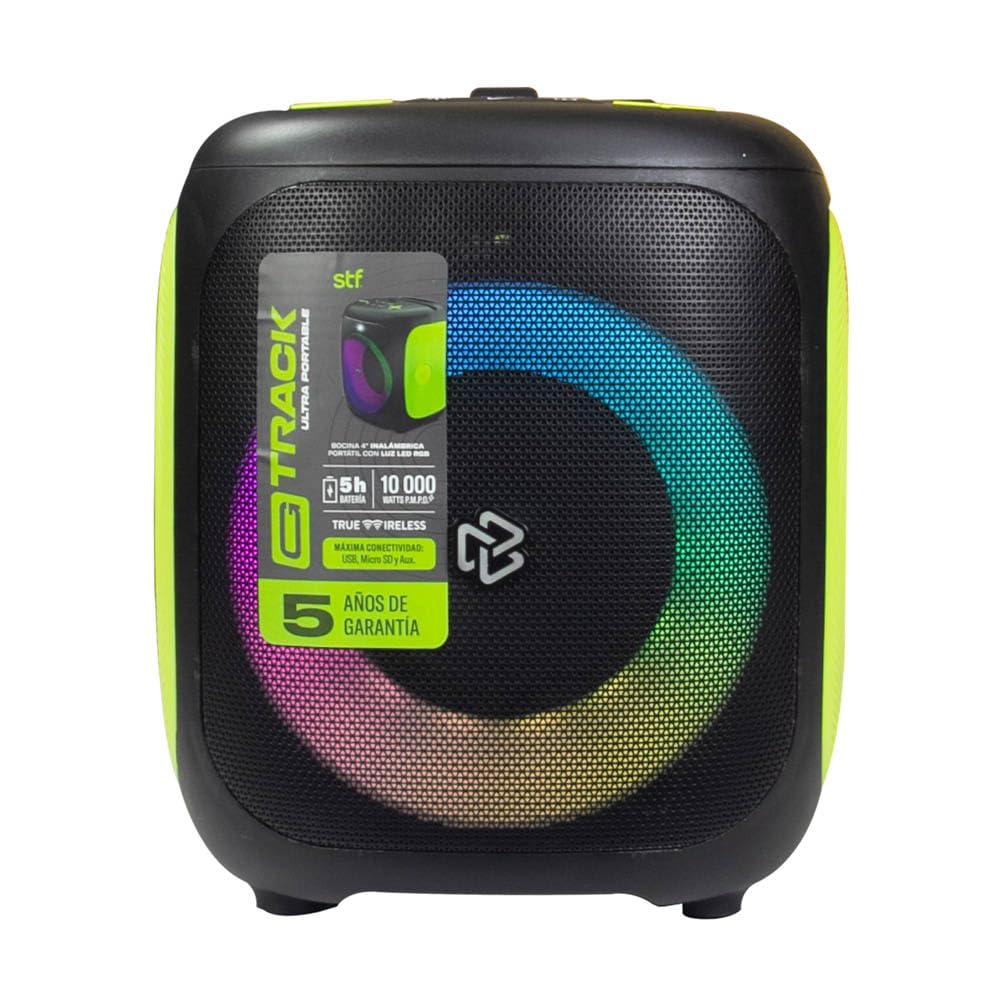
Image 2.1: STF G Track Ultra Portable Speaker with its charging cable, auxiliary cable, and user manual.
3. สินค้าหมดview
3.1 แผงควบคุม
The control panel is located on the top of the speaker and provides access to all primary functions.

Image 3.1: Top control panel with buttons for mode, menu, power, volume, LED, play/pause, and EQ.
- ปุ่ม M (โหมด): Switches between Bluetooth, USB, Micro SD, Aux, and FM radio modes.
- ปุ่มเมนู: Accesses additional settings or functions depending on the mode.
- ปุ่มเปิด/ปิด (⑁): Press and hold to power on/off. Short press to play/pause in music modes.
- ลดเสียง (-) / เพลงก่อนหน้า: กดสั้นๆ เพื่อเล่นเพลงก่อนหน้า กดค้างเพื่อลดระดับเสียง
- เพิ่มเสียง (+) / เพลงถัดไป: กดสั้นๆ เพื่อเล่นเพลงถัดไป กดค้างเพื่อเพิ่มระดับเสียง
- LED Button (☀): ควบคุมเอฟเฟกต์แสง RGB
- ปุ่มเล่น/หยุดชั่วคราว (▶): เริ่มหรือหยุดการเล่นเสียงชั่วคราว
- EQ Button (EQ 1.2.3): วนเลือกค่าอีควอไลเซอร์ที่ตั้งไว้ล่วงหน้า
3.2 พอร์ตและการเชื่อมต่อ
The connection ports are typically located on the rear or side of the speaker.

ภาพที่ 3.2: ด้านหลัง view of the speaker, highlighting the bass port and potential charging/input ports (not visible in this specific image, but typically located near the bottom or side).
- พอร์ต USB: สำหรับการเล่นแฟลชไดรฟ์ USB
- ช่องเสียบการ์ด Micro SD: สำหรับการเล่นการ์ด Micro SD
- ช่องต่อ AUX (3.5 มม.): For connecting external audio devices via an auxiliary cable.
- อินพุตไมโครโฟน: สำหรับเชื่อมต่อไมโครโฟนแบบมีสาย
- พอร์ตชาร์จ USB Type-C: สำหรับชาร์จแบตเตอรี่ภายในลำโพง
4. การตั้งค่า
4.1 การชาร์จลำโพง
- เชื่อมต่อสาย USB Type-C ที่ให้มากับพอร์ตชาร์จของลำโพง
- Connect the other end of the USB cable to a compatible USB power adapter (5V/1A recommended, not included) or a computer's USB port.
- ไฟแสดงสถานะการชาร์จจะสว่างขึ้น โดยปกติจะเป็นสีแดง ในระหว่างการชาร์จ
- Once fully charged, the indicator light will change color or turn off (refer to specific product LED behavior). A full charge provides approximately 5 hours of playback.
4.2 เปิด/ปิดเครื่อง
- To power on, press and hold the Power button (⑁) for approximately 2-3 seconds until you hear an audible prompt or see the LED lights activate.
- To power off, press and hold the Power button (⑁) again for approximately 2-3 seconds.
4.3 การจับคู่บลูทูธ
- Ensure the speaker is powered on and in Bluetooth mode. If not, press the 'M' (Mode) button until you hear the Bluetooth prompt. The LED indicator will typically flash, indicating it's in pairing mode.
- บนอุปกรณ์พกพาของคุณ (สมาร์ทโฟน แท็บเล็ต คอมพิวเตอร์) เปิดใช้งานบลูทูธและค้นหาอุปกรณ์ที่ใช้งานได้
- Select "STF G Track" from the list of found devices.
- เมื่อจับคู่สำเร็จแล้ว คุณจะได้ยินเสียงยืนยัน และไฟ LED จะหยุดกะพริบและติดสว่างค้างอยู่
- ลำโพงจะเชื่อมต่อกับอุปกรณ์ที่จับคู่ล่าสุดโดยอัตโนมัติเมื่อเปิดเครื่อง หากบลูทูธของอุปกรณ์นั้นเปิดใช้งานอยู่และอยู่ในระยะทำการ
การจับคู่ระบบเสียงสเตอริโอไร้สาย 4.4 True Wireless Stereo (TWS)
TWS allows you to connect two STF G Track speakers for a stereo sound experience.
- Ensure both STF G Track speakers are powered on and in Bluetooth mode, but not yet connected to any device.
- On one of the speakers (this will be the primary speaker), press and hold the 'M' (Mode) button for approximately 3-5 seconds. You should hear a pairing tone.
- ลำโพงทั้งสองตัวจะค้นหาและเชื่อมต่อกันโดยอัตโนมัติ เมื่อเชื่อมต่อแล้ว คุณจะได้ยินเสียงยืนยัน
- Now, on your mobile device, search for Bluetooth devices and connect to the primary speaker (e.g., "STF G Track"). Both speakers will now play audio in stereo.
5. คู่มือการใช้งาน
5.1 Music Playback (USB, Micro SD, Aux)
- ยูเอสบี/ไมโคร SD: เสียบแฟลชไดรฟ์ USB หรือการ์ด Micro SD (ที่รองรับระบบเสียง) files) into the corresponding port. The speaker will automatically switch to USB/Micro SD mode and begin playback. Use the Play/Pause, Next, and Previous buttons to control playback.
- อินพุตเสริม: Connect an external audio device (e.g., MP3 player, smartphone) to the speaker's 3.5mm AUX input using the provided auxiliary cable. Press the 'M' (Mode) button until you select AUX mode. Control playback from your connected device.
5.2 วิทยุ FM
- Press the 'M' (Mode) button repeatedly until you select FM radio mode.
- To automatically scan and save available stations, press and hold the Play/Pause button (▶). The speaker will scan and store stations.
- Use the Next (+) and Previous (-) buttons to navigate between saved FM stations.
5.3 การใช้งานไมโครโฟน
- Connect a wired microphone (not included) to the microphone input port on the speaker.
- Adjust the microphone volume using the speaker's volume controls or any dedicated microphone volume knob if available.
5.4 การควบคุมไฟ LED
- Press the LED button (☀) to cycle through different RGB lighting modes or to turn the lights off.
5.5 อีควอไลเซอร์ (EQ)
- Press the EQ button (EQ 1.2.3) to switch between available equalizer presets (e.g., Pop, Rock, Jazz, Classic, Flat) to optimize the sound for different music genres.
6. การบำรุงรักษา
- การทำความสะอาด: ใช้ผ้าแห้งเนื้อนุ่มเช็ดทำความสะอาดภายนอกลำโพง ห้ามใช้สารทำความสะอาดที่มีฤทธิ์กัดกร่อน แว็กซ์ หรือตัวทำละลาย
- พื้นที่จัดเก็บ: เก็บลำโพงไว้ในที่แห้งและเย็น หลีกเลี่ยงแสงแดดโดยตรงและอุณหภูมิที่สูงหรือต่ำเกินไป
- การดูแลแบตเตอรี่ เพื่อยืดอายุการใช้งานแบตเตอรี่ ควรหลีกเลี่ยงการใช้แบตเตอรี่จนหมดบ่อยๆ ควรชาร์จลำโพงเป็นประจำ แม้จะไม่ได้ใช้งานเป็นเวลานานก็ตาม
- ความต้านทานน้ำ: ลำโพงนี้ไม่กันน้ำ โปรดหลีกเลี่ยงการสัมผัสน้ำหรือความชื้นมากเกินไป
7 การแก้ไขปัญหา
| ปัญหา | สาเหตุที่เป็นไปได้ | สารละลาย |
|---|---|---|
| ลำโพงไม่เปิดเครื่อง | แบตเตอรี่อ่อน | ชาร์จลำโพงโดยใช้สาย USB Type-C ที่ให้มา |
| ไม่มีเสียง. | ระดับเสียงเบาเกินไป; เลือกโหมดไม่ถูกต้อง; ไม่ได้เชื่อมต่ออุปกรณ์ | Increase volume; press 'M' to select correct input mode; ensure Bluetooth device is paired or AUX cable is fully inserted. |
| การจับคู่บลูทูธล้มเหลว | ลำโพงไม่ได้อยู่ในโหมดจับคู่ อุปกรณ์อยู่ไกลเกินไป มีสัญญาณรบกวน | Ensure speaker is in Bluetooth pairing mode (flashing LED); move device closer to speaker; turn off other Bluetooth devices. |
| การจับคู่ TWS ล้มเหลว | Speakers already connected to a device; incorrect pairing procedure. | ถอดลำโพงทั้งสองตัวออกจากอุปกรณ์บลูทูธใดๆ ทำตามขั้นตอนการจับคู่ TWS อย่างระมัดระวัง |
| การรับสัญญาณวิทยุ FM ไม่ดี | สัญญาณอ่อน; มีสัญญาณรบกวนจากสภาพแวดล้อม | ย้ายลำโพงไปยังบริเวณที่มีสัญญาณรับดีกว่า |
8. ข้อมูลจำเพาะ
| ชื่อรุ่น | ST-S49667 |
| ประเภทลำโพง | พกพาได้ |
| ขนาดลำโพง | 4 นิ้ว |
| กำลังขับสูงสุด | 20 วัตต์ |
| การตอบสนองความถี่ | 100เฮิรตซ์ - 20กิโลเฮิรตซ์ |
| ระดับความดันเสียง (SPL) | 95 dBSPL |
| เวอร์ชันบลูทูธ | บลูทูธ 5 |
| ช่วงสาย | สูงถึง 10 เมตร (33 ฟุต) |
| ความจุของแบตเตอรี่ | 3000 มิลลิแอมป์ |
| อายุการใช้งานแบตเตอรี่โดยเฉลี่ย | ใช้งานได้นานสูงสุด 5 ชั่วโมง (ที่ระดับเสียงปานกลาง) |
| พอร์ตชาร์จ | ยูเอสบี ไทป์ ซี |
| ตัวเลือกการเชื่อมต่อ | Bluetooth, USB, Micro SD, Aux 3.5mm, FM Radio, Microphone Input |
| วิธีการควบคุม | ปุ่มสัมผัส |
| คุณสมบัติพิเศษ | RGB LED Lighting, True Wireless Stereo (TWS) |
9. การรับประกันและการสนับสนุน
This product comes with a standard warranty. Please refer to the warranty card included in your package for detailed terms and conditions. For technical support, troubleshooting assistance, or warranty claims, please contact STF customer service through their official webเว็บไซต์หรือข้อมูลติดต่อที่ระบุไว้ในเอกสารการรับประกันของคุณ
ประเภทการรับประกัน: มาตรฐาน
10. วิดีโอผลิตภัณฑ์view
Video 10.1: An official product video providing a general overview of the STF G Track Ultra Portable Speaker's features and design.