
การแนะนำ
Thank you for choosing the OPPO Enco Buds3 Wireless Earbuds. This manual provides essential information for the safe and efficient use of your device. Please read it thoroughly before use and retain it for future reference.
มีอะไรอยู่ในกล่อง
- หูฟังไร้สาย OPPO Enco Buds3 (ข้างซ้ายและข้างขวา)
- เคสชาร์จไฟ
- สายชาร์จแบบ USB Type-C
- คู่มือการใช้งาน

Image: OPPO Enco Buds3 earbuds and charging case, illustrating the contents of the package.
สินค้าเกินview
The OPPO Enco Buds3 are designed for comfort and high-quality audio. Familiarize yourself with the components:
- หูฟัง: หูฟังข้างซ้ายและขวา มีระบบควบคุมแบบสัมผัส
- เคสชาร์จ: Houses and charges the earbuds, with a Type-C charging port and an LED indicator.

ภาพ: ด้านหน้า view of the OPPO Enco Buds3 earbuds placed inside their open charging case, showing the 'oppo' branding on the case.

ภาพ: ด้านข้าง view of two individual OPPO Enco Buds3 earbuds, highlighting their ergonomic design.
การตั้งค่า
1. การชาร์จหูฟังและเคส
ก่อนใช้งานครั้งแรก ควรชาร์จหูฟังและเคสชาร์จให้เต็ม
- วางหูฟังลงในกล่องชาร์จ
- เชื่อมต่อสายชาร์จ USB Type-C เข้ากับพอร์ตชาร์จบนเคสและแหล่งจ่ายไฟ
- The LED indicator on the case will show charging status. A full charge takes approximately 2 hours.
2. การจับคู่กับอุปกรณ์ของคุณ
The OPPO Enco Buds3 utilize Bluetooth 5.4 for a stable connection.
- เปิดกล่องชาร์จ หูฟังจะเข้าสู่โหมดจับคู่โดยอัตโนมัติ (ไฟ LED จะกะพริบ)
- On your smartphone or Bluetooth device, go to Bluetooth settings and enable Bluetooth.
- Select "OPPO Enco Buds3" from the list of available devices.
- For Android devices, Google Quick Connect allows for one-tap pairing when the case is opened near your phone.
- Once paired, the LED indicator on the case will turn solid, and you will hear a confirmation tone.
คำแนะนำการใช้งาน
การควบคุมแบบสัมผัส
The earbuds feature intuitive touch controls. The default functions are:
| การกระทำ | การทำงาน |
|---|---|
| แตะสองครั้ง (หูฟังข้างซ้าย/ขวา) | Play/Pause, Answer/End Call, Take Photo (customizable via app) |
| แตะสามครั้ง (หูฟังข้างซ้าย/ขวา) | Next Track, Activate Google Assistant (customizable via app) |
| Touch and Hold (Left/Right Earbud) | Volume Up/Down (customizable via app) |
Note: Specific touch control functions can be customized through the OPPO HeyMelody app.
โหมดเสียง
The Enco Buds3 offer customizable sound profiles:
- ค่าเริ่มต้น: Standard balanced audio.
- เสียงร้องที่ชัดเจน: Enhances vocal clarity for podcasts and calls.
- เพิ่มเสียงเบส: Amplifies low frequencies for a richer bass experience.
- เสียงต้นฉบับ: Provides an authentic, uncolored audio reproduction.
These modes, along with 6 other sound settings, can be accessed and adjusted via the OPPO HeyMelody app.
ผู้ช่วย Google
You can activate Google Assistant by triple-tapping one of the earbuds (if configured). This allows for voice commands and quick access to information.
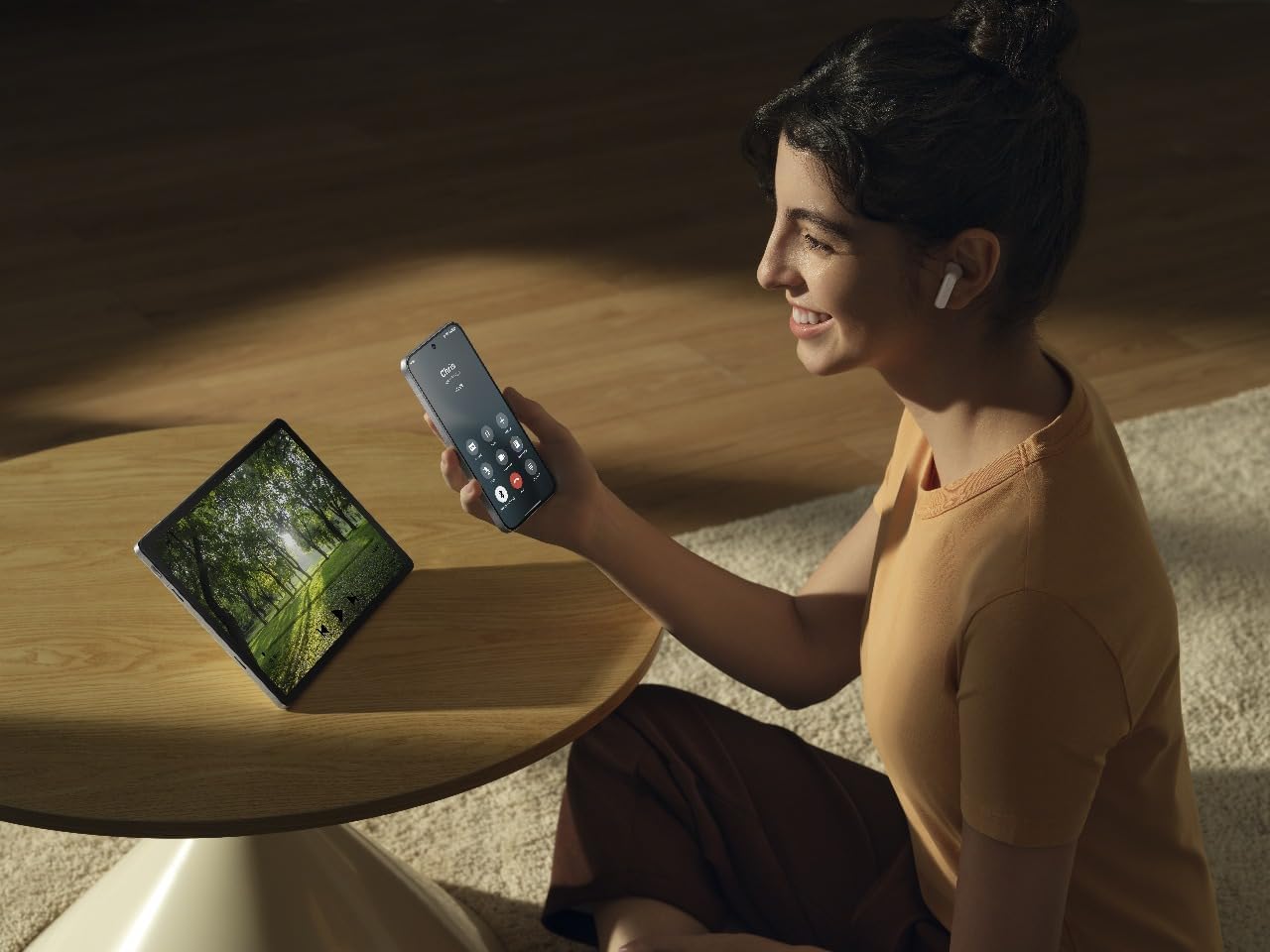
Image: A person wearing OPPO Enco Buds3 earbuds, smiling while holding a smartphone, demonstrating active use and connectivity.
การซ่อมบำรุง
การทำความสะอาด
การทำความสะอาดเป็นประจำช่วยรักษาคุณภาพเสียงและสุขอนามัย
- เช็ดหูฟังและกล่องชาร์จเบาๆ ด้วยผ้าแห้งนุ่มที่ไม่เป็นขุย
- ห้ามใช้สารทำความสะอาดที่มีฤทธิ์กัดกร่อน แอลกอฮอล์ หรือตัวทำละลายเคมี
- ตรวจสอบให้แน่ใจว่าหน้าสัมผัสการชาร์จสะอาดและแห้ง
พื้นที่จัดเก็บ
เมื่อไม่ได้ใช้งาน ให้เก็บหูฟังไว้ในกล่องชาร์จเพื่อปกป้องหูฟังและเพื่อให้แน่ใจว่าหูฟังจะยังคงชาร์จอยู่
- ควรหลีกเลี่ยงอุณหภูมิที่สูงจัดและความชื้นสูง
- เก็บให้พ้นจากมือเด็กและสัตว์เลี้ยง
การแก้ไขปัญหา
ไม่มีเสียง / การเชื่อมต่อขาดหาย
- ตรวจสอบให้แน่ใจว่าหูฟังมีการชาร์จแล้ว
- ตรวจสอบว่าบลูทูธเปิดใช้งานอยู่บนอุปกรณ์ของคุณและหูฟังเชื่อมต่อเรียบร้อยแล้ว
- Try re-pairing the earbuds: Place them in the case, close the lid, then open it again to enter pairing mode.
- ขยับเข้าไปใกล้อุปกรณ์ของคุณเพื่อหลีกเลี่ยงการรบกวน
หูฟังเอียร์บัดไม่ชาร์จ
- ตรวจสอบให้แน่ใจว่าสายชาร์จเชื่อมต่อกับเคสและแหล่งจ่ายไฟอย่างแน่นหนา
- ตรวจสอบว่าหน้าสัมผัสการชาร์จบนหูฟังและภายในเคสสะอาดหรือไม่
- ลองใช้สายชาร์จหรืออะแดปเตอร์ไฟอื่น
การควบคุมแบบสัมผัสไม่ตอบสนอง
- ให้แน่ใจว่านิ้วของคุณสะอาดและแห้งเมื่อใช้ระบบควบคุมแบบสัมผัส
- Restart the earbuds by placing them in the case and closing the lid for a few seconds.
- Check the OPPO HeyMelody app for any firmware updates.
ข้อมูลจำเพาะ
| คุณสมบัติ | รายละเอียด |
|---|---|
| ยี่ห้อ | ออปโป้ |
| ชื่อรุ่น | Enco Buds3 (ETEG1) |
| สี | สีดำ |
| การวางตำแหน่งหู | อินเอียร์ |
| เทคโนโลยีการเชื่อมต่อ | บลูทูธ 5.4 |
| ขนาดไดร์เวอร์ | 12มม. |
| การตอบสนองความถี่ | 1 kHz (Note: This value seems unusually low for a full frequency response range. It might refer to a specific test point or be an error in the source data.) |
| ความไวต่อความรู้สึก | 123 เดซิเบล |
| อายุการใช้งานแบตเตอรี่ (หูฟัง + เคส) | นานถึง 48 ชั่วโมง |
| เวลาในการชาร์จ | ประมาณ 2 ชั่วโมง (สำหรับการชาร์จเต็ม) |
| วัสดุ | พลาสติก |
| ความต้านทานต่อน้ำ | IP55 Certified (from product title) |
ข้อมูลด้านความปลอดภัย
- Do not expose the earbuds or case to extreme temperatures, direct sunlight, or fire.
- หลีกเลี่ยงการฟังในระดับเสียงสูงเป็นเวลานานเพื่อป้องกันความเสียหายต่อการได้ยิน
- อย่าพยายามถอดประกอบหรือซ่อมแซมอุปกรณ์ด้วยตนเอง โปรดติดต่อเจ้าหน้าที่บริการที่ได้รับอนุญาต
- Keep the device away from water and liquids, unless specified by its IP rating.
- กำจัดอุปกรณ์และแบตเตอรี่อย่างมีความรับผิดชอบตามกฎระเบียบท้องถิ่น
การรับประกันและการสนับสนุน
For warranty information and technical support, please refer to the warranty card included in your product packaging or visit the official OPPO website. You can also contact OPPO customer service for assistance.
Note: The included user manual in the box contains specific warranty details for your region.