
การแนะนำ
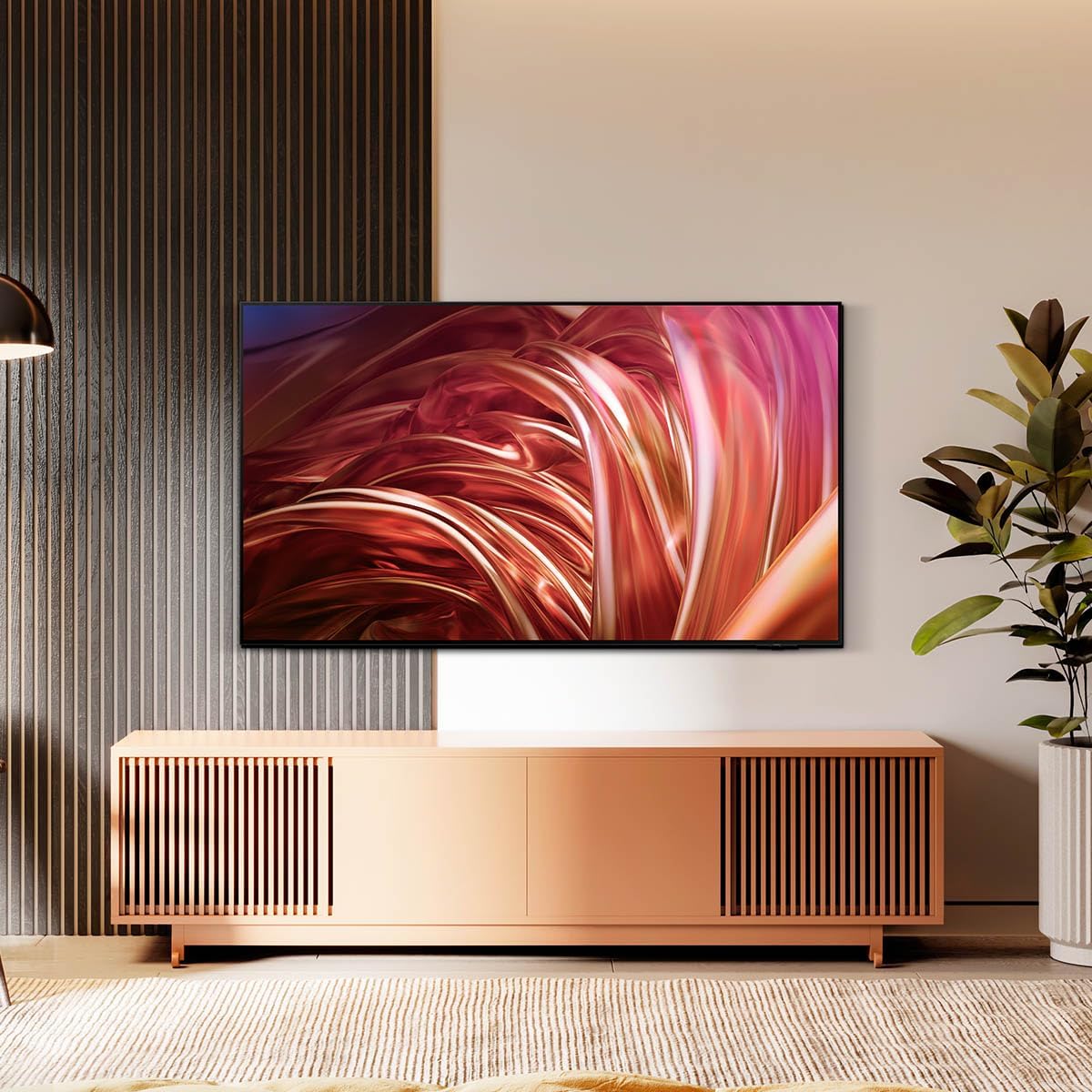
This manual provides essential information for the setup, operation, maintenance, and troubleshooting of your Samsung QN55S85DAEXZX 55-inch 4K OLED Television. The Samsung QN55S85DAEXZX features a 55-inch OLED S85D display, delivering pure blacks, balanced brightness, and Pantone validated color reproduction through its WOLED panel. Powered by the NQ4 AI Gen 2 processor, it optimizes both image and sound in real-time. With a 120 Hz refresh rate, Motion Xcelerator, and HDMI 2.1, it is suitable for gaming and sports. Its bezel-less Contour Design integrates seamlessly into any room. The television includes Tizen OS, voice control, and Dolby Atmos technology for an immersive audio experience.
การตั้งค่า
1. การเปิดออกและการตรวจสอบ
นำโทรทัศน์และอุปกรณ์ทั้งหมดออกจากบรรจุภัณฑ์อย่างระมัดระวัง ตรวจสอบให้แน่ใจว่ามีสิ่งของต่อไปนี้ครบถ้วน:
- Samsung QN55S85DAEXZX 55-inch 4K OLED Television
- สายไฟ
- รีโมทคอนโทรล
- คู่มือการใช้งาน (เอกสารนี้)
2. การติดตั้งขาตั้ง
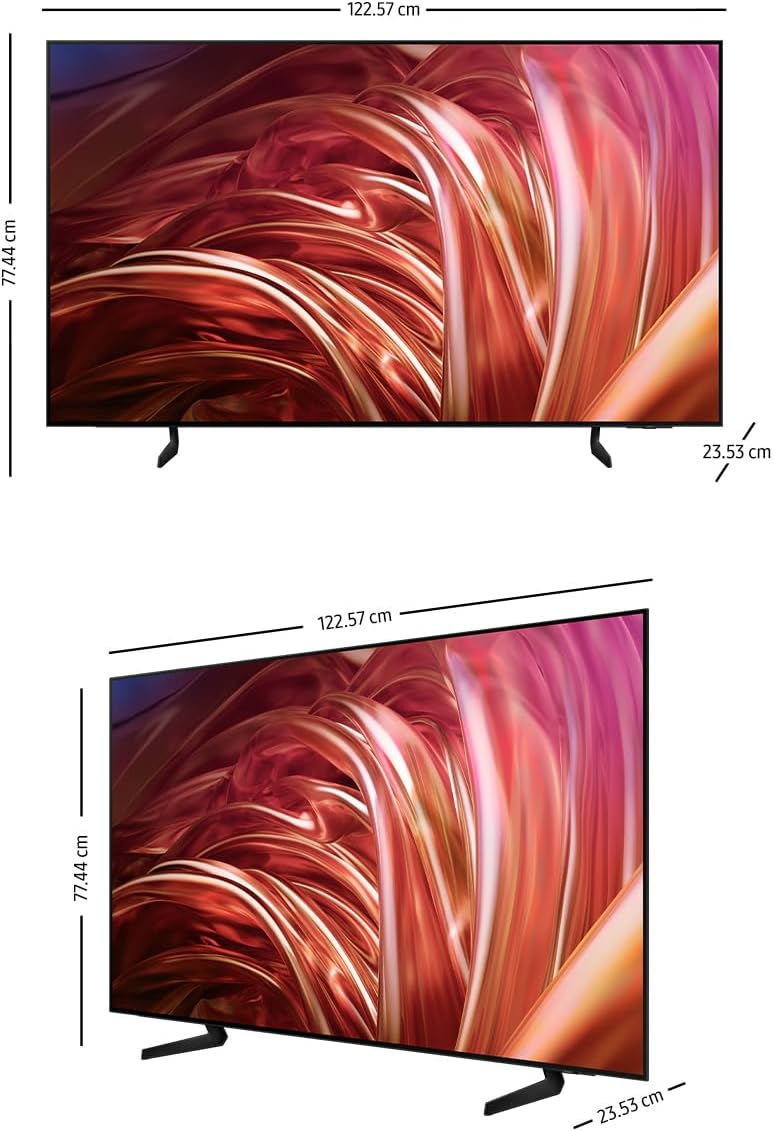
If you are not wall-mounting the television, attach the included stand. Place the television face down on a soft, flat surface to prevent screen damage. Align the stand with the mounting holes on the back of the television and secure it with the provided screws. Refer to the diagram below for proper stand attachment.

3. การเชื่อมต่ออุปกรณ์ภายนอก
Connect your external devices (e.g., cable box, Blu-ray player, gaming console) to the appropriate HDMI or USB ports on the back of the television. The QN55S85DAEXZX features 4 HDMI ports and 2 USB ports.
4 การเชื่อมต่อไฟฟ้าและการตั้งค่าเริ่มต้น
Plug the power cable into the television and then into a wall outlet. Turn on the television using the remote control. Follow the on-screen instructions for the initial setup, which includes language selection, network connection (Wi-Fi or Ethernet), and channel scanning.
คำแนะนำการใช้งาน
1. ฟังก์ชั่นการควบคุมระยะไกล
Use the provided remote control to navigate the television's interface. Common functions include power on/off, volume control, channel selection, input source selection, and accessing the Smart Hub.
2. Navigating Tizen OS Smart Hub
Press the Home button on your remote to access the Tizen OS Smart Hub. From here, you can launch applications like Samsung TV Plus and Gaming Hub, manage connected devices via SmartThings, and adjust various settings.
3. การตั้งค่าภาพและเสียง
Access the settings menu to customize picture and sound quality. The television features OLED technology for deep blacks and vibrant colors, and the NQ4 AI Gen 2 processor enhances content to 4K resolution. Dolby Atmos provides immersive audio.


4. การควบคุมด้วยเสียง
The television supports voice control. Press the microphone button on your remote and speak commands to control the TV, search for content, or access features.
การซ่อมบำรุง
1. การทำความสะอาดหน้าจอและกรอบ
ในการทำความสะอาดหน้าจอ ให้เช็ดเบาๆ ด้วยผ้าไมโครไฟเบอร์ที่นุ่มและแห้ง สำหรับรอยฝังแน่น ให้เช็ดเบาๆampen the cloth with water or a screen-specific cleaning solution. Avoid using harsh chemicals or abrasive materials. Clean the television frame with a soft, dry cloth.
2. การอัปเดตซอฟต์แวร์
Ensure your television's software is up to date for optimal performance and security. The TV can be set to update automatically via its network connection. You can also manually check for updates in the settings menu.
3. เคล็ดลับการประหยัดพลังงาน
To reduce power consumption, adjust the brightness settings, enable the Eco Sensor, and set a sleep timer when not actively watching the television.
การแก้ไขปัญหา
ปัญหาทั่วไปและวิธีแก้ไข:
- ไม่มีไฟฟ้า: ตรวจสอบให้แน่ใจว่าสายไฟเชื่อมต่อกับทีวีและเต้ารับที่ผนังอย่างแน่นหนาแล้ว และตรวจสอบว่าเต้ารับใช้งานได้ปกติหรือไม่
- ไม่มีภาพ/เสียง: Verify the correct input source is selected. Check all cable connections to external devices. Restart the television.
- รีโมทคอนโทรลไม่ทำงาน: เปลี่ยนแบตเตอรี่ในรีโมต ตรวจสอบให้แน่ใจว่าไม่มีสิ่งกีดขวางระหว่างรีโมตและเซ็นเซอร์ของทีวี
- ปัญหาการเชื่อมต่อเครือข่าย: Check your Wi-Fi router or Ethernet cable. Restart the router and the television. Re-enter Wi-Fi password if necessary.
รีเซ็ตเป็นค่าเริ่มต้นจากโรงงาน:
If issues persist, performing a factory reset may resolve them. This will revert all settings to their default values. Navigate to the settings menu, find 'General' or 'Support', and select 'Self Diagnosis' or 'Reset'. Follow the on-screen prompts.
ข้อมูลจำเพาะ
| คุณสมบัติ | ข้อมูลจำเพาะ |
|---|---|
| ชื่อรุ่น | QN55S85DAEXZX |
| ขนาดหน้าจอ | 55 นิ้ว |
| เทคโนโลยีการแสดงผล | โอแอลอีดี |
| ปณิธาน | 4K (3840x2160) ความคมชัดระดับ XNUMXK |
| อัตราการรีเฟรช | 120 เฮิรตซ์ |
| โปรเซสเซอร์ | NQ4 AI Gen2 |
| การเชื่อมต่อ | Bluetooth, HDMI (4 ports), USB (2 ports), Wi-Fi |
| เทคโนโลยีเสียง | Dolby Atmos, Object Tracking Sound+ (OTS+) |
| ระบบปฏิบัติการ | ระบบปฏิบัติการ Tizen |
| ขนาด (D x W x H) | 23.5 ซม. x 122.6 ซม. x 77.4 ซม. |
| ส่วนประกอบที่รวมอยู่ | Power Cable, Remote Control, User Manual |
ข้อมูลการรับประกัน
This Samsung QN55S85DAEXZX television comes with a 1-year manufacturer's limited warranty. This warranty covers defects in materials and workmanship under normal use. For specific terms and conditions, please refer to the warranty card included with your product or visit the official Samsung support webเว็บไซต์.
สนับสนุน
For further assistance, technical support, or service requests, please visit the official Samsung support website or contact Samsung customer service. You can find contact details and additional resources on the Samsung webเว็บไซต์.