
1. บทนำ
This manual provides detailed instructions for the eppfun DX08 Pro Wireless Bluetooth Neckband Headphones. Please read this manual thoroughly before using the product to ensure proper operation and to maximize its performance and lifespan. The DX08 Pro features advanced Bluetooth 5.4 technology, supporting high-fidelity audio codecs such as LDAC, aptX Lossless, aptX Adaptive, and aptX-HD, powered by the QCC3095 chip.
2. เนื้อหาบรรจุภัณฑ์
ตรวจสอบว่ารายการทั้งหมดที่ระบุไว้ด้านล่างมีอยู่ในบรรจุภัณฑ์ผลิตภัณฑ์ของคุณ:
- eppfun DX08 Pro Wireless Bluetooth Neckband
- MMCX Earphone Cable (pre-attached or separate)
- สายชาร์จ USB
- คู่มือการใช้งาน (เอกสารนี้)
- (Assumed: Various sizes of ear tips for optimal fit)

Image: The eppfun DX08 Pro neckband with its detachable MMCX earphone cables.
3. การตั้งค่า
3.1. การชาร์จอุปกรณ์
- Connect the USB charging cable to the charging port on the neckband.
- เชื่อมต่อปลายอีกด้านหนึ่งของสาย USB เข้ากับแหล่งพลังงาน USB ที่ใช้งานร่วมกันได้ (เช่น พอร์ต USB ของคอมพิวเตอร์ อะแดปเตอร์ติดผนัง)
- The LED indicator on the neckband will illuminate to show charging status. Refer to the LED indicator section for details.
- โดยทั่วไปการชาร์จเต็มจะใช้เวลาประมาณ 2 ชั่วโมง
- ถอดสายชาร์จออกเมื่อชาร์จเต็มแล้ว

Image: Close-up of the eppfun DX08 Pro neckband, showing the control panel and charging port area.
3.2. Connecting MMCX Earphones
The eppfun DX08 Pro neckband uses standard MMCX connectors, allowing you to attach compatible earphones.
- Identify the left (L) and right (R) connectors on both the neckband and your MMCX earphones.
- Align the MMCX connector on the earphone cable with the corresponding port on the neckband.
- Gently push the earphone connector into the neckband port until you feel a secure click. Do not force the connection.
- To disconnect, firmly grasp the earphone connector (not the cable) and pull it straight out from the neckband port.

Image: The eppfun DX08 Pro neckband with its MMCX connectors, ready for earphone attachment.
3.3. การจับคู่บลูทู ธ
- เปิดเครื่อง: Press and hold the Power button on the neckband until the LED indicator flashes, indicating it is in pairing mode.
- เปิดใช้งานบลูทูธ: บนอุปกรณ์ของคุณ (สมาร์ทโฟน แท็บเล็ต คอมพิวเตอร์) เปิดใช้งาน Bluetooth
- ค้นหา อุปกรณ์: ค้นหาอุปกรณ์ที่พร้อมใช้งานในการตั้งค่าบลูทูธของอุปกรณ์ของคุณ
- Select "eppfun DX08 Pro": From the list of found devices, select "eppfun DX08 Pro" to initiate pairing.
- การยืนยัน: Once successfully paired, the LED indicator on the neckband will change, and you may hear an audio prompt.
- เชื่อมต่อใหม่: หูฟังจะพยายามเชื่อมต่อกับอุปกรณ์ที่จับคู่ไว้ครั้งสุดท้ายโดยอัตโนมัติเมื่อเปิดเครื่อง
4. คู่มือการใช้งาน
4.1. การควบคุมพื้นฐาน
| ปุ่ม/การดำเนินการ | การทำงาน |
|---|---|
| ปุ่มเปิด/ปิด (กดแบบยาว) | เปิด/ปิดเครื่อง |
| ปุ่มเปิด/ปิด (กดสั้นๆ) | เล่น/หยุดเพลง, รับสาย/วางสาย |
| ปุ่มปรับระดับเสียง + (กดสั้นๆ) | เพิ่มปริมาณ |
| ปุ่มปรับระดับเสียง (กดสั้นๆ) | ลดระดับเสียง |
| ปุ่มปรับระดับเสียง + (กดค้างไว้) | เพลงถัดไป |
| ปุ่มปรับระดับเสียง (กดค้างไว้) | เพลงก่อนหน้า |
| ปุ่มเปิด/ปิด (กดสองครั้ง) | เปิดใช้งานผู้ช่วยเสียง |
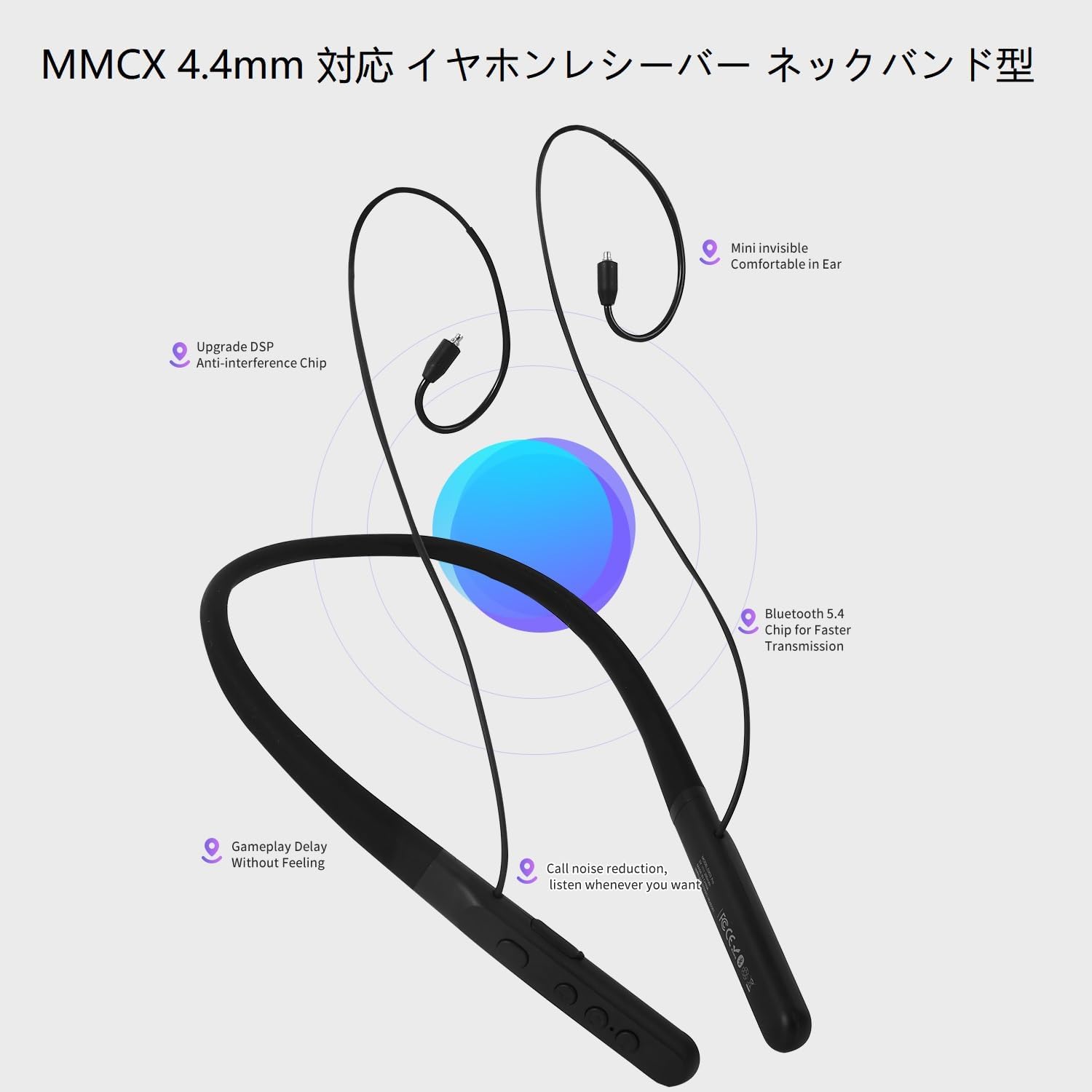
Image: The control panel on the eppfun DX08 Pro neckband, showing the various buttons for operation.
4.2. Advanced Audio Features
The DX08 Pro supports multiple high-quality audio codecs for an enhanced listening experience:
- แอลดีเอซี: Sony's high-resolution audio codec, enabling high-quality wireless audio transmission.
- aptX Lossless: Qualcomm's latest codec for bit-perfect CD-quality audio over Bluetooth.
- aptX Adaptive: Dynamically adjusts audio quality and latency based on environmental factors.
- aptX-HD: Delivers 24-bit high-resolution audio over Bluetooth.
- SBC/AAC: Standard Bluetooth audio codecs for broad compatibility.
Ensure your connected device also supports these codecs to utilize their full potential. The headphones will automatically select the best available codec.
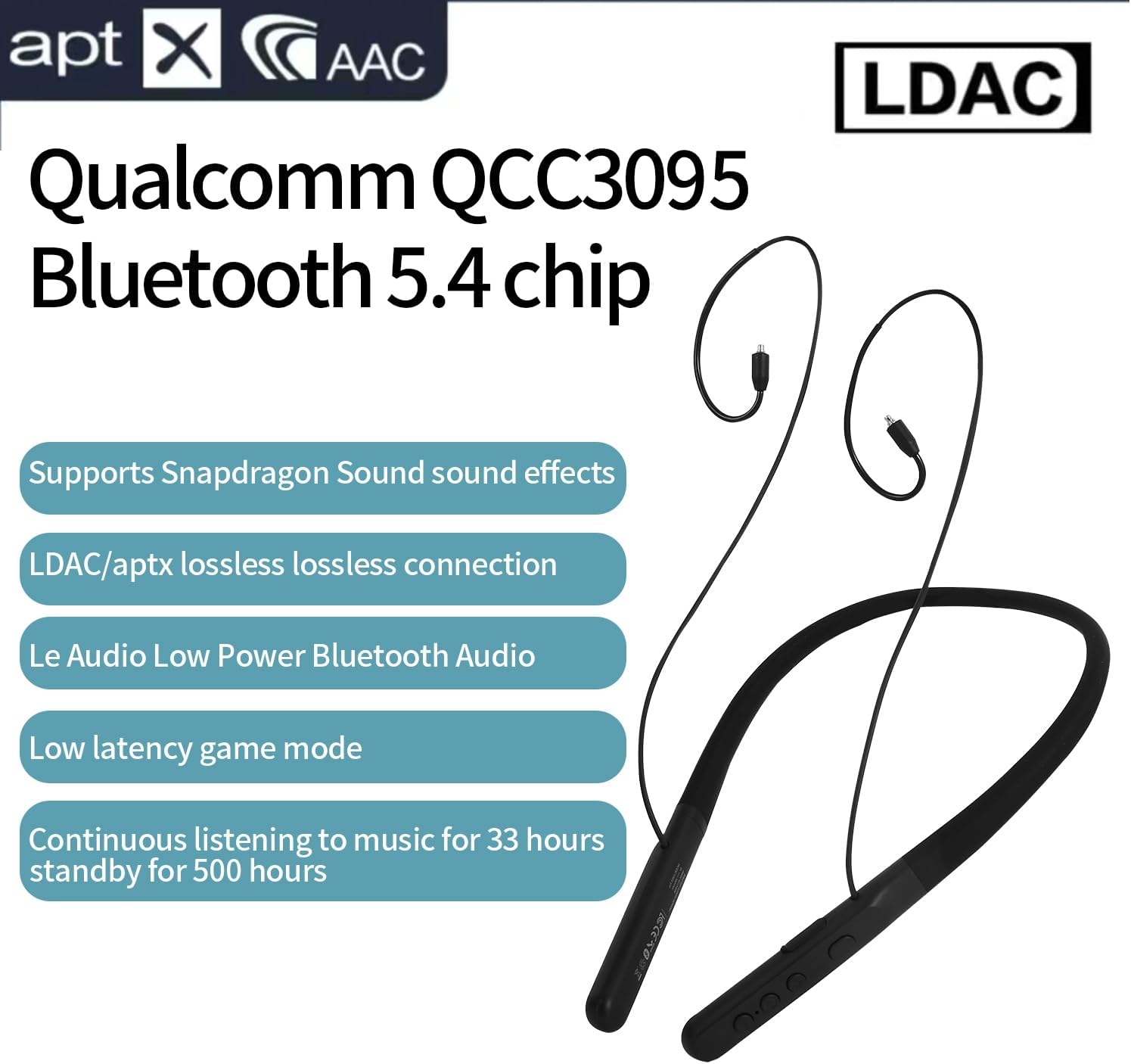
Image: Visual representation of the eppfun DX08 Pro's QCC3095 chip and supported audio codecs like LDAC, aptX HD, and AAC.
4.3. Low Latency Game Mode
The DX08 Pro features a low-latency mode, optimized for gaming and video playback, to minimize audio delay. This mode is automatically engaged when supported by the connected device and content, or can be manually activated if available through specific button combinations (refer to future firmware updates or product website for specific activation methods if not automatic).
5. การบำรุงรักษา
5.1. การทำความสะอาด
- Wipe the neckband and earphone cables with a soft, dry, lint-free cloth.
- สำหรับสิ่งสกปรกฝังแน่น ให้เช็ดออกเล็กน้อยampชุบผ้าด้วยน้ำ หลีกเลี่ยงการใช้สารเคมีรุนแรง ตัวทำละลาย หรือน้ำยาทำความสะอาดที่มีฤทธิ์กัดกร่อน
- ตรวจสอบให้แน่ใจว่าพอร์ตทั้งหมดแห้งสนิทก่อนทำการชาร์จหรือเชื่อมต่อ
- Regularly clean ear tips to prevent wax buildup, which can affect sound quality.
5.2. การจัดเก็บ
- ควรเก็บหูฟังไว้ในที่แห้งและเย็น หลีกเลี่ยงแสงแดดโดยตรงและอุณหภูมิที่สูงหรือต่ำเกินไป
- หลีกเลี่ยงการวางวัตถุหนักบนหูฟัง
- หากเก็บรักษาเป็นเวลานาน ควรชาร์จแบตเตอรี่ให้มีระดับประมาณ 50% เพื่อรักษาอายุการใช้งานของแบตเตอรี่
5.3. การดูแลแบตเตอรี่
- อย่าให้แบตเตอรี่โดนความร้อนมากเกินไป เช่น แสงแดดโดยตรง หรือไฟ
- หลีกเลี่ยงการปล่อยแบตเตอรี่จนหมดบ่อยครั้ง
- Charge the battery regularly, even if the headphones are not in use, to maintain optimal performance.
6 การแก้ไขปัญหา
If you encounter issues with your eppfun DX08 Pro headphones, refer to the following common problems and solutions:
6.1. ไม่มีอำนาจ
- ตรวจสอบให้แน่ใจว่าหูฟังชาร์จเต็มแล้ว เสียบหูฟังเข้ากับแหล่งจ่ายไฟและตรวจสอบไฟแสดงสถานะการชาร์จ
- Press and hold the Power button for at least 5 seconds to ensure it's not just in standby.
6.2. Cannot Pair with Device
- ตรวจสอบให้แน่ใจว่าหูฟังอยู่ในโหมดจับคู่ (ไฟ LED กระพริบ)
- ปิดและเปิดบลูทูธบนอุปกรณ์ของคุณ
- ย้ายหูฟังให้เข้าใกล้อุปกรณ์ของคุณมากขึ้น
- ล้างประวัติการจับคู่บลูทูธบนอุปกรณ์ของคุณ แล้วลองจับคู่ใหม่อีกครั้ง
- ตรวจสอบให้แน่ใจว่าไม่มีอุปกรณ์อื่นใดเชื่อมต่อกับหูฟังอยู่
6.3. ไม่มีเสียงหรือเสียงเบา
- ตรวจสอบระดับเสียงทั้งบนหูฟังและอุปกรณ์ที่เชื่อมต่อของคุณ
- Ensure the MMCX earphones are securely connected to the neckband.
- ตรวจสอบให้แน่ใจว่าหูฟังจับคู่และเชื่อมต่อกับอุปกรณ์ของคุณอย่างถูกต้องแล้ว
- ลองเล่นเสียงจากแอปพลิเคชันหรืออุปกรณ์อื่น
6.4. Intermittent Connection or Audio Dropouts
- ลดระยะห่างระหว่างหูฟังและอุปกรณ์ของคุณ
- Avoid obstacles (walls, large metal objects) between the headphones and your device.
- ลดการรบกวนจากอุปกรณ์ไร้สายอื่นๆ (เราเตอร์ Wi-Fi, อุปกรณ์ Bluetooth อื่นๆ)
- ตรวจสอบให้แน่ใจว่าไดร์เวอร์บลูทูธของอุปกรณ์ของคุณได้รับการอัปเดตแล้ว
7. ข้อมูลจำเพาะ
| คุณสมบัติ | รายละเอียด |
|---|---|
| ชื่อรุ่น | DX08 โปร |
| เวอร์ชันบลูทูธ | 5.4 |
| บลูทู ธ ชิปเซ็ต | วอลคอมม์ QCC3095 |
| ตัวแปลงสัญญาณเสียงที่รองรับ | SBC, AAC, aptX HD, aptX Adaptive, aptX Lossless, LDAC |
| เทคโนโลยีการเชื่อมต่อ | บลูทูธ |
| แจ็คหูฟัง | MMCX |
| อายุการใช้งานแบตเตอรี่ (การเล่นเพลง) | นานถึง 33 ชั่วโมง |
| เวลาสแตนด์บาย | นานถึง 500 ชั่วโมง |
| ประเภทการควบคุม | ปุ่มควบคุม |
| น้ำหนักสินค้า | 0.16 กิโลกรัม (ประมาณ 5.6 ออนซ์) |
| ผู้ผลิต | เอ็ปฟัน |
| อิมพีแดนซ์ | 32 โอห์ม |
8. การรับประกันและการสนับสนุน
eppfun products are designed and manufactured to the highest quality standards. For specific warranty information, please refer to the warranty card included with your product or visit the official eppfun webไซต์นี้ โปรดเก็บหลักฐานการซื้อไว้เพื่อใช้ยืนยันการรับประกัน
For technical support, troubleshooting assistance, or general inquiries, please contact eppfun customer service through the contact information provided on the official eppfun webไซต์หรือแพลตฟอร์มการซื้อของคุณ
แหล่งข้อมูลออนไลน์:
- Official eppfun Webเว็บไซต์: www.eppfun.com (อดีตamp(ลิงก์จริงไม่ได้ระบุไว้ในข้อมูล)
- หน้าข้อมูลการสนับสนุนผลิตภัณฑ์: (โปรดดูข้อมูลอย่างเป็นทางการ) web(เว็บไซต์สำหรับหน้าสนับสนุนผลิตภัณฑ์เฉพาะ)