
Bmax B9 Power
Bmax B9 Power Mini PC User Manual
Model: B9 Power | Brand: Bmax
การแนะนำ
Welcome to the user manual for your new Bmax B9 Power Mini PC. This compact and powerful computer is designed for a wide range of applications, from demanding business tasks and gaming to everyday home entertainment and online learning. Featuring an Intel Core i9-12900HK processor, ample memory, and high-speed storage, the B9 Power delivers exceptional performance in a small form factor. This manual provides essential information on setting up, operating, maintaining, and troubleshooting your device to ensure optimal performance and longevity.
มีอะไรอยู่ในกล่อง
เมื่อเปิดบรรจุภัณฑ์ โปรดตรวจสอบว่าชิ้นส่วนทั้งหมดครบถ้วนและอยู่ในสภาพดี
- 1 x Bmax B9 Power MINI PC
- อะแดปเตอร์แปลงไฟ
- คู่มือการใช้งาน (เอกสารนี้)
- สาย HDMI
- ฐานยึด VESA (สำหรับติดตั้งจอภาพ)
สินค้าเกินview
Familiarize yourself with the Bmax B9 Power Mini PC's physical layout and available ports.

ภาพ: ด้านหน้าและด้านหลัง view of the Bmax B9 Power Mini PC, showcasinด้วยการออกแบบที่กะทัดรัดและพอร์ตต่างๆ
พอร์ตและขั้วต่อ

Image: Detailed diagram of the Bmax B9 Power Mini PC's multi-expansion interfaces, including USB, HDMI, DisplayPort, and audio jacks.
- ปุ่มเปิด/ปิด: อยู่บริเวณแผงด้านหน้า
- พอร์ต USB 3.2: Two ports on the front for high-speed data transfer.
- พอร์ต Type-C: One full-featured Type-C port on the front.
- แจ็คเสียงขนาด 3.5 มม.: สำหรับหูฟังหรือลำโพง
- ปุ่มล้าง CMOS: For resetting BIOS settings.
- พอร์ตอีเธอร์เน็ต RJ45: สำหรับการเชื่อมต่อเครือข่ายแบบใช้สาย
- พอร์ต USB 2.0: Two ports on the rear for peripherals.
- พอร์ต HDMI 2.1: สำหรับเอาต์พุตวิดีโอ
- ดิสเพลย์พอร์ต 1.4a: For additional video output.
- แหล่งจ่ายไฟ DC 19V/3.42A: เชื่อมต่ออะแดปเตอร์ไฟที่ให้มาด้วยที่นี่
การตั้งค่า
- เชื่อมต่อกับจอแสดงผล: Connect your monitor(s) to the Mini PC using the HDMI, DisplayPort, or Type-C video outputs. The B9 Power supports triple 4K@60Hz displays.

Image: Illustration showing the Bmax B9 Power Mini PC connected to three monitors, demonstrating its triple 4K@60Hz display support.
- เชื่อมต่ออุปกรณ์ต่อพ่วง: เสียบคีย์บอร์ด เมาส์ และอุปกรณ์ USB อื่นๆ เข้ากับพอร์ต USB ที่ว่างอยู่
- เชื่อมต่อกับเครือข่าย: For a wired connection, plug an Ethernet cable into the RJ45 port. For wireless, the device supports WiFi 6.
- เชื่อมต่อพลังงาน: Plug the power adapter into the DC19V/3.42A input port on the Mini PC, then plug the adapter into a power outlet.
- เปิดเครื่อง: กดปุ่มเปิด/ปิดที่ด้านหน้าของมินิพีซี ระบบจะเริ่มทำงาน
- ตั้งค่าเริ่มต้น: Follow the on-screen instructions to complete the initial Windows 11 setup, including language, region, and network settings.
คำแนะนำการใช้งาน
การใช้งานทั่วไป
The Bmax B9 Power Mini PC comes pre-installed with Windows 11, providing a familiar and intuitive operating environment.
- เปิด/ปิดเครื่อง: Press the power button to turn on. To shut down, use the Windows Start menu options (Start > Power > Shut down).
- เริ่มต้นใหม่อีกครั้ง: ใช้ตัวเลือกในเมนูเริ่มของ Windows (เริ่ม > พลังงาน > รีสตาร์ท)
- โหมดสลีป: ใช้ตัวเลือกในเมนูเริ่มของ Windows (เริ่ม > พลังงาน > โหมดพักเครื่อง) หรือกดปุ่มเปิด/ปิดเครื่องสั้นๆ
- การเชื่อมต่ออุปกรณ์บลูทูธ: The Mini PC supports Bluetooth 5.2. Go to Windows Settings > Bluetooth & devices to pair wireless accessories like headsets, mice, and keyboards.
- Multi-Application Handling: The Intel Core i9-12900HK processor, 32GB DDR4 RAM, and 1TB NVMe SSD enable smooth operation across multiple demanding applications simultaneously.
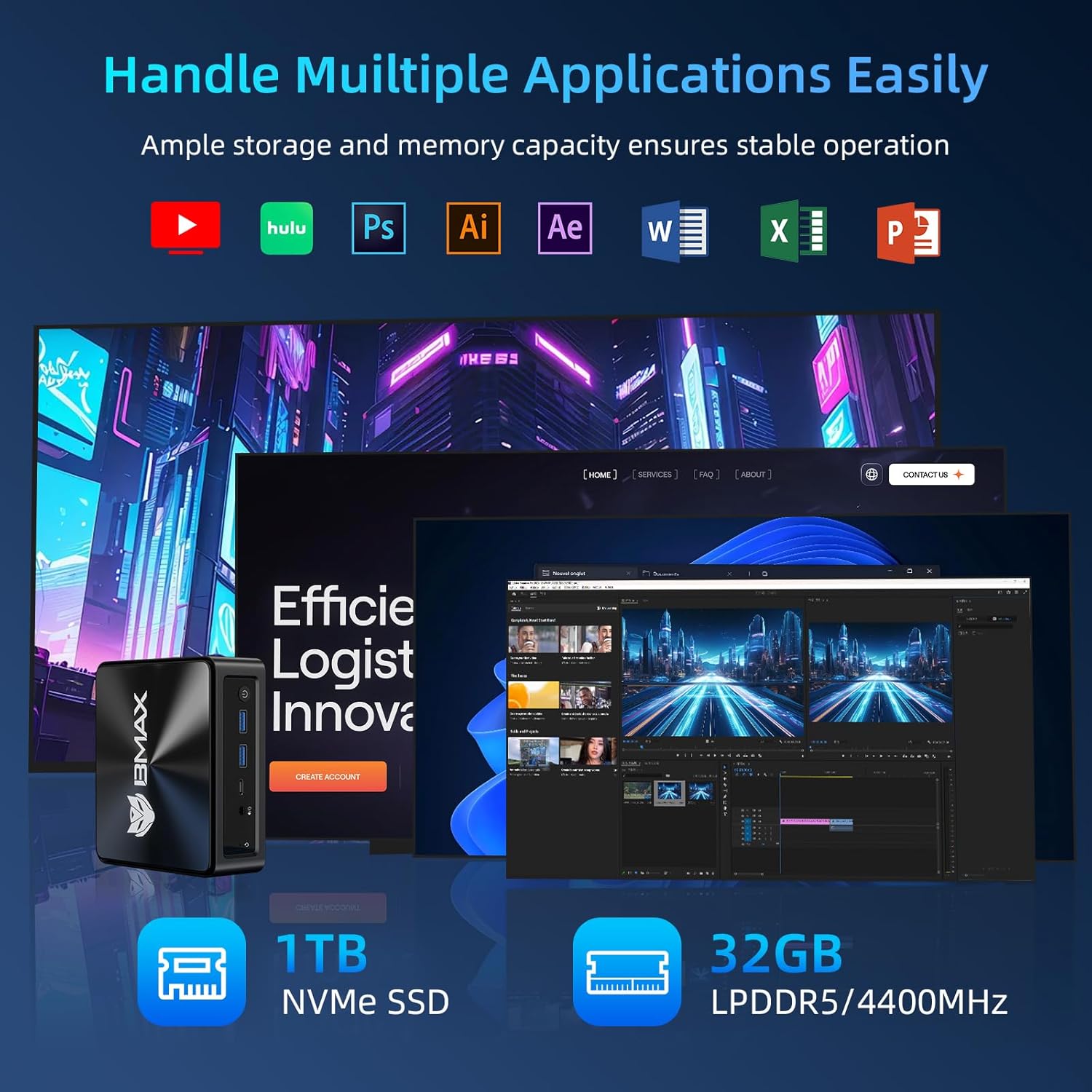
Image: Visual representation of the Bmax B9 Power Mini PC handling various applications like video editing, graphic design, and web browsing simultaneously.
Smart Recovery Function
The Bmax B9 Power Mini PC features a unique one-click Smart Recovery function, allowing you to restore the system to factory settings quickly. This is useful in cases of OS crashes, slow performance, or incorrect configurations.
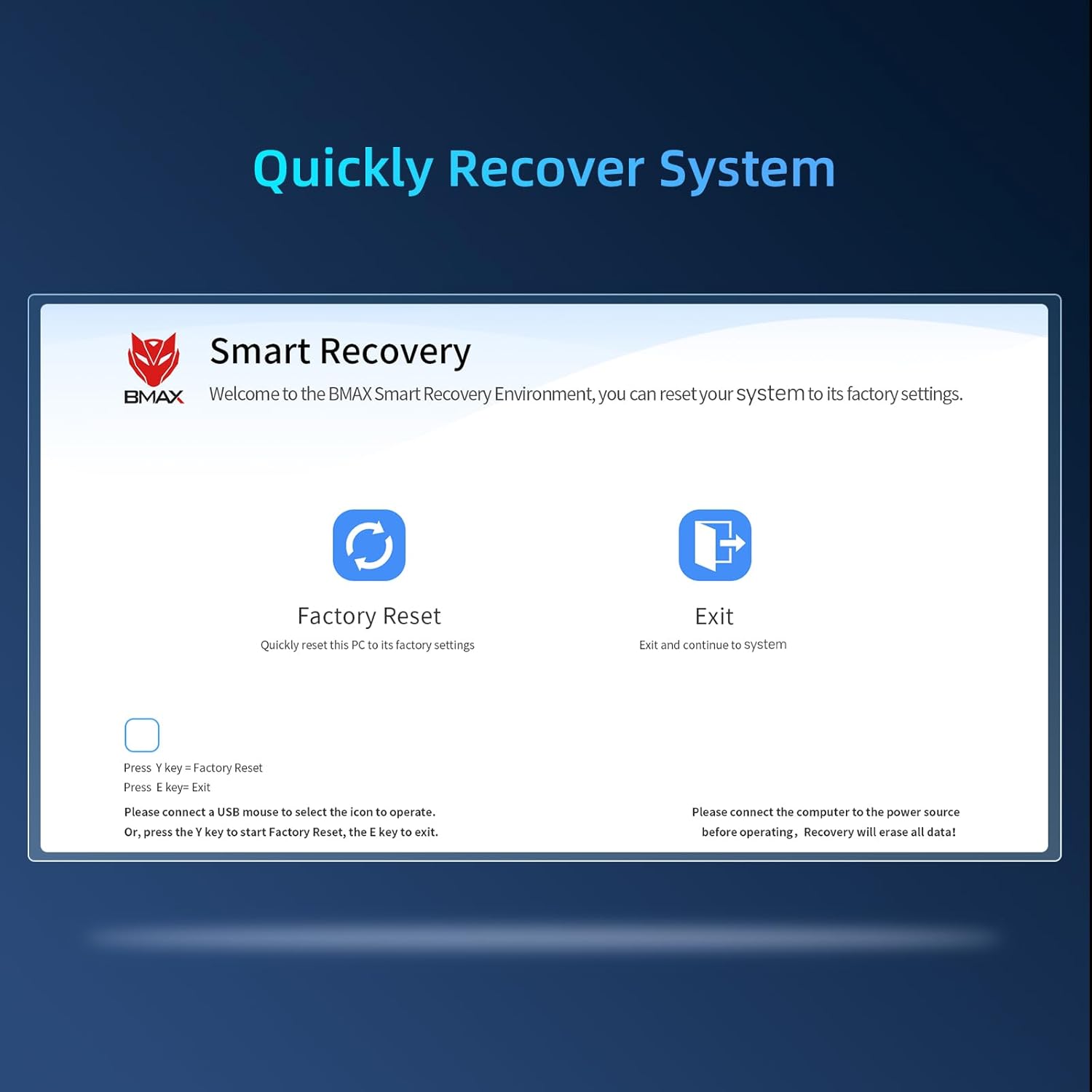
Image: Screenshot of the Bmax Smart Recovery interface, showing options for "Factory Reset" and "Exit".
- Accessing Recovery: During startup, you may be prompted to enter the Smart Recovery Environment. Alternatively, consult the on-screen instructions or product support for specific key presses to access this mode.
- รีเซ็ตเป็นค่าเริ่มต้นจากโรงงาน: Select the "Factory Reset" option. คำเตือน: This process will erase all data on your system drive. Ensure you have backed up any important fileก่อนดำเนินการต่อ
- การยืนยัน: Confirm your choice to begin the restoration process.
- เสร็จสิ้น: Once the process is complete, the system will restart with factory default settings.
การซ่อมบำรุง
Proper maintenance ensures the longevity and optimal performance of your Bmax B9 Power Mini PC.
- การทำความสะอาด: ควรทำความสะอาดภายนอกของมินิพีซีเป็นประจำด้วยผ้าแห้งเนื้อนุ่ม หลีกเลี่ยงการใช้น้ำยาทำความสะอาดโดยตรงกับตัวเครื่อง
- การระบายอากาศ : Ensure the ventilation openings are clear of dust and obstructions. The B9 Power features an efficient Space Capsule Cooling System with an enlarged double copper heat pipe and a giant turbo smart fan for effective heat dissipation.

Image: Diagram illustrating the internal cooling system of the Bmax B9 Power Mini PC, highlighting the double copper heat pipe and smart fan.
- การอัปเดตซอฟต์แวร์: Keep your operating system and drivers updated to ensure security and performance.
- การปิดระบบอย่างปลอดภัย: ควรปิดเครื่อง Mini PC อย่างถูกต้องผ่านระบบปฏิบัติการเสมอเพื่อป้องกันข้อมูลเสียหาย
การแก้ไขปัญหา
If you encounter issues with your Bmax B9 Power Mini PC, refer to the following common problems and solutions.
| ปัญหา | สาเหตุที่เป็นไปได้ | สารละลาย |
|---|---|---|
| No power / Won't turn on | Power adapter not connected; Faulty power outlet; Power button issue. | Ensure power adapter is securely connected to both the Mini PC and a working power outlet. Try a different outlet. |
| ไม่มีการแสดงผลบนจอภาพ | การเชื่อมต่อสายเคเบิลไม่ถูกต้อง; ไม่ได้เลือกอินพุตจอภาพ; ปัญหาไดรเวอร์ | Check HDMI/DisplayPort/Type-C cable connections. Ensure monitor is on and set to the correct input source. Try a different cable or monitor. |
| ประสิทธิภาพการทำงานช้า | มีโปรแกรมทำงานอยู่มากเกินไป; พื้นที่ดิสก์เหลือน้อย; เครื่องร้อนเกินไป | Close unnecessary applications. Free up disk space. Ensure proper ventilation and clean dust from vents. Consider using the Smart Recovery function if software issues persist. |
| ปัญหาการเชื่อมต่อ Wi-Fi/Bluetooth | Drivers outdated; Interference; Adapter disabled. | Check device manager for Wi-Fi/Bluetooth adapter status. Update drivers. Move closer to the Wi-Fi router or reduce interference. |
ข้อมูลจำเพาะ
Detailed technical specifications for the Bmax B9 Power Mini PC.
| คุณสมบัติ | รายละเอียด |
|---|---|
| โปรเซสเซอร์ | Intel Core i9-12900HK (up to 5.0GHz, 14 Cores/20 Threads, 20MB Cache) |
| แรม | 32GB DDR4 3200MHz SO-DIMM (Expandable up to 64GB) |
| พื้นที่จัดเก็บ | 1TB NVMe SSD |
| กราฟฟิก | แบบบูรณา Intel Graphics |
| ระบบปฏิบัติการ | วินโดวส์ 11 |
| การเชื่อมต่อแบบไร้สาย | ไวไฟ 6 (802.11ax), บลูทูธ 5.2 |
| การเชื่อมต่อแบบมีสาย | กิกะบิตอีเทอร์เน็ต (RJ45) |
| เอาท์พุตวิดีโอ | 1x HDMI 2.1, 1x DisplayPort 1.4a, 1x Type-C (supports 4K@60Hz triple display) |
| พอร์ต USB | พอร์ต USB 3.2 จำนวน 2 ช่อง, พอร์ต USB 2.0 จำนวน 2 ช่อง, พอร์ต Type-C จำนวน 1 ช่อง |
| เสียง | แจ็ค Audio 3.5mm |
| ขนาด | ประมาณ 10.94 x 6.18 x 2.99 นิ้ว |
| น้ำหนัก | ประมาณ 1.54 ปอนด์ |
การรับประกันและการสนับสนุน
BMAX provides comprehensive support for your Mini PC.
- การรับประกัน: Your Bmax B9 Power Mini PC comes with a one-year limited warranty from the date of purchase.
- บริการลูกค้า: For any pre-sale or after-sale inquiries, technical assistance, or warranty claims, please do not hesitate to contact BMAX professional customer service. Refer to the product packaging or the official BMAX webเว็บไซต์สำหรับรายละเอียดการติดต่อ
- แหล่งข้อมูลออนไลน์: Visit the official BMAX webไซต์สำหรับไดร์เวอร์ที่อัปเดต คำถามที่พบบ่อย และทรัพยากรสนับสนุนเพิ่มเติม
Ask a question about this manual
Ask about setup, troubleshooting, compatibility, parts, safety, or missing instructions. Manuals+ will review the question and use this page’s manual context to help answer it.