
Strong SRT427
STRONG 4K UHD Box SRT 427 User Manual
การแนะนำ
This manual provides comprehensive instructions for the installation, operation, and maintenance of your STRONG 4K UHD Box SRT 427. Please read this manual carefully before using the device to ensure proper functionality and to prevent damage. Keep this manual for future reference.
เนื้อหาแพ็คเกจ
ก่อนดำเนินการติดตั้ง โปรดตรวจสอบว่าบรรจุภัณฑ์มีรายการทั้งหมดหรือไม่:
- STRONG 4K UHD Box SRT 427
- รีโมทคอนโทรล (ไม่รวมแบตเตอรี่)
- อะแดปเตอร์แปลงไฟ
- สาย HDMI
- คู่มือการติดตั้งแบบด่วน
การตั้งค่า
Follow these steps to set up your STRONG 4K UHD Box SRT 427:
- เชื่อมต่อกับทีวี: Connect one end of the HDMI cable to the HDMI OUT port on the SRT 427 and the other end to an available HDMI IN port on your television.
- เชื่อมต่อกับพลังงาน: Plug the power adapter into the DC IN port on the SRT 427, then plug the adapter into a wall outlet.
- เชื่อมต่ออินเทอร์เน็ต (ทางเลือก): For internet-based features, connect an Ethernet cable to the LAN port on the SRT 427, or configure Wi-Fi settings after initial boot-up.
- ใส่แบตเตอรี่เข้าในรีโมท: Open the battery compartment on the remote control and insert 2x AAA batteries (not included), ensuring correct polarity.
- เปิดเครื่อง: Turn on your TV and select the correct HDMI input source. The SRT 427 should power on automatically. If not, press the power button on the remote control.
- วิซาร์ดการตั้งค่าเริ่มต้น: Follow the on-screen instructions to complete the initial setup, including language selection, network configuration, and channel scanning.
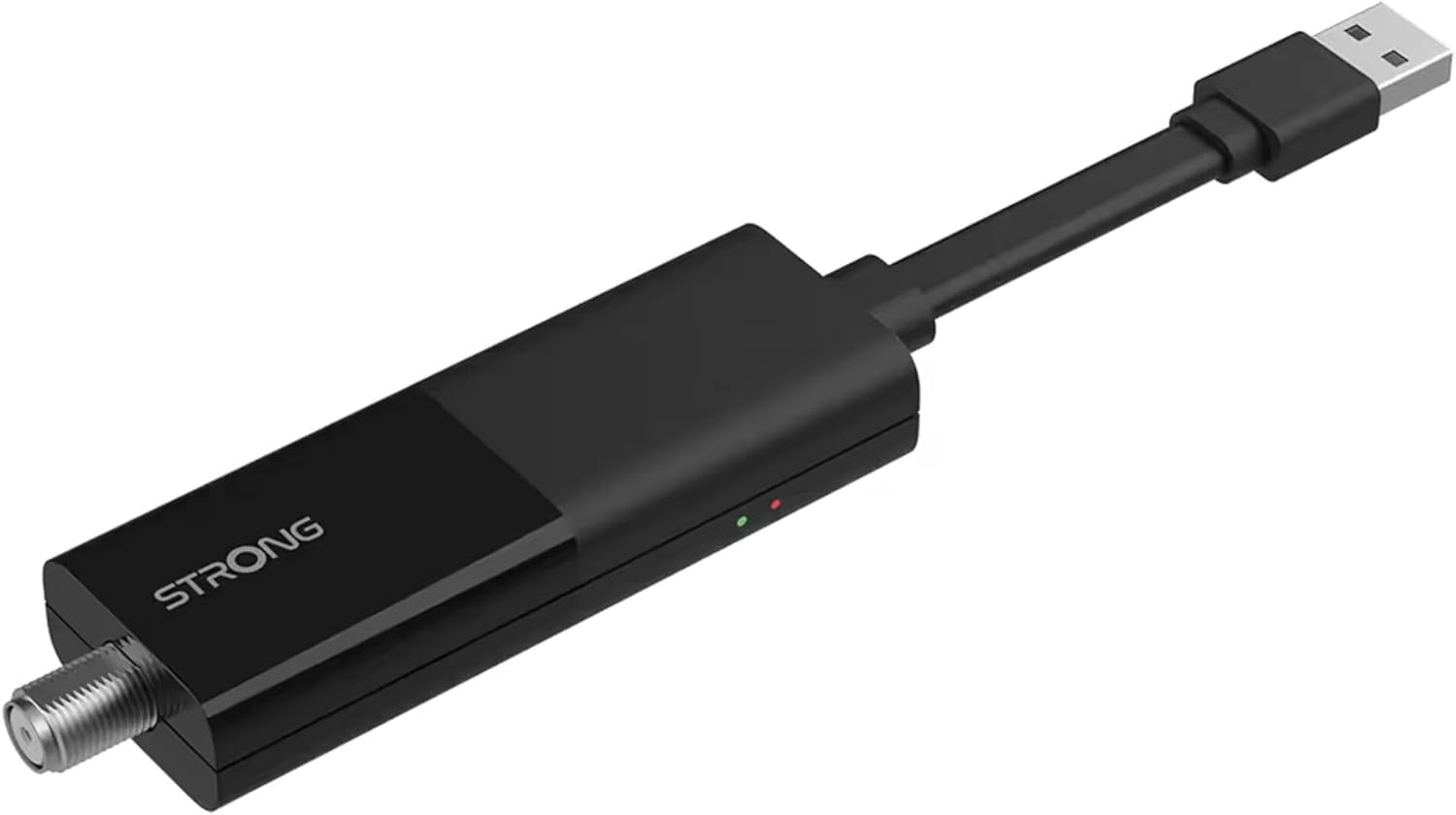
Image: The STRONG 4K UHD Box SRT 427, a compact black USB dongle-style device with a USB connector on one end and an F-type coaxial antenna input on the other, featuring the 'STRONG' logo and small indicator lights.
คำแนะนำการใช้งาน
Once the initial setup is complete, you can begin using your SRT 427. Use the remote control to navigate the user interface.
- หน้าจอหลัก: กดปุ่ม บ้าน button to access the main menu, where you can find applications, settings, and media options.
- การนำทาง: ใช้ปุ่มลูกศร (ขึ้นลงซ้ายขวา) to move through menus and options. Press OK เพื่อยืนยันการเลือก
- การควบคุมระดับเสียง: ใช้ เล่ม+ และ ฉบับ- ปุ่มสำหรับปรับระดับเสียง
- การเลือกช่อง: If connected to an antenna, use the CH+ และ ช- buttons to change channels, or enter channel numbers directly using the numeric keypad.
- การตั้งค่า: Access the settings menu to customize display, audio, network, and system preferences.
- การเล่นสื่อ: Connect a USB storage device to the USB port to play media files (photos, videos, music) through the built-in media player.
การซ่อมบำรุง
Proper maintenance ensures the longevity and optimal performance of your SRT 427.
- การทำความสะอาด: Disconnect the device from power before cleaning. Use a soft, dry cloth to wipe the exterior. Do not use liquid cleaners or abrasive materials.
- การระบายอากาศ : Ensure the device is placed in a well-ventilated area. Do not block ventilation openings.
- อุณหภูมิ: หลีกเลี่ยงการวางอุปกรณ์ไว้ในอุณหภูมิที่สูงเกินไป แสงแดดโดยตรง หรือมีความชื้นสูง
- อัพเดตเฟิร์มแวร์: Periodically check for firmware updates through the system settings to ensure you have the latest features and bug fixes.
การแก้ไขปัญหา
If you encounter issues with your SRT 427, refer to the following common problems and solutions:
| ปัญหา | สารละลาย |
|---|---|
| ไม่มีไฟฟ้า | Check if the power adapter is securely connected to the device and the wall outlet. Ensure the outlet is functional. |
| ไม่มีภาพในทีวี | Verify the HDMI cable is correctly connected to both the SRT 427 and the TV. Ensure the TV is set to the correct HDMI input source. |
| ไม่มีเสียง | Check the volume level on both the SRT 427 and your TV. Ensure audio settings in the SRT 427 menu are correct. |
| รีโมตคอนโทรลไม่ทำงาน | Check and replace the batteries. Ensure there are no obstructions between the remote and the device's IR sensor. |
| ไม่สามารถเชื่อมต่อ Wi-Fi ได้ | Ensure your Wi-Fi router is on and within range. Re-enter the Wi-Fi password in the network settings. Try restarting both the SRT 427 and your router. |
ข้อมูลจำเพาะ
Technical specifications for the STRONG 4K UHD Box SRT 427:
- หมายเลขรุ่น: SRT427
- ขนาดสินค้า : 5.91 x 7.87 x 5.91 นิ้ว
- น้ำหนักสินค้า: 1.76 ปอนด์
- แบตเตอรี่: 1 AAAA batteries required (for remote control, typically)
- ผู้ผลิต: แข็งแกร่ง
- Language (Default): Italian (may vary by region, user configurable)
- ASIN: B0FDPX7PRQ
- วันที่เข้าใช้งานครั้งแรก: วันที่ 21 สิงหาคม 2025
การรับประกันและการสนับสนุน
For warranty information and technical support, please refer to the warranty card included in your product packaging or visit the official Strong webไซต์ อย่าพยายามซ่อมแซมอุปกรณ์ด้วยตนเอง เพราะอาจทำให้การรับประกันเป็นโมฆะได้
เป็นทางการ Webเว็บไซต์: www.strong.tv
Ask a question about this manual
Ask about setup, troubleshooting, compatibility, parts, safety, or missing instructions. Manuals+ will review the question and use this page’s manual context to help answer it.