
1. บทนำ
Thank you for choosing the Masmssm Smart Scale FG2016LB-B. This advanced body composition analyzer is designed to provide comprehensive insights into your health and fitness. It measures 22 essential body metrics, including weight, BMI, body fat, muscle mass, and heart rate, and syncs seamlessly with popular fitness applications. Please read this manual carefully before use to ensure proper operation and to maximize the benefits of your new smart scale.
2. คุณสมบัติของผลิตภัณฑ์
- Clear VA Display with 9 Key Insights: View Weight, BMI, Body Fat, Muscle Mass, Heart Rate, Body Type, User ID, Trend Arrows, and Motivation Icons directly on the scale, even offline.
- 22 Body Metrics for Full Health View: Tracks essential stats for total body analysis, including Weight, Heart Rate, BMI, Body Fat, Bone Mass, Protein, Fat Mass, Body Age, Body Water, Skeletal Muscle, Subcutaneous Fat, Visceral Fat, Cardiac Index, Ideal Body Weight, Obesity Level, Fat-free Body Weight, BMR, and Muscle Rate.
- Accurate & High-Capacity Design: Equipped with 4 precision G-sensors, ensuring 0.05kg/0.1lb accuracy. Supports up to 400lb/180kg/28st. Easily switch between kg, lb, and st units.
- Smart Sync & Trend Tracking: Seamlessly syncs with Apple Health, Health Connect, Samsung Health, and Apple Watch. Monitor progress and share results effortlessly.
- Multi-User & Multi-Mode: Supports up to 24 users and includes specialized modes for Baby, Toddler, Child, Pregnant, Teen, Standard, and Athlete.
- Durable & Safe Construction: Built with 5mm tempered glass and a stable full-bottom base for long-lasting durability and reliable safety.
- FSA & HSA Eligible: Qualifies for Flexible Spending Accounts and Health Savings Accounts.
3. อะไรอยู่ในกล่อง
- 1 x Masmssm Smart Weight Scale
- 1 x คู่มือการใช้งาน (เอกสารนี้)
- แบตเตอรี่ AAA 4 ก้อน
4. การตั้งค่า
4.1. การติดตั้งแบตเตอรี่
- เปิดช่องใส่แบตเตอรี่ที่ด้านหลังของเครื่องชั่ง
- ใส่แบตเตอรี่ AAA 4 ก้อน โดยตรวจสอบให้แน่ใจว่าขั้วถูกต้อง (+/-)
- ปิดช่องใส่แบตเตอรี่ให้แน่น
4.2. Initial Placement and Calibration
For accurate readings, place the scale on a hard, flat surface. Avoid carpets or soft surfaces.
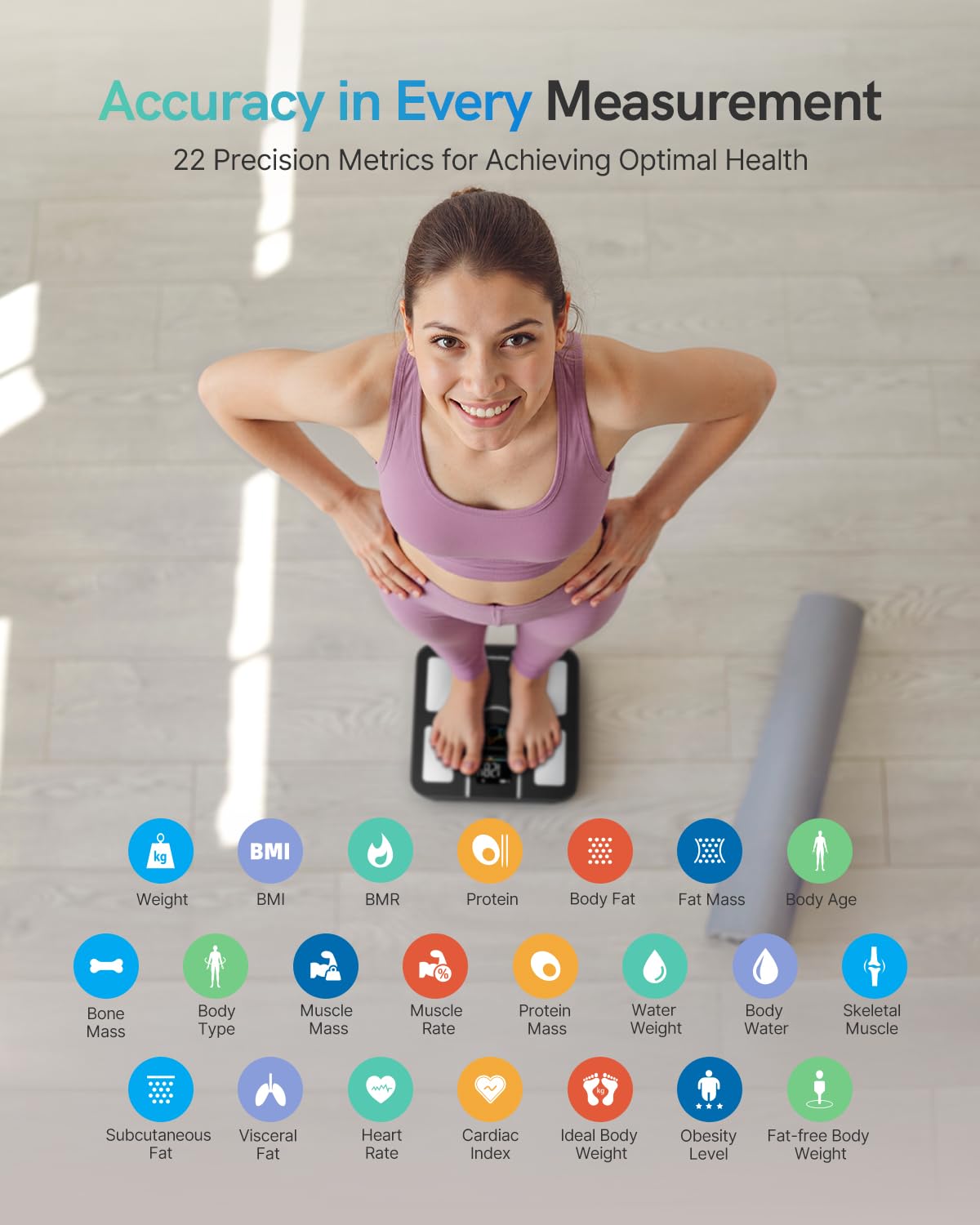
Image: Masmssm Smart Scale on a hard floor.
- Gently step on the scale to turn it on. The display will show '0.0' or 'CAL'.
- Step off the scale and wait for it to turn off automatically. This completes the initial calibration.
4.3. ดาวน์โหลดแอปและการจับคู่
Download the companion app from your device's app store. ค้นหา "Masmssm" or scan the QR code provided in the packaging.

Image: Masmssm app syncing with fitness apps and Apple Watch.
- เปิดใช้งานบลูทูธบนสมาร์ทโฟนของคุณ
- Open the Masmssm app and create your user profile.
- Follow the in-app instructions to pair your scale. Ensure you are standing on the scale during the pairing process if prompted.
5. คู่มือการใช้งาน
5.1. การวัดผล
To obtain a full body composition analysis, step onto the scale barefoot with dry feet. Ensure your feet are positioned on the metal electrodes.
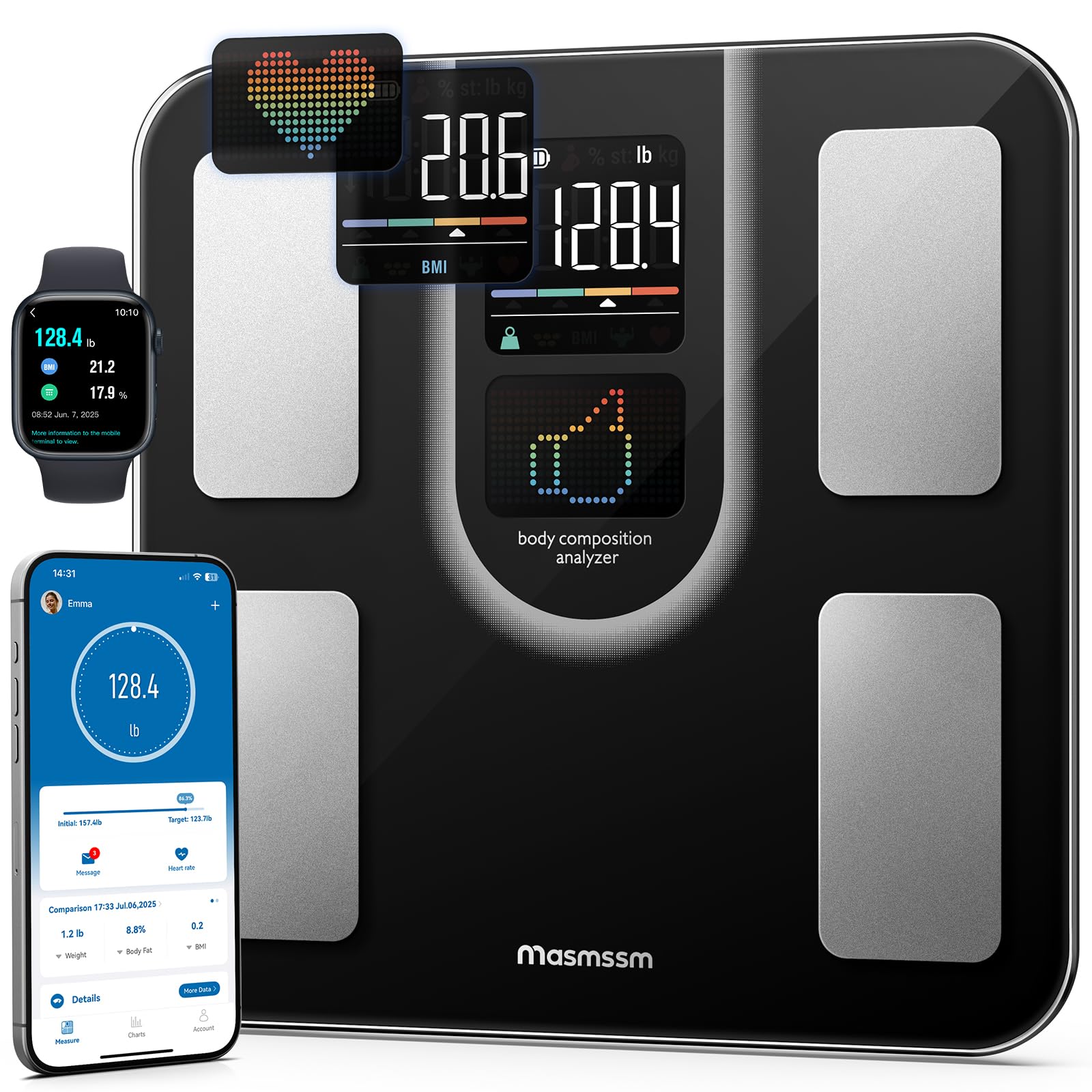
Image: A person standing barefoot on the Masmssm Smart Scale.
- วางเครื่องชั่งบนพื้นผิวที่แข็งและเรียบ
- Step onto the scale barefoot. The display will show your weight first, then cycle through other metrics.
- Remain still until all measurements are complete and displayed on the scale and/or synced to the app.
5.2. ทำความเข้าใจเกี่ยวกับการแสดงผล
The VA display shows 9 key insights directly on the scale. These include your weight, BMI, body fat percentage, muscle mass, heart rate, body type, user ID, trend arrows, and motivational icons. For a complete breakdown of all 22 metrics, refer to the Masmssm app.

Image: Close-up of the scale's interactive color display showing metrics like weight, body fat, and BMI.
5.3. Multi-User and Multi-Mode Functionality
The scale supports up to 24 users, making it suitable for families or teams. It also offers various measurement modes to cater to different needs:
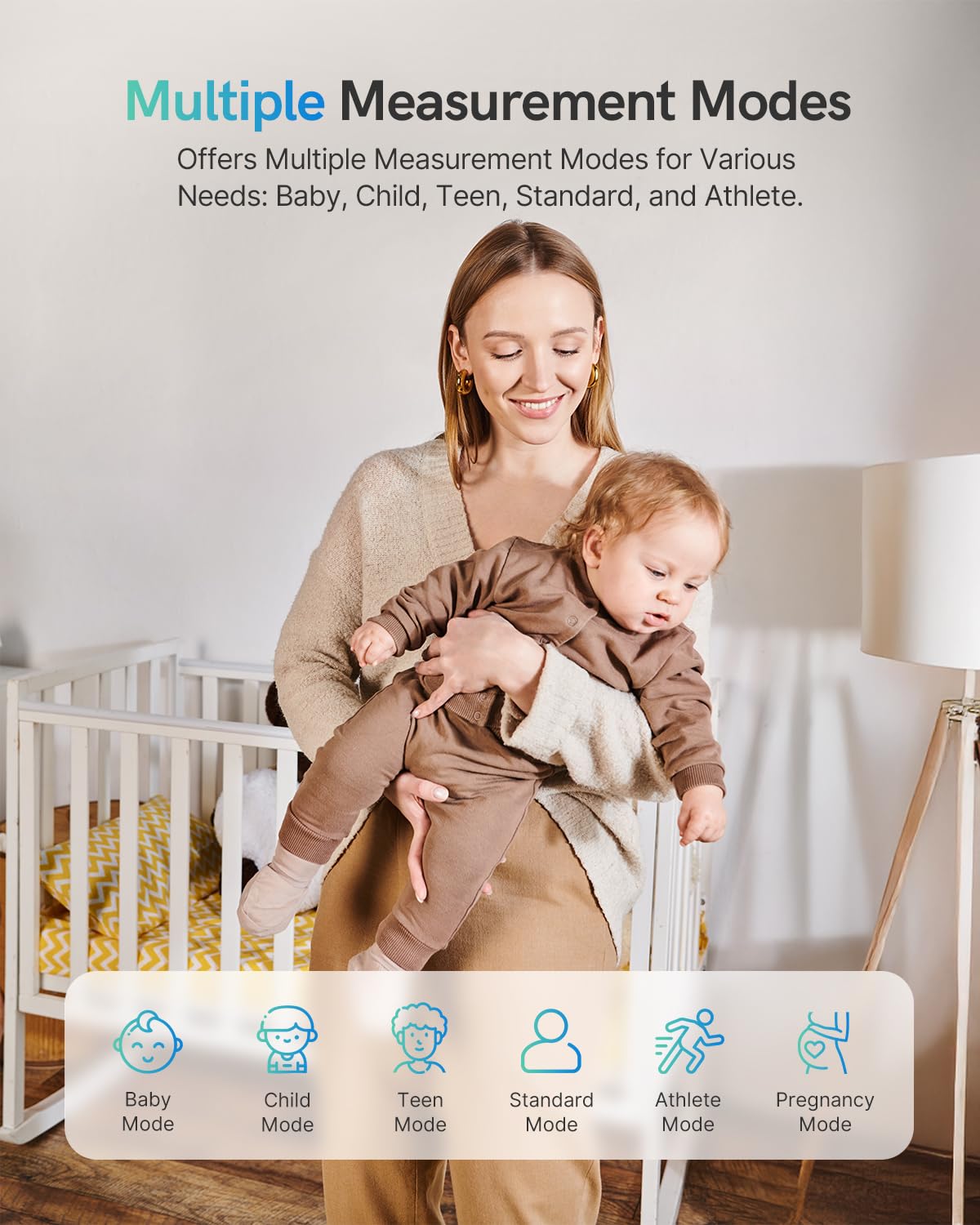
Image: Multiple measurement modes including Baby, Child, Teen, Standard, Athlete, and Pregnancy.
- โหมดเด็ก: For weighing infants or small children while held by an adult.
- โหมดเด็ก: Optimized for growing children.
- Teen Mode: Tailored for adolescents.
- โหมดมาตรฐาน: General use for adults.
- โหมดนักกีฬา: For individuals with higher muscle mass and lower body fat.
- โหมดตั้งครรภ์: Provides appropriate tracking for pregnant users.
These modes can be selected and managed within the Masmssm app for personalized tracking.
6. ทำความเข้าใจตัวชี้วัดของคุณ
The Masmssm Smart Scale provides 22 body metrics to give you a comprehensive overview of your health. Here's a brief explanation of some key metrics:

Image: Visual representation of the 22 precision metrics.
- น้ำหนัก: มวลร่างกายรวมของคุณ
- BMI (ดัชนีมวลกาย): การวัดปริมาณไขมันในร่างกายโดยพิจารณาจากส่วนสูงและน้ำหนัก
- ร่างกายอ้วน: เปอร์เซ็นต์tagปริมาณไขมันในร่างกายของคุณ
- มวลกล้ามเนื้อ: ปริมาณกล้ามเนื้อทั้งหมดในร่างกายของคุณ
- อัตราการเต้นของหัวใจ: Your heart beats per minute.
- น้ำในร่างกาย: เปอร์เซ็นต์tagของน้ำในร่างกายของคุณ
- มวลกระดูก: ปริมาณแร่ธาตุในกระดูกของคุณในร่างกายของคุณ
- ไขมันในช่องท้อง: ไขมันที่สะสมอยู่รอบอวัยวะภายใน
- BMR (อัตราการเผาผลาญพื้นฐาน): จำนวนแคลอรีที่ร่างกายต้องการเพื่อทำหน้าที่พื้นฐานในขณะพักผ่อน
- อายุของร่างกาย: An estimate of your body's biological age based on your metrics.
For detailed explanations and personalized insights, consult the Masmssm app.
7. App Integration and Data Tracking
The Masmssm app allows you to track your progress over time, set goals, and compare results. It integrates with various third-party fitness applications.

Image: App interface demonstrating progress tracking and goal setting.
7.1. Syncing with Fitness Apps
The Masmssm app can sync your data with:
- สุขภาพแอปเปิ้ล
- เชื่อมต่อสุขภาพ
- ซัมซุง เฮลท์
- นาฬิกาแอปเปิ้ล
Enable these integrations within the Masmssm app settings.
7.2. การจัดการผู้ใช้หลายคน
To add or manage users:

Image: App interface displaying multiple user profiles.
- Open the Masmssm app.
- Navigate to the 'Users' or 'Profile' ส่วน.
- Follow the prompts to add new users or switch between existing profiles.
8. การบำรุงรักษา
8.1. การทำความสะอาด
เช็ดพื้นผิวของเกล็ดด้วยผ้าเนื้อนุ่มและแห้งamp ผ้า ห้ามใช้น้ำยาทำความสะอาดที่มีฤทธิ์กัดกร่อนหรือจุ่มตะกรันลงในน้ำ
8.2. การจัดเก็บ
เก็บเครื่องชั่งไว้ในที่แห้งและเย็น หลีกเลี่ยงอุณหภูมิที่สูงเกินไปและแสงแดดโดยตรง
8.3. การเปลี่ยนแบตเตอรี่
When the battery indicator appears on the display, replace all four AAA batteries simultaneously to ensure optimal performance.
9 การแก้ไขปัญหา
- การอ่านค่าที่ไม่ถูกต้อง: Ensure the scale is on a hard, flat surface. Recalibrate by stepping on and off. Check battery levels.
- ไม่มีจอแสดงผล: ตรวจสอบว่าติดตั้งแบตเตอรี่ถูกต้องหรือไม่ หรือจำเป็นต้องเปลี่ยนแบตเตอรี่
- ปัญหาการเชื่อมต่อแอป: Ensure Bluetooth is enabled on your device and the app is open. Try restarting the app and your device.
- Body Composition Data Not Showing: Ensure you are standing barefoot on the electrodes with dry feet.
หากปัญหายังคงอยู่ โปรดติดต่อฝ่ายสนับสนุนลูกค้า
10. ข้อมูลจำเพาะ
| ข้อมูลจำเพาะ | รายละเอียด |
|---|---|
| ยี่ห้อ | masmssm |
| หมายเลขรุ่น | FG2016LB-บี |
| สี | สีดำ |
| จำกัด น้ำหนัก | 400 ปอนด์ / 180 กิโลกรัม / 28 สโตน |
| ความแม่นยำในการอ่านข้อมูล | 0.1 ปอนด์ / 0.05 กก. |
| ประเภทจอภาพ | นำ |
| วัสดุ | Tempered Glass, Acrylonitrile Butadiene Styrene |
| แหล่งพลังงาน | แบตเตอรี่ AAA 4 ก้อน |
| ขนาด | 11 x 11 x 0.98 นิ้ว (28 x 28 x 2.5 ซม.) |
| Number of Users Supported | สูงถึง 24 |
11. ข้อมูลด้านความปลอดภัย
- คำเตือน: The scale surface can be slippery when wet. Always ensure the surface is dry before stepping on.
- Do Not Use on Carpet: For accurate measurements, place the scale on a hard, flat surface.
- This device is for general fitness and wellness purposes only. It is not intended for medical diagnosis or treatment. Consult a healthcare professional for medical advice.
- ห้ามใช้หากคุณมีเครื่องกระตุ้นหัวใจหรืออุปกรณ์ทางการแพทย์ภายในร่างกายอื่นๆ
- เก็บให้พ้นมือเด็กเมื่อไม่ใช้งาน
12. การรับประกันและการสนับสนุน
The Masmssm Smart Scale FG2016LB-B comes with a standard manufacturer's warranty. For specific warranty details, please refer to the product packaging or contact Masmssm customer support. If you encounter any issues or have questions regarding your scale, please reach out to our support team via the contact information provided on our official webเว็บไซต์หรือผ่านแพลตฟอร์มการซื้อของคุณ