
NEXPEAK bc02-1a
คู่มือการใช้งานเครื่องชาร์จแบตเตอรี่ NEXPEAK 15A
Model: bc02-1a
แบรนด์: NEXPEAK
1. บทนำและเรื่องอื่นๆview
The NEXPEAK 15A Battery Charger (Model: bc02-1a) is an advanced 9-stage smart battery charger and maintainer designed for a wide range of 12V and 24V batteries. It is compatible with both LiFePO4 and lead-acid battery types, including AGM, GEL, SLA, and Flooded batteries. This charger provides efficient and safe charging for vehicles such as cars, trucks, SUVs, motorcycles, lawnmowers, and marine vessels. Its intelligent design incorporates multiple protection features and a pulse repair function to optimize battery performance and extend lifespan.
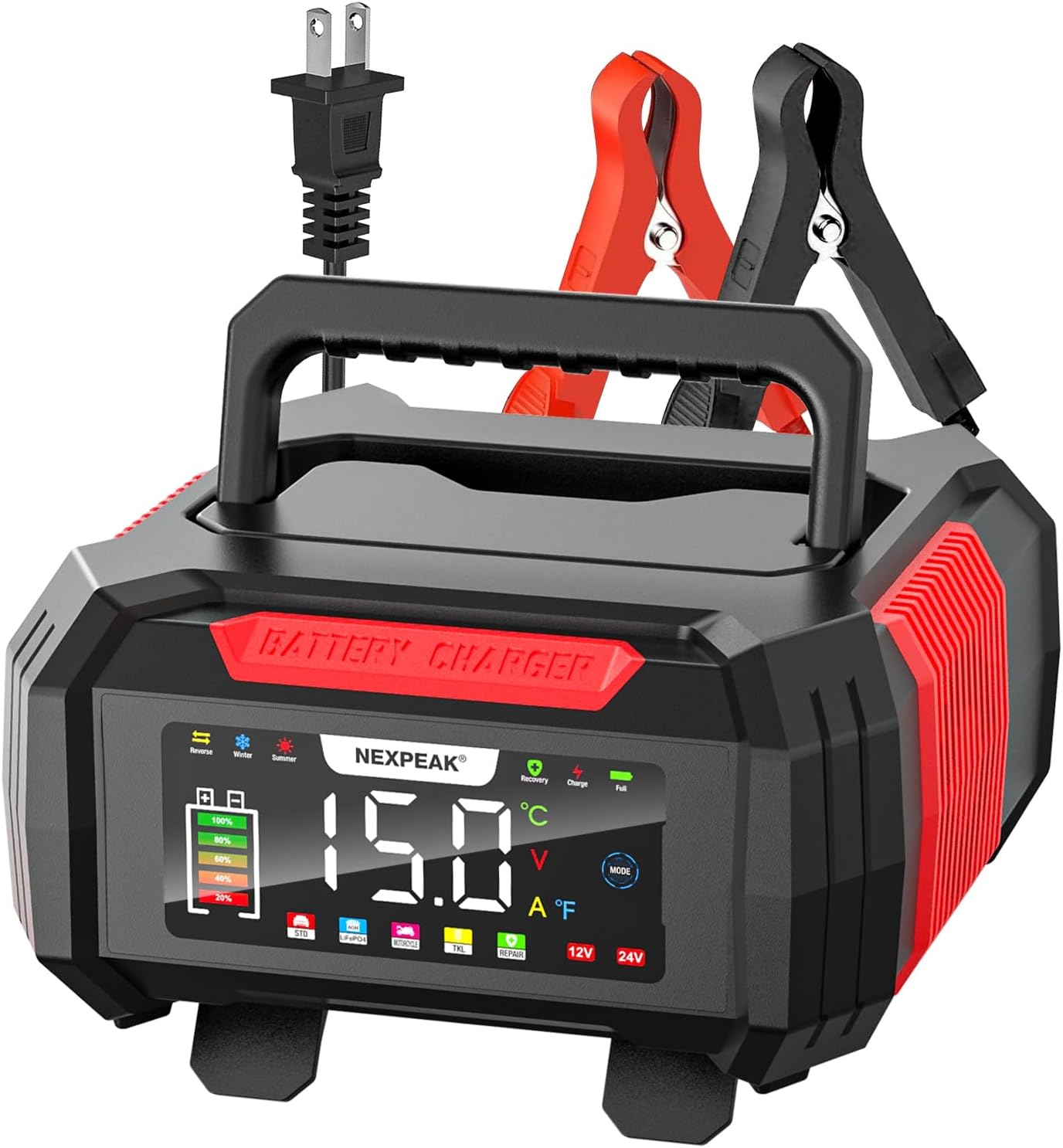
Figure 1: NEXPEAK 15A Battery Charger, front view with display and clamps.
2. ข้อมูลด้านความปลอดภัย
Always prioritize safety when operating electrical equipment and handling batteries.
- อ่านคู่มือ: ก่อนใช้งาน โปรดอ่านและทำความเข้าใจคำแนะนำและคำเตือนด้านความปลอดภัยทั้งหมดในคู่มือนี้ให้ละเอียดถี่ถ้วน
- การระบายอากาศ : Ensure adequate ventilation when charging batteries, as they can produce explosive gases. Do not charge in an enclosed area.
- การปกป้องดวงตาและผิวหนัง: Always wear appropriate eye protection (safety glasses) and protective gloves when working with batteries. Battery acid is corrosive.
- ห้ามสูบบุหรี่/จุดประกายไฟ: Do not smoke or allow sparks or flames in the vicinity of the battery or charger during operation.
- การเชื่อมต่อที่ถูกต้อง: ต่อแบตเตอรี่ clamps to the battery terminals correctly before plugging the charger into an AC power outlet. Ensure the charger is unplugged from the AC outlet before disconnecting the clamps.
- หลีกเลี่ยงการลัดวงจร: Prevent the positive and negative clamps from touching each other or touching the same metal surface simultaneously.
- อุปกรณ์ที่เสียหาย: Do not operate the charger if it has been dropped, damaged, or if the cables or clamps are compromised. Contact customer support for assistance.
- เด็กและสัตว์เลี้ยง: เก็บเครื่องชาร์จและแบตเตอรี่ให้พ้นมือเด็กและสัตว์เลี้ยง
- วัตถุประสงค์การใช้: Use the charger only for its intended purpose as described in this manual.
3. คุณสมบัติของผลิตภัณฑ์
The NEXPEAK 15A Battery Charger offers a range of features designed for efficient and safe battery maintenance:
- ความเข้ากันได้กับแบตเตอรี่หลากหลายประเภท: Supports both 12V and 24V LiFePO4 and lead-acid batteries (AGM, GEL, SLA, Flooded).
- High-Speed Quick Charge: Provides 15-Amp (12V) and 8-Amp (24V) charging, significantly faster than lower-ampเครื่องชาร์จแบตเตอรี่
- 9-สtagการชาร์จแบบสมาร์ท: An advanced charging process that optimizes battery health and extends cycle life. This includes stages like Battery Detection, Desulphation, Soft Start, Bulk Charging, Absorption Charging, Battery Test, Recondition Charging, Float & Maintenance Charging, and Monitoring.
- 1.75A Trickle Charger Mode (TKL): Automatically enters a trickle/float charging mode after full charge, maintaining battery levels over extended periods without overcharging. Ideal for stored vehicles or seasonal equipment.
- Bright LCD Color Screen: An extra-large display provides clear visibility of charging status, voltage, current, temperature (℉), charge percentage, and selected modes (Summer/Winter).
- ฟังก์ชั่นการซ่อมแซมชีพจร: Automatically detects battery sulfation and acid stratification, utilizing pulse technology to restore lost battery performance and improve starting power. Note: This function cannot activate or charge completely dead batteries (below 1V).
- การป้องกันความปลอดภัยที่ครอบคลุม: Features smart control, temperature compensation, reverse polarity protection, cooling system, overcurrent protection, fireproof material, overcharge protection, and short circuit protection.
- การชดเชยอุณหภูมิ: Automatically adjusts charging parameters based on ambient temperature, ensuring optimal charging in both hot (Summer Mode, above 82°F) and cold (Winter Mode, below 50°F) climates.
- การออกแบบที่สะดวกสบาย: Features a removable cover for cable storage and a lengthened 10ft charging cable for ease of use.

Figure 2: High-speed quick charge capability for Lead-Acid and LiFePO4 batteries.

รูปที่ 3: 1.75Amp trickle charger mode for maintaining stored batteries.
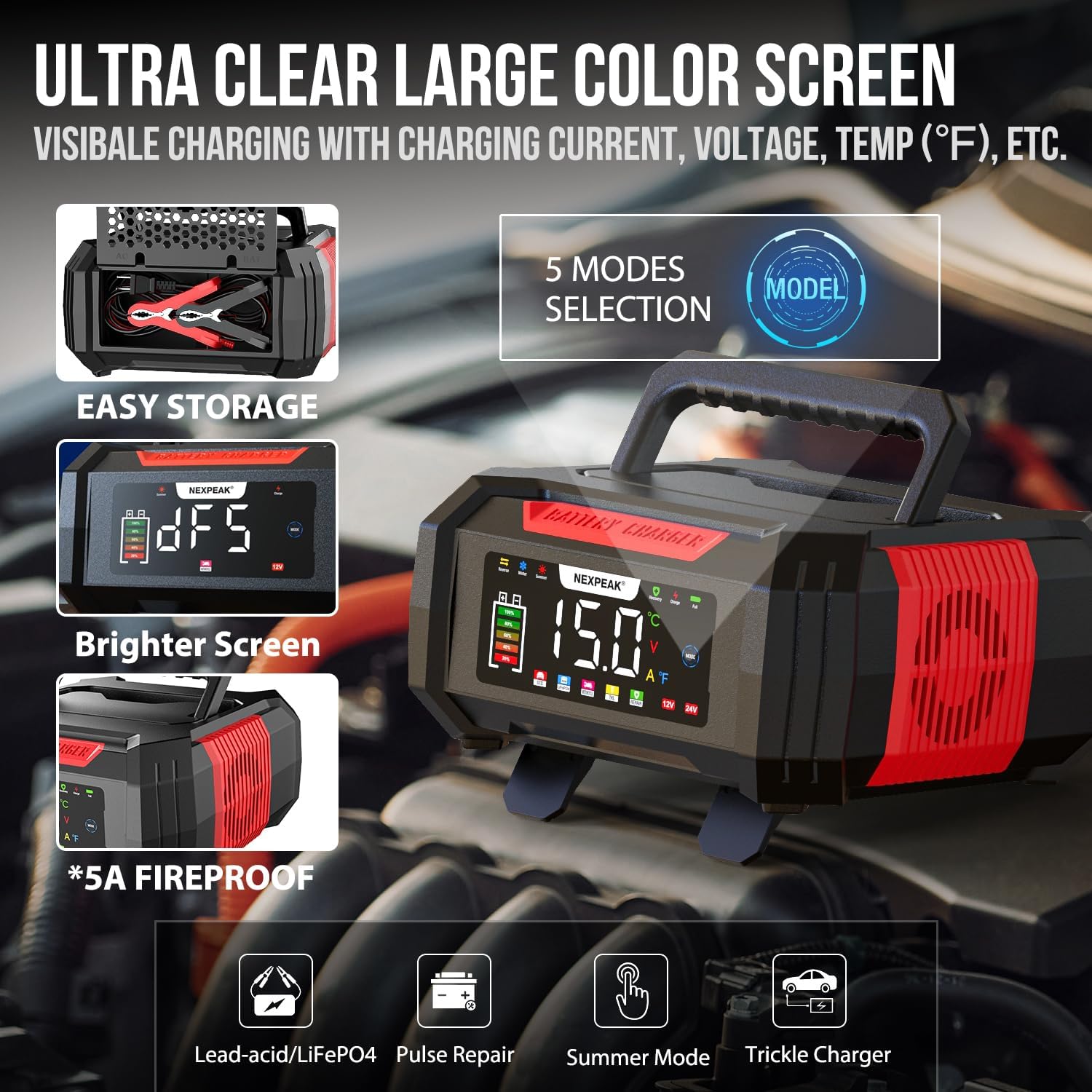
Figure 4: Ultra-clear large color screen and mode selection.
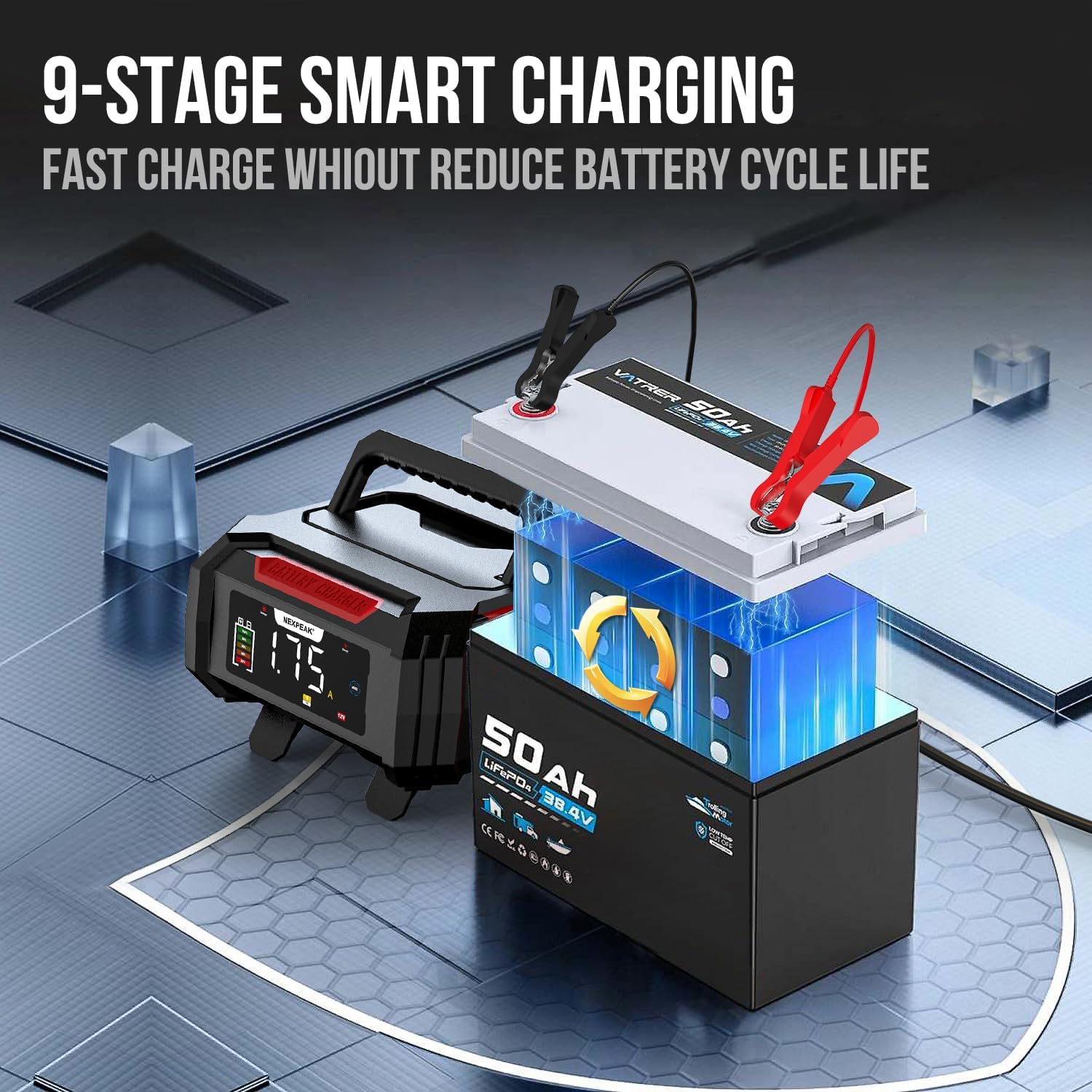
รูปที่ 5: ภาพประกอบของ 9-stage smart charging process.

Figure 6: The pulse repair function for restoring battery performance.
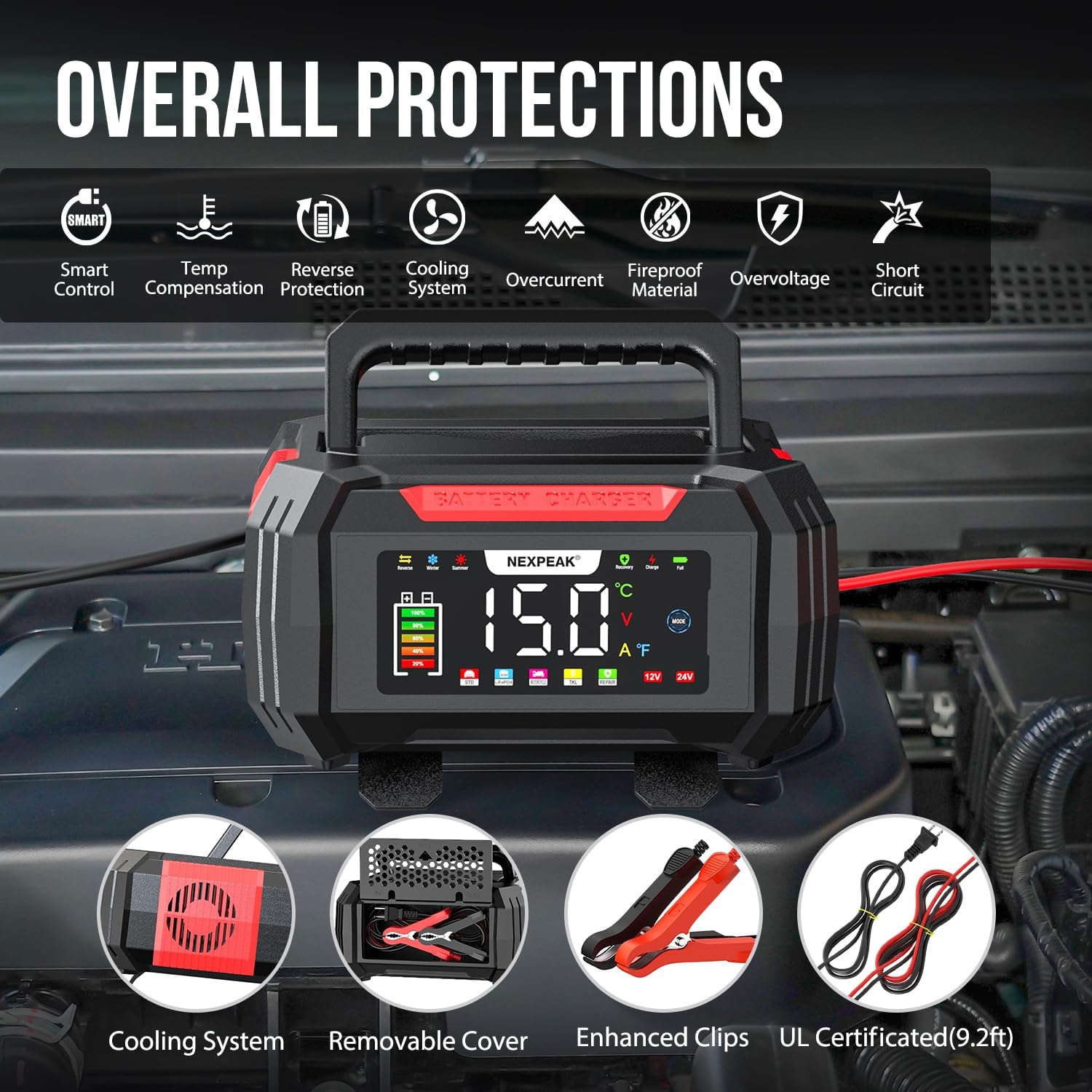
รูปที่ 7: เกินview of the comprehensive safety protections.

Figure 8: Temperature compensation for optimized charging in different climates.
4. การตั้งค่า
Follow these steps to set up your NEXPEAK battery charger:
- เตรียมแบตเตอรี่: ตรวจสอบให้แน่ใจว่าขั้วแบตเตอรี่สะอาดและไม่มีการกัดกร่อน หากจำเป็น ให้ทำความสะอาดด้วยแปรงลวด
- เชื่อมต่อ Clamps:
- เชื่อมต่อ สีแดง บวก (+) clamp ไปที่ บวก (+) ขั้วของแบตเตอรี่
- เชื่อมต่อ เนกาทีฟสีดำ (-) clamp ไปที่ ลบ (-) ขั้วของแบตเตอรี่
Important: Ensure the charger is NOT plugged into an AC power outlet before connecting the clampไปที่แบตเตอรี่
- เสียบที่ชาร์จ: เมื่อ clamps are securely connected to the battery, plug the charger's AC power cord into a standard 120V AC wall outlet.
- การแสดงผลเริ่มต้น: The charger's LCD screen will illuminate and display the current battery voltage and other information.
5. คู่มือการใช้งาน
The NEXPEAK charger operates largely automatically, but you can select specific modes as needed.
5.1 การชาร์จอัตโนมัติ
After connecting the charger to the battery and power outlet, the charger will automatically detect the battery type (12V or 24V) and begin the appropriate 9-stage charging process. The LCD screen will show real-time charging voltage, current, temperature, and charge percentage.
การเลือกโหมด 5.2
กดปุ่ม โหมด button on the charger's display to cycle through available charging modes. The charger offers 5 modes:
- ค่าบริการมาตรฐาน: Default mode for general charging.
- LiFePO4: Specific mode for Lithium Iron Phosphate batteries.
- Pulse Repair (PUL): For desulfation and repair of lead-acid batteries. Select this mode if your battery is showing signs of sulfation or reduced performance. The charger will attempt to restore the battery.
- โหมดฤดูร้อน: Automatically activated when ambient temperature is above 82°F (28°C). Adjusts charging parameters for hot climates.
- โหมดฤดูหนาว: Automatically activated when ambient temperature is below 50°F (10°C). Adjusts charging parameters for cold climates.
- Trickle Charge (TKL): Automatically engaged after a full charge to maintain the battery. This mode is ideal for long-term storage.
5.3 การถอดสายชาร์จ
- Unplug the charger's AC power cord from the wall outlet.
- ปลด cl ลบสีดำ (-) ออกamp from the battery's negative (-) terminal.
- ตัดการเชื่อมต่อ cl บวก (+) สีแดงamp from the battery's positive (+) terminal.
6. การบำรุงรักษา
Proper maintenance ensures the longevity and optimal performance of your NEXPEAK battery charger.
- การทำความสะอาด: Disconnect the charger from all power sources and batteries before cleaning. Wipe the exterior with a soft, damp ผ้า. อย่าใช้สารเคมีที่รุนแรงหรือน้ำยาทำความสะอาดที่มีฤทธิ์กัดกร่อน
- สายเคเบิ้ลและ Clamp การตรวจสอบ: ตรวจสอบสายชาร์จและปลั๊กไฟอย่างสม่ำเสมอamps for any signs of damage, fraying, or corrosion. Replace if damaged.
- พื้นที่จัดเก็บ: Store the charger in a cool, dry place when not in use. Utilize the removable cover to neatly store the cables and clamps within the unit.
- การระบายอากาศ : Ensure the cooling vents on the charger are not blocked during operation to prevent overheating.
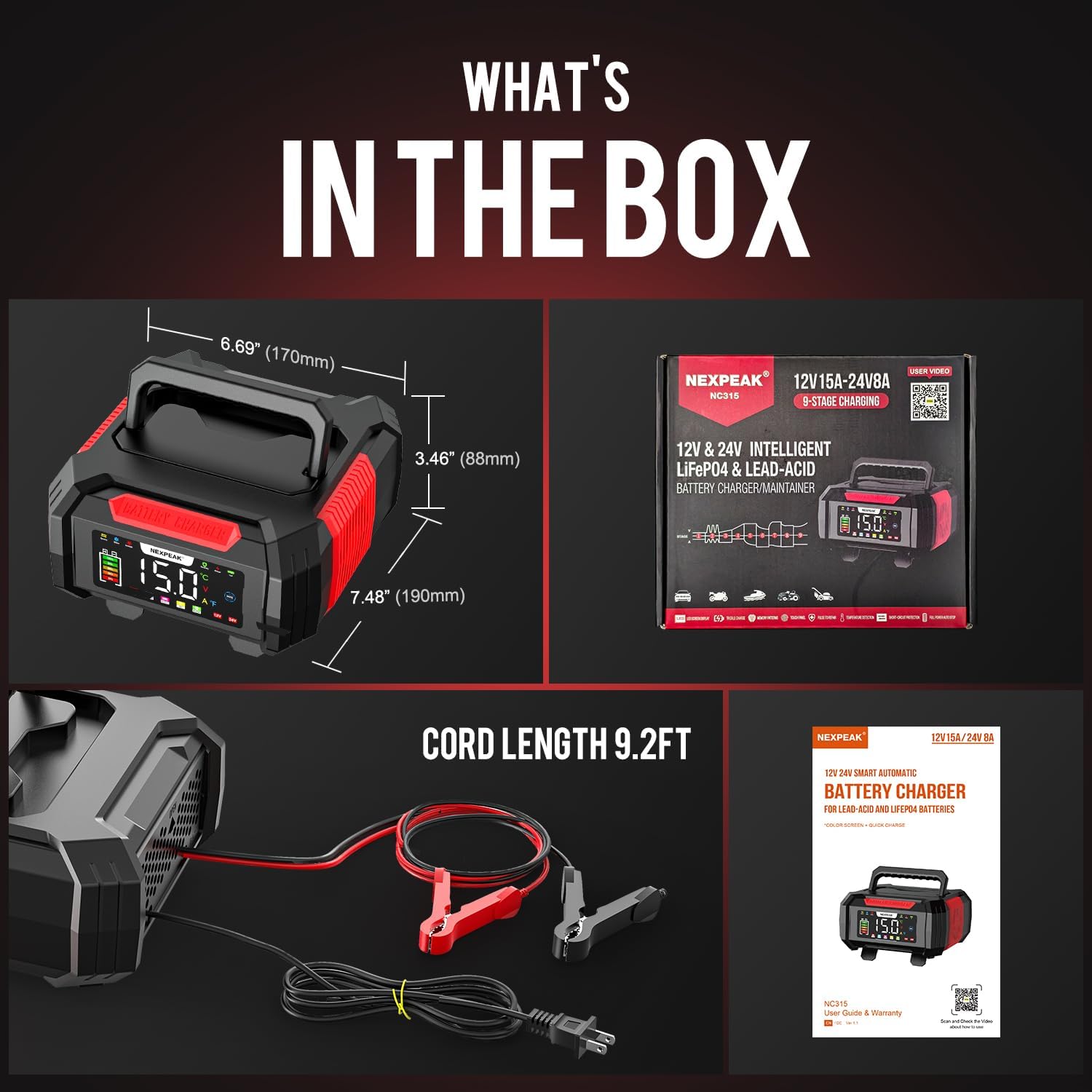
Figure 9: What's in the box, showing the charger and its accessories.
7 การแก้ไขปัญหา
If you encounter issues with your NEXPEAK battery charger, refer to the following common problems and solutions:
| ปัญหา | สาเหตุที่เป็นไปได้ | สารละลาย |
|---|---|---|
| เครื่องชาร์จไม่เปิด | No power from outlet; loose connection; charger malfunction. | Check the wall outlet with another device. Ensure the power cord is securely plugged into the charger and the outlet. |
| Charger displays an error or warning. | Reverse polarity; short circuit; overcharge; battery fault. | Disconnect the charger immediately. Check clamp connections for correct polarity (+ to + and - to -). Inspect cables for damage. If the error persists, the battery may be faulty or the charger requires service. |
| แบตเตอรี่ไม่ชาร์จหรือชาร์จช้า | Poor connection; battery sulfation; battery is completely dead (below 1V); incorrect mode selected. | มั่นใจ clamps have good contact with battery terminals. Try the Pulse Repair (PUL) mode for sulfated lead-acid batteries. Note that the charger cannot activate or charge batteries with voltage below 1V. Verify the correct battery type mode is selected. |
| เครื่องชาร์จจะร้อนขึ้นระหว่างการใช้งาน | Normal operation; blocked ventilation. | It is normal for the charger to get warm during charging. Ensure the cooling vents are not obstructed and there is adequate airflow around the unit. If it becomes excessively hot, disconnect and allow it to cool. |
8. ข้อมูลจำเพาะ
| คุณสมบัติ | รายละเอียด |
|---|---|
| หมายเลขรุ่น | bc02-1a |
| อินพุต Voltage | แรงดันไฟฟ้า 100-240 โวลต์ 50/60 เฮิรตซ์ |
| ปริมาณการส่งออกtage | กระแสตรง 12V, กระแสตรง 24V |
| กระแสไฟขาออก | 12V: 15A; 24V: 8A |
| กระแสไฟหยด | 1.75เอ |
| ประเภทของแบตเตอรี่ | LiFePO4, Lead-Acid (AGM, GEL, SLA, Flooded) |
| การชาร์จ Stages | 9-สtagอี ชาร์จเจอร์อัจฉริยะ |
| Pulse Repair Function | Yes (for lead-acid batteries, not for batteries below 1V) |
| การชดเชยอุณหภูมิ | Yes (Summer Mode >82°F, Winter Mode <50°F) |
| แสดง | หน้าจอ LCD สีขนาดใหญ่ |
| ขนาดสินค้า | ลึก 8.46 นิ้ว x กว้าง 7.16 นิ้ว x สูง 4.13 นิ้ว (21.5 ซม. x 18.2 ซม. x 10.5 ซม.) |
| น้ำหนักสินค้า | 2.1 ปอนด์ (0.95 กก.) |
| ความยาวสายเคเบิล | 9.2 ฟุต (2.8 ม.) |
9. การรับประกันและการสนับสนุน
NEXPEAK stands behind the quality of its products. A replacement is available for any quality issue. For technical support, warranty claims, or any questions regarding your NEXPEAK 15A Battery Charger, please contact NEXPEAK customer service.
Please refer to the contact information provided on the product packaging or the official NEXPEAK webเว็บไซต์สำหรับรายละเอียดการสนับสนุนล่าสุด
Ask a question about this manual
Ask about setup, troubleshooting, compatibility, parts, safety, or missing instructions. Manuals+ will review the question and use this page’s manual context to help answer it.