
การแนะนำ
The Bose QuietComfort Ultra Headphones (2nd Gen) are engineered to provide an immersive audio experience with advanced noise cancellation and spatialized audio. Designed for comfort and superior sound, these wireless Bluetooth headphones feature CustomTune technology for personalized audio and up to 30 hours of battery life. This manual provides essential information for setup, operation, maintenance, and troubleshooting to ensure optimal use of your headphones.
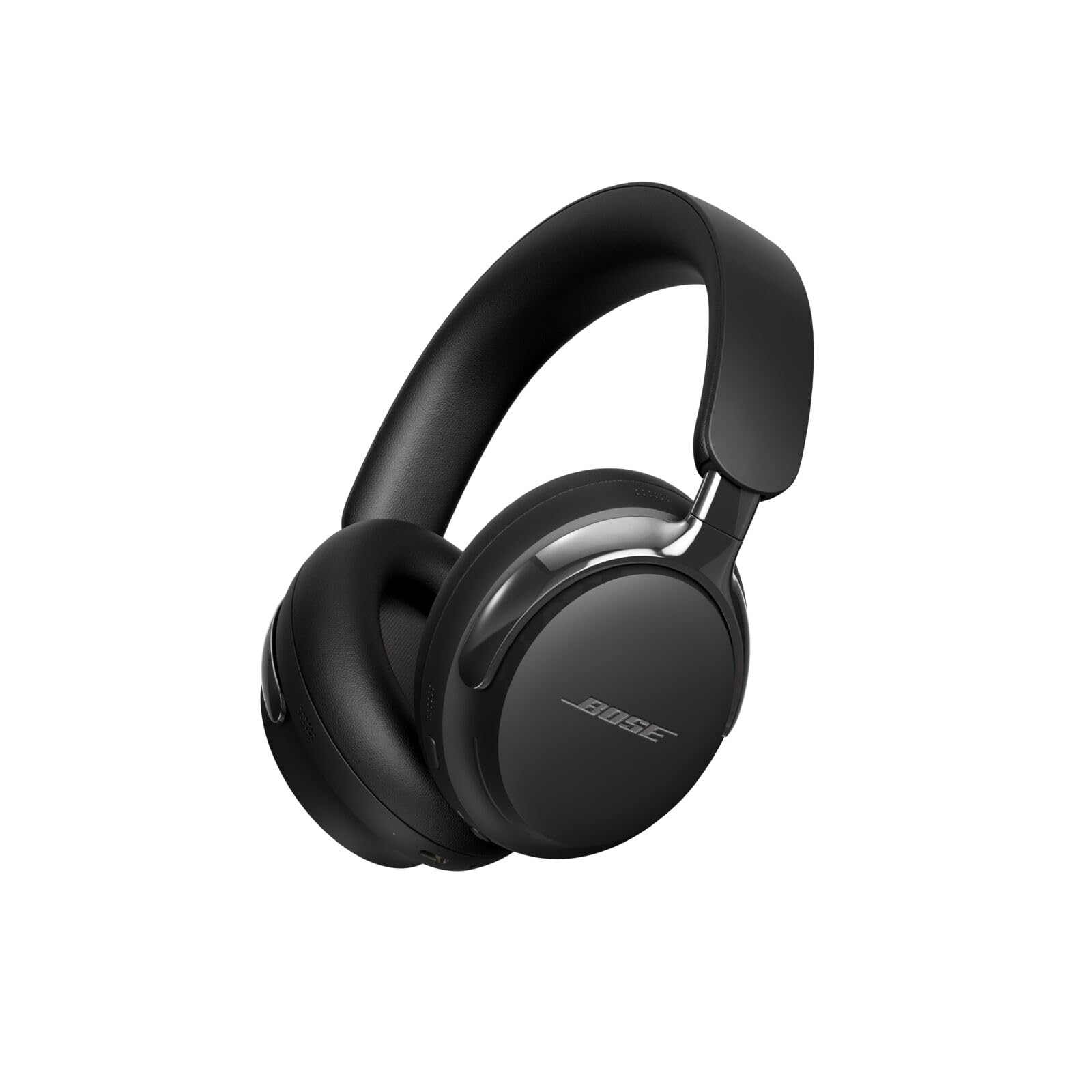
Image: Bose QuietComfort Ultra Headphones (2nd Gen) in Black, showcasinด้วยการออกแบบที่เพรียวบาง
มีอะไรอยู่ในกล่อง
Your Bose QuietComfort Ultra Headphones (2nd Gen) package includes:
- หูฟัง Bose QuietComfort Ultra (รุ่นที่ 2)
- เคสป้องกัน
- USB-C to USB-C Cable (for charging and wired audio)
- 2.5mm to 3.5mm Audio Cable (for analog listening)
- เอกสารความปลอดภัย
Video: A short unboxing of the Bose QuietComfort Ultra Headphones (2nd Gen), showing the contents of the package.
สินค้าเกินview
การออกแบบและความสะดวกสบาย
The headphones feature plush earcups and a refined metal headband that evenly distributes pressure for a comfortable fit during extended listening sessions. The arms holding the earcups are made with polished metal, adding to the stylish design.

ภาพ: ด้านข้าง view of the Bose QuietComfort Ultra Headphones (2nd Gen), highlighting the polished metal arms and earcup design.
การควบคุมและพอร์ต
The right earcup houses the primary controls:
- ปุ่มเปิด/ปิดเครื่อง: ใช้เพื่อเปิด/ปิดหูฟังและเริ่มการจับคู่บลูทูธ
- ปุ่มมัลติฟังก์ชั่น: For various controls depending on context (e.g., play/pause, answer calls).
- แถบสัมผัส: Located on the backside of the right earcup, drag your finger up or down to adjust volume.
Connectivity ports include:
- พอร์ต USB-C: For charging and high-quality lossless wired audio connection to compatible devices.
- แจ็คเสียงขนาด 2.5 มม.: For analog audio connection using the included 2.5mm to 3.5mm cable.
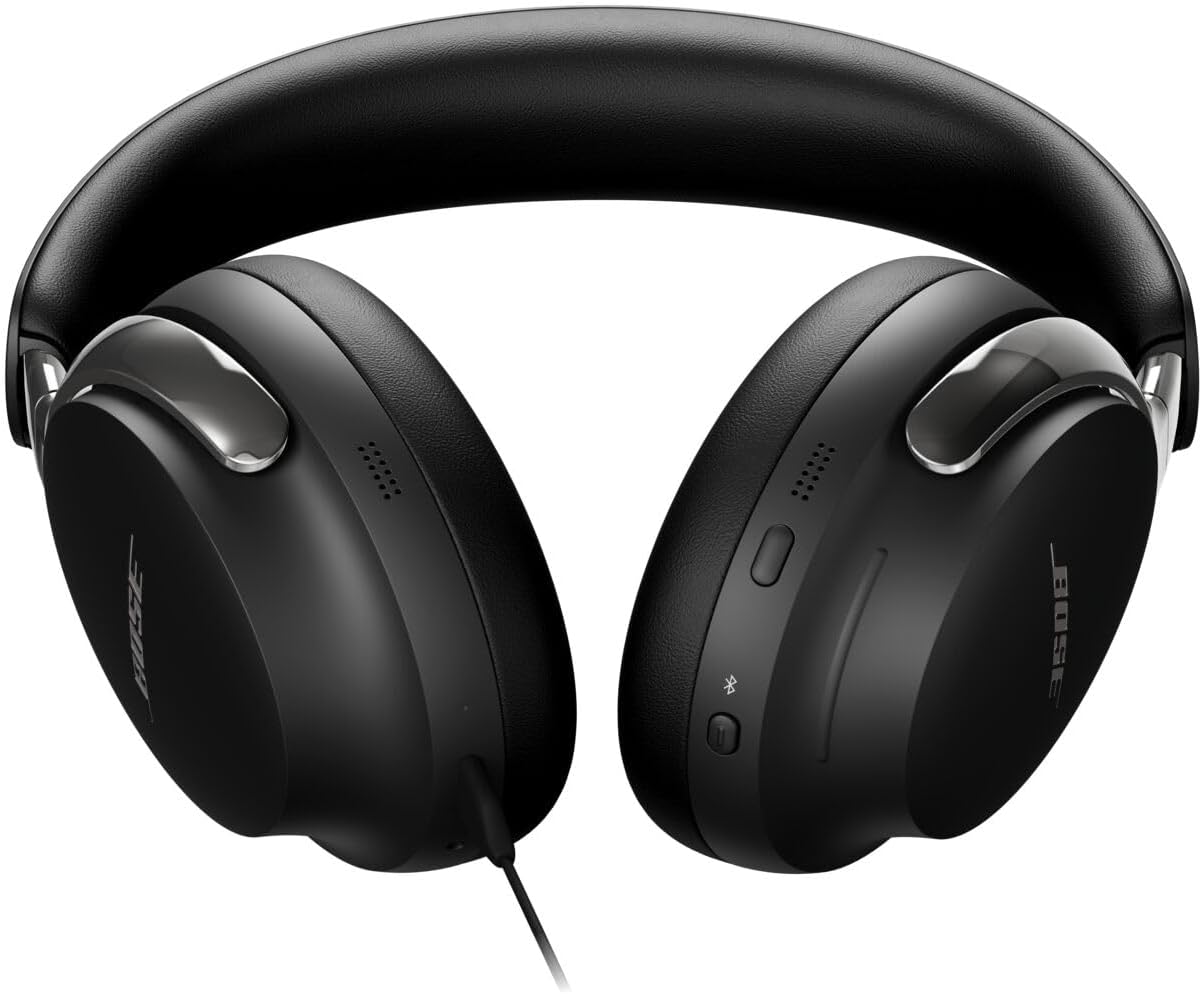
Image: Close-up of the right earcup showing the power button, multi-function button, and touch-sensitive volume strip.
การตั้งค่า
การจับคู่เบื้องต้น
- To power on your headphones, press and hold the Power/Pairing button until the indicator light illuminates.
- To enter pairing mode, continue holding the Power/Pairing button until the indicator light blinks blue.
- On your device, enable Bluetooth and select "Bose QuietComfort Ultra Headphones" from the list of available devices.
แอป Bose Music
For full functionality, including software updates, sound customization (EQ), and access to all features, download the Bose Music app from your device's app store. The app allows you to manage connections, adjust noise cancellation modes, and personalize your audio experience.
การดำเนินงาน
โหมดตัดเสียงรบกวน
The headphones offer several listening modes:
- โหมดเงียบ: Bose's best noise cancellation to minimize distractions.
- โหมดการรับรู้: ช่วยให้คุณได้ยินเสียงรอบข้างขณะเพลิดเพลินกับเสียงเพลง
- โหมดการแช่: ผสานเทคโนโลยีตัดเสียงรบกวนเข้ากับระบบเสียง Bose Immersive Audio เพื่อประสบการณ์เสียงที่เหนือกว่า
- โหมด Cinema: A new feature that spatializes and balances background sound and effects for a cinematic audio experience.
Video: Demonstration of Ambient Mode functionality on the Bose QuietComfort Ultra Headphones (2nd Gen).
ระบบเสียง Bose Immersive Audio
This technology spatializes audio, moving the sound out of your head and placing it in front of you for a more natural and expansive listening experience. CustomTune technology further personalizes this by adapting the sound to the unique shape of your ears.
การชาร์จและอายุการใช้งานแบตเตอรี่
The Bose QuietComfort Ultra Headphones (2nd Gen) offer:
- สูงถึง 30 ชั่วโมง of play time with Active Noise Cancellation (ANC) on.
- สูงถึง 23 ชั่วโมง of play time with Immersive Audio enabled.
- Full recharge time is approximately 3 ชั่วโมง ผ่านทางพอร์ต USB-C
You can listen to high-quality lossless audio while charging by connecting the included USB-C to USB-C cable to a compatible device.
คุณภาพการโทร
These headphones are equipped with noise-rejecting microphones that focus on your voice, while AI-based background noise suppression filters out ambient sounds and wind for clear phone calls and video conferencing. The USB-C connection also supports high-quality two-way communication.
Video: Microphone test comparing Bose QuietComfort Ultra Headphones (2nd Gen) with Sennheiser HDB 630.
ข้อมูลจำเพาะ
| คุณสมบัติ | รายละเอียด |
|---|---|
| ยี่ห้อ | โบส |
| ชื่อรุ่น | หูฟัง Bose QuietComfort Ultra (รุ่นที่ 2) |
| หมายเลขรุ่น | 890101-0100 |
| การวางตำแหน่งหู | ครอบหู |
| การควบคุมเสียงรบกวน | ระบบตัดเสียงรบกวนแบบแอคทีฟ |
| เทคโนโลยีการเชื่อมต่อ | Wireless (Bluetooth 5.4), Wired (USB-C, 2.5mm Jack) |
| ช่วงบลูทูธ | สูงถึง 30 ฟุต |
| อายุการใช้งานแบตเตอรี่โดยเฉลี่ย | 30 Hours (23 with Immersive Audio) |
| เวลาในการชาร์จแบตเตอรี่ | 3 ชั่วโมง |
| ประเภทการควบคุม | Button Control, App, Touch Strip |
| น้ำหนักสินค้า | 0.48 กิโลกรัม |
| ระดับความต้านทานต่อน้ำ | ไม่ทนน้ำ |
การซ่อมบำรุง
To ensure the longevity and optimal performance of your Bose QuietComfort Ultra Headphones (2nd Gen), follow these maintenance guidelines:
- การทำความสะอาด: ใช้ผ้านุ่มและแห้งเช็ดทำความสะอาดที่ครอบหูและที่คาดศีรษะ หลีกเลี่ยงการใช้สารเคมีรุนแรงหรือวัสดุที่มีฤทธิ์กัดกร่อน
- พื้นที่จัดเก็บ: เก็บหูฟังไว้ในกล่องป้องกันเมื่อไม่ได้ใช้งานเพื่อป้องกันความเสียหาย
- หลีกเลี่ยงความชื้น: The headphones are not water resistant. Avoid exposure to water, sweat, or high humidity.
- การดูแลสายเคเบิล: Handle the USB-C and audio cables gently to prevent fraying or damage.
การแก้ไขปัญหา
หากคุณพบปัญหาเกี่ยวกับหูฟัง โปรดลองทำตามขั้นตอนต่อไปนี้:
- ไม่มีไฟฟ้า: ตรวจสอบให้แน่ใจว่าหูฟังชาร์จเต็มแล้ว เสียบหูฟังเข้ากับแหล่งจ่ายไฟโดยใช้สาย USB-C
- ปัญหาการจับคู่: Make sure Bluetooth is enabled on your device and the headphones are in pairing mode (blinking blue light). Try forgetting the device on your phone and re-pairing.
- คุณภาพเสียง: Check the audio source and ensure the volume is adjusted correctly on both the headphones and your device. If using wired connection, ensure cables are securely connected.
- ตัดเสียงรบกวน: Verify that the desired noise cancellation mode is selected in the Bose Music app.
- การเชื่อมต่อแอพ: Ensure the Bose Music app is up to date and your device's operating system is compatible.
สำหรับการแก้ไขปัญหาโดยละเอียดเพิ่มเติม โปรดดูแอป Bose Music หรือฝ่ายสนับสนุน Bose อย่างเป็นทางการ webเว็บไซต์.
การรับประกันและการสนับสนุน
Your Bose QuietComfort Ultra Headphones (2nd Gen) come with a การรับประกันจากผู้ผลิต 1 ปี. For warranty claims, technical support, or additional product information, please visit the official Bose support webเว็บไซต์หรือติดต่อฝ่ายบริการลูกค้าของพวกเขา
The Bose Music app is also a valuable resource for accessing the latest software updates, ensuring optimal functionality, and exploring cutting-edge features.