
1. บทนำ
This manual provides essential information for the proper setup, operation, and maintenance of your Kalobee H9 Smart Watch. Please read these instructions carefully before using your device to ensure optimal performance and longevity.
The Kalobee H9 Smart Watch features a 49mm clear case design with an orange and black band, offering a blend of style and functionality. It includes a digital display with chronograph-style complications and wireless charging capability.
2. เนื้อหาบรรจุภัณฑ์
ตรวจสอบว่ามีรายการทั้งหมดอยู่ในแพ็คเกจ:
- Kalobee H9 Smart Watch Unit
- สายชาร์จ
- คู่มือการใช้งาน (เอกสารนี้)
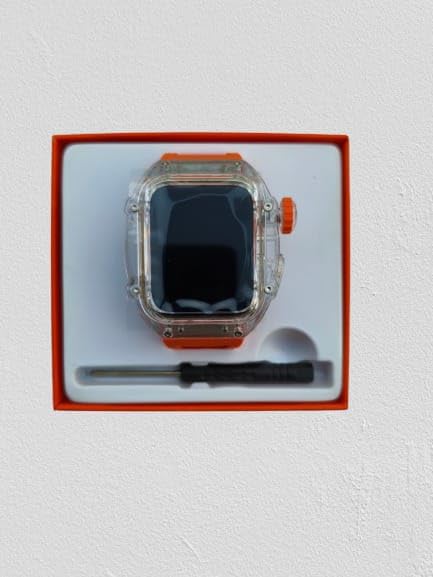
Image: The Kalobee H9 Smart Watch, charging cable, and a small tool are neatly arranged within its retail packaging.
3. สินค้าหมดview
Familiarize yourself with the components of your Kalobee H9 Smart Watch:

Image: An exploded diagram illustrating the main components of the Kalobee H9 Smart Watch, including the face cover, non-slip crown, function key, middle frame, rear cover, and liquid silicone strap.
- Face Cover: The transparent protective layer over the display.
- Non-slip Crown: A rotating and pressable button for navigation and selection.
- ปุ่มฟังก์ชัน: An additional button for specific functions.
- Middle Frame: The central housing of the watch.
- ฝาครอบด้านหลัง: The back panel of the watch, typically housing sensors and charging contacts.
- สายรัดซิลิโคนเหลว: The comfortable and durable watch band.
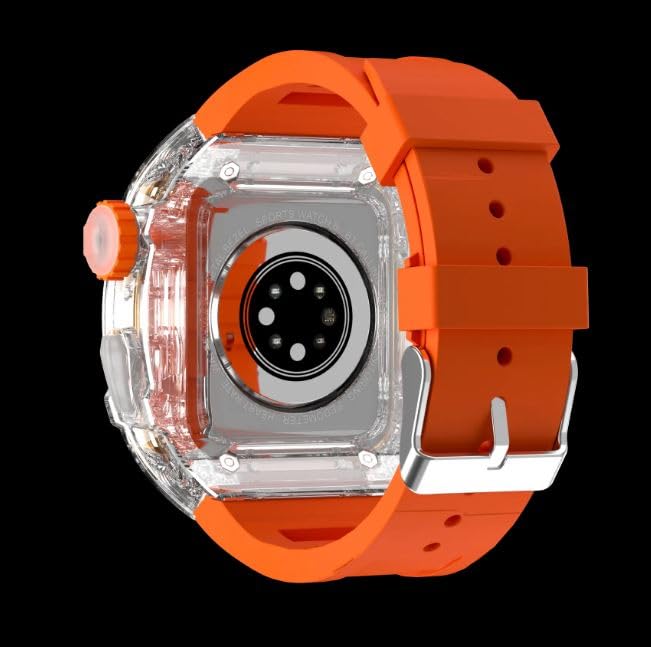
ภาพ: ด้านหลัง view of the Kalobee H9 Smart Watch, highlighting the sensor array and wireless charging area on the back panel.
4. การตั้งค่า
4.1 การชาร์จสมาร์ทวอทช์
The Kalobee H9 Smart Watch supports wireless charging. Before initial use, fully charge the device.
- Connect the provided charging cable to a compatible USB power adapter (not included).
- Place the rear cover of the watch onto the wireless charging pad. Ensure the watch is centered on the pad for proper contact.
- หน้าจอของนาฬิกาจะแสดงสถานะการชาร์จ โปรดรอให้ชาร์จจนเต็มก่อนจึงจะใช้งานได้
4.2 การเปิด/ปิดเครื่อง
- การเปิดเครื่อง: Press and hold the Non-slip Crown until the Kalobee logo appears on the screen.
- วิธีปิดเครื่อง: Press and hold the Non-slip Crown, then select the 'Power Off' option on the screen.
4.3 การจับคู่กับสมาร์ทโฟน
To access all smart features, pair your H9 Smart Watch with a compatible smartphone via Bluetooth.
- ตรวจสอบให้แน่ใจว่าได้เปิดใช้งานบลูทูธของสมาร์ทโฟนของคุณแล้ว
- On your H9 Smart Watch, navigate to the Bluetooth settings (refer to Section 5.1 for navigation).
- On your smartphone, open the dedicated Kalobee companion app (if available) or go to Bluetooth settings to search for devices.
- Select 'Kalobee H9' from the list of available devices on your smartphone.
- ยืนยันคำขอจับคู่บนนาฬิกาและสมาร์ทโฟนของคุณทั้งสอง
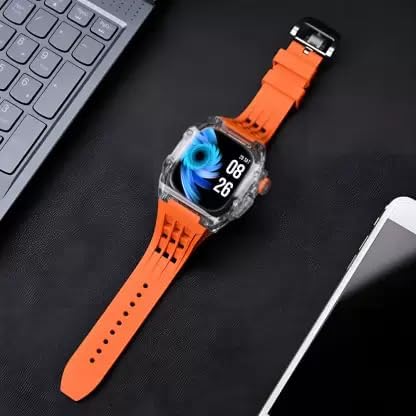
Image: The Kalobee H9 Smart Watch displayed on a desk alongside a smartphone and laptop, illustrating its connectivity with other devices.
5. คู่มือการใช้งาน
5.1 การนำทางพื้นฐาน
The H9 Smart Watch features both touchscreen and physical button controls:
- หน้าจอสัมผัส: ปัดไปทางซ้าย ขวา ขึ้น หรือลง เพื่อเลื่อนดูเมนูและหน้าจอต่างๆ แตะเพื่อเลือกรายการ
- Non-slip Crown: หมุนเพื่อเลื่อนดูรายการหรือปรับการตั้งค่า กดเพื่อกลับไปยังหน้าจอหลักหรือยืนยันการเลือก
- ปุ่มฟังก์ชัน: Typically used for quick access to a specific feature or as a back button. Refer to the on-screen prompts for its exact function in different contexts.
5.2 คุณสมบัติหลัก
The Kalobee H9 Smart Watch offers several features to enhance your daily activities:
- ตัวติดตามกิจกรรม: ตรวจสอบจำนวนก้าว ระยะทาง และปริมาณแคลอรีที่เผาผลาญ
- นาฬิกาปลุก: ตั้งนาฬิกาปลุกได้โดยตรงจากนาฬิกาของคุณ
- หน่วยความจำการออกกำลังกายรายวัน: Records and stores your workout data.
- จอแสดงผลดิจิตอล: Provides clear time, date, and other information.
- การแจ้งเตือน: รับการแจ้งเตือนสำหรับสายเรียกเข้า ข้อความ และการแจ้งเตือนจากแอปต่างๆ บนสมาร์ทโฟนที่เชื่อมต่ออยู่
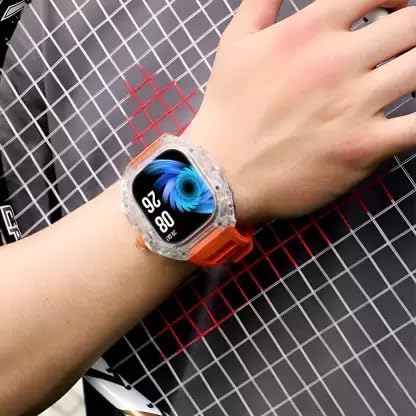
Image: The Kalobee H9 Smart Watch worn on a wrist, displaying the current time and date on its digital interface.
6. การบำรุงรักษา
To ensure the longevity and proper functioning of your Kalobee H9 Smart Watch, follow these maintenance guidelines:
- การทำความสะอาด: เช็ดนาฬิกาและสายนาฬิกาเป็นประจำด้วยผ้าแห้งนุ่มๆ สำหรับคราบสกปรกที่ติดแน่น ให้ใช้ผ้าที่ชื้นเล็กน้อยเช็ดamp เช็ดด้วยผ้าและสบู่อ่อนๆ แล้วเช็ดให้แห้งสนิท หลีกเลี่ยงสารเคมีรุนแรงหรือสารกัดกร่อน
- ความต้านทานน้ำ: While the watch features a robust construction, avoid prolonged submersion in water or exposure to high-pressure water jets. Dry the watch thoroughly if it gets wet.
- การชาร์จ: Use only the provided charging cable. Avoid exposing the charging contacts to moisture or corrosive substances.
- อุณหภูมิ: Do not expose the watch to extreme temperatures (hot or cold) or direct sunlight for extended periods.
- พื้นที่จัดเก็บ: เมื่อไม่ได้ใช้งานเป็นเวลานาน ควรเก็บนาฬิกาไว้ในที่แห้งและเย็น
7 การแก้ไขปัญหา
If you encounter issues with your Kalobee H9 Smart Watch, refer to the following common problems and solutions:
| ปัญหา | สาเหตุที่เป็นไปได้ | สารละลาย |
|---|---|---|
| นาฬิกาไม่เปิด | แบตเตอรี่อ่อน อุปกรณ์ทำงานผิดปกติ | Charge the watch fully. If the issue persists, contact customer support. |
| ไม่สามารถจับคู่กับสมาร์ทโฟนได้ | Bluetooth off; watch not in pairing mode; interference | Ensure Bluetooth is enabled on both devices. Restart both devices. Try pairing again. |
| ไม่ได้รับการแจ้งเตือน | Not paired; app permissions; notification settings | Verify successful pairing. Check notification permissions in your smartphone's settings for the companion app. Ensure notifications are enabled on the watch. |
| การติดตามกิจกรรมที่ไม่แม่นยำ | สวมใส่ไม่ถูกต้อง; ข้อผิดพลาดของซอฟต์แวร์ | Ensure the watch is worn snugly on your wrist. Restart the watch. |
8. ข้อมูลจำเพาะ
Detailed technical specifications for the Kalobee H9 Smart Watch:
- ยี่ห้อ: Generic (Manufactured by Kalobee)
- แบบอย่าง: H9
- หมายเลขรุ่นสินค้า: H9
- ขนาดแพ็คเกจ: 15 x 8 x 3.5 ซม.
- น้ำหนักสินค้า: 85 กรัม
- ความจุหน่วยความจำ: 32MB
- ระบบปฏิบัติการ: ระบบปฏิบัติการที่เป็นกรรมสิทธิ์
- อุปกรณ์ที่รองรับ: สมาร์ทโฟน
- คุณสมบัติพิเศษ: Activity Tracker, Alarm Clock, Daily Workout Memory, Digital Display, Notifications
- ฮาร์ดแวร์สำหรับติดตั้ง: Charging Cable, Smart Watch, User Manual
- ขนาดหน้าจอยืน: 49 มิล
- ประเภทจอภาพ: ดิจิตอล
- ความจุแบตเตอรี่: 10000 Amp ชั่วโมง
- ประเภทไร้สาย: บลูทูธ
- ประเภทตัวเชื่อมต่อ: บลูทูธ, ไร้สาย
- Device Interface - Primary: ปุ่ม, หน้าจอสัมผัส
- ประเทศต้นกำเนิด: จีน
9. การรับประกันและการสนับสนุน
สำหรับข้อมูลการรับประกันและการบริการลูกค้า โปรดดูเอกสารที่ให้ไว้ ณ จุดที่ซื้อสินค้า หรือติดต่อผู้ค้าปลีกของคุณ เก็บหลักฐานการซื้อไว้เพื่อใช้ในการเรียกร้องการรับประกันใดๆ
หากต้องการความช่วยเหลือเพิ่มเติม คุณสามารถเยี่ยมชมเว็บไซต์อย่างเป็นทางการของผู้ผลิตได้เช่นกัน webเว็บไซต์หรือติดต่อฝ่ายบริการลูกค้าของพวกเขา