
1. บทนำ
The VDIAGTOOL VD80 BT is a professional-grade bidirectional scan tool designed for comprehensive automotive diagnostics. It offers advanced features such as topology mapping, ECU coding, and a wide range of service functions, providing efficient and accurate vehicle analysis. This manual provides detailed instructions for setting up, operating, and maintaining your VD80 BT device.

Image 1.1: VDIAGTOOL VD80 BT Bidirectional Scan Tool with its carrying case and wireless VCI module.
2. การตั้งค่า
2.1 การแกะกล่องและเปิดเครื่องครั้งแรก
Carefully unpack all components from the carrying case. The package includes the VD80 BT diagnostic tablet, a VCI WiFi Box, power adapters (US/UK/EU), a Type-C to Type-C charging cable, a quick start guide, and the carry case itself.
วิดีโอ 2.1: จบview of the VDIAGTOOL VD80 BT and its components.
To power on the device, press and hold the power button located on the side of the tablet. Follow the on-screen prompts for initial setup, including language selection.
2.2 การเชื่อมต่อโมดูล VCI
The VCI (Vehicle Communication Interface) module connects to your vehicle's OBD2 port and communicates wirelessly with the VD80 BT tablet. Ensure the VCI module is securely plugged into the vehicle's OBD2 port, typically located under the dashboard.
Video 2.2: Demonstration of connecting the VCI module to the vehicle and establishing wireless communication.
The VD80 BT supports both wired and wireless (WiFi) connections to the VCI module. For wireless connectivity, the tablet features a built-in WiFi module. The VCI connection status is indicated by an icon on the tablet screen: green for strong signal, yellow for weaker but connected signal, and gray for no connection. For optimal performance, maintain a distance of 33-66ft from the vehicle for stable wireless diagnostics.
Video 2.3: Illustrates the wireless connectivity range and signal indicators of the VD80 BT.
3. คู่มือการใช้งาน
3.1 Diagnostic Scan Modes
The VD80 BT offers various scan modes to suit different diagnostic needs:
- สแกนอัตโนมัติ: Performs a comprehensive scan of all available systems in the vehicle.
- CAN Fast Scan: Quickly reads fault codes from all available modules.
- การวินิจฉัยระบบอย่างครบถ้วน: Allows selection of specific systems (Engine, Transmission, ABS, etc.) for in-depth analysis.
3.2 การแมปโทโพโลยี
The intuitive Topology Map provides a visual representation of the vehicle's communication network. It displays all modules and DTCs in a clear, color-coded layout, significantly improving diagnostic efficiency by quickly identifying problematic areas.

ภาพที่ 3.1: อดีตample of the color-coded Topology Map displaying vehicle modules and DTCs.
Video 3.2: Demonstration of how Topology Mapping simplifies complex diagnostic data into clear visuals.
3.3 การตรวจสอบข้อมูลสด
Monitor real-time data streams from various sensors and components. The device allows viewing up to 8 PID graphs simultaneously, aiding in the identification of intermittent issues and performance analysis. You can customize data streams, record, and play back data for detailed review.

Image 3.3: Full-System Diagnostics interface showing live data graphing capabilities.
3.4 การทดสอบการทำงาน (การควบคุมแบบสองทิศทาง)
Perform active tests to command specific components and verify their functionality. This bidirectional control allows you to test components like the A/C clutch, fuel injector, ABS pump, or radiator fan directly from the tablet, speeding up fault isolation.

ภาพที่ 3.4: อดีตamples of bi-directional control tests available on the VD80 BT.
3.5 ฟังก์ชันพิเศษ (รีเซ็ตมากกว่า 42 รายการ)
The VD80 BT provides over 42 common maintenance and reset services, including:
- รีเซ็ตน้ำมัน
- การเรียนรู้คันเร่ง
- การรีเซ็ต EPB (ระบบเบรกจอดรถอิเล็กทรอนิกส์)
- รีเซ็ต BMS (ระบบจัดการแบตเตอรี่)
- การเข้ารหัสหัวฉีด
- ABS เลือดออก
- รีเซ็ต TPMS (ระบบตรวจสอบแรงดันลมยาง)
- รีเซ็ต SAS (เซ็นเซอร์มุมพวงมาลัย)

Image 3.5: Visual representation of various maintenance services offered by the tool.
3.6 การเขียนโค้ด ECU ขั้นสูง
Perform advanced ECU coding for supported vehicle brands (e.g., BMW, VW, Audi, Benz). This function allows for adaptation of new ECUs, personalization of settings, and optimization of vehicle performance.
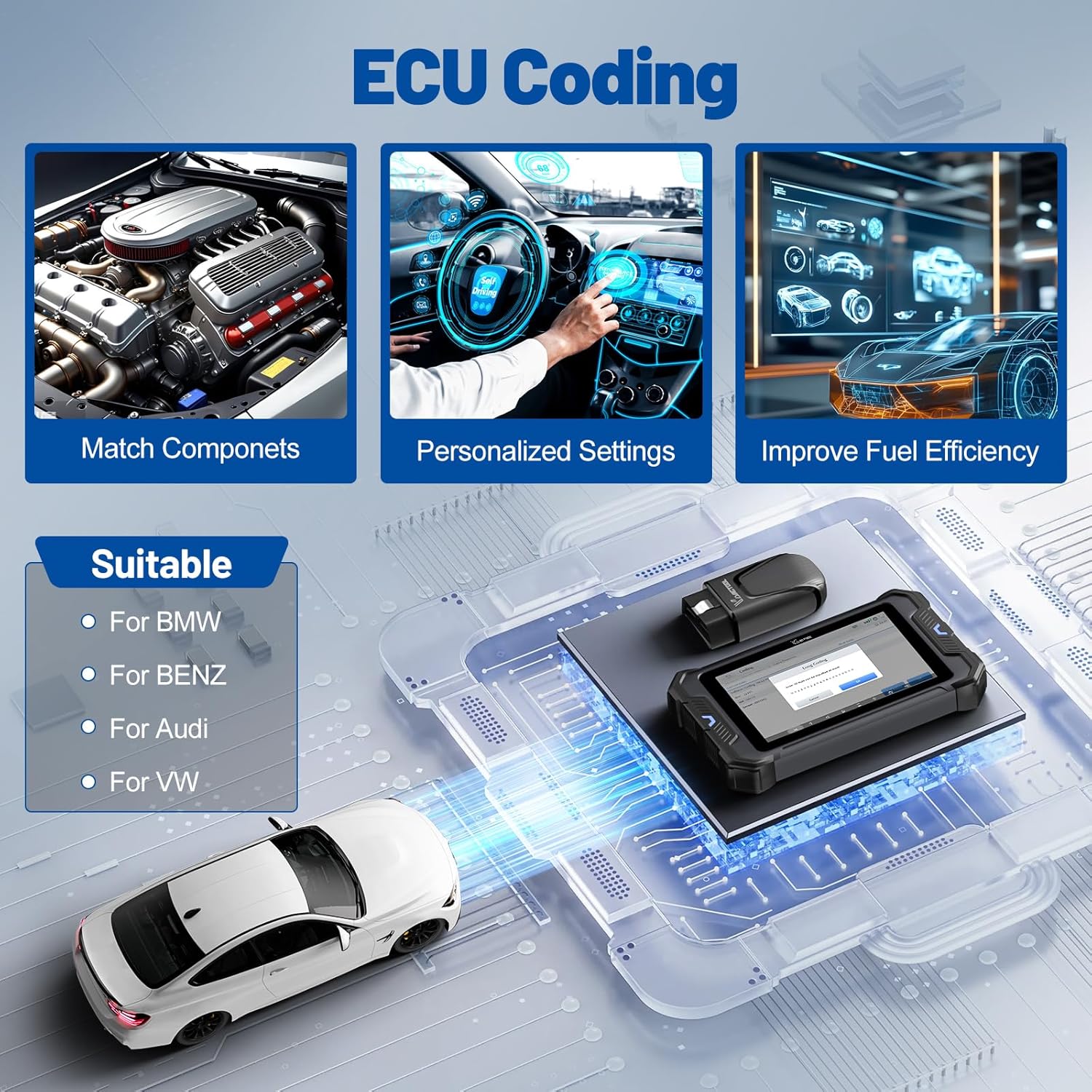
Image 3.6: ECU Coding interface showing options for component matching and personalized settings.
3.7 PMI (Programmable Module Installation)
The PMI function simplifies module replacement for Ford, Lincoln, and Mazda vehicles by automatically transferring programming data to new modules.
3.8 รายงานก่อนและหลังการสแกน
Generate professional pre-scan and post-scan reports to document vehicle conditions before and after repairs. These reports can include your shop logo, customer information, and photo attachments, providing verifiable results.
Video 3.7: Demonstration of generating and utilizing Pre & Post Scan Reports.
4. การบำรุงรักษา
4.1 การอัปเดตซอฟต์แวร์
The VD80 BT supports over-the-air (OTA) software updates. Connect the device to a stable Wi-Fi network and navigate to the 'Updates' section on the main menu to download and install the latest software versions and vehicle coverage. Regular updates ensure access to new features and expanded vehicle compatibility.
5 การแก้ไขปัญหา
5.1 ปัญหาการเชื่อมต่อ
- No VCI Connection: Check if the VCI module is securely plugged into the OBD2 port. Ensure the tablet's WiFi is enabled and connected to the VCI module. Move closer to the vehicle if the signal is weak.
- Slow Communication: For critical operations like ECU coding, consider using the Type-C cable for a wired connection to ensure maximum stability and speed.
5.2 Functionality Limitations
Note that specific functions (e.g., ECU coding, certain special services) may vary by vehicle model, year, and region. Always verify compatibility by providing your vehicle's VIN to VDIAGTOOL customer service before attempting advanced procedures.
6. ข้อมูลจำเพาะ
| คุณสมบัติ | รายละเอียด |
|---|---|
| ระบบปฏิบัติการ | แอนดรอยด์ 10.0 |
| หน้าจอ | 8" HD Touchscreen (1280x800) |
| โปรเซสเซอร์ | โปรเซสเซอร์ 4 คอร์ |
| แรม | 4GB |
| รอม | 64GB |
| แบตเตอรี่ | 1 Lithium Ion battery (included), 7.3V fast charging |
| การเชื่อมต่อแบบไร้สาย | Built-in WiFi, 33-66ft stable wireless connection |
| โปรโตคอลที่รองรับ | FCA AutoAuth, CAN FD, DoIP, ISO 9141-2, ISO 14230-2, ISO 15765, SAE J2610, SAE J1850 VPW, SAE J1850 PWM, TP2.0, TP1.6, K/L-Line |
| ความคุ้มครองรถยนต์ | 150+ brands, 10,000+ vehicle models worldwide |
| ภาษา | Supports 23 languages (default English) |
| น้ำหนักสินค้า | 5.35 ปอนด์ |
| ขนาดแพ็คเกจ | 12.52 x 10.79 x 4.02 นิ้ว |
7. อะไรอยู่ในกล่อง
- 1 * VD80 BT Scanner for Car
- 1 * VCI WiFi Box
- 1 * US/UK/EU Plug Adapter
- 1 * Type-C to Type-C Charge Cable
- 1 * คู่มือเริ่มต้นอย่างรวดเร็ว
- 1 * Carry Case

Image 7.1: All items included in the VDIAGTOOL VD80 BT package.
8. การรับประกันและการสนับสนุน
- การอัปเดตซอฟต์แวร์: Enjoy 3 years of free software updates.
- การรับประกัน: สินค้ามาพร้อมกับการรับประกัน 2 ปี
- การส่งคืน: มีนโยบายคืนสินค้าฟรีภายใน 30 วัน
- บริการลูกค้า: 24/7 customer service is provided for assistance.
For further support or inquiries, please refer to the contact information provided in your Quick Start Guide or visit the official VDIAGTOOL webเว็บไซต์.