
การแนะนำ
This manual provides comprehensive instructions for the LOKMAT APPLLP 2 MAX 4G Smart Watch. Please read this manual carefully before using your device to ensure proper operation and to maximize its features.

Image: LOKMAT APPLLP 2 MAX 4G Smart Watch, showcasing its square display and black strap.
มีอะไรอยู่ในกล่อง
ตรวจสอบว่ามีรายการทั้งหมดอยู่ในแพ็คเกจ:
- สมาร์ทวอทช์
- วงนาฬิกา
- สายชาร์จ
- คู่มือการใช้งาน (เอกสารนี้)

Image: The product packaging box, displaying model number, IMEI, and other manufacturing details.
การตั้งค่า
1. การชาร์จอุปกรณ์
Before first use, fully charge your LOKMAT APPLLP 2 MAX Smart Watch.
- Connect the provided Type-C charging cable to the watch's charging port.
- เชื่อมต่อปลายสายอีกด้านหนึ่งเข้ากับอะแดปเตอร์ไฟ USB ที่ใช้งานร่วมกันได้ (ไม่รวมอยู่ด้วย) หรือพอร์ต USB ของคอมพิวเตอร์
- หน้าจอของนาฬิกาจะแสดงสถานะการชาร์จ โดยปกติการชาร์จเต็มจะใช้เวลาประมาณ 2-3 ชั่วโมง
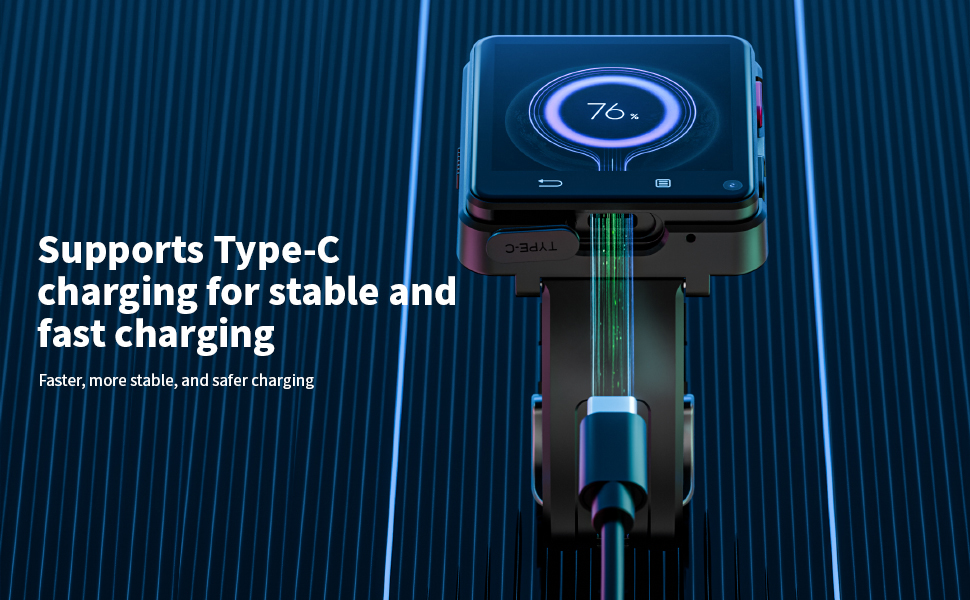
Image: The smartwatch connected to a Type-C charging cable, showing the charging process.
2. การติดตั้งซิมการ์ด
The LOKMAT APPLLP 2 MAX supports a Nano SIM card for standalone calling and network connectivity.
- หาช่องใส่ซิมการ์ดที่ด้านข้างของนาฬิกา
- Carefully insert a Nano SIM card into the slot, ensuring correct orientation.
- ค่อยๆ ดันเข้าไปจนกระทั่งซิมการ์ดเข้าที่และมีเสียงคลิก
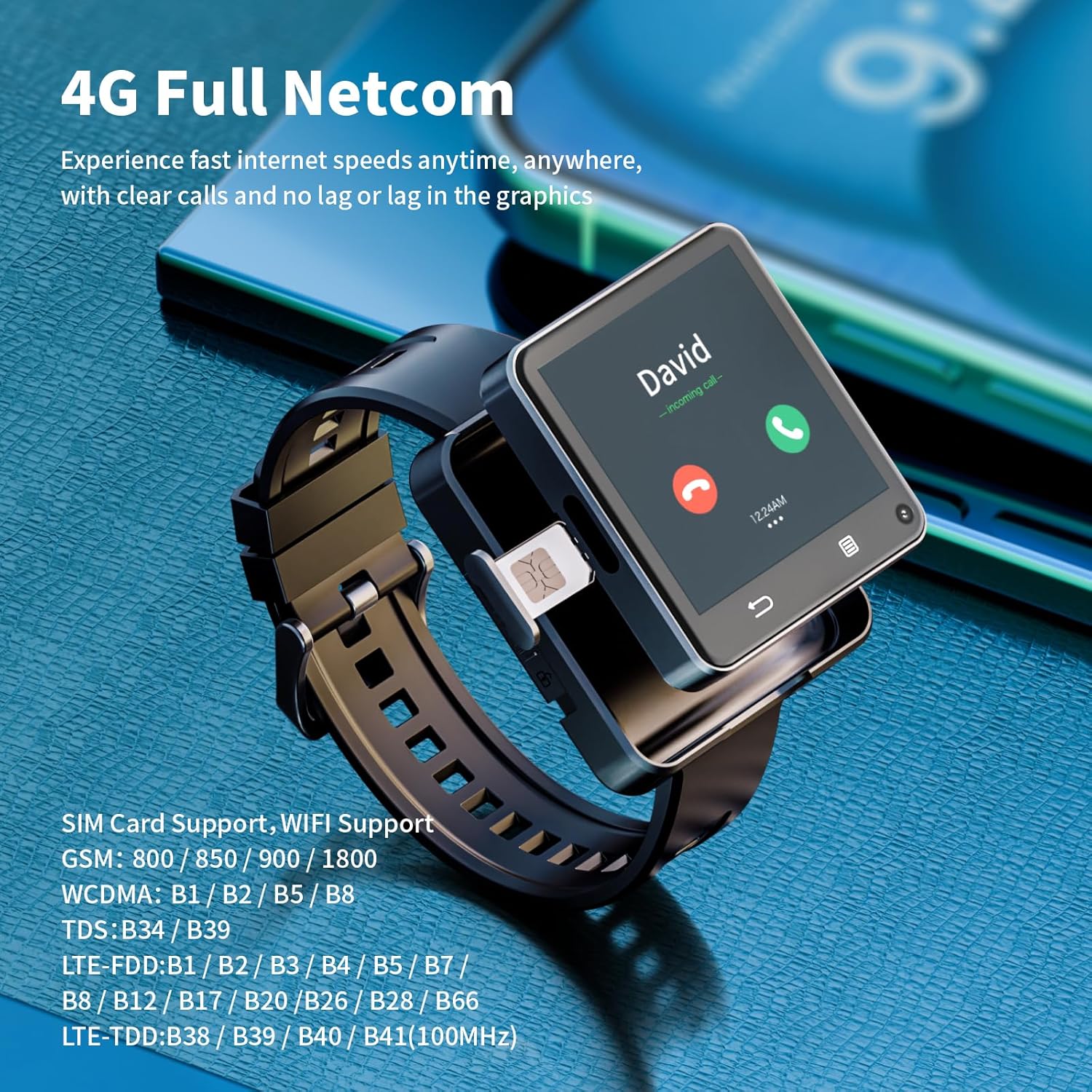
Image: A close-up of the smartwatch, highlighting the SIM card tray and its insertion point.
3. เปิด/ปิดเครื่อง
- เปิดเครื่อง: กดปุ่มเปิด/ปิด (โดยปกติจะอยู่ด้านข้าง) ค้างไว้จนกว่าหน้าจอจะสว่างขึ้น
- หมดแรง: Press and hold the power button, then select "Power Off" from the options on the screen.
4. การตั้งค่าเริ่มต้นและการเชื่อมต่อ
Upon first power-on, follow the on-screen prompts to complete the initial setup, including language selection, time zone, and Wi-Fi connection.
- ไวไฟ : Navigate to Settings > Network & Internet > Wi-Fi to connect to a wireless network.
- บลูทูธ: Navigate to Settings > Connected devices > Bluetooth to pair with Bluetooth accessories like headphones.
คำแนะนำการใช้งาน
1. การนำทางพื้นฐาน
- หน้าจอสัมผัส: Swipe, tap, and long-press gestures are used for navigation.
- ปุ่ม: The side buttons typically control power, screen on/off, and can be customized for other functions.
2 การโทรออกและการส่งข้อความ
With a Nano SIM card installed, your watch can function as a standalone phone.
- โทร: Open the "Phone" app, dial a number, or select a contact to make a call.
- ข้อความ: Use the "Messages" app to send and receive SMS.
3. ฟังก์ชันการทำงานของกล้อง
The watch features dual 500W HD cameras (front and side).
- Open the "Camera" app to take photos or record videos.
- Switch between front and side cameras as needed for different perspectives.

Image: The smartwatch displaying a video call, highlighting its dual camera capabilities.
4. การติดตั้งและการใช้งานแอปพลิเคชัน
Running on Android 11, the watch allows for app downloads.
- Access the pre-installed app store or a compatible Android app market to download and install applications.
- Popular social, entertainment, and utility apps can be installed.

Image: The smartwatch screen showing a grid of application icons, including Spotify, Line, Snapchat, TikTok, iTunes, Instagram, Facebook, YouTube, and Twitter.
5. GPS and Positioning
The watch integrates multiple positioning systems (GPS / BeiDou / GLONASS / AGPS / LBS / WIFI) for accurate location tracking.
- Utilize navigation apps for directions during outdoor activities or daily commutes.
การซ่อมบำรุง
1. การดูแลแบตเตอรี่
- เพื่อยืดอายุการใช้งานแบตเตอรี่ ควรหลีกเลี่ยงอุณหภูมิที่สูงเกินไป
- Charge the 1200mAh battery regularly and avoid letting it fully discharge frequently.
- ใช้เฉพาะสายชาร์จที่ให้มาเท่านั้น
2. การทำความสะอาด
- เช็ดหน้าจอและตัวเรือนนาฬิกาด้วยผ้าที่ไม่เป็นขุยและนุ่ม
- หลีกเลี่ยงการใช้สารเคมีรุนแรงหรือวัสดุที่มีฤทธิ์กัดกร่อน
- ตรวจสอบให้แน่ใจว่าพอร์ตชาร์จแห้งก่อนทำการชาร์จ
3. การอัปเดตซอฟต์แวร์
Periodically check for software updates in the watch's settings to ensure optimal performance and access to new features.
การแก้ไขปัญหา
- นาฬิกาไม่เปิดเครื่อง: ตรวจสอบให้แน่ใจว่าแบตเตอรี่ชาร์จเต็มแล้ว เสียบสายชาร์จและรอสักครู่ก่อนลองเปิดเครื่องอีกครั้ง
- ไม่มีการเชื่อมต่อเครือข่าย: Verify the Nano SIM card is correctly inserted and activated. Check network settings.
- แอปขัดข้องหรือประสิทธิภาพช้า: Close background applications. Restart the watch. Ensure sufficient storage space is available.
- ความคลาดเคลื่อนของ GPS: ให้แน่ใจว่าคุณอยู่ในพื้นที่เปิดโล่งและมีน้ำใส view ของท้องฟ้า
- ปัญหาการชาร์จ: Check the charging cable and port for damage. Try a different USB power source.
ข้อมูลจำเพาะ
| คุณสมบัติ | รายละเอียด |
|---|---|
| หมายเลขรุ่น | APPLLP 2 MAX |
| โปรเซสเซอร์ | MTK6761 |
| ระบบปฏิบัติการ | แอนดรอยด์ 11 |
| แรม | 4GB |
| การจัดเก็บข้อมูลภายใน | 64GB |
| ขนาดหน้าจอ | 2.64 นิ้ว |
| ความละเอียดหน้าจอ | 490*490 |
| ความจุของแบตเตอรี่ | 1200mAh ลิเธียมโพลิเมอร์ |
| กล้องถ่ายรูป | Dual 500W HD (Front + Side) |
| การเชื่อมต่อ | 4G LTE, Wi-Fi (2.4GHz/5GHz), Bluetooth 4.2, GPS (GPS / BeiDou / GLONASS / AGPS / LBS) |
| พอร์ตชาร์จ | ประเภทซี |
| น้ำหนักสินค้า | 0.55 ปอนด์ (ประมาณ 8.8 ออนซ์) |
| ขนาดแพ็คเกจ | 4.13 x 4.13 x 3.11 นิ้ว |
การรับประกันและการสนับสนุน
For warranty information and customer support, please refer to the documentation provided with your purchase or contact LOKMAT customer service.
การสนับสนุนทางออนไลน์: Visit the official LOKMAT webเว็บไซต์นี้รวบรวมคำถามที่พบบ่อย (FAQ) ไฟล์ดาวน์โหลดซอฟต์แวร์ และข้อมูลการติดต่อ