
POLVCDG BDAMX-16FXH
POLVCDG Bone Conduction Headphones
แบบอย่าง: บีดีเอ็มเอ็กซ์-16เอฟเอ็กซ์เอช
คู่มือการใช้งาน
การแนะนำ
Thank you for choosing the POLVCDG Bone Conduction Headphones. These open-ear headphones are designed for comfort and safety, allowing you to enjoy audio while remaining aware of your surroundings. Featuring IPX8 waterproofing, 32GB of built-in memory for MP3 playback, and Bluetooth connectivity, they are suitable for various activities including swimming, running, cycling, and daily use. This manual provides essential information for setting up, operating, maintaining, and troubleshooting your headphones.
มีอะไรอยู่ในกล่อง
เมื่อแกะกล่อง โปรดตรวจสอบว่ามีสิ่งของต่อไปนี้ครบถ้วนหรือไม่:
- หูฟังแบบส่งเสียงผ่านกระดูก x1
- คู่มือการใช้งาน x1
- เชือกซิลิโคนปรับระดับได้ x1
- สายชาร์จ x1
- จุกอุดหู 2 ชิ้น

Image: Contents of the POLVCDG Bone Conduction Headphones package. This includes the headphones, a charging cable, and a set of earplugs, neatly arranged.
การตั้งค่า
1. การชาร์จหูฟัง
ก่อนใช้งานครั้งแรก ควรชาร์จหูฟังของคุณให้เต็ม
- เชื่อมต่อสายชาร์จแม่เหล็กเข้ากับพอร์ตชาร์จบนหูฟัง
- เชื่อมต่อปลายอีกด้านหนึ่งของสายชาร์จเข้ากับอะแดปเตอร์ไฟ USB (ไม่รวมอยู่ด้วย) หรือพอร์ต USB ของคอมพิวเตอร์
- ไฟ LED จะแสดงสถานะการชาร์จ โดยทั่วไปการชาร์จเต็มจะใช้เวลาประมาณ 2 ชั่วโมง
- Once fully charged, the LED indicator will change, indicating the charging is complete. Disconnect the cable.

Image: The magnetic charging connection point on the POLVCDG headphones, illustrating how the charging cable attaches securely.
2. การเปิด/ปิดเครื่อง
- การเปิดเครื่อง: กดปุ่มเปิด/ปิดค้างไว้ประมาณ 3 วินาที จนกระทั่งไฟแสดงสถานะ LED ติดสว่างขึ้น และคุณจะได้ยินเสียงแจ้งเตือน
- วิธีปิดเครื่อง: กดปุ่มเปิด/ปิดค้างไว้ประมาณ 5 วินาที จนกระทั่งไฟแสดงสถานะ LED ดับลง และคุณจะได้ยินเสียงเตือน
3. การจับคู่บลูทู ธ
วิธีเชื่อมต่อหูฟังของคุณกับอุปกรณ์ที่รองรับ Bluetooth:
- ตรวจสอบให้แน่ใจว่าหูฟังปิดอยู่
- กดปุ่มเปิด/ปิดค้างไว้ประมาณ 5-7 วินาที จนกว่าไฟ LED จะกะพริบสลับสีแดงและสีน้ำเงิน ซึ่งแสดงว่าเข้าสู่โหมดจับคู่แล้ว
- บนอุปกรณ์ของคุณ (สมาร์ทโฟน แท็บเล็ต คอมพิวเตอร์) เปิดใช้งาน Bluetooth และค้นหาอุปกรณ์ที่มีอยู่
- Select "POLVCDG BDAMX-16FXH" (or similar name) from the list of found devices.
- เมื่อเชื่อมต่อเสร็จแล้ว ไฟ LED จะสว่างเป็นสีน้ำเงิน และคุณจะได้ยินเสียงยืนยัน
Note: The headphones can connect to multiple devices simultaneously for convenience.
4. Using MP3 Mode (Built-in 32GB Storage)
The headphones feature 32GB of internal storage, allowing you to store up to 8,000 songs for phone-free listening, especially useful for underwater activities where Bluetooth signals cannot transmit.
- ในการอัปโหลดเพลง: Connect the headphones to a computer using the charging cable. The headphones will appear as a removable disk drive. Drag and drop your audio files (e.g., MP3 format) into the headphone's storage.
- To Switch to MP3 Mode: While the headphones are on, press the Mode button (refer to button layout in Operating section) to switch between Bluetooth and MP3 modes. An audible prompt will confirm the mode change.
- Important for Swimming: Always switch to MP3 mode when using the headphones for swimming or any underwater activity, as Bluetooth signals do not transmit effectively through water.

Image: Illustration of the dual playback modes: Wireless (Bluetooth) for stable connection and MP3 Mode with 32GB built-in storage for up to 8,000 songs. A warning indicates to switch to MP3 mode for underwater use.
การใช้งานหูฟัง
1. ปุ่มฟังก์ชัน
The headphones are controlled via physical buttons located on the side.
| ปุ่ม/การดำเนินการ | การทำงาน |
|---|---|
| ปุ่มเปิด/ปิด (กดแบบยาว) | เปิด/ปิดเครื่อง |
| ปุ่มเปิด/ปิด (กดสั้นๆ) | เล่น/หยุดชั่วคราว, รับสาย/วางสาย |
| เพิ่มระดับเสียง (+) | Increase Volume, Next Track (Long Press) |
| ลดเสียงลง (-) | Decrease Volume, Previous Track (Long Press) |
| Mode Button (Short Press) | สลับระหว่างโหมดบลูทูธและโหมด MP3 |
2. การโทรออกและรับสาย
The headphones are equipped with Environmental Noise Cancellation (ENC) technology for clear calls.
- รับสาย: กดปุ่มเปิด/ปิดสั้นๆ เมื่อมีสายเรียกเข้า
- วางสาย: กดปุ่มเปิด/ปิดเครื่องสั้นๆ ระหว่างการโทร
- ปฏิเสธสาย: กดปุ่มเปิด/ปิดค้างไว้เมื่อมีสายเรียกเข้า
3. Waterproof Usage (IPX8 Rating)
The POLVCDG headphones are rated IPX8 waterproof, meaning they can be submerged in water up to two meters deep for one hour.
- Ideal for swimming, showering, and other water sports.
- หมายเหตุสำคัญ: Bluetooth signals do not transmit effectively underwater. Always switch to โหมด MP3 when using the headphones for swimming to ensure uninterrupted audio playback from the built-in 32GB storage.

Image: A man wearing the POLVCDG headphones and swimming goggles, partially submerged in water, highlighting the IPX8 waterproof feature.

Image: A man cycling outdoors while wearing the POLVCDG headphones and a helmet, illustrating the open-ear design for situational awareness during activities.
การซ่อมบำรุง
Proper care will extend the lifespan of your POLVCDG Bone Conduction Headphones.
- การทำความสะอาด: After use, especially after swimming or intense workouts, gently wipe the headphones with a soft, damp ผ้า. อย่าใช้สารเคมีที่รุนแรงหรือน้ำยาทำความสะอาดที่มีฤทธิ์กัดกร่อน
- การอบแห้ง: Ensure the charging port and surrounding areas are completely dry before charging to prevent corrosion. You can gently shake off excess water and then air dry.
- พื้นที่จัดเก็บ: เก็บหูฟังไว้ในที่แห้งและเย็น หลีกเลี่ยงแสงแดดโดยตรงและอุณหภูมิที่สูงหรือต่ำเกินไป และอย่าวางของหนักทับหูฟัง
- การดูแลพอร์ตการชาร์จ: The magnetic charging port is designed to be waterproof. However, always ensure it is clean and free of debris before connecting the charging cable.
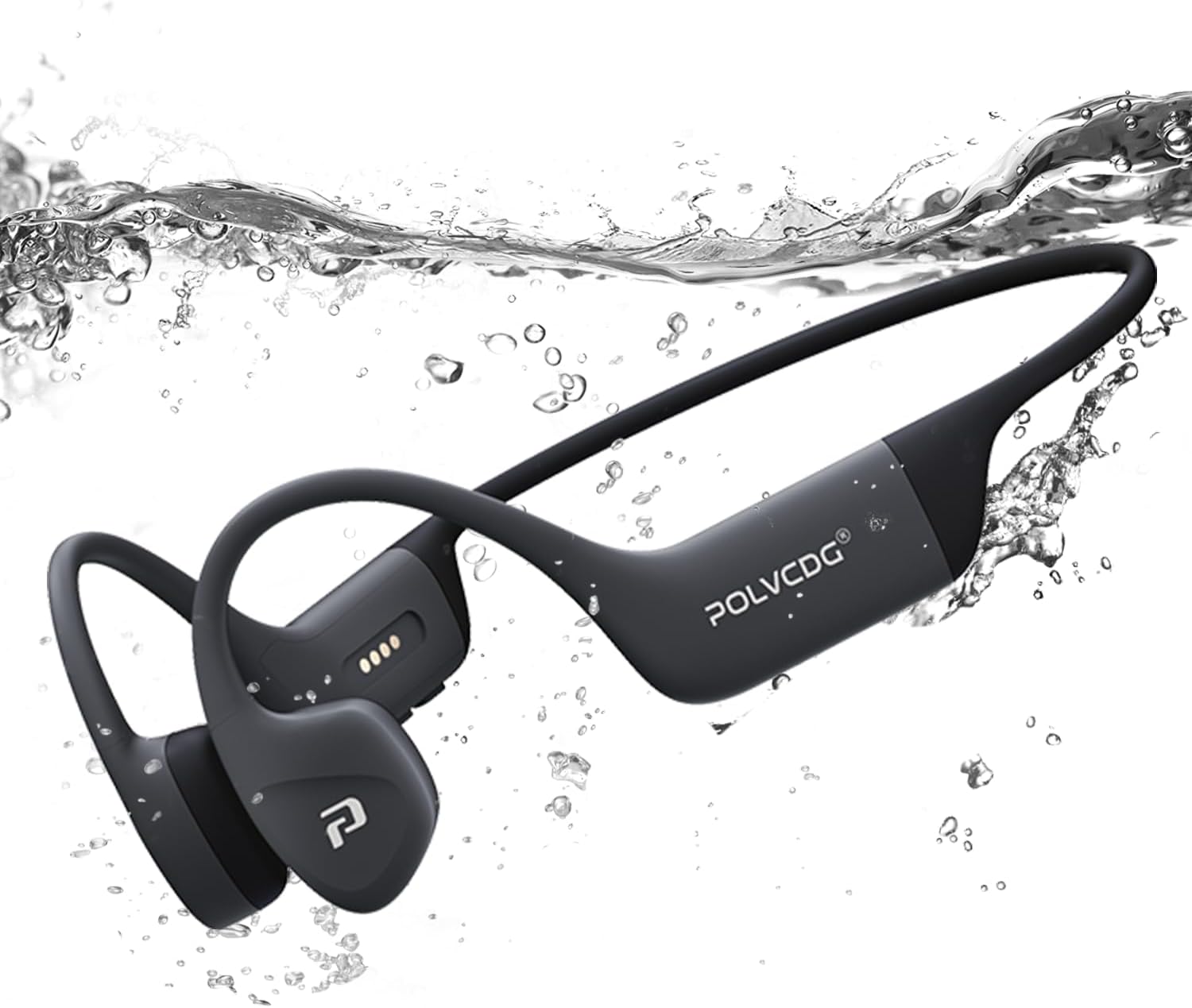
Image: The POLVCDG headphones shown partially submerged in water, demonstrating their robust waterproof construction.
การแก้ไขปัญหา
หากคุณพบปัญหาเกี่ยวกับหูฟัง โปรดลองวิธีแก้ไขปัญหาทั่วไปต่อไปนี้:
| ปัญหา | สาเหตุที่เป็นไปได้ / วิธีแก้ไข |
|---|---|
| หูฟังไม่สามารถเปิดได้ | แบตเตอรี่หมดแล้ว กรุณาชาร์จหูฟังให้เต็ม |
| ไม่สามารถจับคู่กับอุปกรณ์ได้ |
|
| ไม่มีเสียงหรือเสียงเบา |
|
| Sound cuts out or is distorted. |
|
| Cannot hear sound underwater. |
|
ข้อมูลจำเพาะ
Key technical specifications for the POLVCDG Bone Conduction Headphones:
| คุณสมบัติ | รายละเอียด |
|---|---|
| ชื่อรุ่น | BDAMX-16FMC (as per specifications) / BDAMX-16FXH (as per item model number) |
| เทคโนโลยีการเชื่อมต่อ | ไร้สาย (Bluetooth) |
| เวอร์ชันบลูทูธ | 5.4 |
| ระดับความต้านทานต่อน้ำ | กันน้ำระดับ IPX8 |
| การจัดเก็บข้อมูลภายใน | 32GB (for MP3 Mode) |
| อายุการใช้งานแบตเตอรี่ | นานถึง 10 ชั่วโมง |
| เวลาในการชาร์จ | ประมาณ 2 ชั่วโมง |
| ประเภทไดร์เวอร์เสียง | ไดรเวอร์การนำกระดูก |
| การควบคุมเสียงรบกวน | การลดเสียงรบกวนสิ่งแวดล้อม (ENC) |
| การตอบสนองความถี่ | 20 เฮิรตซ์ - 20 กิโลเฮิรตซ์ |
| ความไวต่อความรู้สึก | 85 เดซิเบล |
| อิมพีแดนซ์ | 8 โอห์ม |
| วัสดุ | ซิลิโคน |
| น้ำหนักสินค้า | 7.4 ออนซ์ (ประมาณ 0.46 ปอนด์) |
| ขนาดสินค้า | 5.27 x 2.32 x 6.1 นิ้ว |
Note: There are two model numbers listed in the product data: "BDAMX-16FMC" under 'Model Name' and "BDAMX-16FXH" under 'Item model number'. Please refer to your product packaging for the exact model number.
การรับประกันและการสนับสนุน
For warranty information and customer support, please refer to the documentation included with your product or visit the official POLVCDG webเว็บไซต์.
ผู้ผลิต: พล.อ.อ.วี.ซีดีจี
For additional assistance, you may contact the seller directly through the platform where the product was purchased.
Ask a question about this manual
Ask about setup, troubleshooting, compatibility, parts, safety, or missing instructions. Manuals+ will review the question and use this page’s manual context to help answer it.