
1. บทนำ
ขอบคุณสำหรับการซื้อasing the Netzu T338B 3-in-1 Digital Alarm Clock. This device is designed to provide clear time, date, and indoor temperature displays, along with an alarm function. Its compact design and adjustable features make it suitable for various indoor environments such as bedrooms, living rooms, and offices. Please read this manual carefully to ensure proper setup and operation.

Image 1.1: The Netzu T338B Digital Alarm Clock, showing its main display with time, temperature, and date.
2. ข้อมูลด้านความปลอดภัย
- อย่าให้เครื่องสัมผัสกับอุณหภูมิที่สูงหรือต่ำเกินไป แสงแดดโดยตรง หรือความชื้นสูง
- หลีกเลี่ยงการทำอุปกรณ์หล่นหรือกระแทกอย่างรุนแรง
- ใช้เฉพาะอะแดปเตอร์แปลงไฟที่ให้มาหรืออะแดปเตอร์ที่ใช้งานร่วมกันได้ที่มีแรงดันไฟฟ้าถูกต้องเท่านั้นtage.
- เก็บให้พ้นจากมือเด็ก
- ห้ามถอดประกอบหรือซ่อมแซมอุปกรณ์ด้วยตนเอง หากต้องการรับบริการ โปรดติดต่อฝ่ายบริการลูกค้า
- กำจัดแบตเตอรี่อย่างถูกต้องตามข้อบังคับท้องถิ่น
3. เนื้อหาบรรจุภัณฑ์
กรุณาตรวจสอบแพ็คเกจสำหรับรายการต่อไปนี้:
- Netzu T338B Digital Alarm Clock
- AC Power Cable (USB cable and wall adapter)
- คู่มือการใช้งาน
4. คุณสมบัติของผลิตภัณฑ์
- 3-in-1 Display: Shows time, date, and indoor temperature simultaneously.
- ปรับความสว่าง: 4 levels of display brightness plus an OFF option.
- ปริมาณที่ปรับได้: 3 alarm volume levels.
- ฟังก์ชั่นเลื่อน: Provides a 9-minute snooze duration.
- รูปแบบเวลา: Supports 12-hour and 24-hour time display.
- หน่วยอุณหภูมิ: แสดงอุณหภูมิเป็นองศาเซลเซียส (°C) หรือองศาฟาเรนไฮต์ (°F)
- แหล่งพลังงาน: Corded electric (AC power) with battery backup for settings (2x AAA batteries, not included).
- การออกแบบที่กะทัดรัด: Dimensions of 5.94"L x 1.3''W x 2.17"H, suitable for various spaces.
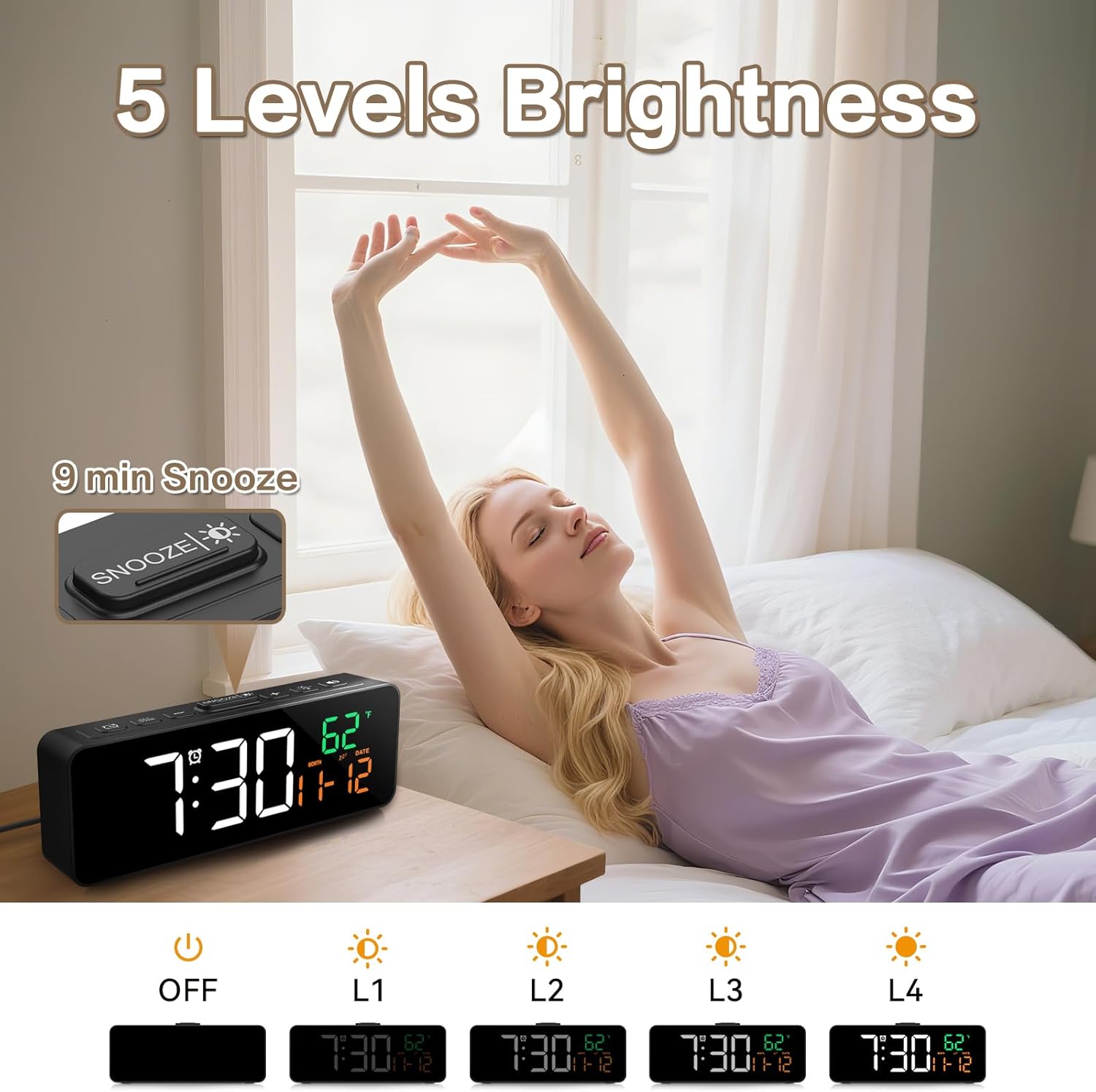
Image 4.1: The compact dimensions of the Netzu T338B Digital Alarm Clock, measuring 5.9 inches in length, 1.3 inches in width, and 2.17 inches in height.
5. การตั้งค่า
5.1 การเชื่อมต่อสายไฟ
- Connect the provided AC power cable to the DC 5V input port on the back of the clock.
- Plug the other end of the power cable into a standard wall outlet. The display will light up.
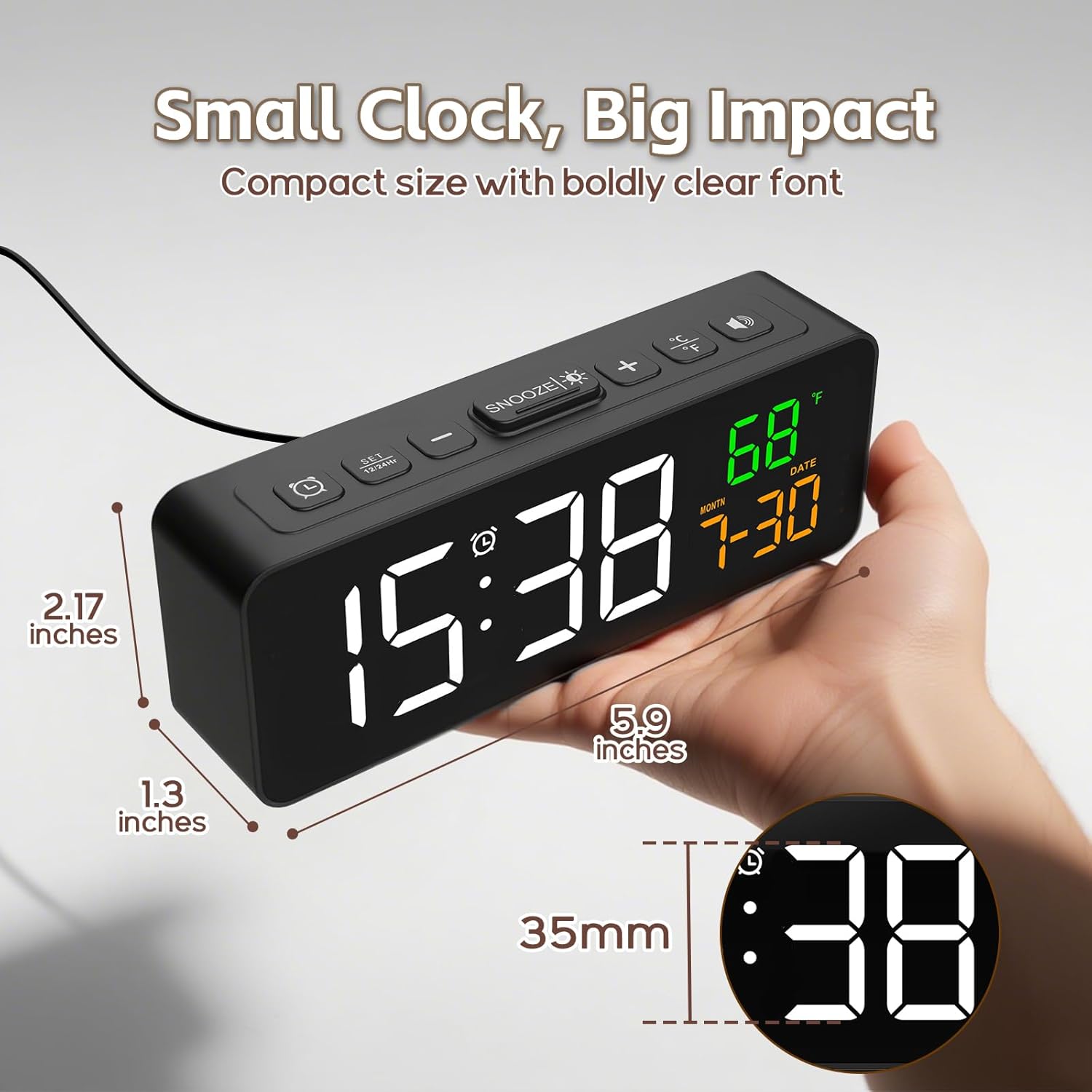
Image 5.1: The Netzu T338B Digital Alarm Clock connected to a power outlet via its plug-in cable.
5.2 การติดตั้งแบตเตอรี่ (สำรอง)
For backup purposes, in case of a power outage, install 2 AAA batteries (not included) into the battery compartment on the back of the clock. These batteries will preserve your time and alarm settings but will not power the display or sound the alarm during a power interruption.
- เปิดฝาช่องใส่แบตเตอรี่ที่ด้านหลังของนาฬิกา
- ใส่แบตเตอรี่ AAA จำนวน 2 ก้อน โดยตรวจสอบให้แน่ใจว่าขั้ว (+ และ -) ถูกต้อง
- ปิดฝาช่องใส่แบตเตอรี่ให้แน่น
6. คู่มือการใช้งาน
6.1 การตั้งเวลาและวันที่
The clock displays time, month, and date. You can switch between 12-hour and 24-hour formats.

Image 6.1: The clock displaying time in both 12-hour (PM) and 24-hour formats.
- กดปุ่มค้างไว้ ตั้งเวลา button (usually marked with a clock icon) on the back or top of the clock until the hour digits flash.
- ใช้ + or - ปุ่มเพื่อปรับชั่วโมง
- กด ตั้งเวลา again to move to minute adjustment. Use + or - เพื่อปรับนาที
- กดต่อไป ตั้งเวลา to cycle through year, month, and date settings, adjusting each with + or -.
- กด ตั้งเวลา one last time or wait a few seconds for the settings to save and exit.
- To switch between 12/24-hour format, briefly press the ตั้งเวลา button when the time is displayed (not in setting mode).
6.2 Setting Temperature Unit
The clock can display temperature in Celsius or Fahrenheit.

Image 6.2: The clock displaying indoor temperature and the current month and date.
- กดปุ่มสั้นๆ ° C / ° F button (usually on the top or back) to toggle between Celsius and Fahrenheit.
6.3 การตั้งปลุก
- กดปุ่มค้างไว้ ตั้งปลุก button (usually marked with an alarm clock icon) until the alarm hour digits flash.
- ใช้ + or - ปุ่มเพื่อปรับชั่วโมงการปลุก
- กด ตั้งปลุก again to move to minute adjustment. Use + or - เพื่อปรับเวลาปลุกเป็นนาที
- กด ตั้งปลุก one last time or wait a few seconds to save the alarm time.
- หากต้องการเปิดหรือปิดสัญญาณเตือน ให้กดปุ่มสั้นๆ เปิด / ปิดนาฬิกาปลุก button (often the same as ALARM SET or a dedicated button). An alarm icon will appear on the display when activated.
6.4 การปรับความสว่าง
The display has 4 brightness levels and an OFF mode.

Image 6.3: Visual representation of the clock's five brightness settings: OFF, L1 (lowest), L2, L3, and L4 (highest).
- กดปุ่มสั้นๆ ความสว่าง button (often the SNOOZE button or a dedicated sun icon) to cycle through the brightness levels: L4 > L3 > L2 > L1 > OFF > L4.
6.5 การปรับระดับเสียงเตือน
There are 3 adjustable alarm volume levels.

Image 6.4: The clock displaying an alarm time with an illustration of three distinct volume levels (L01, L02, L03) for the alarm sound.
- While the alarm is sounding, or during alarm setup, press the ปริมาณ ปุ่ม (มักจะเป็น + or - button when in alarm mode) to cycle through the 3 volume levels.
6.6 การใช้ฟังก์ชันเลื่อนปลุก
- เมื่อเสียงปลุกดัง ให้กด เลื่อน button (usually a large button on top) to temporarily silence the alarm for 9 minutes.
- เสียงปลุกจะดังขึ้นอีกครั้งหลังจากผ่านไป 9 นาที
- To turn off the alarm completely, press any other button on the clock (e.g., ALARM SET, TIME SET).
7. การบำรุงรักษา
- Clean the clock's surface with a soft, dry cloth. Do not use abrasive cleaners or solvents.
- Ensure the ventilation openings (if any) are free from dust and debris.
- หากเก็บนาฬิกาไว้เป็นเวลานาน ควรถอดแบตเตอรี่สำรอง AAA ออกเพื่อป้องกันการรั่วไหล
8 การแก้ไขปัญหา
| ปัญหา | สาเหตุที่เป็นไปได้ | สารละลาย |
|---|---|---|
| จอแสดงผลว่างเปล่า | ไม่มีการเชื่อมต่อสายไฟ | Ensure the AC power cable is securely plugged into the clock and a working wall outlet. |
| Alarm does not sound during power outage. | Backup batteries only save settings, not power the alarm. | This is normal operation. The clock requires AC power for the display and alarm function. |
| เวลา/วันที่ไม่ถูกต้อง | Incorrectly set or power interruption without backup batteries. | Re-set the time and date following Section 6.1. Install fresh AAA batteries for backup. |
| หน้าจอแสดงผลมืด/สว่างเกินไป | ต้องปรับระดับความสว่าง | Press the BRIGHTNESS button to cycle through levels (Section 6.4). |
| Alarm volume is too low/high. | ระดับเสียงต้องปรับ | Adjust the alarm volume during alarm setup or when it's sounding (Section 6.5). |
9. ข้อมูลจำเพาะ
- ยี่ห้อ: เน็ตซึ
- หมายเลขรุ่น: ที338บี
- ประเภทจอภาพ: ดิจิตอล
- แหล่งพลังงาน: สายไฟ (AC)
- พลังงานสำรอง: 2 x AAA Batteries (not included, for settings only)
- ขนาดสินค้า : ยาว 5.94 นิ้ว x กว้าง 1.3 นิ้ว x สูง 2.17 นิ้ว
- น้ำหนักสินค้า: 7.4 ออนซ์
- วัสดุ: พลาสติก
- คุณสมบัติพิเศษ: Adjustable Brightness, Adjustable Volume, Snooze, Temperature Display, Date Display
- การใช้งานในร่ม/กลางแจ้ง: ในร่ม
10. การรับประกันและการสนับสนุน
Netzu products are designed for reliability and performance. For warranty information or technical support, please refer to the contact details provided on the product packaging or visit the official Netzu website. Please have your model number (T338B) and purchase information ready when contacting support.