
การแนะนำ
This manual provides essential instructions for the setup, operation, maintenance, and troubleshooting of your Insignia 32-inch 1080p HD HDR LCD Fire TV Smart TV, model NS-32F401CA26. Please read this manual thoroughly before using your television to ensure proper and safe operation.
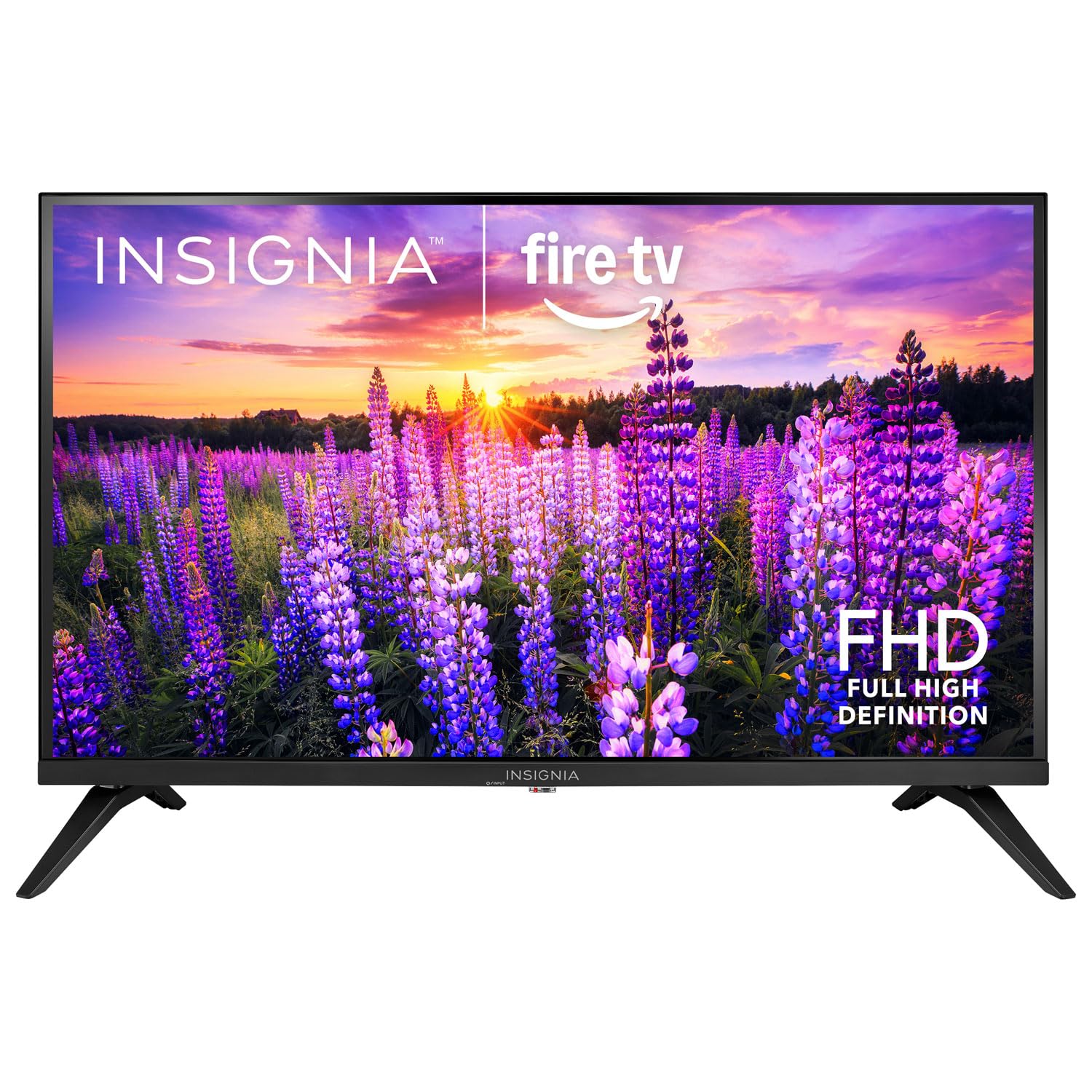
ภาพ: ด้านหน้า view of the Insignia 32-inch Fire TV Smart TV, showing the screen and a remote control.
1. การตั้งค่า
1.1 การแกะกล่อง
นำทีวีและอุปกรณ์เสริมทั้งหมดออกจากบรรจุภัณฑ์อย่างระมัดระวัง เก็บวัสดุบรรจุภัณฑ์ไว้สำหรับการขนส่งหรือจัดเก็บในอนาคต
1.2 การติดตั้งขาตั้งหรือติดผนัง
สำหรับการติดตั้งแบบขาตั้ง:
- วางทีวีคว่ำหน้าลงบนพื้นผิวที่นุ่มและสะอาด เพื่อป้องกันหน้าจอเสียหาย
- จัดวางฐานขาตั้งให้ตรงกับรูสกรูที่ด้านล่างของทีวี
- ยึดขาตั้งโดยใช้สกรูที่ให้มา
สำหรับติดผนัง:
- This TV supports a VESA Mount Standard of 200 x 200 mm.
- Use a compatible wall mount kit (sold separately) and follow its installation instructions.
- Ensure the wall can support the weight of the TV and the mount.
1.3 การต่อสายไฟ
Plug the power cord into the TV's power input, then plug the other end into a working electrical outlet.
1.4 การเชื่อมต่ออุปกรณ์ภายนอก
Your TV includes multiple ports for external devices:
- HDMI Ports (Total 2): เชื่อมต่อเครื่องเล่นบลูเรย์ เครื่องเล่นเกม และกล่องรับสัญญาณเคเบิล/ดาวเทียม
- USB 3.0 Port (Total 1): เชื่อมต่ออุปกรณ์จัดเก็บข้อมูล USB สำหรับการเล่นสื่อ
- อินพุตเสาอากาศ/สายเคเบิล: เชื่อมต่อเสาอากาศสำหรับการรับสัญญาณภาคพื้นดินหรือการเชื่อมต่อเคเบิล
1.5 Initial Setup (Fire TV OS)
Upon first power-on, the TV will guide you through the Fire TV setup process:
- การจับคู่การควบคุมระยะไกล: Insert the included 2 AAA batteries into the remote. Follow on-screen instructions to pair the remote.
- การเชื่อมต่อเครือข่าย: เลือกเครือข่าย Wi-Fi ของคุณและป้อนรหัสผ่าน
- บัญชี Amazon: เข้าสู่ระบบด้วยบัญชี Amazon ของคุณ หรือสร้างบัญชีใหม่
- การสแกนช่อง: หากใช้เสาอากาศ โทรทัศน์จะทำการค้นหาช่องสัญญาณที่ใช้งานได้
- การอัปเดตซอฟต์แวร์: The TV may download and install the latest software updates.
2. การใช้งานทีวีของคุณ
2.1 เปิด/ปิดเครื่อง
กดปุ่ม พลัง กดปุ่มบนรีโมทคอนโทรลเพื่อเปิดหรือปิดทีวี
2.2 การใช้งานอินเทอร์เฟซของ Fire TV
ใช้ปุ่มควบคุมทิศทางและ เลือก button on your remote to browse the Fire TV home screen, access apps, and navigate menus.
2.3 การใช้งานรีโมทควบคุมด้วยเสียง Alexa
กดปุ่มค้างไว้ อเล็กซ่า button on your remote and speak into the microphone to:
- ค้นหา ภาพยนตร์และรายการทีวี
- เปิดแอปพลิเคชัน (เช่น "เปิด Netflix")
- ควบคุมการเล่น (เช่น "หยุดชั่วคราว", "กรอไปข้างหน้า")
- ถามคำถามหรือขอข้อมูล
2.4 การเข้าถึงแอปพลิเคชัน
Popular streaming services like Amazon Prime Video, Netflix, and YouTube are pre-installed. You can download additional apps from the Amazon Appstore.
2.5 การปรับการตั้งค่าภาพและเสียง
เข้าถึง การตั้งค่า menu on the Fire TV home screen to adjust:
- รูปภาพ: Brightness, contrast, color, aspect ratio (16:9).
- เสียง: Volume, sound mode, DTS Virtual-X settings.
- แสดง: Resolution (1080p), refresh rate (120 Hz).
2.6 การควบคุมโดยผู้ปกครอง
The TV includes parental control features. Navigate to the การตั้งค่า เมนูแล้วเลือก การตั้งค่าแล้วจากนั้น การควบคุมโดยผู้ปกครอง to set restrictions on content, purchases, and app usage. A PIN is required to enable or disable these controls.
3. การบำรุงรักษา
3.1 การทำความสะอาดทีวี
- หน้าจอ: เช็ดหน้าจอเบาๆ ด้วยผ้านุ่มที่ไม่เป็นขุย สำหรับรอยฝังแน่น ให้เช็ดเบาๆampชุบผ้าด้วยน้ำหรือน้ำยาทำความสะอาดหน้าจอสำหรับทีวีโดยเฉพาะ ห้ามฉีดของเหลวลงบนหน้าจอโดยตรง
- ร่างกาย: เช็ดกรอบทีวีและขาตั้งด้วยผ้าแห้งนุ่ม
- ควรถอดปลั๊กทีวีทุกครั้งก่อนทำความสะอาด
3.2 การอัปเดตซอฟต์แวร์
Your Fire TV Smart TV automatically checks for and installs software updates when connected to the internet. You can manually check for updates in the การตั้งค่า ภายใต้เมนู Fire TV ของฉัน > เกี่ยวกับ > ตรวจสอบการอัปเดต.
3.3 การเปลี่ยนแบตเตอรี่รีโมทคอนโทรล
When the remote control's performance degrades, replace the two AAA batteries. Ensure correct polarity when inserting new batteries.
4 การแก้ไขปัญหา
| ปัญหา | สาเหตุที่เป็นไปได้ | สารละลาย |
|---|---|---|
| ไม่มีไฟฟ้า | สายไฟไม่ได้เชื่อมต่อ เต้าเสียบไม่ทำงาน | Ensure power cord is securely plugged into TV and a live outlet. Test outlet with another device. |
| ไม่มีภาพหรือเสียง | Incorrect input source; external device off or disconnected. | กดปุ่ม ป้อนข้อมูล button on the remote to select the correct source. Check connections of external devices. Ensure devices are powered on. |
| รีโมตคอนโทรลไม่ทำงาน | แบตเตอรี่หมด รีโมตไม่จับคู่ | Replace batteries (2 AAA). Re-pair remote by holding the บ้าน button for 10 seconds near the TV. |
| ปัญหาการเชื่อมต่อ Wi-Fi | รหัสผ่านไม่ถูกต้อง ปัญหาเกี่ยวกับเราเตอร์ ทีวีอยู่ห่างจากเราเตอร์มากเกินไป | Verify Wi-Fi password. Restart your router and modem. Move TV closer to router or use a Wi-Fi extender. |
| แอปไม่โหลดหรือเกิดข้อผิดพลาด | Temporary software glitch; insufficient memory. | Restart the TV. Clear app cache (Settings > Applications > Manage Installed Applications). Ensure sufficient storage. |
5. ข้อมูลจำเพาะ
| หมายเลขรุ่น | NS-32F401CA26 |
| ขนาดหน้าจอ | 32 นิ้ว |
| เทคโนโลยีการแสดงผล | จอแอลซีดี |
| ปณิธาน | 1080p (ฟูลเอชดี) |
| อัตราการรีเฟรช | 120 เฮิรตซ์ |
| รองรับรูปแบบ HDR | HDR10 |
| อัตราส่วนภาพ | 16:9 น. |
| เทคโนโลยีการเชื่อมต่อ | ไวไฟ |
| พอร์ต HDMI | 2 |
| พอร์ต USB 3.0 | 1 |
| บริการอินเทอร์เน็ตที่รองรับ | Amazon Prime Video, Netflix, YouTube, Alexa |
| คำอธิบายลำโพง | DTS Virtual-X virtual surround sound |
| Integrated Surround Sound Format | DTS Virtual-X |
| วิธีการควบคุม | Remote (with Alexa Voice) |
| แบตเตอรี่ที่จำเป็น | 2 AAA (รวม) |
| ขนาดสินค้า (ลึก x กว้าง x สูง) | 47.3D x 17.1W x 71.9H เซนติเมตร |
| มาตรฐาน VESA Mount | 200 x 200 มม. |
| คุณสมบัติเพิ่มเติม | การควบคุมโดยผู้ปกครอง |
6. การรับประกันและการสนับสนุน
For warranty information, please refer to the warranty card included with your product or visit the official Insignia support website. For technical assistance, product registration, or service inquiries, please contact Insignia customer support through their official channels.
หมายเหตุ: เงื่อนไขการรับประกันและรายละเอียดการติดต่อฝ่ายสนับสนุนอาจแตกต่างกันไปในแต่ละภูมิภาคและอาจมีการเปลี่ยนแปลงได้