1. บทนำ
The EARU Automatic Voltage Protector (Model EARU-1005) is an advanced electrical safety device designed to protect your valuable home and office appliances from damaging power fluctuations. This device offers comprehensive protection against over-voltage, ต่ำกว่า voltage, and overcurrent conditions, ensuring the longevity and safe operation of your electrical equipment. It features adjustable thresholds and an auto-reconnect function for convenience and continuous protection.
2. คุณสมบัติหลัก
- All-in-One Protection: Safeguards appliances from power surges, over-voltage (above 275V), under-voltage (below 175V), and adjustable overcurrent (1A-63A).
- การปรับความแม่นยำ: Customizable cut-off thresholds for over-voltage (200V-275V) and under-voltage (175V-200V) to suit specific grid conditions and appliance needs.
- ฟังก์ชั่นรีเซ็ตอัตโนมัติ: Automatically restores power within 60-300 seconds once grid voltage stabilizes within the set safe range, eliminating manual intervention.
- การนำไฟฟ้าที่เหนือกว่า: Constructed with 100% pure copper conductors for minimal resistance, efficient operation, and enhanced long-term reliability under heavy 63A loads.
- การติดตั้งราง DIN: Designed for easy and secure integration into standard 2-Pole, 36mm width DIN Rail electrical panels.
- ความปลอดภัยที่ครอบคลุม: Provides robust protection for an entire household against unpredictable voltagและความผันผวนและการพุ่งกระฉูด
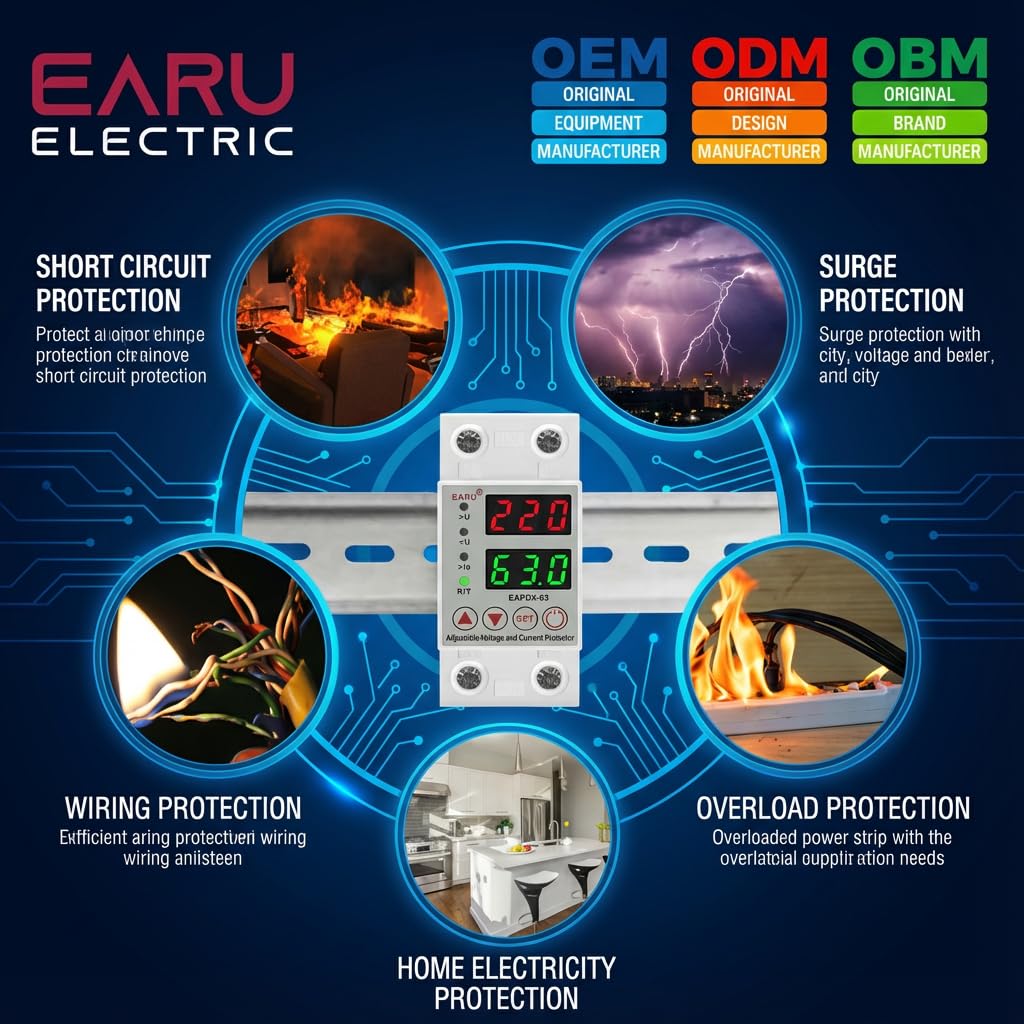
ภาพที่ 2.1: จบแล้วview of the protection capabilities of the EARU Automatic Voltagอี ผู้พิทักษ์
3. ข้อมูลด้านความปลอดภัย
Please read and understand all safety instructions before installing or operating the device. Failure to do so may result in electric shock, fire, or serious injury.
- การติดตั้งควรดำเนินการโดยช่างไฟฟ้าที่มีคุณสมบัติตามมาตรฐานและข้อบังคับด้านไฟฟ้าในท้องถิ่นเท่านั้น
- โปรดตรวจสอบให้แน่ใจว่าได้ตัดกระแสไฟหลักออกก่อนทำการติดตั้งหรือบำรุงรักษาใดๆ
- ห้ามใช้งานอุปกรณ์หากพบว่าชำรุดเสียหายหรือโดนความชื้น
- Verify correct wiring connections (Line and Neutral) to prevent malfunction or damage.
- อุปกรณ์ได้รับการออกแบบสำหรับใช้ภายในอาคารเท่านั้น
- ห้ามใช้กระแสไฟฟ้าเกินพิกัดสูงสุด 63A
4. สินค้าหมดview
4.1. ส่วนประกอบและจอแสดงผล
The EARU Automatic Voltage Protector features a clear digital display and intuitive control buttons for easy monitoring and adjustment.
- เล่มที่tagอี แสดงผล: แสดงระดับเสียงของสายปัจจุบันtage.
- จอแสดงผลปัจจุบัน: แสดงโหลดปัจจุบันใน Ampเอเรส
- ไฟแสดงสถานะ:
>U: เกินเล่มtagตัวบ่งชี้อี<U: ต่ำกว่า voltagตัวบ่งชี้อี>Ie: Overcurrent indicator.R/T: Reset/Time indicator.
- ปุ่มควบคุม:
- Up Arrow (▲) / Down Arrow (▼): ใช้สำหรับปรับค่าพารามิเตอร์
- ปุ่ม ตลท.: Press and hold for 3 seconds to enter setting mode.
- ปุ่มเปิด/ปิด: Toggles power to the protected circuit.
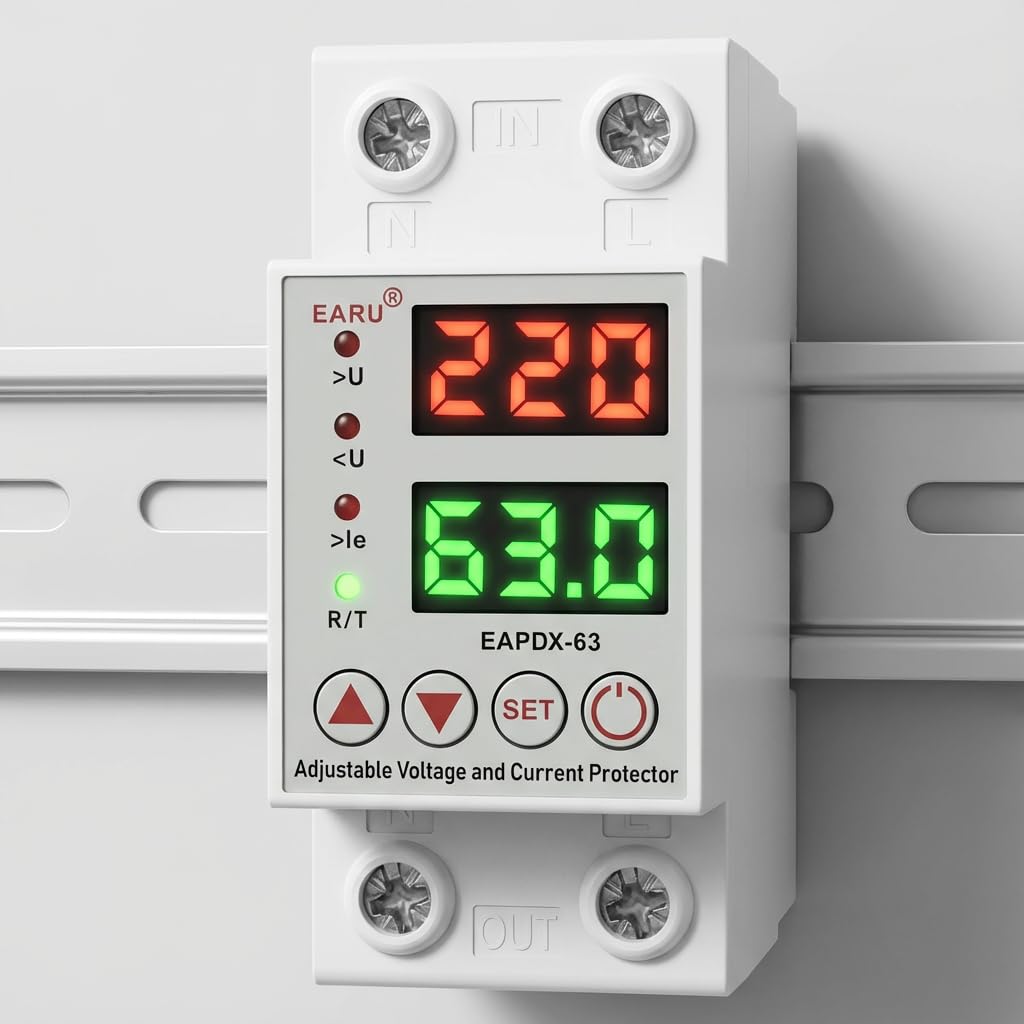
ภาพที่ 4.1: ด้านหน้า view of the EARU Automatic Voltage Protector, highlighting its digital display and control buttons.
5. การตั้งค่าและการติดตั้ง
The EARU Automatic Voltage Protector is designed for DIN Rail mounting. Ensure proper wiring and secure installation.
5.1. การติดตั้ง
Mount the device onto a standard 36mm width DIN Rail within your electrical panel. Ensure it is securely clipped into place.
5.2. แผนภาพการเดินสายไฟ
Connect the incoming power supply (Line and Neutral) to the "IN" terminals and the outgoing load to the "OUT" terminals. Refer to the diagram below for correct wiring.

ภาพที่ 5.1: อดีตample wiring configuration for DIN Rail installation.

Image 5.2: Device dimensions for installation planning.
6. คู่มือการใช้งาน
The device allows for precise adjustment of protection parameters. Follow these steps to configure your voltagอีตัวป้องกัน
6.1. Parameter Setting Mode
- ตรวจสอบให้แน่ใจว่าอุปกรณ์เปิดอยู่
- กดปุ่มค้างไว้ ชุด button for approximately 3 seconds until the display changes to show "P-1" or a similar setting indicator. This indicates you are in parameter setting mode.
- ใช้ ลูกศรขึ้น (▲) และ ลูกศรลง (▼) buttons to navigate through the different parameters (P-1 to P-6).
- Once you have selected a parameter, press the ชุด button briefly to enter its adjustment mode.
- ใช้ ลูกศรขึ้น (▲) และ ลูกศรลง (▼) ปุ่มเพื่อเปลี่ยนค่า
- กดปุ่ม ชุด button again to confirm the value and move to the next parameter, or wait a few seconds for the device to automatically save and exit the setting mode.
6.2. คำอธิบายพารามิเตอร์
| พารามิเตอร์ | คำอธิบาย | ช่วงปรับ |
|---|---|---|
| พี-1 | เกินปริมาณtage การตั้งค่า | 240V - 300V (or OFF) |
| พี-2 | ภายใต้ฉบับtage การตั้งค่า | 140V - 200V (or OFF) |
| พี-3 | Overcurrent setting | 1A - 40A / 63A / 80A (depending on model) |
| พี-4 | Reset/start delay | 1s - 300s |
| พี-5 | Relay recovery delay | 1s - 300s |
| พี-6 | Overcurrent recovery delay | 1s - 300s |
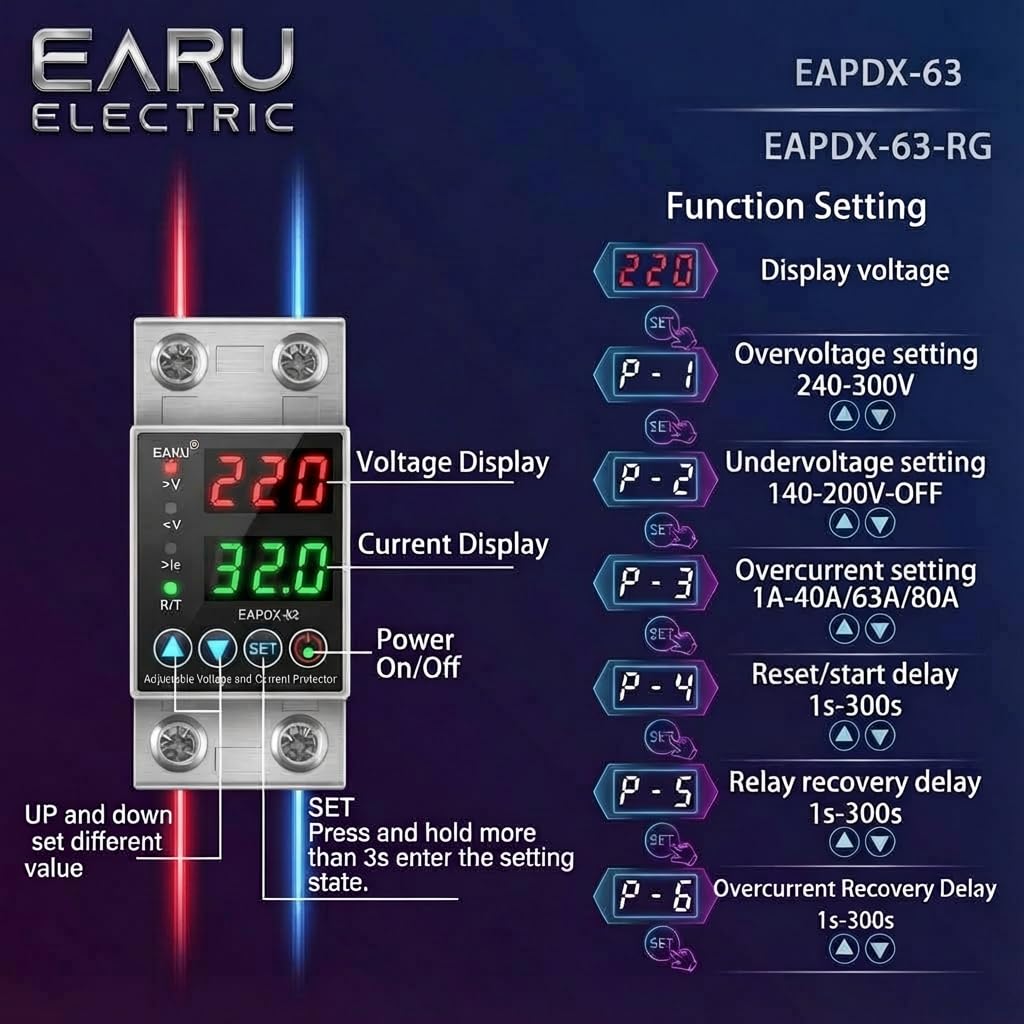
Image 6.1: Function setting guide for the device.
6.3. Video Guide: Setting Parameters
Video 6.1: This video demonstrates how to adjust the over-voltage, ต่ำกว่า voltage, overcurrent, and recovery delay settings on the EARU Automatic Voltage Protector. It shows the step-by-step process of entering the setting mode and modifying each parameter.
7. การบำรุงรักษา
The EARU Automatic Voltage Protector requires minimal maintenance. Regular checks can ensure optimal performance.
- ตรวจสอบอุปกรณ์เป็นระยะเพื่อดูว่ามีร่องรอยความเสียหายหรือการเชื่อมต่อหลวมหรือไม่
- ตรวจสอบให้แน่ใจว่าช่องระบายอากาศปราศจากฝุ่นและสิ่งสกปรก เพื่อป้องกันความร้อนสูงเกินไป
- Clean the exterior with a dry, soft cloth. Do not use liquid cleaners or solvents.
- Do not attempt to open or repair the device yourself. Refer to qualified personnel for servicing.
8 การแก้ไขปัญหา
If you encounter issues with your EARU Automatic Voltage Protector, refer to the following common troubleshooting steps:
| ปัญหา | สาเหตุที่เป็นไปได้ | สารละลาย |
|---|---|---|
| อุปกรณ์ไม่ได้เปิด | ไม่มีไฟเข้า; การเดินสายไฟไม่ถูกต้อง; ความผิดพลาดภายใน | ตรวจสอบแหล่งจ่ายไฟหลัก ตรวจสอบการเชื่อมต่อสายไฟ หากปัญหายังคงอยู่ โปรดติดต่อฝ่ายสนับสนุน |
| ไฟฟ้าดับบ่อยครั้ง | เล่มที่tage/current outside set thresholds; unstable grid. | ตรวจสอบระดับเสียงปัจจุบันtage/current readings. Adjust P-1, P-2, P-3 settings if necessary. Monitor grid stability. |
| Device does not auto-reconnect | Recovery delay (P-4, P-5, P-6) set too long; persistent fault. | Verify recovery delay settings. Ensure grid conditions have stabilized. Manually reset if safe to do so. |
| ปริมาตรไม่ถูกต้องtagการอ่านปัจจุบัน | Calibration issue; faulty sensor. | ติดต่อฝ่ายสนับสนุนลูกค้าเพื่อขอความช่วยเหลือ |
9. ข้อมูลจำเพาะ
| คุณสมบัติ | รายละเอียด |
|---|---|
| ยี่ห้อ | เอรุ |
| แบบอย่าง | EARU-1005 |
| ขนาดสินค้า (กxยxส) | 7.7 x 3.5 x 6.5 ซม. |
| น้ำหนักสินค้า | 450 กรัม |
| อินพุต Voltage | AC 230 โวลต์ |
| แม็กซ์ วัตtage | 13800 วัตต์ |
| แม็กซ์ปัจจุบัน | 63 Ampเอเรส |
| เกินปริมาณtagอี โพรเทคชั่น เร้นจ์ | Adjustable 200V-275V (Cut-off above 275V default) |
| ภายใต้ฉบับtagอี โพรเทคชั่น เร้นจ์ | Adjustable 175V-200V (Cut-off below 175V default) |
| Auto-Reconnect Delay | ปรับได้ 60-300 วินาที |
| ประเภทการติดตั้ง | DIN Rail (2-Pole, 36mm width) |
| วัสดุตัวนำ | ทองแดงบริสุทธิ์ 100% |
| ประเทศต้นกำเนิด | อินเดีย |
10. การรับประกันและการสนับสนุน
The EARU Automatic Voltage Protector (Model EARU-1005) is backed by a 1-Year Manufacturer Warranty. This warranty covers defects in materials and workmanship under normal use.
- For warranty claims or technical support, please contact EARU customer service.
- โปรดเก็บใบเสร็จรับเงินไว้เป็นหลักฐานการซื้อเพื่อใช้ในการตรวจสอบสิทธิ์การรับประกัน
- การซ่อมแซมหรือดัดแปลงโดยไม่ได้รับอนุญาตจะทำให้การรับประกันเป็นโมฆะ


