
Ledwood PLAYKARAOKE
Ledwood PLAYKARAOKE Portable Karaoke Speaker
คู่มือการใช้งาน
การแนะนำ
ขอบคุณสำหรับการซื้อasing the Ledwood PLAYKARAOKE Portable Karaoke Speaker. This manual provides essential information for the safe and efficient operation of your device. Please read it thoroughly before use and retain it for future reference.
ข้อมูลด้านความปลอดภัยที่สำคัญ
- อย่าให้เครื่องโดนน้ำหรือความชื้นมากเกินไป
- หลีกเลี่ยงอุณหภูมิที่สูงหรือต่ำเกินไป
- อย่าพยายามถอดประกอบหรือซ่อมแซมอุปกรณ์ด้วยตนเอง แนะนำให้ส่งช่างผู้ชำนาญการไปรับบริการทั้งหมด
- เก็บให้พ้นจากมือเด็ก
- ใช้เฉพาะสายชาร์จและอะแดปเตอร์ที่ให้มาเท่านั้น
- ตรวจสอบให้แน่ใจว่ามีการระบายอากาศที่เหมาะสมในระหว่างการใช้งานและการชาร์จ
เนื้อหาแพ็คเกจ
โปรดตรวจสอบว่ามีสิ่งของครบถ้วนหรือไม่:
- Ledwood PLAYKARAOKE Portable Karaoke Speaker
- ไมโครโฟนไร้สาย 2 ตัว
- สายชาร์จ (USB-C)
- คู่มือการใช้งาน
- 32GB USB Key
สินค้าเกินview
The Ledwood PLAYKARAOKE is a compact and powerful portable karaoke speaker designed for entertainment. It features a 120W output, dynamic RGB LED lighting, and multiple connectivity options.
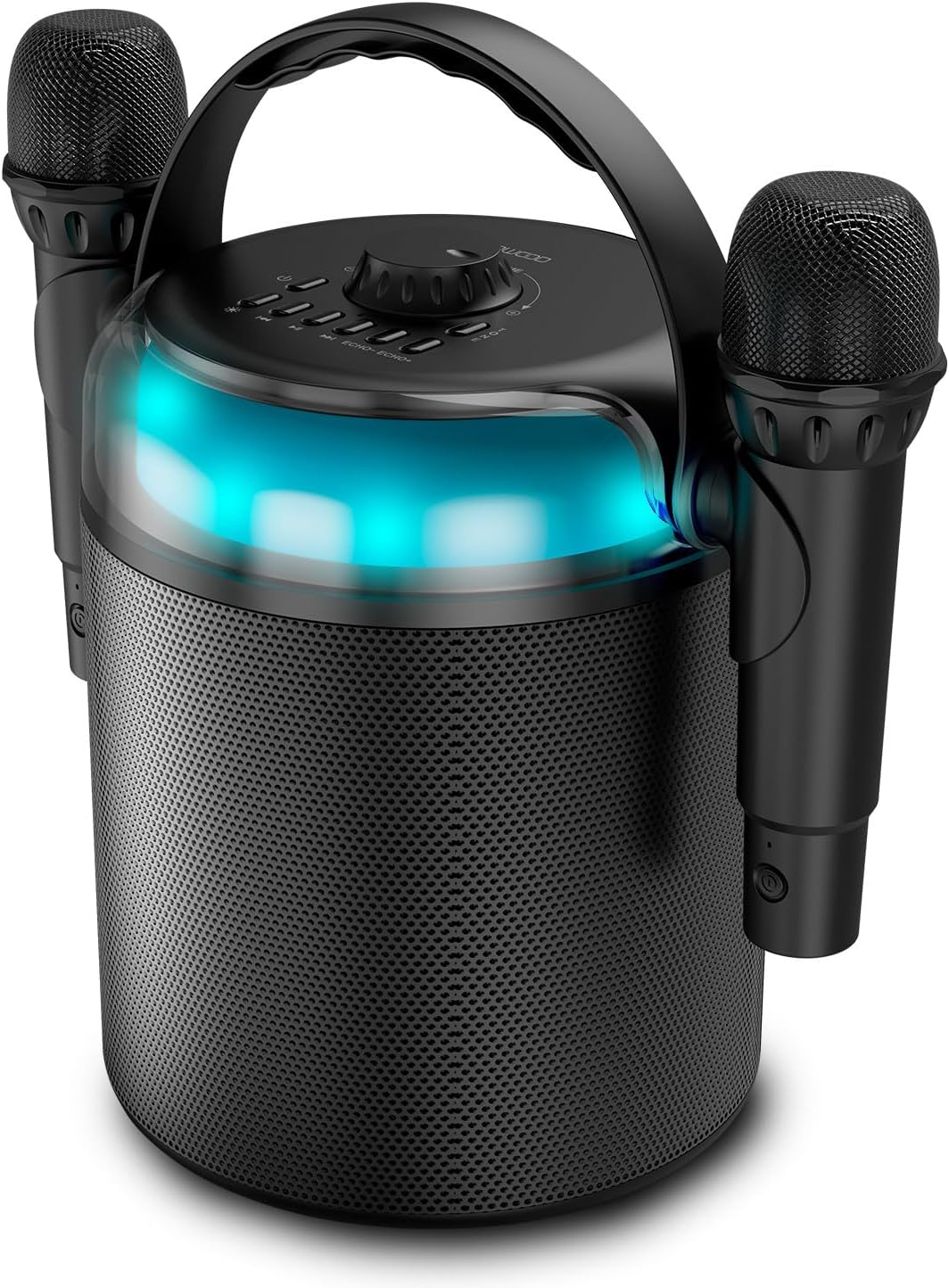
Figure 1: Ledwood PLAYKARAOKE Speaker with Microphones
This image shows the main unit of the Ledwood PLAYKARAOKE speaker, a cylindrical black device with a handle on top. Two wireless microphones are securely attached to the sides of the speaker. A blue LED light band is visible around the top section of the speaker.
แผงควบคุม

รูปที่ 2: แผงควบคุมด้านบน
ภาพนี้แสดงมุมมองจากบนลงล่าง view of the speaker's control panel. It features a large central volume knob, a power button, buttons for LED light control, playback controls (play/pause, skip), and echo adjustment for the microphones.
Familiarize yourself with the buttons and ports on the device:
- ปุ่มปรับระดับเสียง: ปรับระดับเสียงโดยรวม
- ปุ่มเปิด/ปิด: เปิดหรือปิดลำโพง
- ปุ่มไฟ LED: Cycles through LED light effects or turns them off.
- การควบคุมการเล่น: เล่น/หยุดชั่วคราว, เพลงก่อนหน้า, เพลงถัดไป
- Echo Controls (Echo-, Echo+): Adjusts the echo effect on the microphones.
- ปุ่มโหมด: Switches between input sources (Bluetooth, USB, MicroSD, AUX, COAX).
- Vocal Effects Button: Cycles through different vocal effects (Man, Woman, Monster, Child, Reverb).
- พอร์ต USB: สำหรับการเล่นไดรฟ์ USB
- ช่องเสียบการ์ด MicroSD: สำหรับการเล่นไฟล์จาก microSD card
- อินพุต AUX: ช่องเสียบสัญญาณเสียง 3.5 มม. สำหรับอุปกรณ์ภายนอก
- COAX Input: Coaxial audio input.
- พอร์ตชาร์จ: พอร์ต USB-C สำหรับชาร์จลำโพง
การตั้งค่า
1. ชาร์จลำโพง
- เชื่อมต่อสายชาร์จ USB-C ที่ให้มาเข้ากับพอร์ตชาร์จบนลำโพง
- Connect the other end of the cable to a suitable USB power adapter (not included) or a powered USB port.
- ไฟแสดงสถานะการชาร์จจะสว่างขึ้น การชาร์จเต็มใช้เวลาประมาณ 4 ชั่วโมง
- เมื่อชาร์จเต็มแล้ว ให้ถอดสายชาร์จออก
2. การเปิด/ปิดเครื่อง
- หากต้องการเปิดเครื่อง ให้กดค้างไว้ ปุ่มเปิดปิด จนกว่าไฟ LED จะสว่างขึ้นและคุณได้ยินเสียงแจ้งเตือน
- ในการปิดเครื่องให้กดปุ่ม ปุ่มเปิดปิด again until the LED lights turn off.
3. การจับคู่ไมโครโฟนไร้สาย
The two wireless microphones are typically pre-paired with the speaker. If they do not connect automatically:
- ตรวจสอบให้แน่ใจว่าลำโพงเปิดอยู่
- Insert batteries into the microphones (if not already installed).
- เปิดใช้งานไมโครโฟนแต่ละตัว ไมโครโฟนควรเชื่อมต่อกับลำโพงโดยอัตโนมัติ
- If connection issues persist, refer to the Troubleshooting section.
คำแนะนำการใช้งาน
1. การเชื่อมต่อบลูทู ธ
- Power on the speaker. It will automatically enter Bluetooth pairing mode (indicated by a flashing LED).
- บนสมาร์ทโฟน แท็บเล็ต หรืออุปกรณ์อื่นๆ ที่เปิดใช้งาน Bluetooth ของคุณ ให้เปิดใช้งาน Bluetooth และค้นหาอุปกรณ์ที่มีอยู่
- Select "Ledwood PLAYKARAOKE" from the list.
- Once connected, the speaker will emit an audible confirmation, and the LED will stop flashing.
- ตอนนี้คุณสามารถเล่นเสียงจากอุปกรณ์ที่เชื่อมต่อผ่านลำโพงได้แล้ว
2. การเล่นไฟล์ผ่าน USB/MicroSD
- Insert a USB drive or microSD card (with audio fileเสียบสายเข้ากับพอร์ต/ช่องเสียบที่ตรงกันบนลำโพง
- The speaker should automatically switch to USB/MicroSD mode and begin playing audio. If not, press the ปุ่มโหมด เพื่อเลือกข้อมูลป้อนเข้าที่ถูกต้อง
- ใช้ การควบคุมการเล่น (Play/Pause, Previous Track, Next Track) to manage your music.
3. AUX/COAX Input
- Connect an external audio device (e.g., TV, PC) to the speaker using a 3.5mm AUX cable or a coaxial cable (not included).
- กดปุ่ม ปุ่มโหมด repeatedly until the speaker switches to AUX or COAX input mode.
- เล่นไฟล์เสียงจากอุปกรณ์ภายนอกของคุณ ลำโพงจะส่งเสียงออกมา
4. ปรับระดับเสียง
หมุนขนาดใหญ่ ปุ่มปรับระดับเสียง on the top panel clockwise to increase volume and counter-clockwise to decrease volume.
5. Using Vocal Effects
While using the microphones:
- กดปุ่ม Vocal Effects Button to cycle through the available vocal effects: Man, Woman, Monster, Child, and Reverb.
- ใช้ เอคโค่- และ เอคโค่+ buttons to adjust the intensity of the echo effect on your voice.
6. เอฟเฟกต์แสง LED
กดปุ่ม ปุ่มไฟ LED to cycle through different dynamic RGB LED light patterns or to turn the lights off.
การซ่อมบำรุง
- การทำความสะอาด: เช็ดลำโพงด้วยผ้าแห้งนุ่มๆ ห้ามใช้สารทำความสะอาดที่มีฤทธิ์กัดกร่อนหรือตัวทำละลาย
- พื้นที่จัดเก็บ: เก็บอุปกรณ์ไว้ในที่แห้งและเย็น หลีกเลี่ยงแสงแดดโดยตรงและอุณหภูมิที่สูงหรือต่ำเกินไป
- การดูแลแบตเตอรี่ For optimal battery life, charge the speaker fully before long periods of storage and recharge it every few months.
การแก้ไขปัญหา
| ปัญหา | วิธีแก้ปัญหาที่เป็นไปได้ |
|---|---|
| ลำโพงไม่เปิดเครื่อง | ตรวจสอบให้แน่ใจว่าแบตเตอรี่ชาร์จเต็มแล้ว เสียบสายชาร์จแล้วลองใหม่อีกครั้ง |
| ไม่มีเสียงจากลำโพง |
|
| ไมโครโฟนไม่ทำงาน |
|
| การเชื่อมต่อบลูทูธไม่เสถียร |
|
ข้อมูลจำเพาะ
- แบบอย่าง: Ledwood PLAYKARAOKE
- กำลังขับ: 120วัตต์
- ไดรเวอร์ลำโพง: 4" (10 cm) Woofer, 1.25" Tweeter
- เวอร์ชันบลูทูธ: 5.1
- อายุการใช้งานแบตเตอรี่: สูงสุด 3 ชั่วโมง (ที่ระดับเสียง 70%)
- เวลาในการชาร์จ: ประมาณ 4 ชั่วโมง
- พอร์ตอินพุต: USB, MicroSD, AUX (3.5mm), COAX
- ไมโครโฟน: ไมโครโฟนไร้สาย 2 ตัว
- เอฟเฟ็กต์เสียง: Man, Woman, Monster, Child, Reverb (5 effects)
- ไฟ LED: RGB แบบไดนามิก
- ขนาดลำโพง (สูง x กว้าง x ลึก): 215 x 168 x 168 มม.
- Microphone Dimensions (H x Dia): 175 x 50 มม.
- อุปกรณ์เสริมที่รวมอยู่: 32GB USB Key
การรับประกันและการสนับสนุน
For warranty information and technical support, please refer to the warranty card included with your product or visit the official Ledwood webไซต์ เก็บหลักฐานการซื้อของคุณไว้เพื่อใช้ในกรณีเรียกร้องการรับประกัน
Ask a question about this manual
Ask about setup, troubleshooting, compatibility, parts, safety, or missing instructions. Manuals+ will review the question and use this page’s manual context to help answer it.