
การแนะนำ
Welcome to the iClever Auraa BTH24 Active Noise Cancelling Kids Headphones user manual. These headphones are designed to provide a safe, comfortable, and immersive audio experience for children. Featuring Active Noise Cancellation (ANC) up to 35dB, a safe volume limit of 80dBA, Bluetooth 6.0 connectivity, and long-lasting battery life, the Auraa BTH24 ensures clear sound while protecting young ears. This manual will guide you through the setup, operation, and maintenance of your new headphones.
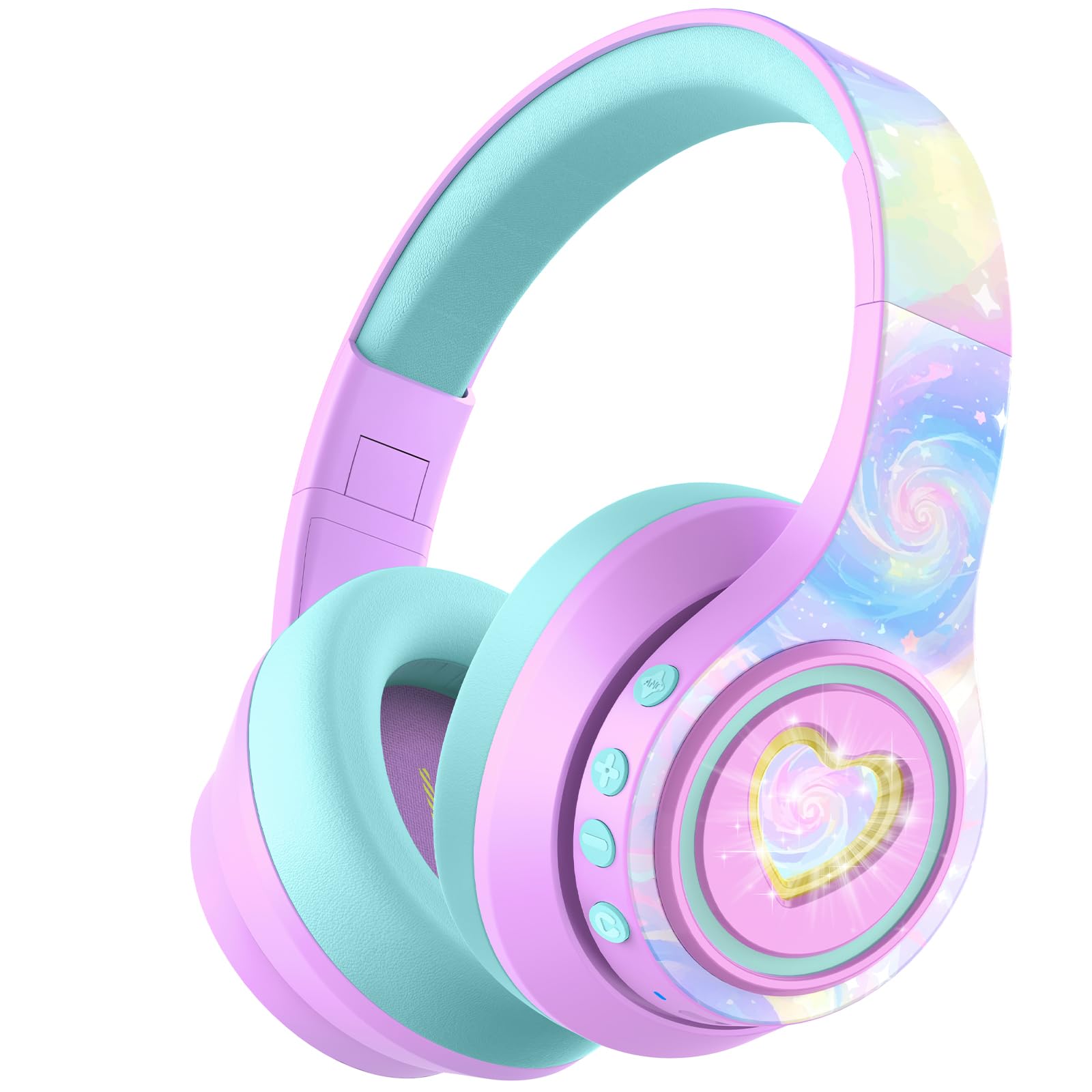
Image: iClever Auraa BTH24 Active Noise Cancelling Kids Headphones in Light Purple.
มีอะไรอยู่ในกล่อง
กรุณาตรวจสอบเนื้อหาในแพ็คเกจเพื่อให้แน่ใจว่ามีสินค้าครบทั้งหมด:
- iClever Auraa ANC Kids Headphones
- สายชาร์จ USB-C
- สายสัญญาณเสียงขนาด 3.5 มม. แบบถอดออกได้
- Spunlace Non-woven Storage Bag
- คู่มือการใช้งาน (เอกสารนี้)

Image: The iClever Auraa BTH24 headphones and included accessories.
สินค้าเกินview
โปรดทำความคุ้นเคยกับส่วนประกอบและปุ่มควบคุมของหูฟัง:
- ปุ่มเปิด/ปิด: Turns the headphones on/off.
- ปุ่มเพิ่มเสียง/ปุ่มเปลี่ยนเพลงถัดไป: กดสั้นๆ เพื่อเพิ่มระดับเสียง กดค้างไว้เพื่อข้ามไปยังเพลงถัดไป
- ปุ่มลดเสียง/ปุ่มเล่นเพลงก่อนหน้า: กดสั้นๆ เพื่อลดระดับเสียง กดค้างไว้เพื่อเล่นเพลงก่อนหน้า
- ปุ่ม ANC: เปิดหรือปิดระบบตัดเสียงรบกวน
- ปุ่มไฟ LED: ควบคุมเอฟเฟกต์แสง LED
- พอร์ตชาร์จ USB-C: สำหรับการชาร์จหูฟัง
- แจ็คเสียงขนาด 3.5 มม.: สำหรับการเชื่อมต่อแบบมีสาย
- ไมโครโฟน: สำหรับการโทรแบบแฮนด์ฟรี

ภาพ: รายละเอียด view of the headphone controls and ports on the earcup.
การตั้งค่า
1. การชาร์จหูฟัง
Before first use, fully charge the headphones. Use the provided USB-C charging cable to connect the headphones to a USB power source (e.g., computer, wall adapter). The LED indicator will show charging status. A 10-minute charge provides approximately 8 hours of playtime (with ANC off and lights off).
2. การจับคู่บลูทู ธ
- ตรวจสอบให้แน่ใจว่าหูฟังปิดอยู่
- กดปุ่มเปิด/ปิดค้างไว้จนกว่าไฟ LED จะกะพริบเป็นสีน้ำเงินและสีแดง ซึ่งแสดงว่าเข้าสู่โหมดจับคู่แล้ว
- บนอุปกรณ์ของคุณ (สมาร์ทโฟน แท็บเล็ต คอมพิวเตอร์) เปิดใช้งาน Bluetooth และค้นหาอุปกรณ์ที่มีอยู่
- Select "iClever Auraa BTH24" from the list.
- เมื่อเชื่อมต่อแล้ว ไฟแสดงสถานะ LED จะเปลี่ยนเป็นสีน้ำเงินค้าง
3. การเชื่อมต่อแบบมีสาย
For a wired connection, use the provided 3.5mm audio cable. Plug one end into the headphone's 3.5mm audio jack and the other end into your audio device's headphone port. In wired mode, Active Noise Cancellation can still be used independently.
คำแนะนำการใช้งาน
เปิด/ปิดเครื่อง
- เปิดเครื่อง: กดปุ่มเปิด/ปิดค้างไว้ 2-3 วินาที
- หมดแรง: กดปุ่มเปิด/ปิดค้างไว้ 3-4 วินาที
การควบคุมระดับเสียง
The headphones feature an 80dBA safe volume limit to protect children's hearing, adhering to WHO safety standards. Use the Volume Up and Volume Down buttons on the earcup to adjust the audio level within this safe range.
การตัดเสียงรบกวนแบบแอคทีฟ (ANC)
The iClever Auraa BTH24 headphones offer up to 35dB of noise reduction. Press the dedicated ANC button to toggle the Active Noise Cancellation feature on or off. This feature works in both wireless and wired modes, providing a calmer listening environment.
Video: This video demonstrates how the iClever Auraa BTH24 headphones provide quiet moments with less background noise, highlighting the Active Noise Cancellation feature.
ไฟ LED
The headphones feature dreamy LED lights. Press the LED Light Button to cycle through different lighting modes or turn them off.

Image: A child enjoying music with the LED lights of the iClever Auraa BTH24 headphones activated.
ฟังก์ชั่นการโทร
When connected via Bluetooth, you can use the built-in microphone for hands-free calls:
- รับ/วางสาย: กดปุ่มเปิด/ปิดสั้นๆ
- ปฏิเสธสาย: กดปุ่มเปิดปิดค้างไว้
การเล่นเพลง
- เล่น/หยุดชั่วคราว: กดปุ่มเปิด/ปิดสั้นๆ
- เพลงถัดไป: กดปุ่มเพิ่มระดับเสียงค้างไว้
- แทร็กก่อนหน้า: กดปุ่มลดระดับเสียงค้างไว้
การซ่อมบำรุง
การทำความสะอาด
เช็ดหูฟังด้วยผ้าแห้งนุ่มๆ ห้ามใช้สารเคมีรุนแรงหรือวัสดุที่มีฤทธิ์กัดกร่อน ตรวจสอบให้แน่ใจว่าไม่มีของเหลวเข้าไปในช่องต่างๆ
พื้นที่จัดเก็บ
The headphones feature a foldable design for easy storage. Fold them compactly and store them in the provided spunlace non-woven storage bag to protect them from dust and damage when not in use.

Image: The iClever Auraa BTH24 headphones in their folded position, ready for storage or travel.
การแก้ไขปัญหา
- ไม่มีไฟฟ้า: ตรวจสอบให้แน่ใจว่าหูฟังชาร์จเต็มแล้ว
- ไม่มีเสียง: Check volume levels on both the headphones and your connected device. Ensure the headphones are properly paired (Bluetooth) or the audio cable is securely connected (wired).
- ปัญหาการจับคู่: Turn off Bluetooth on your device and the headphones, then restart both and try pairing again. Ensure the headphones are in pairing mode (flashing blue/red LED).
- ANC ไม่ทำงาน: กดปุ่ม ANC เพื่อให้แน่ใจว่าได้เปิดใช้งานแล้ว
ข้อมูลจำเพาะ
| ยี่ห้อ | iClever |
| หมายเลขรุ่น | BTH24 |
| ชื่อรุ่น | Auraa |
| สี | สีม่วงอ่อน |
| เทคโนโลยีการเชื่อมต่อ | แบบมีสาย, ไร้สาย (บลูทูธ) |
| เวอร์ชันบลูทูธ | 6.0 |
| ช่วงบลูทูธ | 10 เมตร |
| การควบคุมเสียงรบกวน | ระบบตัดเสียงรบกวนแบบแอคทีฟ (สูงสุด 35dB) |
| ขีดจำกัดปริมาตรที่ปลอดภัย | 80 dBA (WHO safety standards) |
| อายุการใช้งานแบตเตอรี่โดยเฉลี่ย | 47 Hours (ANC on, lights off) |
| เวลาในการชาร์จแบตเตอรี่ | 10 minutes for 8 hours play (ANC, lights off) |
| ขนาดไดร์เวอร์เสียง | 40 มิลลิเมตร |
| ช่วงความถี่ | 20Hz - 20,000Hz |
| แจ็คหูฟัง | แจ็ค 3.5 มม. |
| วัสดุ | Acrylonitrile Butadiene Styrene (ABS), Leather |
| ช่วงอายุ คำอธิบาย | Kid, Teen, Adults |
การรับประกันและการสนับสนุน
The iClever Auraa BTH24 headphones come with a 12-month warranty. For any product inquiries, technical support, or warranty claims, please contact iClever customer service through their official webหรือร้านค้าที่ซื้อผลิตภัณฑ์ โปรดเก็บหลักฐานการซื้อไว้เพื่อยืนยันการรับประกัน