
1. บทนำ
The ATTACK SHARK X11SE is a high-performance wireless gaming mouse designed for precision and comfort. It features a lightweight design, advanced sensor technology, and versatile connectivity options to enhance your gaming and productivity experience.

ภาพ: เหนือview of the ATTACK SHARK X11SE's key features including PAW3311 sensor, 63g lightweight design, 22000 DPI, HUANO switches, tri-mode switch, BK52820 chip, TTC encoders, and 65 hours of battery life.
คุณสมบัติหลัก:
- PAW3311 Gaming Sensor: Equipped with the flagship PixArt PAW3311 sensor, offering up to 22,000 DPI with 6 adjustable levels, 400 IPS tracking speed, 35G acceleration, and a 1000Hz/1ms polling rate.
- Ultralight 63g Design: Weighing only 63 ± 3g, this mouse features a minimalist, full-casing design optimized for reduced weight without compromising build quality.
- การเชื่อมต่อสามโหมด: Supports 2.4 GHz wireless, USB-C wired, and Bluetooth connections for versatile use across various devices.
- Durable Switches & Encoder: Features HUANO switches with a lifespan of 20 million clicks and an optimized TTC encoder for precise scroll wheel feedback.
- การออกแบบตามหลักสรีรศาสตร์: Dimensions (128 x 64 x 40 mm) suitable for medium to large hands, accommodating palm, claw, and fingertip grip styles for extended comfort.
- Dual Driver Support: เข้ากันได้กับ Web Driver and proprietary ATTACK SHARK driver for advanced customization of buttons, DPI, polling rate, and macros.
2. การตั้งค่า
เนื้อหาแพ็คเกจ:
- ATTACK SHARK X11SE Wireless Gaming Mouse
- สาย USB-C
- ตัวรับสัญญาณ USB (2.4GHz)
- เทปกริป
- คู่มือการใช้งาน
การชาร์จเมาส์:
Connect the mouse to your computer using the provided USB-C cable. The mouse has a 300mAh battery, providing up to 65 hours of uninterrupted use on a full charge (2-3 hours charging time).

Image: The ATTACK SHARK X11SE mouse illustrating its efficient battery management, offering up to 65 hours of use from a 300mAh battery, fully charged in 2-3 hours.
โหมดการเชื่อมต่อ:
The X11SE mouse supports three connection modes: 2.4GHz Wireless, Bluetooth, and USB-C Wired.

Image: The ATTACK SHARK X11SE mouse highlighting its lightning-fast 2.4G wireless connection, wired mode via USB-C, and Bluetooth 5.2 capabilities.
- โหมดไร้สาย 2.4GHz:
- ค้นหาตัวรับสัญญาณ USB ซึ่งโดยปกติจะเก็บไว้ในช่องด้านล่างของเมาส์
- เสียบตัวรับสัญญาณ USB เข้ากับพอร์ต USB ที่พร้อมใช้งานบนคอมพิวเตอร์ของคุณ
- Turn on the mouse using the switch on the bottom. Select the 2.4G mode.
- เมาส์ควรเชื่อมต่อโดยอัตโนมัติ
- โหมดบลูทู ธ :
- เปิดใช้งานเมาส์และเลือกโหมดบลูทูธโดยใช้สวิตช์ที่ด้านล่าง
- Press and hold the Bluetooth toggle button (often located near the mode switch) for 3 seconds to enter pairing mode. The indicator light will flash.
- บนคอมพิวเตอร์หรืออุปกรณ์ของคุณ ไปที่การตั้งค่าบลูทูธและค้นหาอุปกรณ์ใหม่
- Select "ATTACK SHARK X11SE" from the list to pair.
- โหมดสาย USB-C:
- Connect the USB-C cable to the front port of the mouse and the other end to a USB port on your computer.
- เมาส์จะเปลี่ยนเป็นโหมดสายโดยอัตโนมัติและเริ่มชาร์จ
3. การดำเนินการ
ปุ่มฟังก์ชั่น:
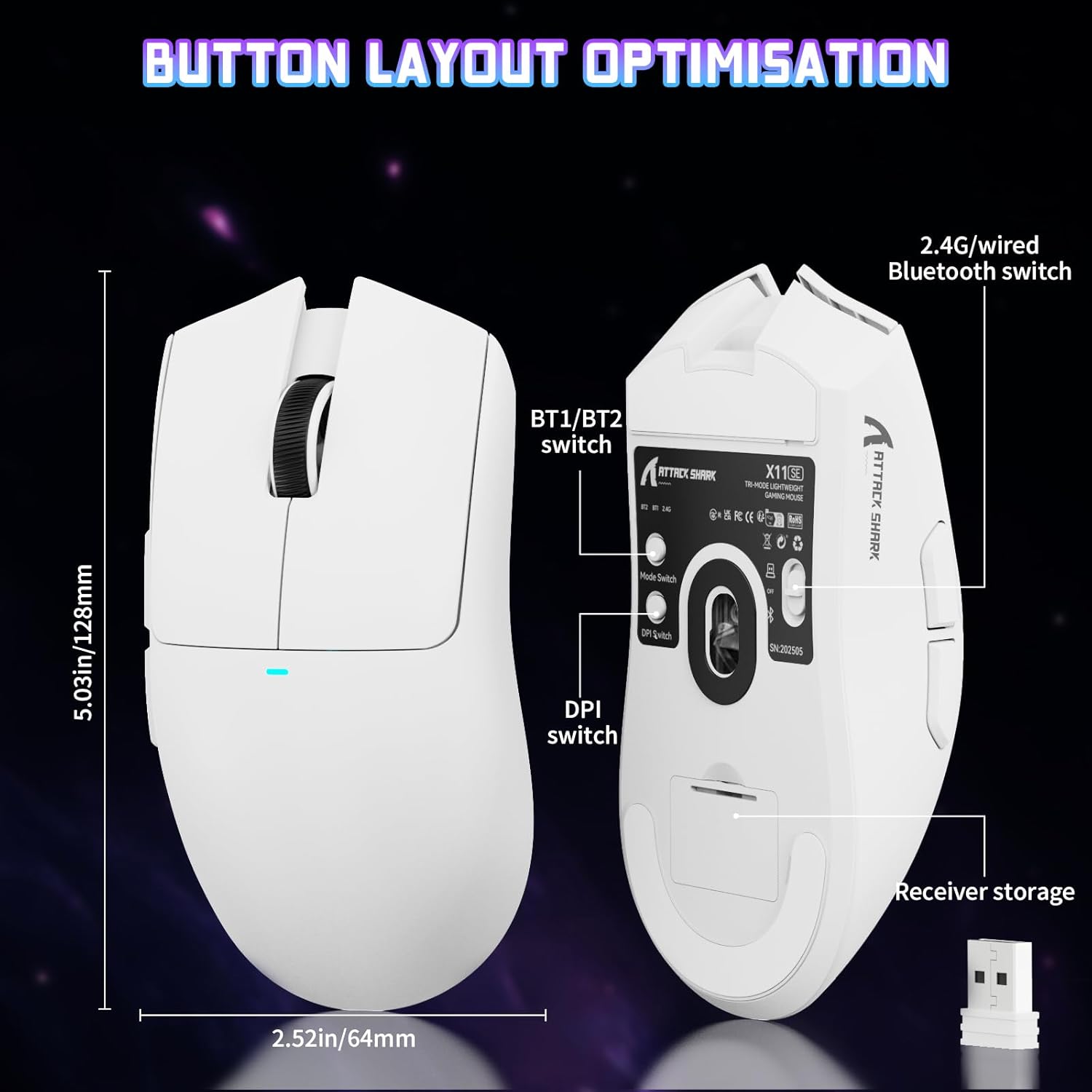
Image: The ATTACK SHARK X11SE mouse displaying its button layout, including the BT1/BT2 switch, DPI switch, and receiver storage, along with its dimensions (128mm length, 64mm width).
- คลิกซ้าย: ปุ่มการดำเนินการหลัก
- คลิกขวา: ปุ่มการดำเนินการรอง โดยทั่วไปใช้สำหรับเมนูบริบท
- ล้อเลื่อน: Scrolls up/down. Can also be pressed for a middle-click function.
- ปุ่มด้านข้าง (เดินหน้า/ถอยหลัง): Used for navigation in web เบราว์เซอร์หรือการกระทำในเกม
- สวิตช์ DPI: Located on the underside of the mouse, this button cycles through preset DPI levels.
- สวิตช์โหมด: Located on the underside, this switch allows you to select between 2.4G wireless, Bluetooth, and Off modes.
การปรับ DPI:
The X11SE features a PixArt PAW3311 sensor with up to 22,000 DPI. You can adjust the DPI sensitivity using the dedicated DPI switch on the bottom of the mouse. For more precise control and custom DPI levels, use the official software.
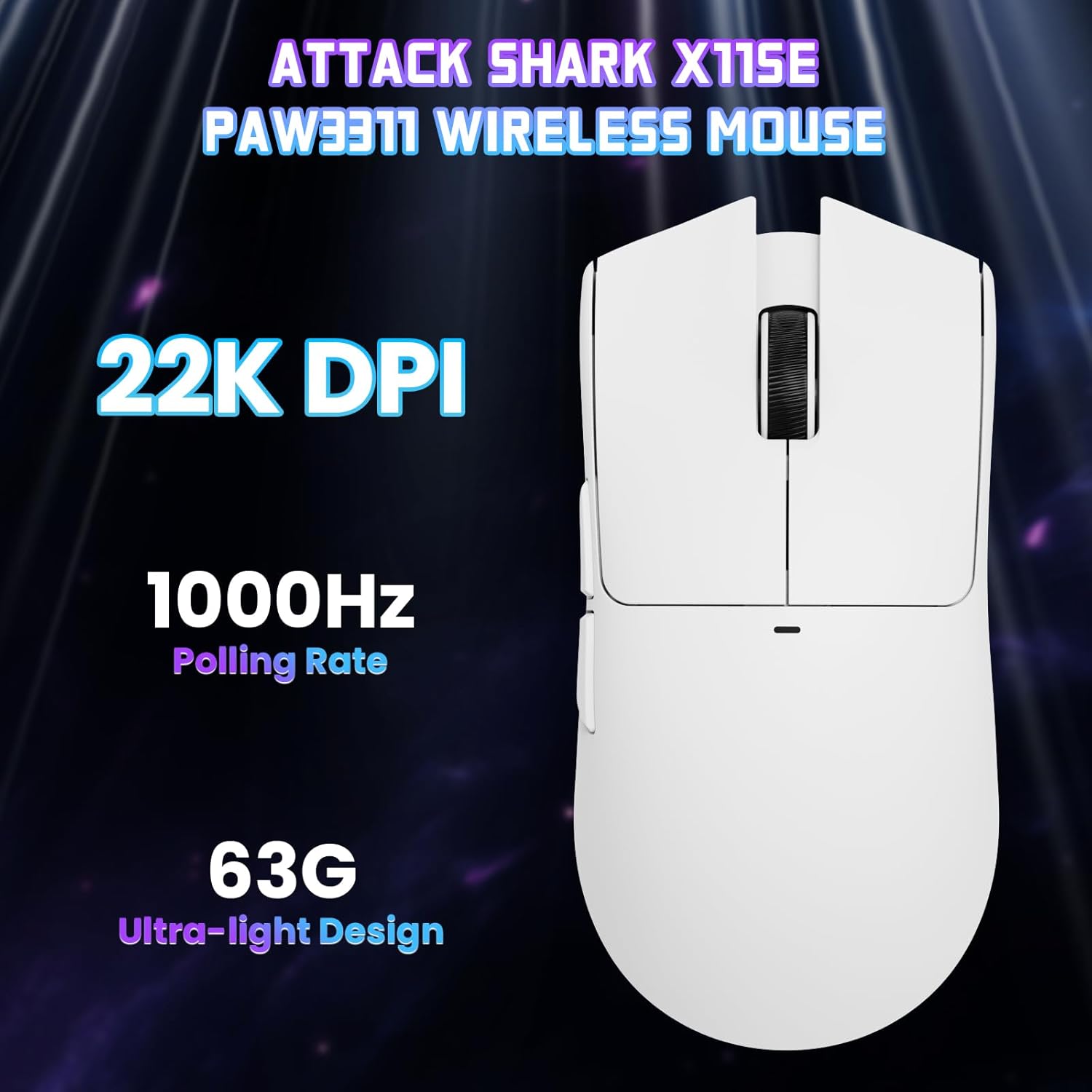
ภาพ: จากบนลงล่าง view of the ATTACK SHARK X11SE mouse, emphasizing its 22,000 DPI capability and 1000Hz polling rate for high-performance gaming.
4. การปรับแต่ง
The ATTACK SHARK X11SE mouse offers extensive customization options through its dedicated software. This allows you to personalize button assignments, DPI settings, polling rate, and create macros.
การติดตั้งไดร์เวอร์:
The mouse supports two drivers:
- Web ไดรเวอร์: การเข้าถึงผ่านทาง http://szslxd-tech.com/#/
- ATTACK SHARK Proprietary Driver: ดาวน์โหลดจาก https://attackshark.com/pages/dirver-download
Download and install the preferred driver software on your Windows, macOS, or Linux system.
คุณสมบัติซอฟต์แวร์:

Image: The ATTACK SHARK X11SE software interface, demonstrating options for mouse settings, DPI adjustments, parameter settings, macro editing, and personal profiles.
- การเขียนโปรแกรมปุ่ม: Reassign functions to any of the 5 buttons.
- การตั้งค่า DPI: Create custom DPI profiles and adjust sensitivity levels.
- อัตราการสำรวจความคิดเห็น: ปรับอัตราการสำรวจเพื่อการตอบสนองที่เหมาะสมที่สุด
- ตัวแก้ไขมาโคร: บันทึกและกำหนดลำดับคำสั่งที่ซับซ้อนให้กับปุ่มเดียว
- โปรfile การจัดการ: บันทึกและสลับระหว่างโปรแกรมต่างๆfileสำหรับเกมหรือแอปพลิเคชันต่างๆ
5. การบำรุงรักษา
การทำความสะอาด:
- ใช้ผ้าแห้งนุ่มเช็ดพื้นผิวของเมาส์
- สำหรับสิ่งสกปรกฝังแน่น ให้เช็ดออกเล็กน้อยampชุบผ้าด้วยน้ำหรือน้ำยาทำความสะอาดอ่อนๆ หลีกเลี่ยงสารเคมีรุนแรง
- ทำความสะอาดบริเวณเซ็นเซอร์แสงที่ด้านล่างของเมาส์ด้วยสำลี เพื่อให้การติดตามแม่นยำยิ่งขึ้น
การดูแลแบตเตอรี่
- หลีกเลี่ยงการปล่อยแบตเตอรี่จนหมดบ่อยครั้งเพื่อยืดอายุการใช้งาน
- เก็บเมาส์ไว้ในที่แห้งและเย็นเมื่อไม่ได้ใช้งานเป็นเวลานาน
6 การแก้ไขปัญหา
ปัญหาทั่วไปและวิธีแก้ไข:
- เมาส์ไม่ตอบสนอง:
- ตรวจสอบให้แน่ใจว่าเมาส์ได้รับการชาร์จแล้ว
- Check the mode switch on the bottom of the mouse to ensure it's in the correct mode (2.4G, BT, or Wired).
- For 2.4GHz mode, ensure the USB receiver is securely plugged in. Try a different USB port.
- For Bluetooth mode, ensure Bluetooth is enabled on your device and the mouse is paired correctly. Try re-pairing.
- สำหรับการใช้งานในโหมดเสียบสาย โปรดตรวจสอบให้แน่ใจว่าได้เสียบสาย USB-C อย่างถูกต้องแล้ว
- DPI ไม่เปลี่ยนแปลง:
- Press the DPI switch on the bottom of the mouse.
- If using custom DPI settings, ensure the driver software is running and the correct profile อยู่ในสถานะใช้งานอยู่
- การเชื่อมต่อล่าช้าหรือขาดๆ หายๆ:
- Ensure the mouse is close to the USB receiver (for 2.4GHz) or your device (for Bluetooth).
- หลีกเลี่ยงการรบกวนจากอุปกรณ์ไร้สายอื่น ๆ
- ตรวจสอบให้แน่ใจว่าแบตเตอรี่เมาส์มีประจุเพียงพอ
- อัปเดตไดรเวอร์เมาส์หากมีให้ใช้งาน
7. ข้อมูลจำเพาะ
| คุณสมบัติ | ข้อมูลจำเพาะ |
|---|---|
| ยี่ห้อ | โจมตีฉลาม |
| ชื่อรุ่น | X11SE |
| สี | สีขาว |
| เทคโนโลยีการเชื่อมต่อ | 2.4 GHz Wireless/USB-C Wired/Bluetooth |
| คุณสมบัติพิเศษ | 63g ultralight, BK52820 Chip, TTC Encoder, Dual Driver |
| เทคโนโลยีตรวจจับความเคลื่อนไหว | Optical (PixArt PAW3311) |
| จำนวนปุ่ม | 5 |
| การวางแนวมือ | ถนัดทั้งสองมือ |
| คำแนะนำการใช้งานผลิตภัณฑ์ | เกมคอมพิวเตอร์ |
| อุปกรณ์ที่รองรับ | Desktop Computer, MAC |
| ระบบปฏิบัติการ | วินโดวส์, แมคโอเอส, ลินุกซ์ |
| จำนวนแบตเตอรี่ | ลิเธียมโพลีเมอร์ 1 อัน (รวมอยู่ด้วย) |
| แหล่งพลังงาน | ใช้พลังงานจากแบตเตอรี่ |
| Maximum Mouse Sensitivity | 22000 จุดต่อนิ้ว |
| พิสัย | 300 เซนติเมตร |
| สไตล์ | การยศาสตร์ |
| วัสดุ | พลาสติก |
| ประเทศต้นกำเนิด | จีน |
| ส่วนประกอบที่รวมอยู่ | USB-C Cable, Manual, Grip Tape |
| ยูพีซี | 752010613663 |
8. การรับประกันและการสนับสนุน
ข้อมูลการรับประกัน:
The ATTACK SHARK X11SE Wireless Gaming Mouse comes with a six-month warranty from the date of purchase. Please retain your proof of purchase for warranty claims.
ดาวน์โหลดไดร์เวอร์:
สำหรับไดรเวอร์และซอฟต์แวร์เวอร์ชั่นล่าสุด โปรดไปที่:
- Web ไดรเวอร์: http://szslxd-tech.com/#/
- ATTACK SHARK Driver: https://attackshark.com/pages/dirver-download
Related Product Video:
วิดีโอ: วิดีโอแนะนำสินค้าอย่างเป็นทางการจากผู้ขายasing the ATTACK SHARK X11 Mouse, demonstrating its features and functionality. While specifically for the X11, it provides relevant insights into the X11SE's design and operation.