
การแนะนำ
This manual provides instructions for the Beyution ERF6G80H Voice Remote Control, designed as a replacement for Hisense QLED 4K S7N Series Smart TVs. This remote offers both traditional infrared control and voice search capabilities for enhanced user interaction. Please read this manual carefully to ensure proper setup and operation.
เนื้อหาแพ็คเกจ
- 1 x Beyution ERF6G80H Voice Remote Control
หมายเหตุ: ไม่รวมแบตเตอรี่ AAA ต้องซื้อแยกต่างหาก
การตั้งค่า
1. การติดตั้งแบตเตอรี่
- ค้นหาช่องใส่แบตเตอรี่ที่ด้านหลังของรีโมทคอนโทรล
- เลื่อนฝาครอบแบตเตอรี่ลงเพื่อเปิด
- Insert two (2) AAA 1.5V alkaline batteries, ensuring the positive (+) and negative (-) terminals match the diagrams inside the compartment.
- ปิดฝาครอบแบตเตอรี่โดยเลื่อนขึ้นจนกระทั่งได้ยินเสียงคลิกเข้าที่

รูปที่ 1: Battery compartment with AAA batteries.
2 การเชื่อมต่อกับทีวีของคุณ
Before using the voice search function, the remote control must be paired with your Hisense Smart TV. Follow your TV's specific instructions for pairing a new remote control. Generally, this involves:
- ตรวจสอบให้แน่ใจว่าทีวีของคุณเปิดอยู่
- Navigating to the TV's settings menu (often under "Remotes & Accessories" or "Bluetooth Settings").
- Selecting the option to "Add new device" or "Pair remote control."
- Following the on-screen prompts, which may involve pressing specific buttons on the new remote (e.g., the Voice button and another button simultaneously) to initiate pairing.
Once successfully paired, the remote control will function for both standard commands and voice search.
คำแนะนำการใช้งาน
The ERF6G80H remote control features a standard layout for easy navigation and control of your Hisense Smart TV.
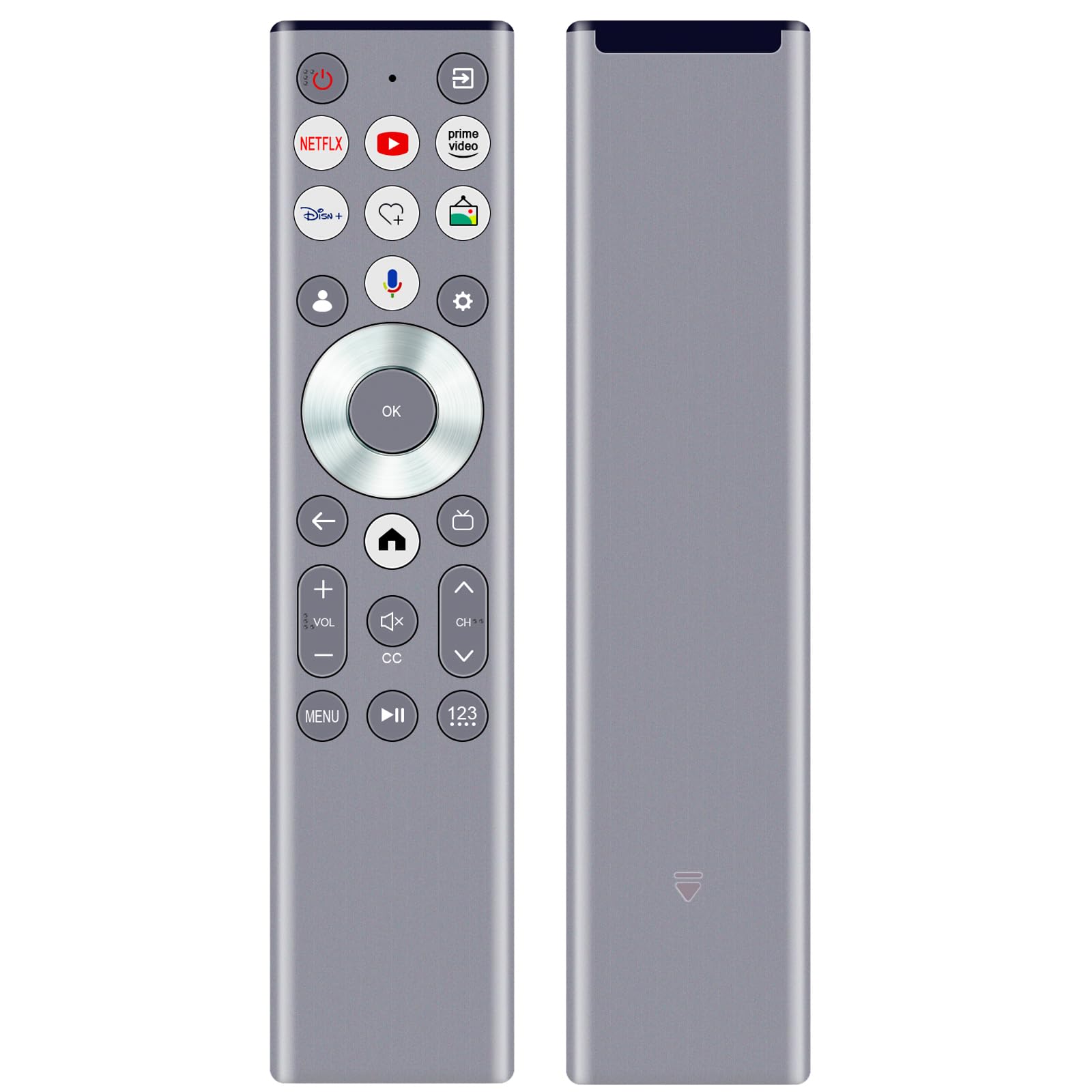
รูปที่ 2: ERF6G80H Remote Control Layout with Voice Button Highlighted.
ปุ่มฟังก์ชั่น:
| ปุ่ม | การทำงาน |
|---|---|
| Power (Red Circle) | เปิดหรือปิดทีวี |
| Netflix, YouTube, Prime Video, Disney+ | Direct access buttons to popular streaming services. |
| Voice (Microphone icon) | เปิดใช้งานการค้นหาและคำสั่งด้วยเสียง Requires TV pairing and network connection. |
| Navigation Ring (Up, Down, Left, Right) | นำทางผ่านเมนูและตัวเลือก |
| OK (Center Button) | ยืนยันการเลือก |
| Back (Left Arrow) | กลับไปที่หน้าจอหรือเมนูก่อนหน้า |
| บ้าน (ไอคอนรูปบ้าน) | Accesses the TV's home screen or main menu. |
| Volume Up/Down (+VOL-) | ปรับระดับเสียงทีวี |
| ปิดเสียง (ลำโพงที่มี X) | ปิดหรือเปิดเสียงทีวี |
| Channel Up/Down (CH^) | เปลี่ยนช่องทีวี |
| CC (คำบรรยายปิด) | เปิดหรือปิดคำบรรยาย |
| เมนู | Opens the TV's menu options. |
| Play/Pause (II) | ควบคุมการเล่นสื่อ |
| 123 (Number Pad) | Accesses the on-screen number pad for direct channel input. |
ฟังก์ชั่นการควบคุมด้วยเสียง:
หลังจากจับคู่สำเร็จแล้วให้กดปุ่ม Voice (Microphone icon) button to activate the voice assistant. Speak clearly into the remote control. Ensure your TV has an active internet connection for voice recognition features to work correctly.
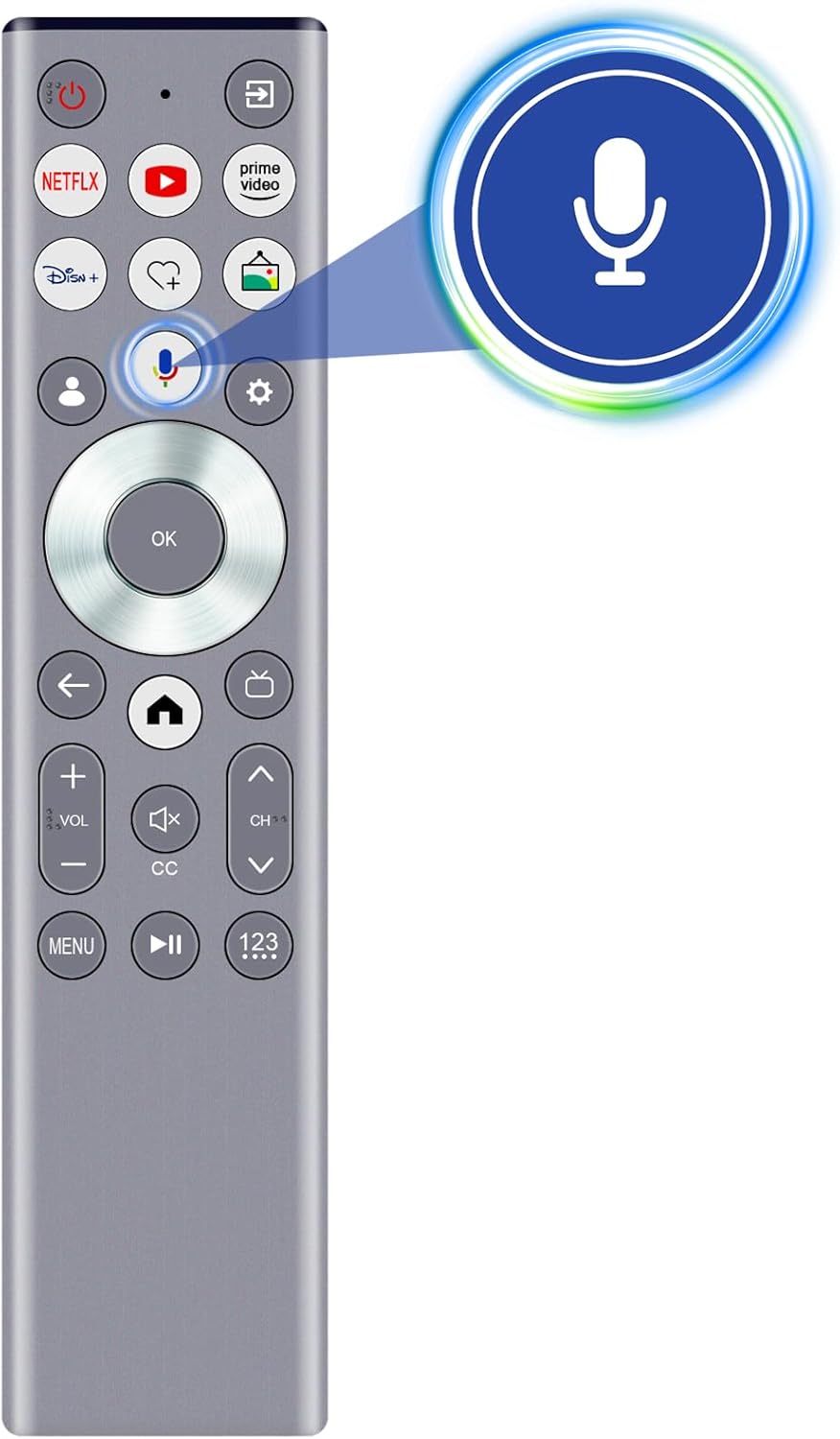
รูปที่ 3: Activating Voice Search.
คุณสมบัติ
- การค้นหาด้วยเสียง: Enables intuitive control and content search using voice commands (requires pairing and network connection).
- เทคโนโลยีอินฟราเรด (IR): Provides reliable control with a strong signal and a transmission distance of up to 10 meters (approximately 30 feet).
- การออกแบบตามหลักสรีรศาสตร์: Lightweight and comfortable to hold for extended use.
- โครงสร้างทนทาน: Made from ABS material and soft rubber for longevity and a pleasant tactile experience.
- Upgraded Smart Chip: Ensures stable performance and fast response times.

รูปที่ 4: Remote Control Range and Angle.

รูปที่ 5: Key Features of the Remote Control.

รูปที่ 6: Remote Control in Use.
การซ่อมบำรุง
- Keep the remote control dry. Avoid exposure to water or excessive humidity.
- ทำความสะอาดรีโมตด้วยผ้านุ่มและแห้ง ห้ามใช้น้ำยาทำความสะอาดหรือสารละลายที่มีฤทธิ์กัดกร่อน
- หลีกเลี่ยงการทำรีโมทตกหรือโดนแรงกระแทกรุนแรง
- หากจะไม่ใช้รีโมทเป็นเวลานาน ควรถอดแบตเตอรี่ออกเพื่อป้องกันการรั่วไหล
การแก้ไขปัญหา
| ปัญหา | สาเหตุที่เป็นไปได้ | สารละลาย |
|---|---|---|
| รีโมตไม่ตอบสนอง | Dead or incorrectly inserted batteries. Obstruction between remote and TV. Remote not paired (for voice functions). | Replace batteries, ensuring correct polarity. Remove any obstructions. Re-pair the remote with the TV if voice functions are not working. |
| การควบคุมด้วยเสียงไม่ทำงาน | Remote not paired for voice. No internet connection on TV. Microphone obstructed. | Ensure the remote is properly paired for voice. Verify TV's internet connection. Ensure nothing is covering the microphone on the remote. |
| Short transmission distance. | Low batteries. Strong interference. | เปลี่ยนแบตเตอรี่ ลดการรบกวนจากอุปกรณ์อิเล็กทรอนิกส์อื่นๆ |
ข้อมูลจำเพาะ
- แบบอย่าง: ERF6G80H
- รุ่นทีวีที่รองรับ: Hisense QLED 4K S7N Series (55S7N, 65S7N, 75S7N, 85S7N)
- แหล่งจ่ายไฟ: 2 x AAA 1.5V แบตเตอรี่อัลคาไลน์ (ไม่รวม)
- ขนาด : ประมาณ 5 x 1 x 0.5 นิ้ว (12.7 x 2.54 x 1.27 ซม.)
- น้ำหนักสินค้า: ประมาณ 1.9 ออนซ์ (53.8 กรัม)
- เทคโนโลยีการส่งผ่าน: Infrared (IR) with Voice Control
- ระยะการส่งข้อมูล: สูงถึง 10 เมตร (30 ฟุต)
- วัสดุ: ABS and soft rubber

รูปที่ 7: Remote Control Dimensions.
การสนับสนุนและการรับประกัน
For any questions regarding compatibility, setup, or if you encounter issues with your remote control, please contact the seller for assistance. If the remote control you receive is damaged or does not work as expected, a satisfactory solution will be provided.
โปรดดูเอกสารประกอบการซื้อสำหรับรายละเอียดการรับประกันเฉพาะเจาะจง