
การแนะนำ
This user manual provides detailed instructions for the C idea CM817 Pro Max 8-inch Tablet. Please read this manual thoroughly before using your device to ensure proper operation and to maximize its features. Keep this manual for future reference.
เนื้อหาแพ็คเกจ
ตรวจสอบว่ามีรายการทั้งหมดอยู่ในแพ็คเกจ:
- C idea CM817 Pro Max 8-inch Tablet
- อะแดปเตอร์ชาร์จไฟ
- สาย USB-C
- คู่มือการใช้งาน (เอกสารนี้)
- Stylus Pen (if included in your specific package)
- Keyboard (if included in your specific package)
- Mouse (if included in your specific package)

Image: The C idea CM817 Pro Max tablet shown with its common accessories, which may include a keyboard, mouse, charging adapter, USB-C cable, and stylus pen.
สินค้าเกินview
Familiarize yourself with the physical components of your C idea CM817 Pro Max tablet.

Image: A diagram illustrating the various ports and buttons on the C idea CM817 Pro Max tablet, including the front camera, rear camera, power button, volume controls, speakers, TF/SIM card slot, USB-C port, and headphone jack.
- กล้องหน้า: สำหรับวิดีโอคอลและเซลฟี่
- กล้องหลัง: สำหรับการบันทึกภาพถ่ายและวีดีโอ
- ปุ่มเปิด/ปิด: กดค้างไว้เพื่อเปิด/ปิดเครื่องหรือรีสตาร์ท กดสั้นๆ เพื่อปลุก/พักหน้าจอ
- ปุ่มปรับระดับเสียง: Adjust the tablet's audio volume.
- วิทยากร: Output audio.
- TF/SIM Slot: Insert a TF (MicroSD) card for expandable storage or a SIM card for cellular connectivity.
- พอร์ต USB-C: สำหรับชาร์จแท็บเล็ตและเชื่อมต่อกับคอมพิวเตอร์เพื่อถ่ายโอนข้อมูล
- แจ็คหูฟัง: เชื่อมต่อหูฟังขนาด 3.5 มม.
การตั้งค่า
1. การชาร์จแท็บเล็ต
Before first use, fully charge the tablet. Connect the USB-C cable to the tablet's USB-C port and the other end to the charging adapter. Plug the adapter into a power outlet. The battery indicator on the screen will show charging status.
2. การเปิด/ปิดเครื่อง
- เปิดเครื่อง: Press and hold the Power On/Off button until the C idea logo appears.
- หมดแรง: Press and hold the Power On/Off button until the power options menu appears, then select "Power off".
- เริ่มต้นใหม่อีกครั้ง: จากเมนูตัวเลือกพลังงาน เลือก "รีสตาร์ท"
3. การตั้งค่าเริ่มต้น
เมื่อเปิดเครื่องครั้งแรก โปรดทำตามคำแนะนำบนหน้าจอเพื่อตั้งค่าแท็บเล็ตของคุณ:
- เลือกภาษาที่คุณต้องการ
- เชื่อมต่อกับเครือข่าย Wi-Fi
- ลงชื่อเข้าใช้ด้วยบัญชี Google ของคุณ หรือสร้างบัญชีใหม่ ขั้นตอนนี้จำเป็นสำหรับการดาวน์โหลดแอปจาก Google Play Store
- ตั้งค่าการล็อคหน้าจอ (PIN, รูปแบบ หรือรหัสผ่าน)
- Review และยอมรับข้อกำหนดและเงื่อนไข
4. การใส่ซิมการ์ดและ MicroSD
Locate the TF/SIM slot on the side of the tablet. Use the provided SIM ejector tool (if applicable) to open the tray. Carefully place your SIM card and/or MicroSD card into the designated slots, ensuring correct orientation. Close the tray securely.
คำแนะนำการใช้งาน
1. การนำทางพื้นฐาน
- สัมผัส: แตะไอคอนเพื่อเปิดแอปหรือเลือกรายการ
- ปัด: ลากนิ้วของคุณไปตามหน้าจอเพื่อเลื่อนดูหน้าหรือเนื้อหา
- หยิก: ใช้สองนิ้วเพื่อซูมเข้าหรือออกจากรูปภาพและ web หน้า
- หน้าจอหลัก: หน้าจอหลักที่คุณสามารถเข้าถึงแอพและวิดเจ็ตได้
- แผงการแจ้งเตือน: ปัดลงจากด้านบนของหน้าจอเพื่อเข้าถึงการแจ้งเตือนและการตั้งค่าด่วน

Image: The C idea CM817 Pro Max tablet showcasing its Android home screen, featuring various application icons and a clean user interface.
2. Wi-Fi and Cellular Connectivity
หากต้องการเชื่อมต่อ Wi-Fi ให้ไปที่ การตั้งค่า > เครือข่ายและอินเทอร์เน็ต > Wi-Fi. Turn Wi-Fi on and select your desired network. Enter the password if prompted. For cellular data, ensure a SIM card is inserted and go to การตั้งค่า > เครือข่ายและอินเทอร์เน็ต > เครือข่ายมือถือ to configure data settings.
3. การใช้กล้อง
Open the Camera app from the home screen or app drawer. Tap the shutter button to take a photo. Switch between the 5MP front camera and 8MP rear camera using the camera switch icon. You can also record videos.
4. การจัดการการจัดเก็บข้อมูล
Your tablet comes with 512GB of internal storage and supports up to 512GB expandable storage via a MicroSD card. To view การใช้พื้นที่เก็บข้อมูล ไปที่ การตั้งค่า > การจัดเก็บข้อมูล. Regularly clear unnecessary files and uninstall unused apps to maintain performance.

Image: Multiple C idea tablets demonstrating the ample storage capacity, highlighting 8GB RAM, 512GB internal ROM, and support for an additional 512GB via TF (MicroSD) card.
5. อายุการใช้งานแบตเตอรี่
The 8000mAh battery provides extended usage. To optimize battery life, reduce screen brightness, disable Wi-Fi/Bluetooth when not in use, and close background apps. You can monitor battery usage in ตั้งค่า > แบตเตอรี่.
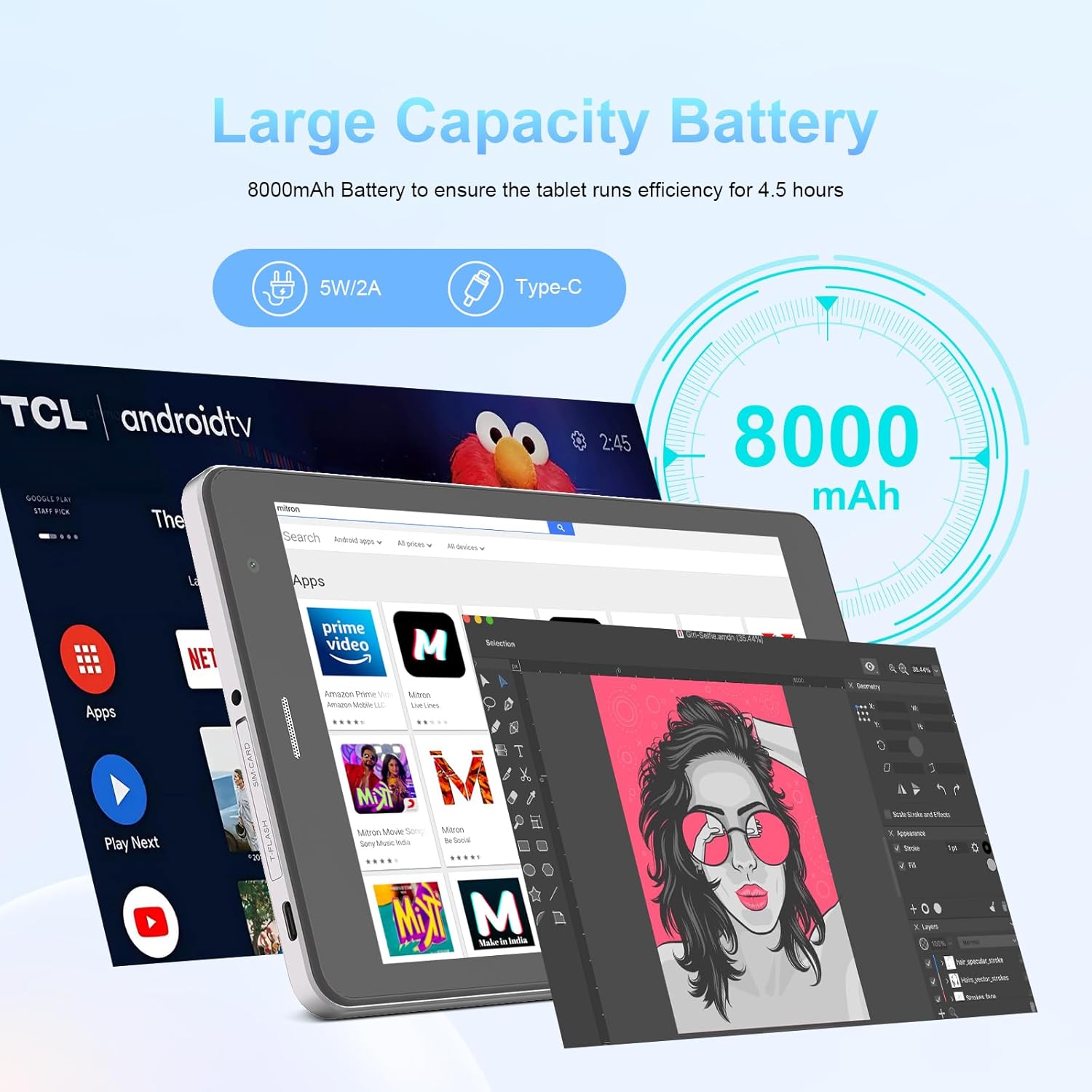
Image: The C idea CM817 Pro Max tablet, emphasizing its 8000mAh large capacity battery, designed for extended operational hours.
6. การตั้งค่าการแสดงผล
The tablet features an 8-inch 1280x800 IPS HD display. Adjust brightness, font size, and display timeout in การตั้งค่า > การแสดงผล for a comfortable viewการสร้างประสบการณ์

Image: The C idea CM817 Pro Max tablet showcasing its 8-inch IPS HD screen with a resolution of 800x1280 pixels, providing clear visuals.
การซ่อมบำรุง
1. การทำความสะอาด
Use a soft, lint-free cloth to clean the screen and body of the tablet. Do not use abrasive cleaners or solvents, as they may damage the surface. Avoid getting moisture into ports.
2. การอัปเดตซอฟต์แวร์
ตรวจสอบการอัปเดตระบบเป็นประจำเพื่อให้แน่ใจว่าแท็บเล็ตของคุณมีคุณสมบัติล่าสุดและแพทช์ความปลอดภัย ไปที่ การตั้งค่า > ระบบ > อัปเดตระบบ เพื่อตรวจสอบและติดตั้งการอัพเดต
3. การดูแลแบตเตอรี่
To prolong battery lifespan, avoid exposing the tablet to extreme temperatures. Do not let the battery completely drain frequently. Use the original charger or a certified compatible charger.
การแก้ไขปัญหา
- แท็บเล็ตไม่เปิด: Ensure the tablet is charged. Press and hold the Power On/Off button for at least 10-15 seconds to force a restart.
- ปัญหาการเชื่อมต่อ Wi-Fi: รีสตาร์ทเราเตอร์ Wi-Fi และแท็บเล็ตของคุณ ลบการเชื่อมต่อเครือข่ายในตั้งค่า Wi-Fi แล้วเชื่อมต่อใหม่อีกครั้ง
- ประสิทธิภาพช้า: Close unused apps, clear cache (Settings > Storage), and restart the tablet. Consider uninstalling large or unnecessary applications.
- กล้องไม่ทำงาน: Ensure the Camera app has necessary permissions (Settings > Apps > Camera > Permissions). Restart the tablet.
- พื้นที่เก็บข้อมูลเต็ม: ลบรูปภาพ/วิดีโอเก่า ถอนการติดตั้งแอปที่ไม่ได้ใช้ หรือย้าย files to an inserted MicroSD card.
- แอปขัดข้อง: Clear the app's cache and data (Settings > Apps > [App Name] > Storage > Clear cache/Clear data). If the issue persists, uninstall and reinstall the app.
ข้อมูลจำเพาะ
| คุณสมบัติ | รายละเอียด |
|---|---|
| ยี่ห้อ | ไอเดียซี |
| ชื่อรุ่น | CM817 Pro Max |
| ระบบปฏิบัติการ | แอนดรอยด์ 15 |
| โปรเซสเซอร์ | Octa-core (MediaTek) |
| แรม | 8GB |
| หน่วยความจำภายใน (ROM) | 512GB |
| พื้นที่เก็บข้อมูลแบบขยายได้ | Up to 512GB (via TF/MicroSD card) |
| ขนาดหน้าจอ | 8 นิ้ว |
| ความละเอียดหน้าจอ | 1280 x 800 พิกเซล (IPS HD) |
| กล้องหน้า | 5MP |
| กล้องหลัง | 8MP |
| ความจุของแบตเตอรี่ | 8000mAh (ลิเธียมโพลิเมอร์) |
| การเชื่อมต่อ | Wi-Fi, 5G SIM, Bluetooth |
| พอร์ต | พอร์ต USB-C, ช่องเสียบหูฟัง 3.5 มม. |
| น้ำหนักสินค้า | 1 กก. 80 ก. |
| ขนาดแพ็คเกจ | 29.8 x 18 x 6.4 ซม. |
การรับประกันและการสนับสนุน
For warranty information and technical support, please refer to the warranty card included in your package or contact C idea customer service. Keep your purchase receipt as proof of purchase.