
1. บทนำ
This manual provides essential information for the safe and efficient operation of your GooDee AC571 4K Smart Projector. Please read it thoroughly before use and retain it for future reference.
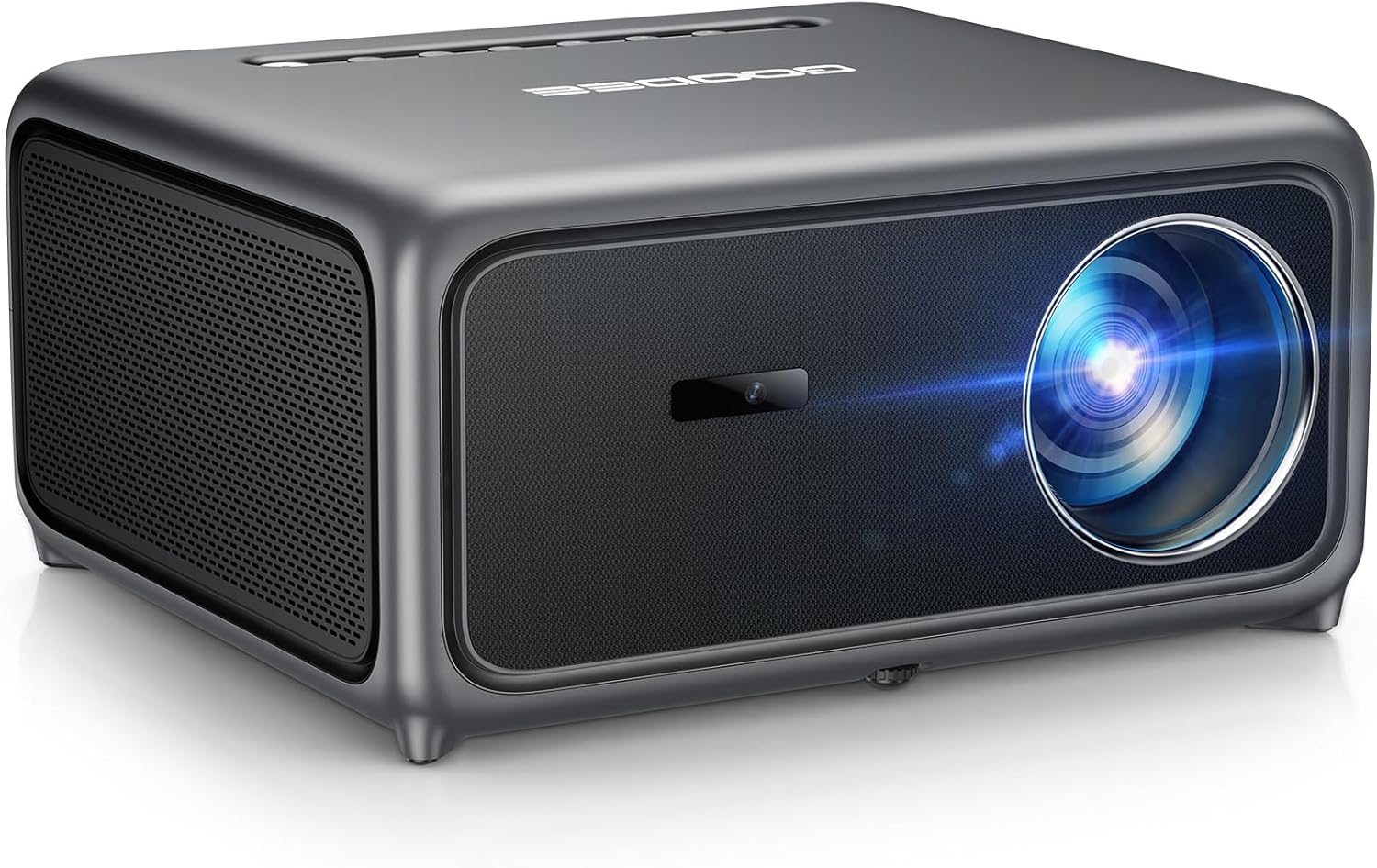
Image 1.1: The GooDee AC571 4K Smart Projector. This image displays the projector's front and side profile, highlighting its lens and speaker grille.
2. อะไรอยู่ในกล่อง
ตรวจสอบว่ามีสิ่งของทั้งหมดอยู่ครบเมื่อแกะกล่อง:
- GooDee AC571 4K Smart Projector
- สายไฟ
- สาย HDMI
- รีโมทคอนโทรล
- ชุดทำความสะอาด
- ฝาครอบเลนส์โปรเจคเตอร์
- คู่มือการใช้งาน (เอกสารนี้)
3. คู่มือการติดตั้ง
3.1 การจัดวางเริ่มต้น
Place the projector on a stable, flat surface. Ensure adequate ventilation around the device. For optimal viewในการติดตั้ง ให้วางโปรเจ็กเตอร์ไว้ตรงหน้าพื้นผิวที่จะฉายภาพ (ผนังหรือจอ)
3.2 การเชื่อมต่อสายไฟ
- เชื่อมต่อสายไฟเข้ากับช่องจ่ายไฟของโปรเจ็กเตอร์
- เสียบปลายสายไฟอีกด้านหนึ่งเข้ากับเต้ารับไฟฟ้าที่เหมาะสม
3.3 การเชื่อมต่ออุปกรณ์ภายนอก
The projector supports various input sources. Refer to the port diagram below for connection points.

Image 3.1: Rear panel connections of the GooDee AC571 Projector. This image illustrates the available ports including HDMI, USB, and audio output, with labels indicating their functions.
- ช่องต่อ HDMI: Connect Blu-ray players, gaming consoles, or laptops using the provided HDMI cable.
- ยูเอสบี: เสียบอุปกรณ์ USB เพื่อเล่นสื่อ
- เอาต์พุตเสียง 3.5 มม.: เชื่อมต่อหูฟังหรือลำโพงภายนอก
3.4 Automatic Calibration (ToF Auto Focus & Keystone)
The projector features advanced AI + ToF Smart Sensing for automatic image calibration. Upon power-on or movement, the projector will automatically adjust focus, keystone correction, and screen adaptation for a clear, rectangular image.

Image 3.2: The GooDee AC571 Projector demonstrating 1ms ultra-low latency ToF Smart Sensing and AI Precision for auto-calibration. The image shows the projector automatically adjusting the projected image on a wall, ensuring optimal focus and keystone correction.
This process includes:
- โฟกัสอัตโนมัติ: ช่วยให้ได้ภาพที่คมชัด
- แก้ไขภาพบิดเบี้ยวอัตโนมัติ: แก้ไขการบิดเบี้ยวแบบสี่เหลี่ยมคางหมู
- ระบบหลีกเลี่ยงสิ่งกีดขวางอัตโนมัติ: Adjusts the image to avoid objects on the projection surface.
- Automatic Screen Adaptation: Fits the image to the available screen area.
4. คู่มือการใช้งาน
4.1 เปิด/ปิดเครื่อง
- กดปุ่มเปิด/ปิดบนโปรเจคเตอร์หรือรีโมทคอนโทรลเพื่อเปิดหรือปิดเครื่อง
4.2 Navigating the Smart OS
The GooDee AC571 features an intelligent operating system with built-in applications. Use the remote control to navigate the interface.

Image 4.1: The GooDee AC571's Smart OS interface, displaying various streaming app icons like Netflix, Prime Video, and YouTube. This image shows the user-friendly layout for accessing built-in entertainment.
- หน้าจอหลัก: เข้าถึงแอปพลิเคชันที่ติดตั้งไว้ล่วงหน้า เช่น Netflix, Prime Video และ YouTube
- แอปสโตร์: Download additional applications for personalized entertainment.
- การตั้งค่า: Adjust display, audio, network, and system preferences.
4.3 การเชื่อมต่อไร้สาย (WiFi และ Bluetooth)
The projector supports WiFi 6 and Bluetooth 5.4 for seamless streaming and audio connections.

Image 4.2: The GooDee AC571 Projector demonstrating seamless streaming and effortless connectivity via WiFi 6 and Bluetooth 5.4. The image shows a smartphone mirroring content to the projector, highlighting its wireless capabilities.
- การเชื่อมต่อ WiFi: ไปที่ Settings > Network > WiFi to connect to your wireless network.
- การเชื่อมต่อบลูทู ธ : ไปที่ การตั้งค่า > บลูทูธ to pair with Bluetooth headphones or speakers.
- มิเรอร์หน้าจอ: Use AirPlay (iOS) or Miracast (Android/Windows) for wireless screen sharing.
4.4 Audio Settings (Dolby Audio & AI SoundBalance)
The projector features Dolby Audio-certified 30W dual speakers and AI SoundBalance technology.

Image 4.3: The GooDee AC571 Projector with Dolby Audio. The image visually represents sound waves emanating from the projector, emphasizing its immersive audio capabilities.
- การควบคุมระดับเสียง: Adjust using the remote control.
- โหมดเสียง: Access audio settings to select different sound profiles or enable/disable AI SoundBalance.
5. การบำรุงรักษา
5.1 การทำความสะอาดเลนส์
Use the provided cleaning kit to gently clean the projector lens. Avoid abrasive materials that could scratch the lens surface.
5.2 Dust Protection
The projector incorporates an advanced dust-shield triple-protection architecture. However, regular cleaning of the exterior with a soft, dry cloth is recommended to prevent dust buildup.

Image 5.1: Illustration of the GooDee AC571 Projector's advanced dust-shield triple-protection architecture. The image shows a transparent overlay highlighting the internal dust protection mechanisms, ensuring longevity and clear projection.
5.3 พื้นที่จัดเก็บ
When not in use, cover the lens with the provided lens cap and store the projector in a cool, dry place away from direct sunlight and extreme temperatures.
6 การแก้ไขปัญหา
โปรดดูตารางด้านล่างเพื่อดูปัญหาทั่วไปและวิธีแก้ไข
| ปัญหา | สาเหตุที่เป็นไปได้ | สารละลาย |
|---|---|---|
| ไม่มีภาพแสดง | Power not connected; Input source incorrect; Lens cap on | ตรวจสอบการเชื่อมต่อไฟ; เลือกแหล่งสัญญาณเข้าที่ถูกต้อง; ถอดฝาครอบเลนส์ออก |
| ภาพเบลอ | ภาพไม่ชัด; โปรเจ็กเตอร์ถูกเคลื่อนย้าย | Allow auto-focus to recalibrate; Manually adjust focus if needed via settings |
| ภาพบิดเบี้ยว (รูปทรงสี่เหลี่ยมคางหมู) | คีย์สโตนยังไม่ได้รับการแก้ไข | Allow auto-keystone to recalibrate; Manually adjust keystone via settings |
| ไม่มีเสียง | Volume too low; External audio device not connected; Muted | Increase volume; Check external audio connections; Unmute projector |
| ไม่สามารถเชื่อมต่อกับ WiFi/Bluetooth ได้ | Incorrect password; Device out of range; Network issue | Verify password; Move closer to router/device; Restart router/projector |
7. ข้อมูลจำเพาะ
Key technical specifications for the GooDee AC571 4K Smart Projector:
| คุณสมบัติ | ข้อมูลจำเพาะ |
|---|---|
| ยี่ห้อ | กูดี |
| หมายเลขรุ่น | เอซี571 |
| ความละเอียดการแสดงผล | 1920 x 1080 (Native 1080P, 4K Decoding) |
| ความสว่าง | 3000 ANSI Lumens |
| อัตราส่วนคอนทราสต์ | 20,000:1 น. |
| ช่วงสี | 98% NTSC |
| คุณสมบัติพิเศษ | ToF Auto Focus, Auto Keystone, Auto Obstacle Avoidance, Auto Screen Alignment, MEMC, Dolby Audio, AI SoundBalance Pro, AI Image Tech, Built-in Wi-Fi 6, Bluetooth 5.4, Built-in Speaker, Movin OS with Netflix/Prime Video/YouTube |
| เทคโนโลยีการเชื่อมต่อ | บลูทูธ, HDMI, USB, Wi-Fi |
| การใช้ที่แนะนำ | ธุรกิจ, การศึกษา, เกม, โฮมเธียเตอร์ |
| น้ำหนักสินค้า | 9.23 ปอนด์ |
| ขนาดแพ็คเกจ | 12 x 10 x 9.25 นิ้ว |
8. การรับประกันและการสนับสนุน
8.1 ข้อมูลการรับประกัน
Your GooDee AC571 4K Smart Projector is covered by a manufacturer's warranty. Please refer to the warranty card included in your product packaging for specific terms and conditions, including warranty duration and coverage details.
8.2 การสนับสนุนลูกค้า
For technical assistance, troubleshooting not covered in this manual, or warranty claims, please contact GooDee customer support. Contact information can typically be found on the GooDee official webเว็บไซต์หรือบนบัตรรับประกัน

Image 8.1: A customer support representative, symbolizing reliable service and professional support available for GooDee products.