
การแนะนำ
This instruction manual provides essential information for the proper use and care of your BoxWave DirectSync PD Cable. This USB-C to USB-C cable is designed for charging and data transfer with compatible devices, supporting up to 100W Power Delivery.

The BoxWave DirectSync PD Cable features a durable black braided nylon exterior and USB-C connectors on both ends.
การตั้งค่า
The BoxWave DirectSync PD Cable is designed for immediate use without complex setup procedures.
- ระบุพอร์ต: Ensure your charging adapter and device both have USB-C ports.
- เชื่อมต่อกับแหล่งพลังงาน: Insert one end of the USB-C cable into a compatible USB-C power adapter or a computer's USB-C port.
- เชื่อมต่อกับอุปกรณ์: Insert the other end of the USB-C cable into your device's USB-C port.
- ตรวจสอบการเชื่อมต่อ: ตรวจสอบให้แน่ใจว่าอุปกรณ์ของคุณแสดงว่ากำลังชาร์จหรือเชื่อมต่อเพื่อถ่ายโอนข้อมูลอยู่

This cable facilitates both charging and high-speed data transfer simultaneously between compatible devices.
คำแนะนำการใช้งาน
The DirectSync PD Cable supports both power delivery and data transfer functionalities.
- กำลังส่ง (PD): This cable is capable of delivering up to 100 Watts of power. Connect it to a compatible USB-C PD charger and a device that supports USB-C PD for fast charging. The actual charging speed will depend on the power adapter and the device's charging capabilities.
- การถ่ายโอนข้อมูล: When connected to a computer or other data-enabled device, the cable supports data transfer speeds up to 480Mbps. This allows for quick synchronization of fileไฟล์รูปภาพและข้อมูลอื่นๆ
- ขยายการเข้าถึง: The 10-foot length of the cable provides flexibility, allowing you to comfortably use your device while it is connected to a power source or computer, even if the outlet is not immediately adjacent.

The cable supports up to 100W Power Delivery for efficient charging of compatible devices like laptops.

The 10-foot length of the DirectSync PD Cable provides extended reach for flexible device placement while charging.
การซ่อมบำรุง
To ensure the longevity and optimal performance of your DirectSync PD Cable, follow these maintenance guidelines:
- พื้นที่จัดเก็บ: Store the cable in a clean, dry place away from extreme temperatures. Avoid tightly coiling or bending the cable at sharp angles, which can damage internal wires.
- การทำความสะอาด: หากสายเคเบิลสกปรก ให้เช็ดเบาๆ ด้วยผ้าแห้งเนื้อนุ่ม ห้ามใช้สารเคมีรุนแรงหรือน้ำยาทำความสะอาดที่มีฤทธิ์กัดกร่อน
- การจัดการ: จับหัวต่อทุกครั้งเมื่อเสียบหรือถอดสาย แทนที่จะดึงที่ตัวสายโดยตรง วิธีนี้จะช่วยป้องกันไม่ให้สายตึง
- การตรวจสอบ: Periodically inspect the cable and connectors for any signs of wear, fraying, or damage. Discontinue use if damage is observed.

The cable's braided nylon construction enhances durability and resistance to tangles and fraying.

Rubberized grommet strain reliefs at both connectors prevent cable fraying and ensure a secure connection.
การแก้ไขปัญหา
If you encounter issues with your DirectSync PD Cable, consider the following:
- อุปกรณ์ไม่ชาร์จ:
- Ensure both ends of the cable are securely plugged into the power source and the device.
- ตรวจสอบว่าอะแดปเตอร์ไฟฟ้าทำงานถูกต้องและเข้ากันได้กับข้อกำหนดการชาร์จของอุปกรณ์ของคุณ
- ลองทดสอบสายเคเบิลกับอุปกรณ์หรือแหล่งจ่ายไฟอื่นที่ใช้งานร่วมกันได้ เพื่อแยกแ1ยะปัญหา
- การชาร์จช้า:
- Confirm that your power adapter supports Power Delivery (PD) and provides sufficient wattage for your device (up to 100W for this cable).
- Ensure your device also supports fast charging via USB-C PD.
- ปัญหาการโอนข้อมูล:
- Check that the cable is connected to a data-enabled USB-C port on your computer.
- โปรดรีสตาร์ททั้งคอมพิวเตอร์และอุปกรณ์ที่เชื่อมต่ออยู่
- โปรดตรวจสอบให้แน่ใจว่าได้ติดตั้งไดรเวอร์ที่จำเป็นสำหรับอุปกรณ์ที่เชื่อมต่อบนคอมพิวเตอร์ของคุณแล้ว
- ความเสียหายทางกายภาพ: If the cable or connectors show signs of physical damage (e.g., fraying, bent pins), discontinue use immediately to prevent potential hazards.
ข้อมูลจำเพาะ
| คุณสมบัติ | ข้อมูลจำเพาะ |
|---|---|
| ชื่อสินค้า | DirectSync PD Cable |
| หมายเลขรุ่น | B0F94NGPBB |
| ประเภทขั้วต่อ | USB-C ถึง USB-C |
| ระบบส่งกำลังไฟฟ้า (PD) | สูงสุดถึง 100W |
| ความยาวสายเคเบิล | 10 ฟุต (ประมาณ 3 เมตร) |
| ความเร็วในการถ่ายโอนข้อมูล | Up to 480Mbps (USB 2.0 standard) |
| วัสดุของสายเคเบิล | ไนลอนถัก |
| บรรเทาความเครียด | Rubberized Grommet on both connectors |
| น้ำหนักสินค้า | 6 ออนซ์ |
| ผู้ผลิต | บ็อกซ์เวฟ |
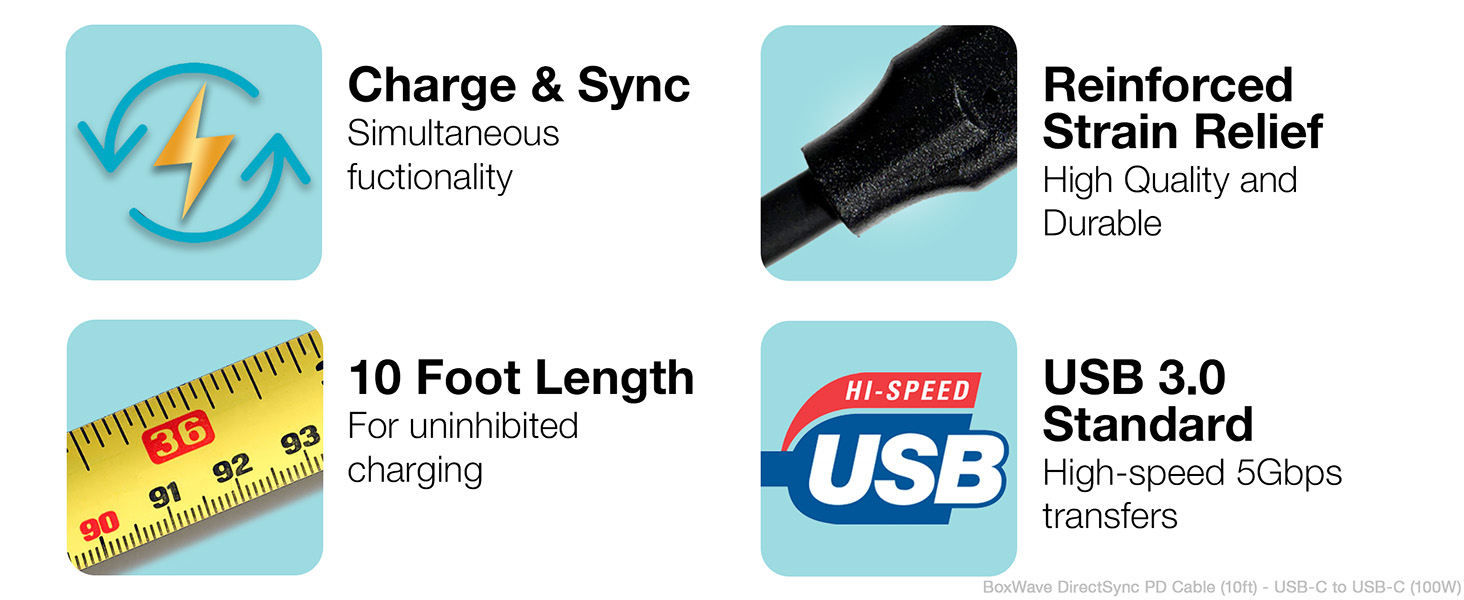
Key features of the DirectSync PD Cable include simultaneous charging and syncing, reinforced strain relief, a 10-foot length, and USB 3.0 standard for high-speed transfers.
การรับประกันและการสนับสนุน
For warranty information or technical support regarding your BoxWave DirectSync PD Cable, please refer to the official BoxWave website or contact their customer service directly. Details are typically available on the product packaging or the manufacturer's official support channels.