
1. บทนำ
This manual provides essential instructions for the safe and efficient operation, installation, and maintenance of your HCALORY 12V Diesel Heater, model TB-MAX. Please read this manual thoroughly before using the product and retain it for future reference.
1.1 ข้อมูลด้านความปลอดภัย
- การระบายอากาศ : Ensure proper ventilation when operating the heater to prevent carbon monoxide buildup. Never use in completely sealed spaces.
- ชนิดเชื้อเพลิง : Use only clean diesel fuel. Do not use gasoline, kerosene, or other volatile or contaminated fuels.
- วัสดุไวไฟ: Keep all flammable materials (e.g., tents, clothing, fuel containers) away from the heater's exhaust and hot air outlets. Maintain a safe distance.
- ไอเสีย: The exhaust pipe must be directed outdoors and away from any living spaces or air intakes.
- การตรวจสอบ: Regularly inspect fuel lines, electrical connections, and the exhaust system for leaks, damage, or obstructions.
- การตัดการเชื่อมต่อไฟฟ้า: Always disconnect the power supply before performing any maintenance, cleaning, or repairs.
- เด็กและสัตว์เลี้ยง: Keep the heater out of reach of children and pets. The unit can become hot during operation.
- ตำแหน่งที่มั่นคง: Place the heater on a stable, non-combustible surface to prevent tipping.
2. สินค้าหมดview
The HCALORY 12V Diesel Heater TB-MAX is a portable and efficient heating solution designed for various applications, including vehicles, RVs, camping tents, and small workshops. It combines a compact design with advanced features for reliable performance in cold environments.
2.1 คุณสมบัติหลัก
- ความร้อนอย่างรวดเร็ว: Designed for quick heat generation to warm your space efficiently.
- อัตราการประหยัดน้ำมัน: Optimized combustion system for reduced diesel consumption.
- Integrated Fuel Tank: Features a 7.5-liter diesel tank for extended operation without frequent refills.
- ตัวเลือกการควบคุมหลายรายการ: Includes an integrated control panel, wireless remote control, and smartphone app control.
- การออกแบบที่ทนทาน: Built with protective functions for resistance against water, snow, and rain.
- การทำงานที่เงียบ: Equipped with a silent oil pump and high-efficiency muffler to minimize noise.
- High-Altitude Mode: Automatically adjusts air-to-fuel ratio for optimal performance at altitudes up to 5500 meters.
2.2 ส่วนประกอบ
The HCALORY TB-MAX diesel heater typically includes the main heater unit with an integrated fuel tank, exhaust pipe, intake pipe, hot air duct, remote control, and power cables. Specific components may vary slightly based on the package.

Image: Main HCALORY TB-MAX Diesel Heater unit.
3. การตั้งค่า
3.1 การแกะกล่องและการตรวจสอบ
Carefully remove all components from the packaging. Inspect for any damage that may have occurred during transit. Ensure all parts listed in the packing list are present before proceeding with installation.
3.2 การจัดวาง
Position the heater on a stable, level, and non-combustible surface. Ensure adequate clearance around the unit for proper airflow and to prevent fire hazards. The exhaust pipe must be directed outdoors and away from flammable materials, living spaces, or vehicle cabins.

ภาพ: อดีตample of outdoor placement for the diesel heater.
3.3 การเติมน้ำมันเชื้อเพลิง
- Locate the fuel filler cap on the top of the unit.
- Unscrew the cap and carefully pour clean diesel fuel into the tank. Do not overfill.
- Securely replace the fuel filler cap.

Image: The 7.5L fuel tank of the HCALORY diesel heater.
3.4 Connecting Air Ducts and Exhaust
Connect the hot air duct to the heater's outlet and direct it to the area requiring heat. Attach the exhaust pipe securely and ensure it vents safely away from the heated space and any combustible materials. Ensure all connections are tight to prevent leaks.

Image: Close-up of the air outlet.
3.5 การเชื่อมต่อสายไฟ
Connect the 12V power cable to a suitable power source (e.g., vehicle battery, portable power station). Ensure the power source can provide the necessary amperage for the heater's operation. Verify that the polarity is correct.
4. คู่มือการใช้งาน
4.1 การสตาร์ทเครื่องทำความร้อน
Press the power button on the control panel or remote control to turn on the heater. The unit will initiate a startup sequence, which typically includes a self-check and fuel priming. Allow the heater to complete its startup cycle.

Image: HCALORY diesel heater with its remote control.
4.2 การควบคุมอุณหภูมิ
Use the up/down arrows on the control panel or remote to set your desired temperature. The heater will automatically adjust its output to maintain the set temperature, providing consistent warmth.
4.3 การทำงานของรีโมทคอนโทรล
The wireless remote control allows you to power on/off, adjust temperature, and access other functions from a distance. Ensure the remote has fresh batteries and is within effective range of the heater for reliable operation.

Image: Remote control in use.
การควบคุมแอพ 4.4 ตัว
Download the HCALORY app from your smartphone's app store. Follow the in-app instructions to pair your device with the heater. The app provides comprehensive control over temperature settings, timer functions, fan modes, and monitoring.
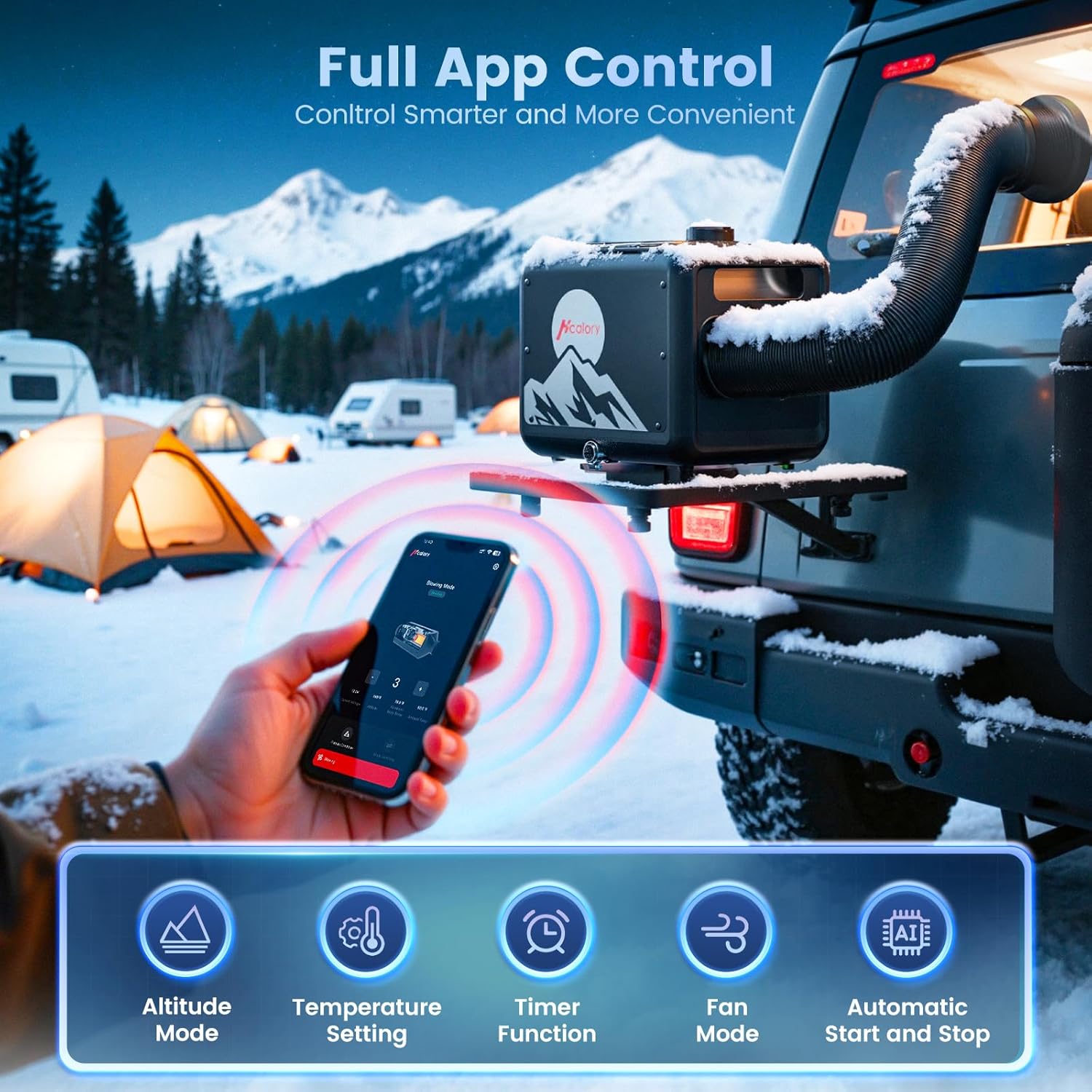
Image: App control interface for the diesel heater.
4.5 Altitude Mode
For operation at high altitudes (typically above 1500m), activate the altitude mode via the control panel or app. This feature intelligently adjusts the air-to-fuel ratio to ensure efficient combustion and prevent issues caused by lower oxygen levels at higher elevations.

Image: High-altitude operation display.
4.6 การปิดเครื่องทำความร้อน
Press the power button to turn off the heater. The unit will enter a cool-down cycle to prevent overheating and ensure longevity of components. Do not disconnect power until the cool-down cycle is complete, which may take several minutes.
5. การบำรุงรักษา
5.1 การทำความสะอาดเป็นประจำ
Keep the exterior of the heater clean and free from dust and debris. Periodically check the air intake and exhaust ports for obstructions and clean them as necessary using a soft brush or cloth. Ensure the unit is cool and powered off before cleaning.
5.2 การดูแลรักษาระบบเชื้อเพลิง
Regularly inspect the fuel lines and connections for any signs of leaks, cracks, or damage. Ensure the fuel filter (if accessible) is clean. If storing the heater for an extended period (more than a month), it is recommended to drain the fuel tank to prevent fuel degradation and system clogging.

Image: Fuel drain valve located at the bottom of the heater.
5.3 พื้นที่จัดเก็บ
When not in use, store the heater in a dry, cool place, away from direct sunlight, extreme temperatures, and corrosive substances. Ensure the fuel tank is empty if storing for long durations. Cover the unit to protect it from dust.
6 การแก้ไขปัญหา
This section provides solutions to common issues you might encounter. For problems not listed here, or if solutions do not resolve the issue, please contact customer support.
| ปัญหา | สาเหตุที่เป็นไปได้ | สารละลาย |
|---|---|---|
| ฮีตเตอร์ไม่เริ่มทำงาน | ไม่มีไฟ, น้ำมันเหลือน้อย, ท่อน้ำมันอุดตัน, หัวเทียนจุดระเบิดเสีย. | ตรวจสอบการเชื่อมต่อสายไฟและปริมาตรtage. Refill fuel tank. Inspect fuel lines for blockages or air. If glow plug is suspected, consult service. |
| Heater starts but produces no heat, then shuts off (displays error code) | Fuel supply issue (e.g., air in line, pump malfunction), combustion chamber issue, sensor error. | Check fuel level and quality. Ensure fuel lines are clear and primed. Refer to the heater's display for specific error codes and consult the manual's error code section (if available) or contact support. |
| ควันจากท่อไอเสียมากเกินไป | Incorrect air-to-fuel mixture, poor fuel quality, clogged exhaust. | Ensure proper ventilation. Use high-quality diesel fuel. Check exhaust pipe for obstructions and clean if necessary. |
| Heater is unusually noisy | Loose components, fan obstruction, abnormal pump noise. | Check for any loose parts or foreign objects near the fan. While the unit features a silent pump and muffler, some operational noise is normal. If noise is excessive or unusual, contact support. |
| รีโมตคอนโทรลไม่ทำงาน | แบตเตอรี่หมด, ระยะสัญญาณไม่เพียงพอ, สัญญาณรบกวน | Replace remote control batteries. Ensure you are within the effective range of the heater. Remove any potential sources of interference. |
If you encounter issues not listed here or if troubleshooting steps do not resolve the problem, please contact HCALORY customer support for further assistance.
7. ข้อมูลจำเพาะ
- ยี่ห้อ: HCALORY
- แบบอย่าง: TB-MAX
- กำลังไฟเข้า: 12โวลต์
- น้ำหนักผลิตภัณฑ์: 12.3 กก.
- ขนาดแพ็คเกจ: 49.29 x 47.4 x 35.5 ซม.
- ชนิดเชื้อเพลิง : ดีเซล
- ความจุถังเชื้อเพลิง: 7.5 ลิตร
- Altitude Capability: Up to 5500m (with Altitude Mode)
- วิธีการควบคุม: Integrated Control Panel, Wireless Remote Control, Smartphone App
- ASIN: B0F8QXLD3X
8. การรับประกันและการสนับสนุน
HCALORY products are manufactured to high-quality standards and undergo rigorous testing. For detailed warranty information, including coverage period and terms, please refer to the warranty card included with your purchase or visit the official HCALORY webเว็บไซต์.
For technical support, troubleshooting assistance, parts inquiries, or any other product-related questions, please contact HCALORY customer service. When contacting support, please have your product model (TB-MAX) and purchase information ready.
HCALORY Customer Service: Please refer to your purchase receipt, the product packaging, or the HCALORY official webเว็บไซต์สำหรับรายละเอียดการติดต่อล่าสุด