
1. บทนำ
The Ugoos SK2 TV Box is a high-performance streaming media player designed to transform your television into a smart entertainment hub. Running on Android 12.0 with Google TV, it offers seamless access to a vast library of movies, TV shows, and applications. Equipped with a Realtek RTD1325 ARM Cortex-A55 Quad-Core CPU, 4GB RAM, and 32GB ROM, the SK2 ensures smooth 4K HDR playback and efficient multitasking. Its advanced connectivity options, including WiFi 6 and Bluetooth 5.2, provide a stable and fast streaming experience.
2. เนื้อหาบรรจุภัณฑ์
Please verify that all items are present in the box:
- Ugoos SK2 TV Box
- BT + IR Remote Control
- 12V/1A Power Adapter (US Plug)
- สาย HDMI
- คู่มือการใช้งานภาษาอังกฤษ

Figure 2.1: Ugoos SK2 TV Box and its accompanying remote control.
3. สินค้าหมดview
The Ugoos SK2 TV Box features a compact design with essential ports for connectivity.
3.1 ด้านหน้าและด้านข้าง Views

รูปที่ 3.1: ด้านข้าง view of the Ugoos SK2 TV Box, showing the USB-C, Reset button, and USB 2.0 (5V===) port.
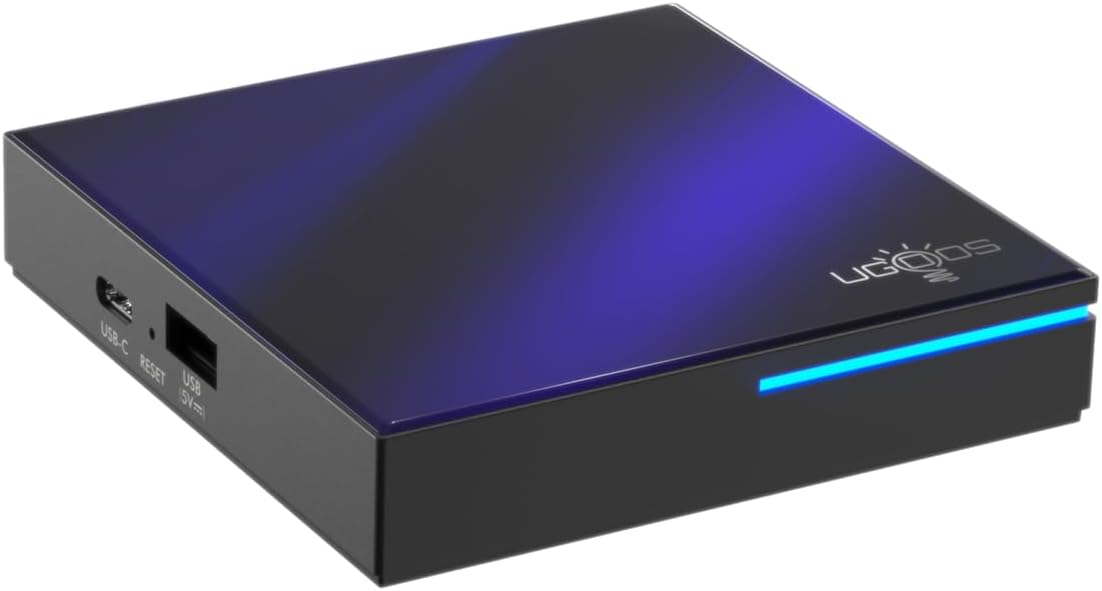
รูปที่ 3.2: ด้านหน้าและด้านข้าง view highlighting the indicator light strip, which illuminates when the device is powered on.
3.2 ด้านหลัง View (พอร์ต)
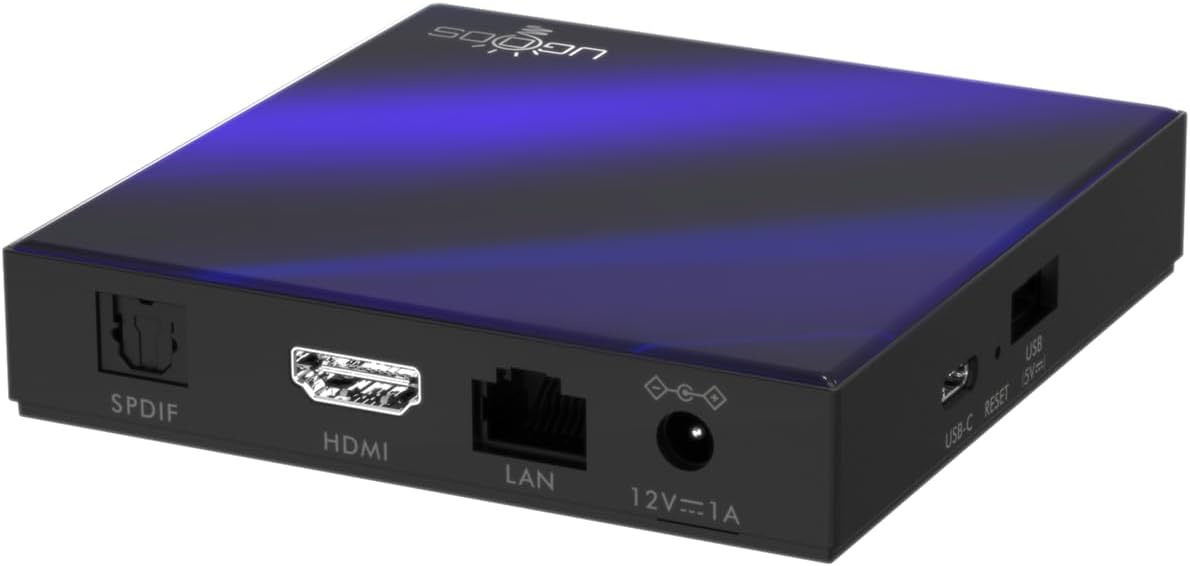
รูปที่ 3.3: ด้านหลัง view of the Ugoos SK2 TV Box, displaying the SPDIF, HDMI, LAN (Ethernet), and 12V/1A Power input ports.
วิดีโอ 3.1: การแกะกล่องและอื่นๆview of the Ugoos SK2 ATV Box, showcasing its design and available ports.
4. คู่มือการติดตั้ง
Follow these steps to set up your Ugoos SK2 TV Box:
- เชื่อมต่อกับทีวี: Connect one end of the provided HDMI cable to the HDMI port on the Ugoos SK2 TV Box and the other end to an available HDMI input on your television.
- เชื่อมต่อพลังงาน: Plug the 12V/1A power adapter into the DC IN port on the TV Box and then plug the adapter into a wall outlet. The indicator light on the front of the device will illuminate.
- ใส่แบตเตอรี่รีโมท: Open the battery compartment on the back of the BT + IR Remote Control and insert two AAA batteries (not included), ensuring correct polarity.
- เปิดเครื่อง: Power on your television and select the correct HDMI input source corresponding to where the TV Box is connected. The Ugoos SK2 TV Box should automatically power on.
- ตั้งค่าเริ่มต้น: Follow the on-screen instructions to complete the initial setup, including language selection, region/country, and network connection (Wi-Fi or Ethernet).
- จับคู่รีโมทคอนโทรล: During the initial setup, you may be prompted to pair the remote control. Press and hold the 'Home' and 'Back' buttons simultaneously for 5 seconds until the indicator light on the remote flashes, indicating successful pairing.
- เชื่อมต่อกับเครือข่าย: For optimal performance, connect the device to your home network. You can use either the built-in WiFi 6 (2.4/5/6Ghz) or connect an Ethernet cable to the LAN port for a wired connection.
5. คู่มือการใช้งาน
The Ugoos SK2 TV Box runs on Google TV, providing a user-friendly interface for content discovery and streaming.
5.1 Navigation and Apps
Use the remote control to navigate through the Google TV interface. The home screen provides personalized recommendations, quick access to installed apps like YouTube, Netflix, Prime Video, and Disney+, and a search function powered by Google Assistant.
5.2 การควบคุมด้วยเสียง (Google Assistant)
Press the Google Assistant button on your remote to activate voice control. You can use voice commands to search for content, control playback, get answers, and manage smart home devices.
5.3 การส่งเนื้อหา (มี Chromecast ในตัว)
The device features Chromecast built-in, allowing you to cast movies, shows, photos, and more directly from your phone or tablet to your TV.
5.4 4K HDR Playback
The Ugoos SK2 supports 4K 60fps resolution, H.265, AV1, and 4K HDR content, including Dolby Vision and HDR10+. This ensures a vibrant and detailed viewing experience with smooth playback.
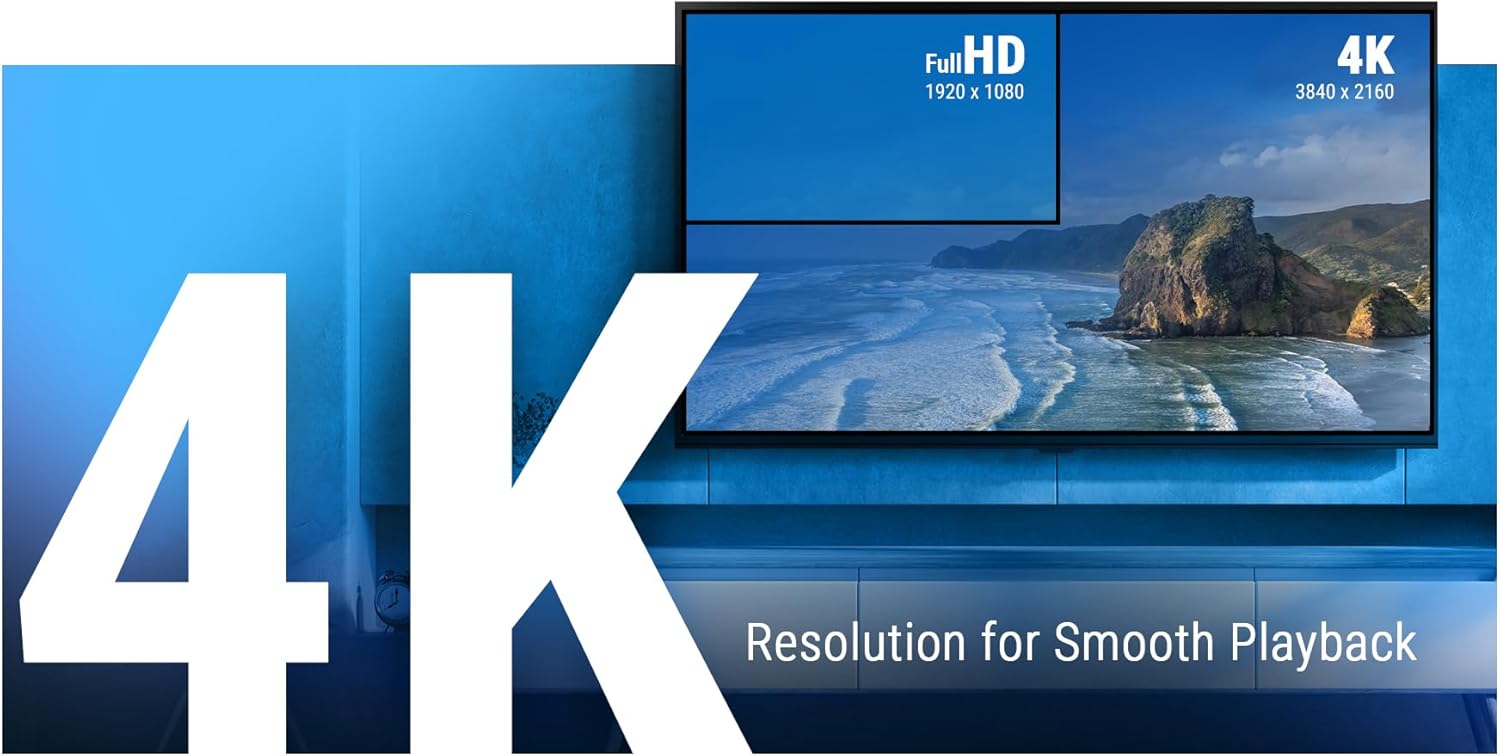
Figure 5.1: The Ugoos SK2 supports 4K resolution for smooth and high-quality video playback.

Figure 5.2: The device supports advanced video technologies like AV1, HDR10+, and Dolby Vision for enhanced visual fidelity.

Figure 5.3: The Automatic Frame Rate (AFR) system ensures optimal resolution and frequency matching for smooth video playback.
6. การบำรุงรักษา
To ensure the longevity and optimal performance of your Ugoos SK2 TV Box, follow these maintenance guidelines:
- การทำความสะอาด: ใช้ผ้าแห้งเนื้อนุ่มเช็ดทำความสะอาดภายนอกของอุปกรณ์ หลีกเลี่ยงการใช้น้ำยาทำความสะอาดหรือวัสดุที่มีฤทธิ์กัดกร่อน
- การระบายอากาศ : ตรวจสอบให้แน่ใจว่าวางอุปกรณ์ในบริเวณที่มีอากาศถ่ายเทสะดวกเพื่อป้องกันความร้อนสูงเกินไป อย่าปิดช่องระบายอากาศ
- การอัปเดตซอฟต์แวร์: Periodically check for and install software updates to ensure you have the latest features and security patches. This can usually be done through the device's settings menu.
- การจัดการพื้นที่เก็บข้อมูล: While the device has 32GB of internal storage, regularly manage your installed apps and media to prevent performance degradation due to full storage.
7 การแก้ไขปัญหา
If you encounter issues with your Ugoos SK2 TV Box, refer to the following common problems and solutions:
- ไม่มีไฟฟ้า:
- ตรวจสอบให้แน่ใจว่าอะแดปเตอร์ไฟฟ้าเชื่อมต่อกับอุปกรณ์และเต้ารับไฟฟ้าที่ใช้งานได้แน่นหนา
- ตรวจสอบว่าเต้ารับไฟฟ้าใช้งานได้หรือไม่โดยเสียบอุปกรณ์อื่นเข้าไป
- ไม่มีภาพ/สัญญาณ:
- ตรวจสอบให้แน่ใจว่าสาย HDMI เชื่อมต่อกับกล่องรับสัญญาณทีวีและทีวีอย่างแน่นหนาแล้ว
- ตรวจสอบให้แน่ใจว่าทีวีของคุณตั้งค่าเป็นแหล่งอินพุต HDMI ที่ถูกต้อง
- ลองใช้สาย HDMI เส้นอื่น หรือพอร์ต HDMI อื่นบนทีวีของคุณดู
- รีโมทคอนโทรลไม่ตอบสนอง:
- ตรวจสอบและเปลี่ยนแบตเตอรี่ในรีโมทคอนโทรล
- Re-pair the remote control by pressing and holding the 'Home' and 'Back' buttons simultaneously for 5 seconds.
- ปัญหาการเชื่อมต่อ Wi-Fi:
- ตรวจสอบให้แน่ใจว่าเราเตอร์ Wi-Fi ของคุณเปิดอยู่และทำงานได้อย่างถูกต้อง
- Move the TV Box closer to the router or consider using an Ethernet connection.
- Restart both the TV Box and your Wi-Fi router.
- แอปค้าง/ขัดข้อง:
- ปิดและเปิดแอปพลิเคชันที่มีปัญหาอีกครั้ง
- ล้างแคชและข้อมูลของแอปผ่านการตั้งค่าอุปกรณ์
- ตรวจสอบให้แน่ใจว่าซอฟต์แวร์ของอุปกรณ์ได้รับการอัปเดตแล้ว
For persistent issues, consider performing a factory reset (refer to the device settings for this option). Note that a factory reset will erase all personal data and installed applications.
8. ข้อมูลจำเพาะ
Detailed technical specifications for the Ugoos SK2 TV Box:
| คุณสมบัติ | คำอธิบาย |
|---|---|
| ชื่อรุ่น | สก2 |
| ยี่ห้อ | อูกูส |
| ระบบปฏิบัติการ | Android 12.0 (กูเกิลทีวี) |
| Processor (SOC) | Realtek RTD1325, ARM Cortex-A55 Quad-Core CPU |
| จีพียู | มาลี-G57 MC1 |
| แรม | แรม 4GB DDR4 |
| การจัดเก็บข้อมูลภายใน | 32GB อีเอ็มซี |
| การเชื่อมต่อแบบไร้สาย | WiFi 6 (2.4/5/6Ghz, IEEE 802.11 a/b/g/n/ac/ax 2x2 MIMO) |
| บลูทูธ | บลูทูธ 5.2 |
| เอาท์พุตวิดีโอ | HDMI (4K 60fps, HDR, AV1, VP9, H.265) |
| การสนับสนุนด้านเสียง | Dolby Vision-Atmos |
| อีเธอร์เน็ต | พอร์ต LAN 100M |
| พอร์ต USB | USB-C, USB 2.0 |
| พอร์ตอื่น ๆ | SPDIF, Reset |
| กำลังไฟเข้า | 12V/1A |
| ขนาด | 3.78 x 3.78 x 0.75 นิ้ว |
| น้ำหนักสินค้า | 1.35 ปอนด์ |
| คุณสมบัติพิเศษ | Chromecast ในตัว, Google Assistant |

รูปที่ 8.1: เกินview of the Ugoos SK2's core technical specifications.

Figure 8.2: Comparison illustrating the improved data transfer speed of Bluetooth 5.2 supported by the Ugoos SK2.
9. ข้อมูลด้านความปลอดภัย
โปรดอ่านและปฏิบัติตามข้อควรระวังด้านความปลอดภัยเหล่านี้เพื่อป้องกันความเสียหายต่ออุปกรณ์หรือการบาดเจ็บต่อตัวคุณเอง:
- ใช้เฉพาะอะแดปเตอร์ที่ให้มาเท่านั้น
- อย่าให้เครื่องสัมผัสกับน้ำ ความชื้น หรืออุณหภูมิที่สูงหรือต่ำเกินไป
- หลีกเลี่ยงการวางอุปกรณ์ใกล้แหล่งความร้อนหรือแสงแดดโดยตรง
- อย่าพยายามถอดประกอบหรือดัดแปลงอุปกรณ์
- เก็บอุปกรณ์และอุปกรณ์เสริมให้พ้นมือเด็ก
10. การรับประกันและการสนับสนุน
The Ugoos SK2 TV Box is covered by a standard manufacturer's warranty. Please refer to the warranty card included in your package or contact Ugoos customer support for detailed information regarding warranty terms, service, and technical assistance.
For further support, visit the official Ugoos webเว็บไซต์หรือติดต่อทีมบริการลูกค้าของพวกเขา