
1. บทนำ
The UGREEN Revodok USB-C Hub (Model 75775) is a 6-in-1 multi-port adapter designed to expand the connectivity of your USB-C enabled devices. It provides a 4K@60Hz video output, high-speed 10Gbps data transfer through multiple USB ports, and up to 100W Power Delivery pass-through charging. This manual provides essential information for proper setup, operation, maintenance, and troubleshooting.
2. สินค้าหมดview
The UGREEN Revodok USB-C Hub features a compact design with an integrated USB-C cable. It includes the following ports:
- 1x USB-C PD Port: For power input, supporting up to 100W Power Delivery (85W output to host device).
- พอร์ต USB-A 3.2 Gen 2 จำนวน 2 พอร์ต: For data transfer up to 10Gbps.
- 2x USB-C 3.2 Gen 2 Ports: For data transfer up to 10Gbps.
- 1x USB-C Video Port: For video output up to 4K@60Hz.

Figure 1: UGREEN Revodok USB-C Hub with labeled ports for 6-in-1 connectivity.
3. คำแนะนำในการตั้งค่า
- เชื่อมต่อกับอุปกรณ์โฮสต์: Plug the integrated USB-C cable of the hub into a fully functional USB-C port on your laptop, tablet, or smartphone. Ensure your device's USB-C port supports video output (DisplayPort Alternate Mode) for display functionality.
-
เชื่อมต่ออุปกรณ์ต่อพ่วง: Connect your USB-A and USB-C devices (e.g., external hard drives, keyboards, mice, cameras) to the corresponding data ports on the hub.

Figure 2: Connecting a keyboard and mouse to the hub for expanded peripheral use.
-
เชื่อมต่อจอแสดงผล (ไม่บังคับ): For video output, connect a USB-C to USB-C cable from your monitor or AR glasses to the USB-C Video port on the hub. Ensure the display supports USB-C video input.

Figure 3: Using the USB-C Video port to connect an external display.
-
เชื่อมต่ออะแดปเตอร์แปลงไฟ (ไม่จำเป็น): To charge your host device and power the hub simultaneously, connect a USB-C power adapter (up to 100W, not included) to the USB-C PD port on the hub. The hub will deliver up to 85W to your host device.
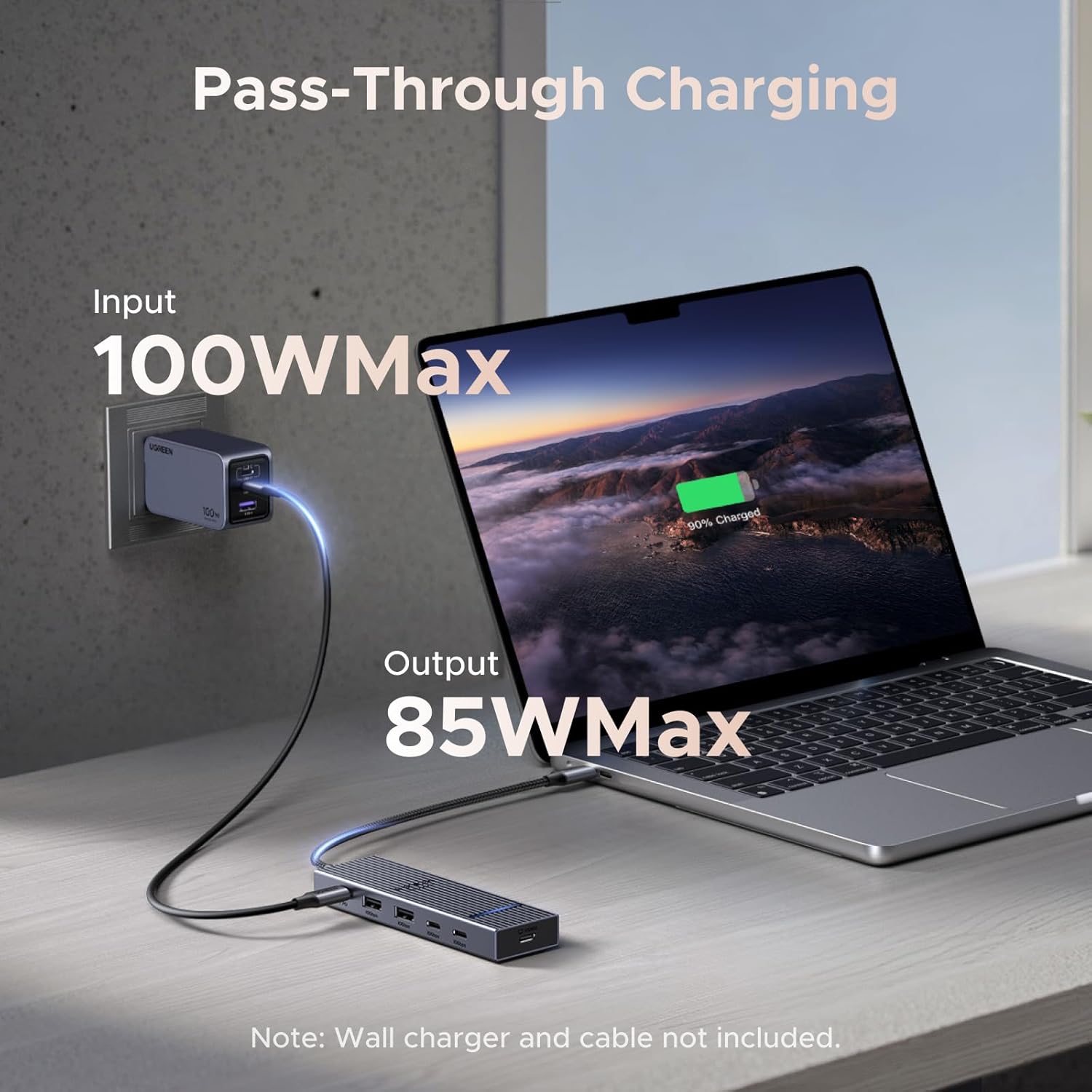
Figure 4: Pass-through charging setup with a 100W input and 85W output to the laptop.
4. คู่มือการใช้งาน
4.1 ฟังก์ชันเสียบแล้วใช้งานได้ทันที
The UGREEN Revodok USB-C Hub is designed for universal plug-and-play operation. No drivers are typically required for most operating systems, including macOS, iOS, and SteamOS. Simply connect the hub to your device, and it should be recognized automatically.
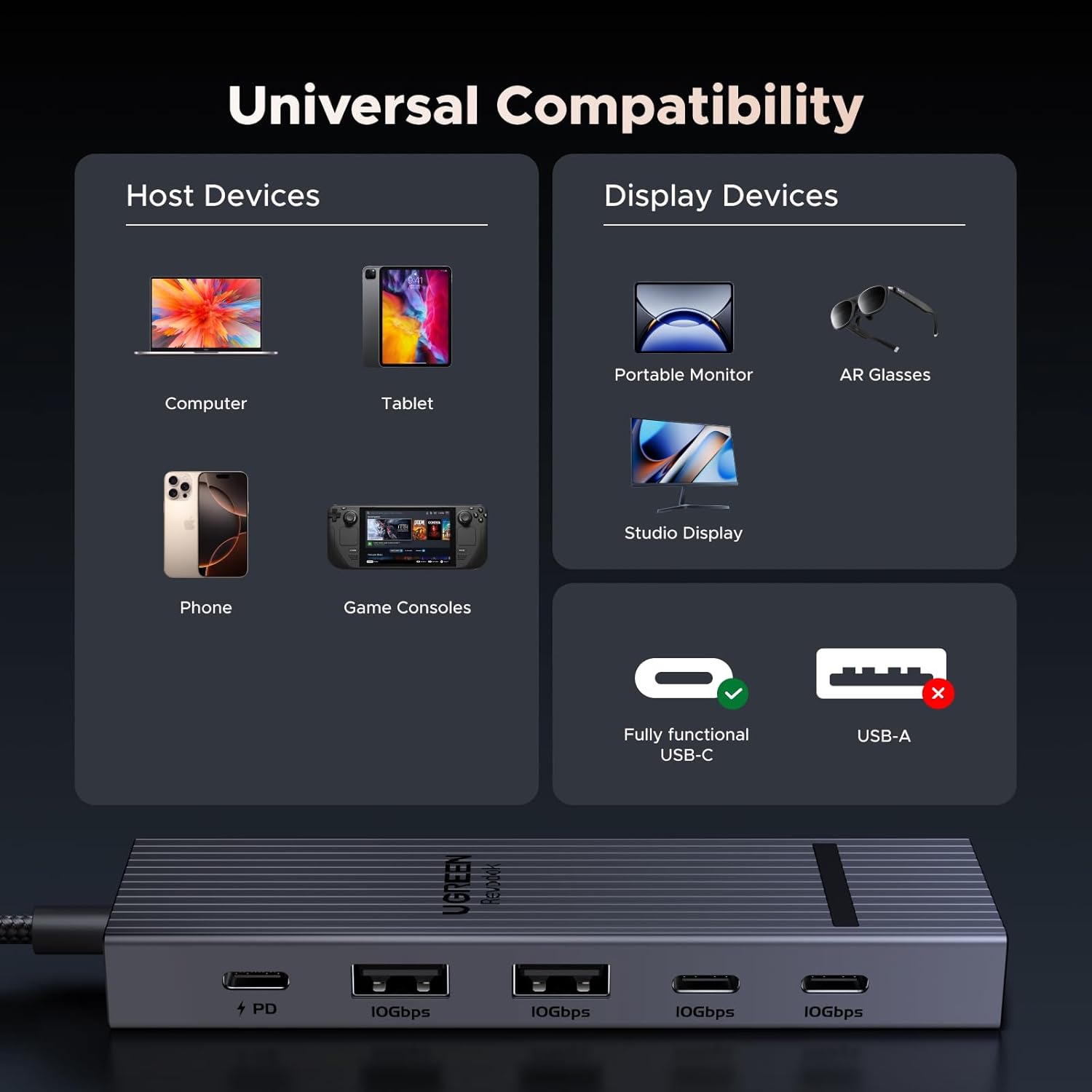
Figure 5: Universal compatibility with various host and display devices.
4.2 การถ่ายโอนข้อมูล
The two USB-A 3.2 Gen 2 ports and two USB-C 3.2 Gen 2 ports support data transfer speeds up to 10Gbps. This allows for rapid transfer of large files, such as 1GB in approximately 1 second. These ports are for data transfer only and do not support video output or charging.

Figure 6: 10Gbps data transfer capabilities and port limitations.
4.3 เอาต์พุตวิดีโอ
The dedicated USB-C Video port supports 4K resolution at a 60Hz refresh rate, providing a smooth and clear display experience. This port is specifically for video output and does not support charging or data transfer.

Figure 7: Visual representation of Ultra-Clear 4K@60Hz display quality.
4.4 การจ่ายพลังงาน
The USB-C PD port allows for pass-through charging of your host device. When connected to a 100W USB-C power adapter, the hub intelligently distributes power, providing up to 85W to your laptop or other compatible device while reserving 15W for the hub's operation and connected peripherals.
5. การบำรุงรักษา
- การทำความสะอาด: Disconnect the hub from all devices before cleaning. Use a soft, dry cloth to wipe the surface. Avoid liquid cleaners or abrasive materials.
- พื้นที่จัดเก็บ: เก็บฮับไว้ในที่แห้งและเย็น หลีกเลี่ยงแสงแดดโดยตรงและอุณหภูมิที่สูงหรือต่ำเกินไป
- อุณหภูมิ: The aluminum shell is designed to dissipate heat efficiently, maintaining an operating temperature of approximately 45 °C under full load. This is normal for electronic devices.
- การดูแลสายเคเบิล: Avoid bending or twisting the integrated cable excessively to prevent damage.
6 การแก้ไขปัญหา
-
ไม่มีเอาต์พุตวิดีโอ:
- Ensure your host device's USB-C port supports DisplayPort Alternate Mode (video output). Not all USB-C ports have this capability.
- Verify the USB-C cable connecting the hub to the display is fully functional and supports video transmission.
- Check display settings on your host device to ensure the external monitor is detected and configured correctly.
-
การถ่ายโอนข้อมูลช้า:
- Confirm that your connected devices (e.g., external SSD) and cables support USB 3.2 Gen 2 (10Gbps) speeds.
- Ensure the hub is connected directly to your host device's USB-C port, avoiding additional adapters or extension cables that may degrade performance.
-
No Charging via PD Port:
- Ensure you are using a compatible USB-C power adapter (e.g., 100W) and a USB-C to USB-C cable that supports Power Delivery.
- ตรวจสอบให้แน่ใจว่าได้เสียบอะแดปเตอร์แปลงไฟเข้ากับเต้ารับที่ใช้งานได้
- Check if your host device supports USB-C Power Delivery input.
-
Hub feels warm:
- It is normal for the hub to become warm during operation, especially under heavy load (e.g., 4K video output, high-speed data transfer, and charging simultaneously). The aluminum casing is designed for heat dissipation. If the hub becomes excessively hot to touch or malfunctions, disconnect it immediately.
7. ข้อมูลจำเพาะ
| คุณสมบัติ | รายละเอียด |
|---|---|
| ยี่ห้อ | ยูกรีน |
| หมายเลขรุ่น | 75775 |
| ฮาร์ดแวร์อินเตอร์เฟซ | ยูเอสบี ไทป์ ซี |
| เอาท์พุตวิดีโอ | 1x USB-C (4K@60Hz) |
| พอร์ตข้อมูล | 2x USB-A 3.2 Gen 2 (10Gbps), 2x USB-C 3.2 Gen 2 (10Gbps) |
| การส่งกำลัง | 1x USB-C PD (100W input, 85W output to host) |
| พอร์ตทั้งหมด | 6 (1x PD, 4x Data, 1x Video) |
| อัตราการถ่ายโอนข้อมูล | 10 กิกะบิตต่อวินาที |
| ระบบปฏิบัติการที่รองรับ | SteamOS, iOS, macOS (and other USB-C compatible OS) |
| วัสดุของตู้หุ้ม | อลูมิเนียม |
| น้ำหนักสินค้า | 0.1 กิโลกรัม |
8. การรับประกันและการสนับสนุน
8.1 ข้อมูลการรับประกัน
The UGREEN Revodok USB-C Hub (Model 75775) comes with a การรับประกันจากผู้ผลิต 2 ปีโปรดเก็บหลักฐานการซื้อไว้เพื่อขอรับสิทธิ์การรับประกัน การรับประกันครอบคลุมข้อบกพร่องด้านวัสดุและฝีมือการผลิตภายใต้การใช้งานปกติ
8.2 การสนับสนุนลูกค้า
หากต้องการความช่วยเหลือด้านเทคนิค การแก้ไขปัญหา หรือการสอบถามเกี่ยวกับการรับประกัน โปรดติดต่อฝ่ายสนับสนุนลูกค้าของ UGREEN ผ่านทางเว็บไซต์ทางการ website or the retailer where the product was purchased. Please have your model number (75775) and purchase details ready when contacting support.